How to Make a Strategy Presentation: A Full Guide
A strategy presentation is a short deck that explains where an organization is going, why, and what it will take to get there. To make one, write the strategy as one sentence first. Then build slides that show the situation, the choice, the evidence, the plan, and the decision you need from the room.
This guide covers what a strategy presentation is and how to state the strategy before you open a slide tool. It gives a slide-by-slide structure, ways to tell the story, and rules for slide titles and evidence. It then walks through making the deck with AI in three steps, an example, and common mistakes.
What a strategy presentation is
A strategy presentation makes a case for a direction. It might cover a company strategy, a marketing strategy, a sales strategy, or a plan for one product line. The audience is usually a leadership team, a board, or a group of managers who must act on it.
It differs from two documents people often confuse it with:
| Document | What it does | Typical length |
|---|---|---|
| Strategy presentation | Asks a group to agree on a direction and the next steps | 10 to 15 slides plus backup |
| Strategy document | Records the full reasoning, data, and plan in writing | Several pages |
| Business plan presentation | Shows how a business will make money, often for investors | 10 to 20 slides |
The presentation is the summary meant for a room. The document holds the detail. Our guide to a business plan presentation covers the investor version.
Because the audience must decide something, a strategy presentation needs a clear ask. Every slide should move the room toward that decision.
Start with a one-sentence strategy
Before you build slides, write the strategy down in plain words. A single sentence keeps every later slide pointed at the same idea.
Harvard Business Review made this point in a well-known 2008 article by David J. Collis and Michael G. Rukstad. Its summary says "Most executives cannot articulate the objective, scope, and advantage of their business in a simple statement." The article asks: "Can you summarize your company's strategy in 35 words or less?"
Those three parts make a useful test for any strategy presentation:
- Objective. What the strategy is meant to achieve, with a number and a date where possible.
- Scope. Where you will compete: which customers, products, regions, or channels.
- Advantage. Why you will win there, compared with the alternatives.
For example: "Grow repeat revenue to 40% of sales by 2028 by serving mid-size clinics in North America, using faster onboarding than larger competitors." That one line is the spine of the deck. If a slide does not support one of the three parts, it probably belongs in the backup.
Then add the ask. State what you need from this meeting: approval, a budget, a choice between options, or feedback.
A strategy presentation structure
Most strategy decks follow the same arc. The table below gives a ten-part structure you can adapt.
| # | Slide | What it answers |
|---|---|---|
| 1 | Title and ask | What are we deciding today? |
| 2 | Executive summary | What is the strategy, in one slide? |
| 3 | Where we are now | What are the facts nobody disputes? |
| 4 | What has changed | Why can we not keep doing the same thing? |
| 5 | Options we considered | What else could we do? |
| 6 | The recommended strategy | Which option, and why it wins |
| 7 | Evidence | What data supports the choice? |
| 8 | The plan | What happens, by when, and who owns it? |
| 9 | Risks and trade-offs | What could go wrong, and what do we give up? |
| 10 | Decision and next steps | What do we need from you now? |
The executive summary deserves extra care. Some readers will only see that slide. Our guide on how to create an executive summary slide covers it in detail.
Options matter more than people expect. A strategy shown without alternatives looks like a decision already made. Two or three real options, with a clear reason for the winner, make the recommendation credible.
How to tell the story
A strategy presentation is an argument, so it needs a story with a beginning, a turn, and an answer. A simple pattern works for most decks:
- The situation. Describe where things stand, using facts the room will accept.
- The problem. Show what has changed or what will go wrong if nothing changes.
- The recommendation. Present the strategy as the answer to that problem.
- The proof. Give the evidence and the plan.
- The ask. Close with the decision you need.
The MIT Communication Lab's guide to slideshows makes a related point about audiences. It says "Know your own goals as a presenter, and structure your presentation based on your goals." It adds that "Different audiences pay attention to different things."
That applies directly here. A board cares about risk and return. A sales team cares about targets and territories. A product team cares about scope and timing. Adjust the evidence slides to the room, while keeping the strategy sentence the same.
Start with something everyone cares about. The MIT guide warns that "what feels to you like a natural starting point for your presentation could easily feel baffling to others."
Write slide titles that state the point
Each slide title should say what the slide proves, not what it is about. "Repeat revenue grew 18% when onboarding took under a week" works better than "Onboarding data."
The MIT Communication Lab lists this as a goal: "The title text stands on its own, and most other text supports the visuals." Read only the titles in order. If they tell the whole story, the deck is in good shape. Our guide to takeaway slide titles shows the method in more detail.
Keep the body text short. Microsoft's presentation tips say to "Use bullets or short sentences, and try to keep each to one line." They also advise avoiding "font sizes smaller than 18 pt."
The MIT guide sets a simple bar for every slide: "Each slide gives no more information than is required to support the message."
Show the evidence clearly
A strategy is only as strong as the evidence behind it. Use numbers the room trusts: your own sales, customer, and cost data, plus a few market figures with named sources.
Three rules keep evidence slides readable:
- One chart, one message. Microsoft's tips say "Use graphics to help tell your story" but warn against too many graphics on one slide.
- Explain the chart before the data. The MIT guide says the audience "should know what the axes will be" before you show a plot.
- Show the trade-off. Put the cost of the strategy next to its benefit, so the room sees both.
Put the full data in backup slides. When someone asks how a number was calculated, you can jump to it. Our guide to backup slides covers what to include.
If the market picture is part of the argument, a SWOT slide can help. Our guide to a SWOT analysis presentation covers that format.
How to make a strategy presentation with AI
Building the evidence slides is where most of the time goes. You pull data from several files, make charts, and check every number. An AI tool can do much of that work, as long as you check what it produces.
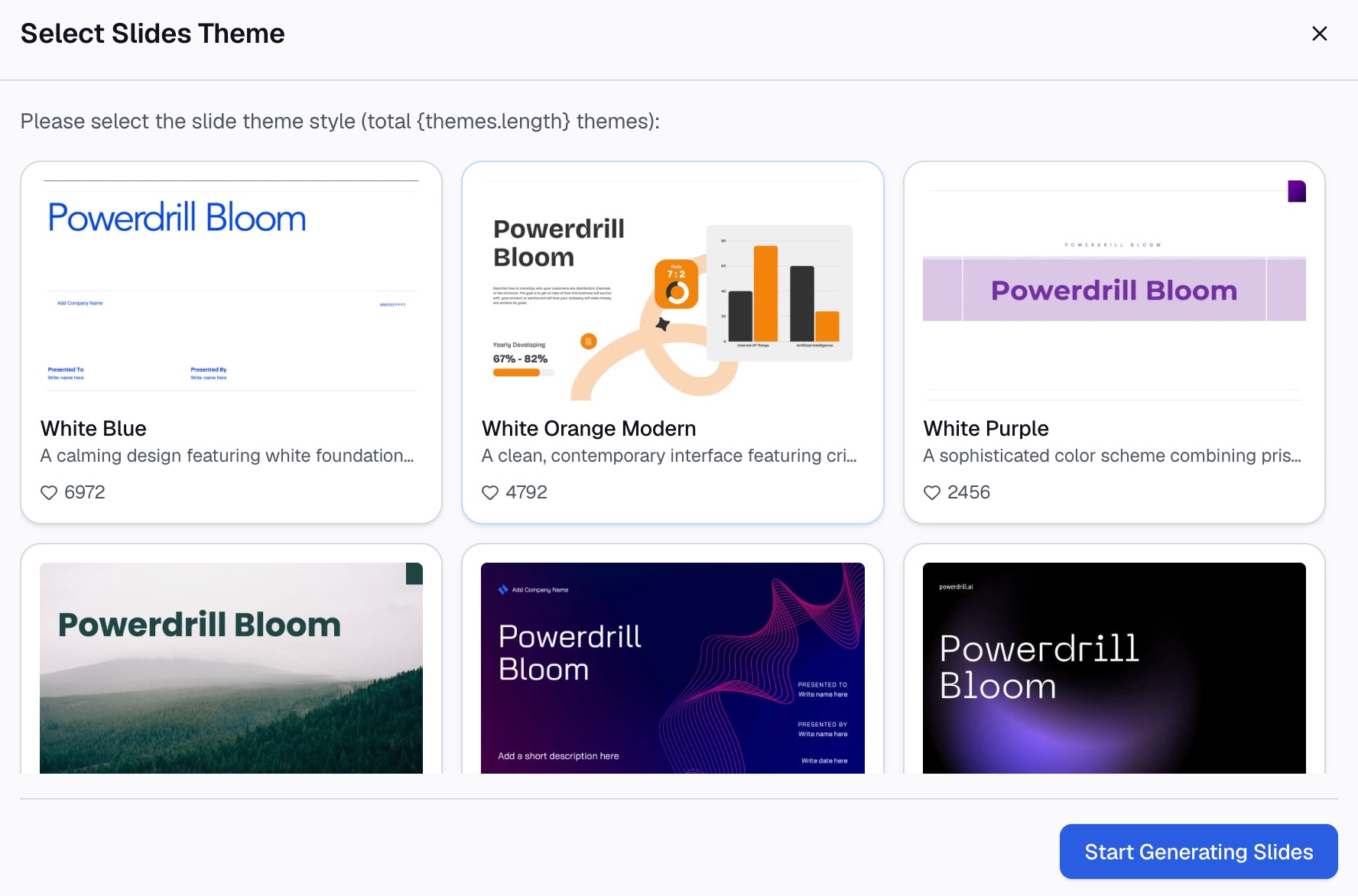
Here is the method in three steps, using Powerdrill Bloom.
Step 1: Upload your research, data, and notes
Start with the material behind the strategy. That might be a sales export, a customer survey, a cost model, and your notes on the options. The Free plan lists "Upload Excel, CSV, PDF, and docs."
Add public data if the argument needs it. Powerdrill Bloom's plans list "Search built-in open data sources," such as market prices and economic statistics. Keep each source as its own file, so every chart can be traced back.

Step 2: Ask for the storyline in natural language
Describe the deck in one request. Include the strategy sentence, the audience, and the ask. For example: "Build a 10-slide strategy presentation for our leadership team recommending we focus on mid-size clinics. Use the attached sales and survey data. End with a request to approve a $400,000 onboarding budget."
Then ask follow-up questions to test the case. Try "Which customer segment grew fastest last year?" or "What would revenue look like if onboarding stayed at three weeks?" Questions like these find weak points before the room does.
The Topic to PPT page says Powerdrill Bloom "intelligently searches, analyzes, and explores related information, then organizes it into a clear narrative." For strategy work, that narrative is the draft you refine.
Step 3: Build the slides, speaker notes, and backup slides
Turn the analysis into slides. Check each title against the strategy sentence, and cut any slide that does not support it.
Then check the numbers. The Powerdrill Bloom homepage says "Every number comes back with the page, the row and the figure behind it." Open the source for any figure that will be challenged.
Finally, add speaker notes and backup slides. Ask for a short note under each slide, and move detailed tables to the backup section. Our guide to speaker notes covers what to write.
A strategy presentation example
Here is a short example for a software company. The company, numbers, and plan are invented to show the structure.
Strategy sentence: "Grow repeat revenue to 40% of sales by 2028 by focusing on mid-size clinics, using onboarding that takes under a week."
Slide titles, in order:
- "Approve a clinic-focused strategy and a $400,000 onboarding budget"
- "Mid-size clinics can lift repeat revenue to 40% by 2028"
- "Repeat revenue is 22% of sales today, flat for two years"
- "Large competitors take four to six weeks to onboard a clinic"
- "We weighed three options: hospitals, clinics, or both"
- "Clinics win on deal size, sales cycle, and fit"
- "Clinics onboarded in under a week renewed at a higher rate"
- "A three-phase plan reaches 120 new clinics by the end of 2027"
- "The main risk is hiring onboarding staff fast enough"
- "Decision today: approve the budget and the first hires"
Read in order, the titles carry the full argument. Each slide then holds one chart or one table that proves its title.
How to rehearse and handle questions
A strategy presentation is judged in the room, so rehearse it out loud at least twice. Microsoft's tips say "Practice the presentation so that you can speak from bullet points." They add that "The text should be a cue for the presenter rather than the full message for the audience."
Plan for questions before you present. List the five hardest questions a skeptical executive could ask, and make sure a backup slide answers each one. Common ones are about cost, timing, risk, and the options you rejected.
Decide when to take questions. Microsoft's tips note that "early questions are often answered by ensuing slides and commentary." For a strategy deck, a short pause after the recommendation slide often works well, with a longer discussion at the end.
Watch the room as you go. If people stare at your slides, the same tips warn that the slides "may contain too much data." Use that signal to trim the next version.
Common strategy presentation mistakes
Watch for these mistakes before you present.
- No clear ask. The room leaves without a decision. Put the ask on the first and last slides.
- A list of goals instead of a strategy. Goals say what you want. A strategy also says where you will compete and why you will win.
- No options. A single path looks pre-decided. Show the alternatives you rejected and why.
- Too much text. Slides full of sentences pull attention from you. Move detail to speaker notes.
- Unsourced numbers. One wrong figure can sink the whole case. Check every number against its source.
- Hiding the trade-offs. Every strategy gives something up. Naming it builds trust.
A final check helps. Microsoft's tips say "If you plan a certain amount of time for your presentation, don't go over." A strategy deck that leaves time for questions usually gets a better decision.
Want to build the evidence slides faster? Try Powerdrill Bloom with the sales and customer data behind your next strategy review.
Frequently asked questions
What should be included in a strategy presentation?
A strategy presentation should include a clear ask, an executive summary, the current situation, what has changed, the options considered, and the recommended strategy. It should also cover the evidence, the plan with owners and dates, the risks and trade-offs, and the decision needed.
How long should a strategy presentation be?
Most strategy presentations work best at 10 to 15 main slides, with detail moved to backup slides. Plan for less time than your slot so there is room for questions. The executive summary should stand on its own for readers who see only one slide.
How do you start a strategy presentation?
Start with the decision you need and a one-slide summary of the strategy. Then describe the current situation with facts the room accepts. The MIT Communication Lab advises starting with something everyone cares about, rather than with detailed background.
How do you present a strategy to executives?
Lead with the recommendation and the ask, not the analysis. State the objective, the scope, and the advantage in one sentence. Show two or three options, explain why one wins, and put supporting data in backup slides for questions.
Can AI make a strategy presentation?
Yes. AI tools can draft the storyline, build charts from your data, and lay out slides from a request in natural language. Powerdrill Bloom works from uploaded files and open data, with each number traced to its source. Check every figure and title before you present.
Sources: Harvard Business Review, Can You Say What Your Strategy Is? · MIT Communication Lab, Slideshow · Microsoft Support, Tips for creating and delivering an effective presentation.