How to Make a SWOT Analysis Presentation: Template and Examples
A SWOT analysis presentation shows an audience the strengths, weaknesses, opportunities, and threats behind a decision. It usually ends with what to do about them. The hard part is not filling in the four boxes. The hard part is turning a long list into a few points that people can act on.
This guide covers a slide-by-slide template, how to build each quadrant, and how to turn the grid into strategy. It also walks through an AI method in three steps, a worked example, and how to start and end the talk.
What a SWOT analysis presentation is
SWOT stands for strengths, weaknesses, opportunities, and threats. The University of Kansas Community Tool Box explains the split. A SWOT analysis "guides you to identify your organization's strengths and weaknesses (S-W), as well as broader opportunities and threats (O-T)."
The first pair is internal and the second is external. Strengths and weaknesses are things you control, such as staff, money, and processes. Opportunities and threats come from outside, such as the economy, competitors, and new rules.
A presentation adds a purpose to the grid. The Community Tool Box notes that SWOT offers "a simple way of communicating about your initiative or program." On slides, that means the four quadrants serve one question, such as whether to launch a product or enter a market.
The Business Queensland guide, from the Queensland Government, sets the length. It says a SWOT analysis "should generate a brief list of issues relevant to the 4 categories." A presentation needs that brevity even more than a written report does.
Before you start: decision, audience, and scope
Three questions shape a SWOT analysis presentation before you open a slide.
- What decision does it support? A SWOT for a new product looks different from a SWOT for a yearly strategy review. Write the decision in one sentence.
- Who is listening? Executives want the trade-offs and the recommendation. A project team wants detail on the weaknesses it has to fix.
- How wide is the scope? Business Queensland says you can review a whole business or focus on "1 or 2 specific issues." A narrow scope makes a sharper deck.
- How long do you have? A 10-minute slot fits an overview grid, two detail slides, and one strategy slide. Anything more belongs in the appendix.
Then gather the evidence you will cite. Useful inputs include sales and finance exports, customer survey results, competitor pricing pages, and market or industry reports. A SWOT that rests on opinions alone is easy to dismiss in the room.
A SWOT analysis presentation template
A SWOT analysis presentation usually follows the same shape. The slide counts below are a starting point for a 10 to 15 minute talk.
| Section | What it covers | Suggested slides |
|---|---|---|
| Title | Topic, team or presenter, date | 1 |
| The question | The decision this SWOT supports, and why now | 1 |
| Scope and sources | What you looked at, and where the evidence came from | 1 |
| SWOT overview | All four quadrants on one two-by-two grid | 1 |
| Strengths and weaknesses | The internal factors, with evidence for each point | 1 to 2 |
| Opportunities and threats | The external factors, with evidence for each point | 1 to 2 |
| Strategy | A TOWS matrix that pairs factors into actions | 1 |
| Priorities and next steps | Two or three actions, with owners and dates | 1 |
| Appendix | Data tables, sources, and points that did not make the cut | As needed |
The overview grid carries the whole story on one slide. Keep it on one slide, with three to five short points per quadrant. Put the detail on the slides that follow.
The strategy slide is easy to leave out. Without it, the audience sees a diagnosis but no plan.
How to build each quadrant
Each quadrant answers a different question. The Community Tool Box and Business Queensland both give prompts you can reuse.
Strengths. List what you do well and what others rely on you for. The Community Tool Box advises, "Don't be too modest when listing your strengths." Business Queensland asks, "What does the business do well?"
Weaknesses. List the gaps in skills, systems, money, or process. Business Queensland asks, "What are the weaknesses of your systems and processes?" Be as specific here as you are with strengths.
Opportunities. Look outside for trends you can use. The Community Tool Box suggests future trends, the economy, funding sources, demographics, and legislation. Business Queensland adds grants, tenders, and new market openings.
Threats. Look outside for risks. Business Queensland asks, "What new competitors may enter your market?" It also points to political, environmental, social, and technological factors.
Two habits make every quadrant stronger. First, get views from outside your team. The Community Tool Box says to identify strengths and weaknesses "from both your own point of view and that of others." Second, be specific. Business Queensland's example shows the difference. It says that "rather than simply list 'competitors' as a threat," the analysis spells out how competitors are a threat.
Finally, cut the list down. The Community Tool Box recommends you "refine it to the best 10 or fewer points so that the analysis can be truly helpful." On slides, that limit keeps the grid readable.
Turn the grid into strategy with a TOWS matrix
A grid of four lists describes a situation. A TOWS matrix turns it into options. The Community Tool Box shows a TOWS matrix adapted from Fred David's strategic management text.
| Pairing | What the strategy does |
|---|---|
| Strength + Opportunity (SO) | "Use the strengths to take advantage of opportunities" |
| Weakness + Opportunity (WO) | "Overcome weaknesses by taking advantage of opportunities" |
| Strength + Threat (ST) | "Use strengths to avoid threats" |
| Weakness + Threat (WT) | "Minimize weaknesses and avoid threats" |
The Community Tool Box gives an example for Campbell Soup Company. Rising health awareness paired with high employee morale led to "Develop new healthy soups (S2, O2)." Cans that are not biodegradable led to "Develop new biodegradable soup containers (S1, T2)."
The codes in parentheses do useful work on a slide. They show which points each strategy came from, so the audience can trace the logic back to the grid.
Use one TOWS slide with one or two strategies per cell. Then pick the two or three you recommend and carry them to the next-steps slide.
How to make a SWOT analysis presentation with AI
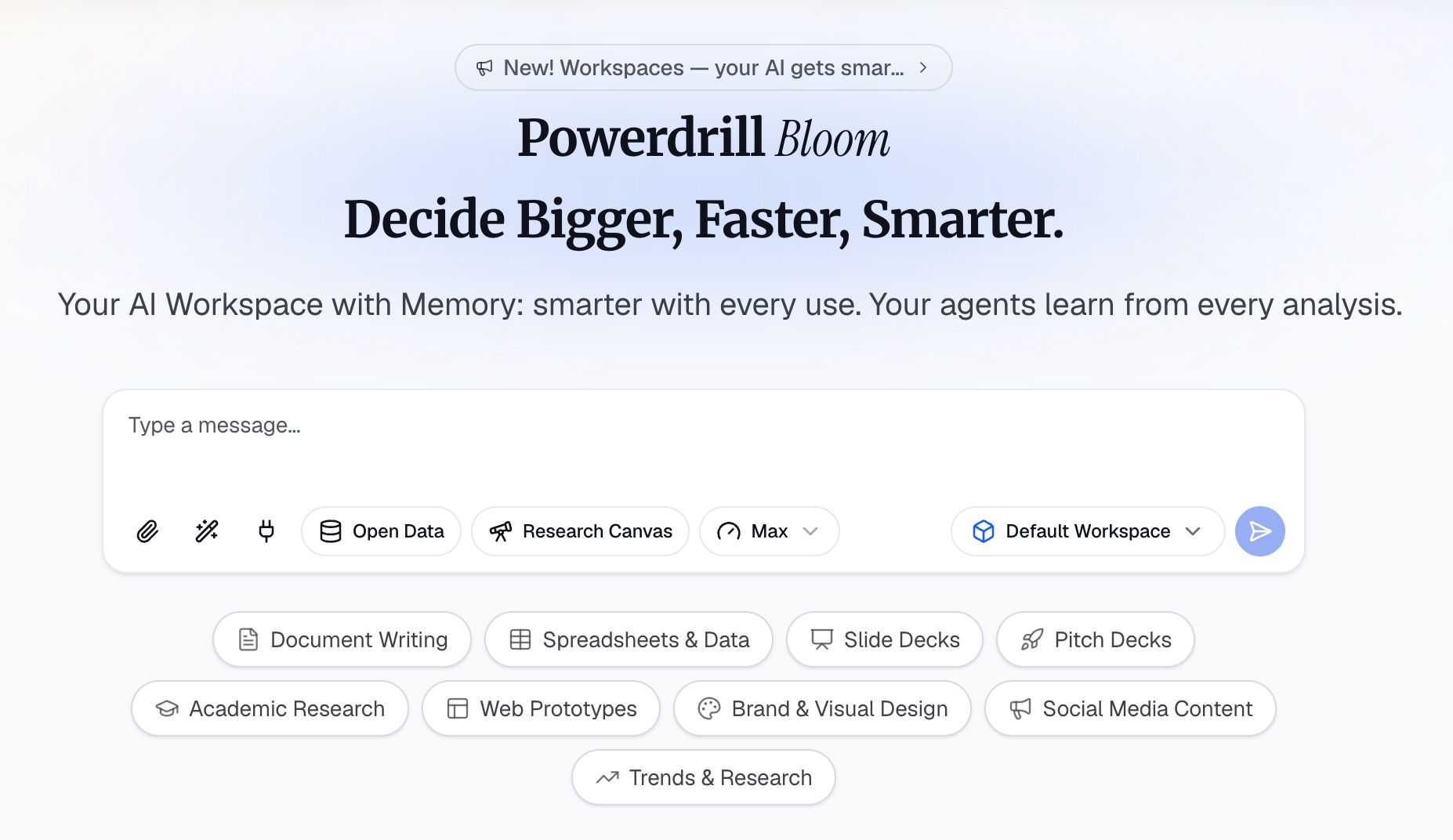
AI can do the slow parts: sorting evidence, drafting the quadrants, and laying out the slides. Your job is to check each point and decide what matters. Here is the method in three steps, using Powerdrill Bloom.
Step 1: Gather your evidence in one place
Start with the files you already have. Upload your sales or finance export, survey results, and any market or industry reports. Powerdrill Bloom's Free plan lists "Upload Excel, CSV, PDF, and docs" and "Search built-in open data sources."
If competitors are part of the picture, start from their public pages. The AI competitor analysis tool page says you can paste competitor URLs or upload past battle cards and company exports. One of the outputs it lists is "SWOT per competitor with cited evidence and a comparative summary."
Write the decision at the top of your first prompt. For example: "We are deciding whether to launch a coffee subscription next spring. Use these files as evidence." A clear decision keeps the SWOT focused on what matters.
Step 2: Draft the four quadrants with sources
Ask for a draft that keeps internal and external factors apart. A useful prompt is: "Draft a SWOT analysis for this decision. Put internal factors under strengths and weaknesses, external factors under opportunities and threats, and cite the file for each point."
Then push for evidence. Ask which points have no source, and either find one or cut the point. Ask for three to five points per quadrant, ranked by how much each one affects the decision.
Check every point against the file before you trust it. Open the export, find the row, and confirm the number. The Powerdrill Bloom homepage says "Every number comes back with the page, the row and the figure behind it." That makes the check quick, but it is still your job.
Step 3: Build the slides and the strategy slide
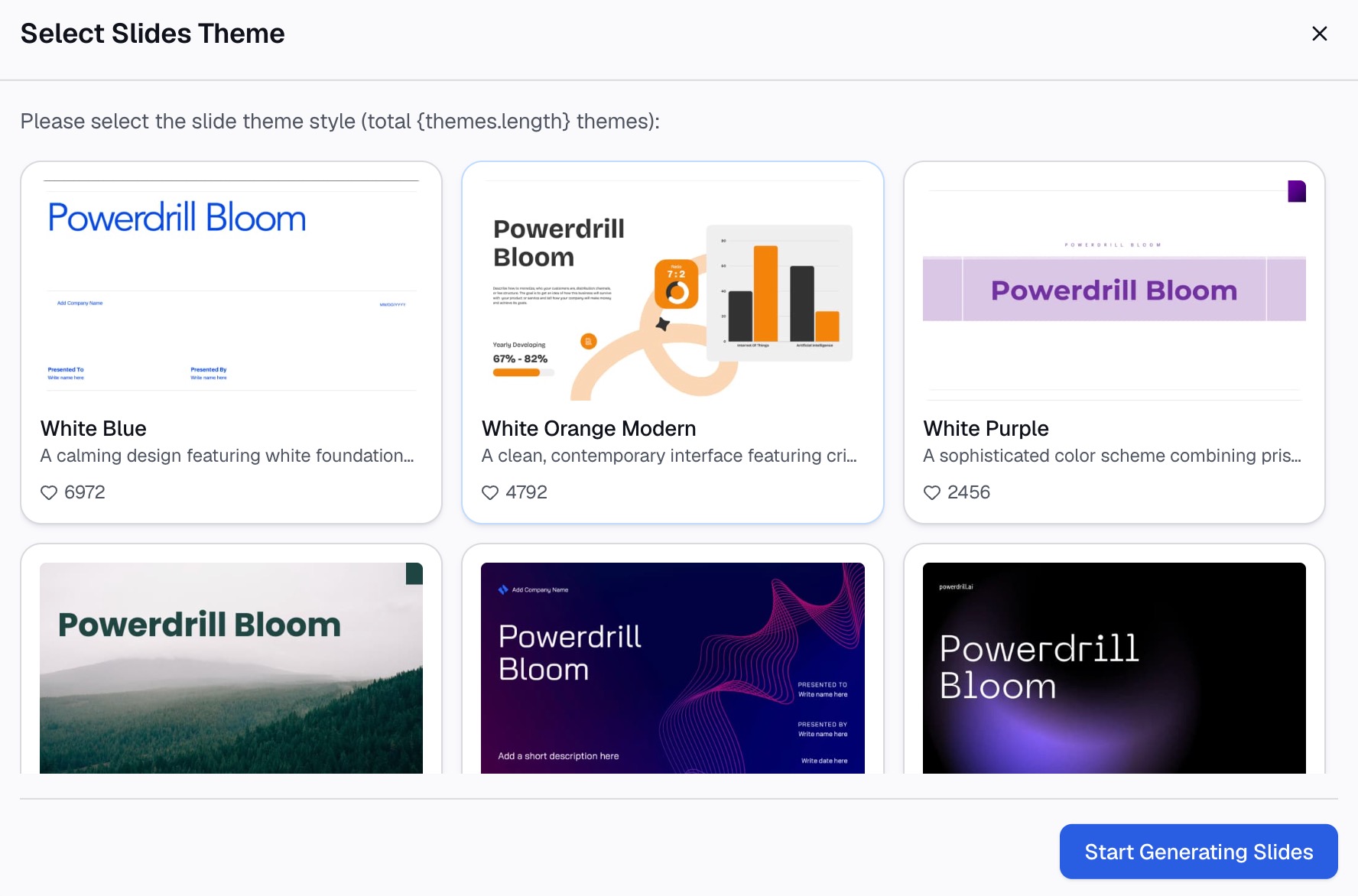
Once the quadrants are right, ask for the SWOT analysis presentation itself. Request a title slide, a question slide, an overview grid, a slide for each pair of quadrants, a TOWS slide, and a next-steps slide.
Give each slide a title that states the finding, not just the label. "Our repeat customers are our biggest strength" works better than "Strengths." Our guide to takeaway slide titles explains the method.
Ask for the TOWS slide in the same session, so the strategies keep their links to the evidence. The competitor analysis page lists a deck as one of its export formats, and the Free plan lists "Create basic slides, docs, sheets, and images." Export the draft to PowerPoint, then edit the wording so it sounds like your team.
A worked example
Here is an outline for a 12-minute SWOT analysis presentation. The company, numbers, and findings are illustrative, not results from a real business.
| Slide | Title | Content |
|---|---|---|
| 1 | Should we launch a coffee subscription? | Title, team, date |
| 2 | A subscription could steady our winter sales | The decision and why it matters now |
| 3 | We used 18 months of sales data and 400 survey replies | Scope and sources |
| 4 | Loyal customers and roasting skill outweigh our gaps | SWOT overview grid |
| 5 | Repeat buyers are our biggest strength | Strengths and weaknesses, with evidence |
| 6 | Demand is rising, but two rivals already ship monthly | Opportunities and threats, with evidence |
| 7 | Three ways to win, and one risk to manage | TOWS matrix with four strategies |
| 8 | Start with a pilot for our top 200 customers | Priorities, owners, and dates |
| 9 | Appendix: data and sources | Tables and full source list |
Notice the pattern. Every title makes a claim, and slide 7 turns the grid into choices. Slide 8 gives the audience something to approve.
Design tips for SWOT slides
A SWOT analysis presentation carries many short points. These rules keep it readable.
- Use a two-by-two grid. Put strengths and weaknesses on the top row and opportunities and threats below. This keeps internal factors above external ones.
- Keep text short. Microsoft's presentation tips say to "Use bullets or short sentences, and try to keep each to one line."
- Use readable type. The same page says to "avoid using font sizes smaller than 18 pt."
- Use color with care. Give each quadrant one color and keep it the same on every slide. Microsoft also advises "high contrast between background color and text color."
- Show numbers as charts. If a strength rests on a trend, such as rising repeat orders, a small chart says more than a bullet.
- Cite on the slide. Add a short source line under each quadrant, and keep the full list for the appendix.
How to start, explain, and end a SWOT analysis presentation
Many presenters ask how to open the talk, how to walk through the grid, and how to close it. Each part has a simple job.
Start with the decision. Open with the question the SWOT answers and why it matters now. Then say where the evidence came from. Our guide to the presentation introduction covers how to frame the first minute.
Explain the grid in a clear order. The Community Tool Box suggests one approach for group sessions: "Proceed in S-W-O-T order." Another is to lead with the top item in each quadrant: "the strongest strength, most dangerous weakness, biggest opportunity, worst threat." The second order works well for short talks.
Be honest about the method. Business Queensland lists the limits of SWOT itself. It says an analysis "will not prioritise issues" and "will not provide solutions or offer alternative decisions." Say how you ranked the points, so the audience trusts the priorities.
End with actions. The Community Tool Box says to "Translate the analysis to action plans and strategies." Close on two or three actions with owners and dates, then ask for the decision. Our guide to the conclusion slide shows how to end on a clear takeaway.
Microsoft's tips add one more rule for delivery: "Don't read the presentation." The grid is for the audience; your words should explain what it means.
Common mistakes
These problems show up often, and each one has a simple fix.
- Too many points. A quadrant with ten bullets hides the three that matter. Cut to the strongest points and move the rest to the appendix.
- Vague entries. "Competition" tells the audience nothing. Name the competitor and the move that worries you.
- Mixing internal and external. A new rival is a threat, not a weakness. Keep the two pairs apart.
- No strategy slide. A grid without a TOWS slide or next steps leaves the audience asking, "So what?"
- Only confirming the plan. The Community Tool Box warns that "SWOT usually reflects your current position or situation." It suggests looking for a stretch, not just a fit, so the analysis can open new options.
- Unchecked AI output. Check every number and source against the original file before you present.
If your SWOT draws on competitors, our guide to a competitor analysis report covers the research stage. When your evidence is ready, you can try Powerdrill Bloom to turn your files into a first draft of the deck.
Frequently asked questions
What is a SWOT analysis presentation?
A SWOT analysis presentation is a short deck that shows the strengths, weaknesses, opportunities, and threats behind a decision. It usually includes an overview grid, evidence for each quadrant, a strategy slide, and next steps. Teams use it for planning reviews, product launches, and market entry decisions.
How do I start a SWOT analysis presentation?
Start with the decision the SWOT supports and why it matters now. Then show your scope and where the evidence came from, such as sales data or customer surveys. This framing tells the audience what to listen for before they see the grid.
How do I explain a SWOT analysis in a presentation?
Walk through the grid in a clear order, such as strengths, weaknesses, opportunities, then threats. For a short talk, lead with the top item in each quadrant instead. Give one piece of evidence for each point, and explain how you ranked them.
How do I end a SWOT analysis presentation?
End with two or three actions that come from the analysis, each with an owner and a date. A TOWS matrix helps, because it pairs strengths and weaknesses with opportunities and threats to produce strategies. Close by asking for the decision you need.
How many slides should a SWOT analysis presentation have?
For a 10 to 15 minute talk, plan on eight to ten slides. That covers a title, the question, sources, an overview grid, two detail slides, a strategy slide, next steps, and an appendix. Shorten it by merging the detail slides into the grid.
Sources: University of Kansas Community Tool Box, SWOT Analysis: Strengths, Weaknesses, Opportunities, and Threats · Business Queensland, SWOT analysis · Microsoft Support, Tips for creating and delivering an effective presentation. Details read from each source on October 12, 2026.