How to Write a Presentation Introduction: Examples and Tips
A presentation introduction has three jobs. It gets attention, explains why the topic matters to this audience, and states your main point with a preview of what comes next. Open with a hook, such as a number, a question, or a short story. Then say your point in one sentence and name your two or three sections.
This guide covers what a strong introduction contains, how long it should run, and five ways to open. It also walks through a three-step method for drafting one with AI. Examples for common situations and the mistakes that weaken a first minute follow.
What a presentation introduction needs to do
The Writing Center at the University of North Carolina gives a clear breakdown for spoken introductions. It lists three moves.
Get their attention. The handout calls this "The Hook." It notes that "Speakers often begin with anecdotes to hook their audience's attention." Other methods it lists include "presenting shocking statistics, asking direct questions of the audience, or enlisting audience participation."
Establish context or motive. The advice is to "Explain why your topic is important." Connect the topic to something the audience already cares about, such as a goal, a risk, or a decision they have to make.
Get to the point. The handout says to "Tell your listeners your thesis right away and explain how you will support it." It warns against saving the main point for the end. If you keep the audience guessing, "they will most likely become bored or confused."
That last point is where a written introduction and a presentation introduction differ most. A reader can skim ahead. A listener, the handout notes, has "only one chance to comprehend the information." So a presentation introduction states the conclusion early and tells people where the talk is going.
A preview does that job. The handout's example is simple: "I'm here today to talk to you about three issues that threaten our educational system: First, … Second, … Third." Listeners then know how many parts to expect and can follow the structure.
How long the introduction should be
Most presentation introductions should run 30 to 90 seconds. Long enough to set up the talk, short enough that the audience reaches the substance quickly.
Speaking pace turns that into a word count. Microsoft's Speaker Coach recommends that presenters speak at "a rate of 100 to 165 words per minute." At that pace, the math works out like this:
| Introduction length | Word count at 100 wpm | Word count at 165 wpm |
|---|---|---|
| 30 seconds | 50 words | about 80 words |
| 60 seconds | 100 words | 165 words |
| 90 seconds | 150 words | about 250 words |
A useful rule is to keep the presentation introduction to about 10% of your total time. For a 10-minute update, that is one minute, or roughly 100 to 165 words. For a 3-minute pitch, it is closer to 20 seconds.
Write the presentation introduction last, even though you deliver it first. Once the body is done, you know the main point and the sections, which are the two things the introduction has to announce.
Five ways to open a presentation
The hook is the part people remember. These five openings cover common situations. The examples below are illustrative and use made-up figures.
Open with a number
A single striking figure from your own data works well for business and research talks. "Last quarter, 41% of our support tickets came from one screen in the app." The number makes the problem concrete before you explain it.
Microsoft's Speaker Coach guidance supports reading numbers aloud. It says that "reading numeric data aloud helps make that information clear to the audience."
Open with a question
A direct question invites the audience to think before you answer. "How many of you checked a dashboard this morning, and how many acted on it?" Keep it answerable, and pause long enough for people to answer in their heads.
Open with a short story
An anecdote builds a personal connection. Keep it under 30 seconds and tie it to your point in the last line. "Two weeks ago, a customer called us to cancel. By the end of the call, she had upgraded. Here is what changed."
Open with the problem
For decision meetings, name the problem and the stakes in one breath. "We have six weeks to choose a vendor, and the two finalists differ on the one metric that matters most." This works when the audience already knows the context.
Open with the answer
For senior audiences, lead with the conclusion. "We should delay the launch by one month. I will show you three reasons." This is the "get to the point" advice at its most direct.
How to write a presentation introduction with AI
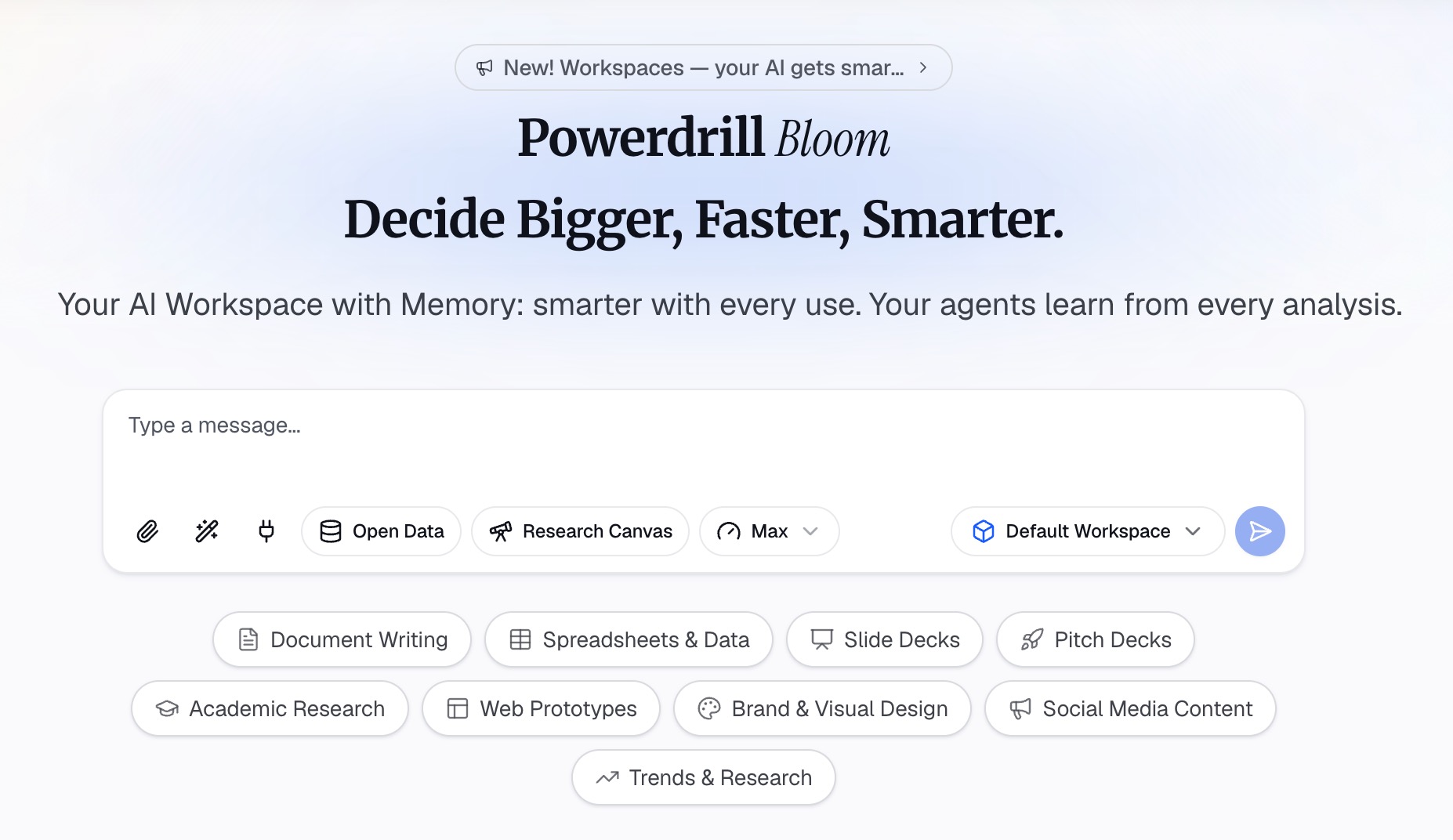
AI is most useful for the hardest part: finding the one figure or finding worth opening with, then drafting several versions to compare. The three steps below use Powerdrill Bloom, but the same approach works with any assistant that can read your files.
Step 1: Gather the deck, the data, and the audience
Upload the file your talk is built on, such as the spreadsheet or report behind your slides. Add a PDF export of the deck if you have one, so the AI sees your sections.
Then describe the audience in one or two sentences, because a presentation introduction is written for specific listeners. Who are they, what do they already know, and what do you want them to do after the talk? An introduction for a finance committee should open differently from one for a new-hire orientation.
Finally, state your main point in one sentence. If you cannot write it yet, ask the AI to summarize the data's strongest finding first. That sentence becomes the thesis your introduction has to deliver.
Step 2: Draft three openings from the strongest finding
Ask for three versions of the presentation introduction, each under 60 seconds, with different hooks. A good request names them: "Write three openings for this deck. Start one with a number from the data, one with a question, and one with the problem. End each with a one-sentence preview of the three sections."
Ask the AI to show where each number came from. A number is only a good hook if it is right, and the first minute is the worst place to be corrected. In Powerdrill Bloom, figures come back with the row or page behind them, which makes this check quick.
Read the three drafts out loud. Pick the one that sounds most like you, then combine the best lines from the others if they help.
Step 3: Tighten to time and add the preview
Cut the chosen draft to your word budget. At 100 to 165 words per minute, a 60-second introduction needs to stay under about 165 words.
Check that the presentation introduction contains all four parts: hook, why it matters, main point, and preview. If one is missing, add it in a single short sentence rather than a new paragraph.
Then match the preview to your slides. If your agenda slide says "Results, Risks, Next steps," the introduction should name those same three words. Our guide to the agenda slide covers how to keep the two in sync.
Presentation introduction examples
Here are five complete presentation introduction examples for common situations. Each follows hook, context, main point, and preview. All figures are illustrative.
Quarterly business update (about 60 words). "Revenue grew 12% last quarter, but almost all of it came from two accounts. That concentration is the risk I want us to discuss today. My recommendation is to fund a second sales motion before the next budget cycle. I will cover what drove the quarter, where the risk sits, and what a second motion would cost."
Research talk (about 55 words). "Most studies on remote onboarding measure retention at 90 days. We tracked it for a full year, and the picture changes after month six. Today I will show that early engagement predicts retention better than tenure does. I will cover the method, the three findings, and what they mean for onboarding design."
Sales pitch (about 45 words). "Your team spends two days each month rebuilding the same report. What would it mean to get those days back? We automate that report from the files you already export. In the next ten minutes, I will show the workflow, the results, and the rollout plan."
Class presentation (about 50 words). "Every day, the average city bus stops over a hundred times. Each stop costs time, fuel, and patience. Our project looks at whether fewer, smarter stops can make buses faster without leaving riders behind. We will cover the data we used, what we found, and our recommendation."
Self-introduction at the start of a talk (about 40 words). "I lead the analytics team, which means I spend most weeks turning messy exports into decisions. Today I want to share one of those decisions, and why the data changed our mind. I will cover the question, the data, and the result."
Notice what each example avoids. None opens with an apology, a long thank-you, or a description of the agenda before the point.
What to put on the introduction slide
The introduction slide supports what you say. It does not repeat it.
Microsoft's presentation tips give the basic rules. Keep text minimal, because "You want your audience to listen to you present your information, rather than read the screen." Avoid fonts smaller than 18 pt, and go larger in a big room.
For most talks, the introduction slide holds three things at most:
- The hook, shown visually: the number in large type, a single chart, or one photo.
- The main point as a short headline.
- The preview, as three short labels.
If you open with a question, the slide can show only the question. Let the audience read it while you pause. For deck structure beyond the first slide, the Excel to PowerPoint page covers turning data into slides.
How to deliver the first minute
A written presentation introduction only works if it sounds natural when spoken.
Microsoft's tips say, "Don't read the presentation. Practice the presentation so that you can speak from bullet points." That matters most in the first minute, when the audience decides whether to pay attention.
Three habits help:
- Memorize the first two sentences. Starting confidently makes the rest easier. Speak the rest from short cues.
- Pause after the hook. A two-second pause after a number or question gives it weight.
- Watch your pace. Nerves speed people up. Speaker Coach notes that when you speak too fast, "audience comprehension and recall of the message is decreased."
Put the introduction's cue words in your speaker notes, not the full text. Our guide to speaker notes covers how much to write there.
Common mistakes
These patterns commonly weaken a presentation introduction:
- Saving the point for the end. The UNC handout warns that suspense tends to leave listeners "bored or confused." State the main point in the first minute.
- Opening with logistics. "Can everyone hear me? Let me just get this started." Handle setup before you begin, then open with the hook.
- Using a number you have not checked. An error in the first minute undermines everything that follows. Confirm the source of every figure in the introduction.
- Running long. A two-minute introduction to a ten-minute talk leaves too little time for substance. Stay within about 10% of your time.
- A preview that does not match the slides. If the introduction promises three parts, the deck needs three parts in the same order.
A strong presentation introduction also sets up a strong ending. The last minute should return to the point you made in the first. Our guide to the conclusion slide covers how to close the loop.
When your opening depends on a number from your data, you can try Powerdrill Bloom to find the strongest figure. It can then draft three openings from it.
Frequently asked questions
What should a presentation introduction include?
A presentation introduction should include a hook, a reason the topic matters to this audience, your main point, and a preview of your sections. The University of North Carolina Writing Center frames it as getting attention, establishing motive, and getting to the point right away.
How do you start a presentation?
Start with a hook: a striking number, a direct question, a short story, the problem, or the answer itself. Then connect it to why the audience should care. Avoid opening with logistics or apologies, which spend the audience's attention before you have said anything useful.
How long should a presentation introduction be?
Most introductions should run 30 to 90 seconds, or about 10% of your total time. At Speaker Coach's recommended pace of 100 to 165 words per minute, a 60-second introduction is roughly 100 to 165 words.
What do you say in the first sentence of a presentation?
Say the most interesting thing you have. That is often one number from your data, a question the audience wants answered, or your recommendation. Keep the first sentence short enough to say in one breath.
How do I introduce myself at the start of a presentation?
Give your role in one sentence and connect it to the topic, then move straight to your main point. The audience needs to know why you are qualified to speak, not your full background. Keep a self-introduction to about 20 seconds.
Sources: The Writing Center at UNC Chapel Hill, Speeches · Microsoft Support, Suggestions from Speaker Coach · Microsoft Support, Tips for creating and delivering an effective presentation. Guidance read on September 24, 2026.