How to Make a Marketing Presentation: Outline and Examples
To make a marketing presentation, start with the decision you need from your audience. Then follow a fixed outline: market, customer, competitive advantage, goals, channels, budget, and how you will measure results. Back each slide with one number from your own data, and end with a clear request.
This guide covers what a marketing presentation is, a slide-by-slide outline, and how to write each slide. It also shows how to build one with AI from your campaign data, plus an example and the mistakes to avoid.
What a marketing presentation is
A marketing presentation is a slide deck that explains a marketing plan, a campaign, or marketing results to people who must act on it. Those people might be a leadership team, a client, a sales team, or investors.
There are three common types:
- A marketing plan presentation. It sets out the plan for the next year or quarter and asks for approval and budget.
- A campaign presentation. It pitches one campaign, such as a product launch, and asks for a go-ahead.
- A marketing results presentation. It reports what happened last month or quarter and what changes next.
All three share one job. A marketing plan is about persuasion. The US Small Business Administration (SBA) puts it simply. A marketing plan "describes the actions you'll take to persuade potential customers to buy your products or services." The presentation has to persuade the room first.
If your deck is meant to close a deal with a buyer, read our guide on how to make a sales presentation instead. For a company-wide plan, see how to make a strategy presentation.
Who reads it and what they want to know
Write for the people in the room, not for the marketing team.
Executives want to know what you will spend, what you expect back, and what you need from them. They will look for the budget slide and the goals slide first.
Sales leaders want to know which leads they will get, when, and how qualified those leads will be. They care about the channel plan and timing.
Clients want proof that you understand their customer and their market. They look for the target market and the results slides.
Finance wants to know how you will measure return. The SBA says "Plan to compare your marketing and sales costs to the revenue it generates."
Before you open PowerPoint, write one sentence: "After this presentation, I need them to ___." Every slide should help get that answer.
Outline: a slide-by-slide structure
The SBA lists the sections most marketing plans cover. They work well as the spine of a marketing presentation. Here is a 12-slide outline built on them.
| # | Slide | What it answers |
|---|---|---|
| 1 | Title and ask | What is this, and what do you need from us? |
| 2 | Summary | What are the three points to remember? |
| 3 | Market | How big is the market, and where is it going? |
| 4 | Target customer | Who exactly are we trying to reach? |
| 5 | Competitive advantage | Why would they choose us? |
| 6 | Last period's results | What worked and what did not? |
| 7 | Goals | What will we achieve, by when? |
| 8 | Channels | Where will we reach the customer? |
| 9 | Campaign calendar | What happens each month? |
| 10 | Budget | What will it cost, and how is it split? |
| 11 | Measurement | How will we know it worked? |
| 12 | Decision and next steps | What do we need approved today? |
Cut slides you do not need. A 10-minute campaign pitch might use only slides 1, 4, 5, 7, 8, 10, and 12. A quarterly results review might lead with slide 6 and spend more time on slide 11.
How to write each slide
Title and ask. Put the request on the first slide. For example: "Q1 plan: approve $40,000 for two new channels." People listen better when they know what they are deciding.
Market. The SBA suggests you "Look at the market's size, demographics, unique traits, and trends." Pick one chart, such as market size over three years. Cite the source on the slide.
Target customer. The SBA advice is "Describe your audience in detail." Show one or two personas with real data: job title, company size, and the problem they search for.
Competitive advantage. The SBA says to "Describe what gives your product or service an advantage over the competition." Use a short comparison table with three competitors. Keep it factual and fair.
Last period's results. Show the numbers against the targets you set. Name what you will stop doing, not only what worked.
Goals. The SBA lists common goals: "increase email subscribers, grow market share, or increase sales by a certain percent." Make each goal a number with a date.
Channels. The SBA says to "List marketing channels you'll use." Show the channel mix as a simple bar or table, with the role of each channel.
Budget. The SBA advises "a complete breakdown of the costs of your marketing plan." Show the split by channel and by quarter. Executives often ask about this slide first.
Measurement. List the three metrics you will report, how often, and where. The SBA says "Measuring ROI will help you know which part of the plan is working and which part needs to be updated."
Decision and next steps. Repeat the ask. List the dates, owners, and the first two actions after approval.
Write each slide title as the takeaway, not the topic. "Paid social brought 41% of new leads" is better than "Channel results." Our guide on writing takeaway slide titles covers this in more depth.
Visuals that work in a marketing presentation
Marketing decks attract decoration. Keep visuals working for the argument.
Charts. Use a line chart for trends, a bar chart for channel comparisons, and a funnel for conversion stages. One chart per slide is enough.
Tables. Use a table for competitor comparisons and budgets. Limit it to five rows and four columns on screen.
Customer quotes. A real quote from an interview or review can make a persona slide stick. Use one, with a name or role if you have permission.
Creative samples. For a campaign pitch, show one ad or landing page mock-up. Do not show the whole creative library.
Microsoft's PowerPoint guidance helps here: "Use graphics to help tell your story. Don't overwhelm your audience by adding too many graphics to a slide, however."
How to make a marketing presentation with AI
Most of the work in a marketing presentation is pulling numbers from campaign exports, analytics, and CRM reports. An AI tool can read those files and draft the deck in one pass.
Here is the method in three steps, using Powerdrill Bloom.
Step 1: Upload your marketing data
Start with the files you already have. That might be a channel performance export, a CRM pipeline report, a survey result, or last quarter's marketing plan.
The Free plan lists "Upload Excel, CSV, PDF, and docs." The AI Audience Research Tool says it can "Build personas from CRM, survey, analytics and qualitative inputs combined." The AI Competitor Analysis Tool builds a "Feature comparison matrix with recency stamps and source links."
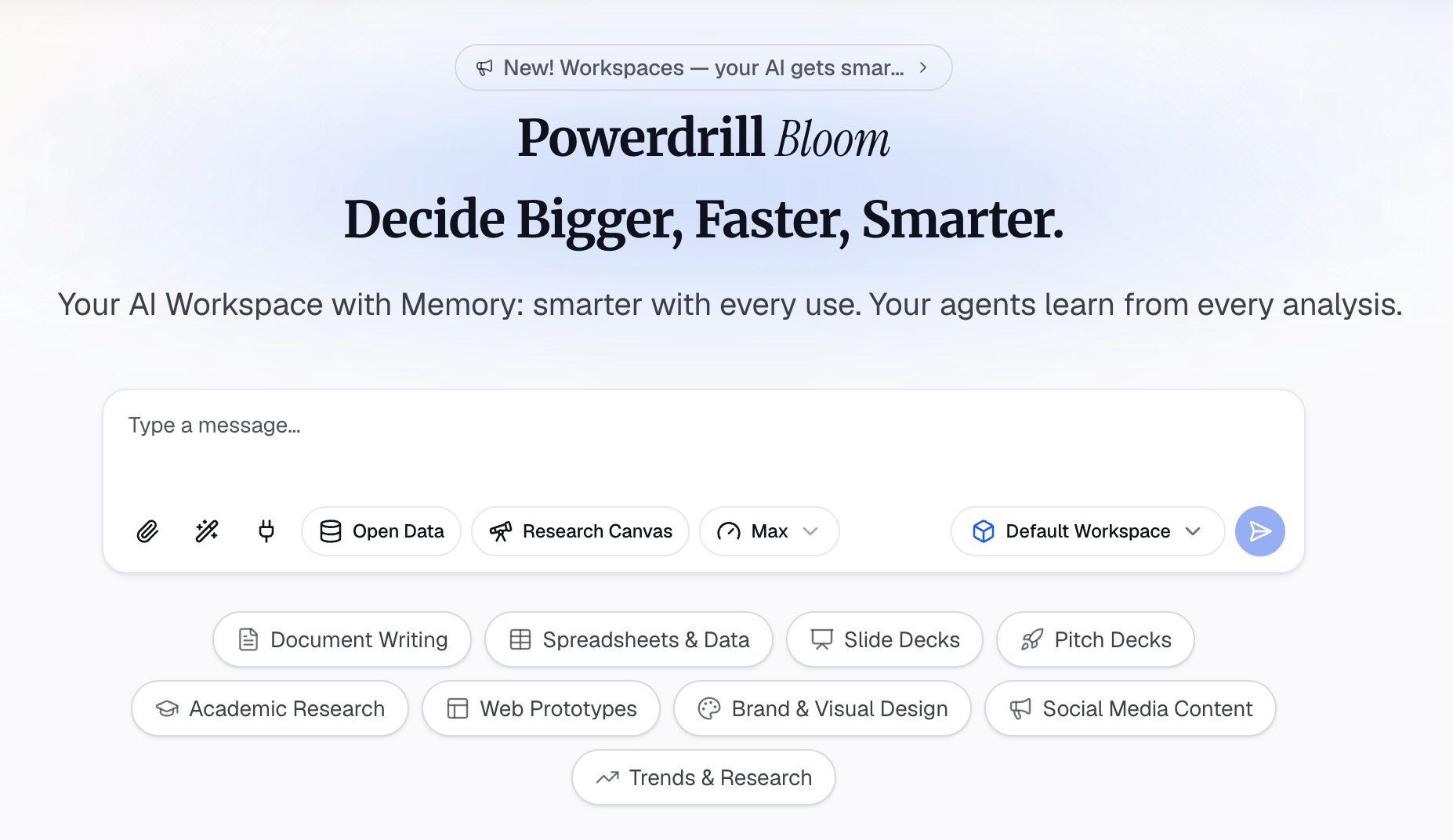
Step 2: Ask for the outline in natural language
Describe the deck in one or two sentences. For example: "Build a 12-slide Q1 marketing plan for our leadership team. Use our channel export and CRM data. Lead with the budget request."
The tool suggests directions to explore before it builds slides. You confirm the ones you want. You can also ask follow-up questions, such as "Which channel had the lowest cost per lead last quarter?"
If you need market context, the AI GTM Research Generator builds a "Channel strategy matrix with cost, conversion and recommended priority."
Step 3: Generate the slides and check every number
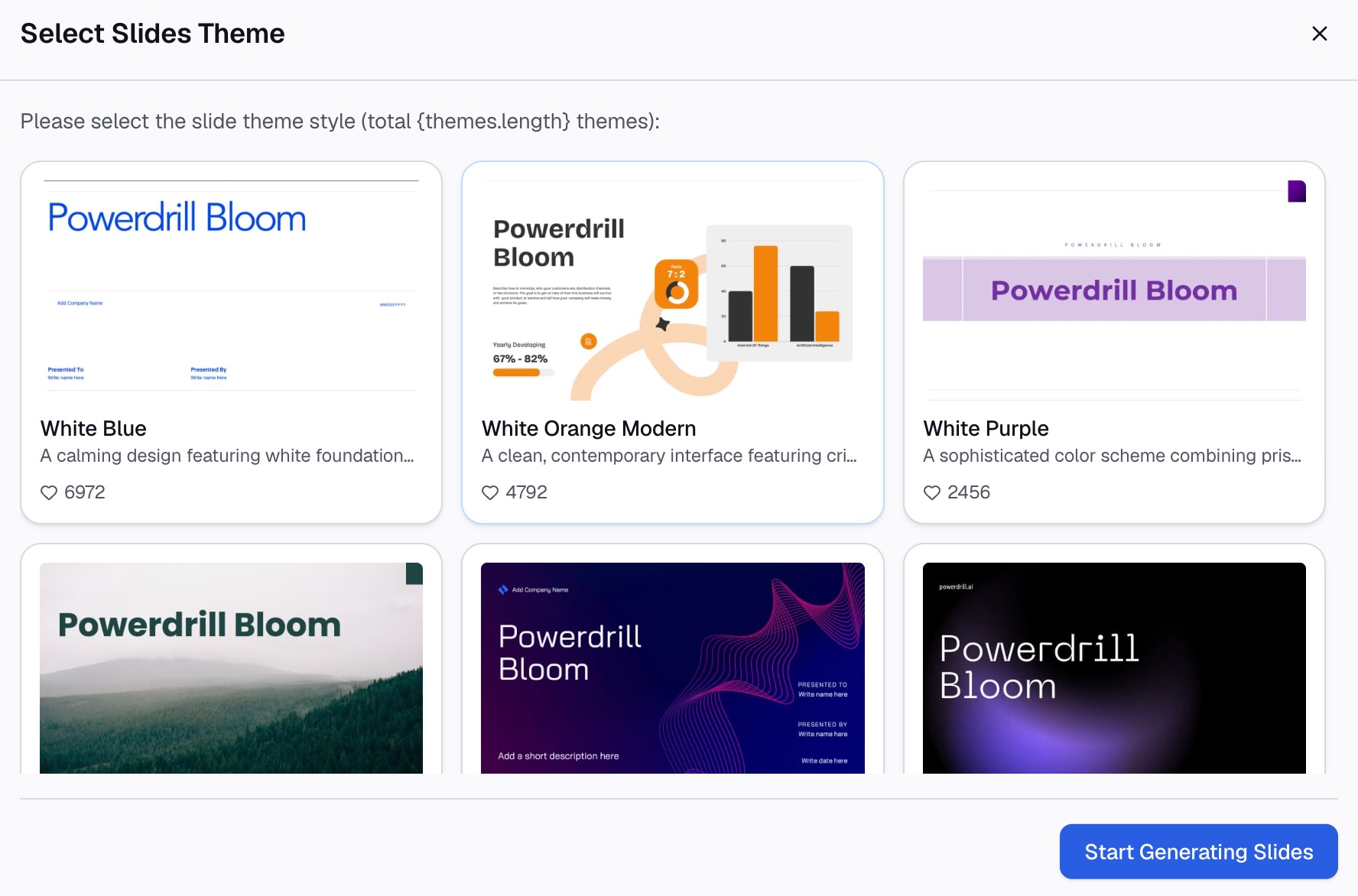
Pick the points to include, choose a theme, and generate the deck. The Excel to PPT page says you can "Choose a template you like, adjust as needed, and export to PowerPoint in one click."
Then check the numbers. Compare every total, rate, and date against the source export. A budget slide that does not add up will end the meeting early.
The Free plan lists "Create basic slides, docs, sheets, and images." Pro adds "Create slides, Office docs, Excel analysis, and Nano Banana images."
A marketing presentation example
Here is a short example for an invented company. Fernway Coffee is a small online coffee roaster. All names and numbers below are invented.
Slide 1, title and ask: "Q1 plan: shift $12,000 from print to email and paid social."
Slide 3, market: One line chart of online specialty coffee sales over three years, with the source cited.
Slide 4, target customer: "Remote workers, 28 to 45, who buy coffee monthly and read product emails."
Slide 6, last period's results: "Email drove 38% of repeat orders. Print drove 6% at four times the cost per order."
Slide 7, goals: "Grow subscribers from 1,800 to 2,500 by March 31."
Slide 10, budget: A table splitting $12,000 across email, paid social, and a creator test, by month.
Slide 12, decision: "Approve the shift today. First email series ships January 8."
Notice what the example does. Each slide carries one number, the ask appears twice, and the budget ties back to the goals.
Design tips for marketing slides
Good design makes the numbers easy to read. Microsoft's PowerPoint tips give a few rules that apply directly.
Use readable fonts. Microsoft suggests "a simple font style, such as Arial or Calibri." It advises you to "avoid using font sizes smaller than 18 pt."
Keep text short. Microsoft says "Use bullets or short sentences, and try to keep each to one line." It adds, "You want your audience to listen to you present your information, rather than read the screen."
Use brand colors with care. Use your brand palette, but keep one accent color for the number that matters on each slide.
Keep a consistent layout. Put the takeaway title in the same place on every slide. Put sources in the same corner.
Move detail to an appendix. Full campaign tables and survey results belong in backup slides, not the main story.
How to present a marketing plan in the meeting
The deck is half the work. The other half is how you run the meeting.
Open with the ask. Say what you need in the first minute. Then explain why.
Spend most time on goals and budget. These are the slides people will debate. Rehearse your answers on cost per lead and payback.
Bring the backup. Have the full channel export ready. If someone asks how a number was calculated, you can show the source.
Close with a decision. End on the decision slide and wait for an answer. If you cannot get approval in the room, agree on who decides and by when.
After the meeting, send the deck with a two-line summary of what was decided.
Adjust for a client pitch. If you present to a client instead of your own leaders, swap the budget slide for a scope and fee slide. Lead with their customer, not your agency. Close with a start date and the first deliverable they will see.
Common marketing presentation mistakes
Starting with the brand story. Leaders want the plan and the ask first. Move history to one slide or the appendix.
Too many metrics. Twenty numbers on one slide means none of them land. Pick the three that drive the decision.
Goals without dates. "Grow awareness" is not a goal. "Reach 2,500 subscribers by March 31" is.
A budget with no link to results. Show what each dollar is expected to return, and how you will check.
Unsourced market numbers. A market size with no source invites doubt. Put the source on the slide.
No plan to update. The SBA says "Marketing plans should be maintained on an annual basis, at minimum." Say when you will report back.
For more ideas on showing marketing data, see our list of AI tools for marketing analytics.
Want a first draft in minutes? Try Powerdrill Bloom with last quarter's channel export, and ask for a 12-slide marketing presentation.
Frequently asked questions
What should be included in a marketing presentation?
A marketing presentation should include the market, the target customer, your competitive advantage, goals, channels, budget, and how you will measure results. The SBA lists these as the core sections of a marketing plan. End with a clear decision or next step.
How many slides should a marketing presentation have?
Most marketing presentations work well with 10 to 15 slides. A short campaign pitch may need only six or seven. Move detailed tables and extra charts into an appendix so the main story stays clear.
How do I start a marketing presentation?
Start with the ask. Put the decision you need on the first slide, such as approving a budget or a campaign. Then give a three-point summary before you go into the market and customer slides.
What is the difference between a marketing plan and a marketing presentation?
A marketing plan is the full document with every detail. A marketing presentation is the short version for a meeting. It keeps the key numbers, the goals, and the budget, and it ends with a decision for the audience.
Can AI make a marketing presentation?
Yes. AI tools can read your campaign exports, analytics, and CRM reports, then draft the slides. Powerdrill Bloom builds slides from uploaded Excel, CSV, and PDF files and exports them to PowerPoint. Always check every number against the source before you present.
Sources: US Small Business Administration, Marketing and sales · Microsoft Support, Tips for creating and delivering an effective presentation. Details read on October 27, 2026.