How to Move Your AI Workflow to a New Agent Without Losing Context, Memory, or Prior Work (2026 Guide)
Introduction
The AI landscape is moving incredibly fast. One week you are relying heavily on ChatGPT; the next, you want to test Claude's superior coding abilities, or perhaps you are transitioning to specialized agents like OpenClaw or Hermes Agent.
Switching tools for better task specialization, team preference, or capability differences is common. However, users quickly realize that the real challenge isn't switching tools—it is preserving workflow continuity.
When you move to a new agent, you are essentially walking into an empty office. Your files, notes, project context, recurring instructions, and partial deliverables are stranded in the old tool. If you want to switch AI agents without starting over, you need a strategy for portable AI memory.
In this guide, we will explore why migrating an AI workflow is structurally difficult, why common migration shortcuts fail, and how to use a persistent memory layer to ensure cross-agent context sharing.
Quick Answer: How to Move Your AI Workflow to a New Agent Without Losing Context
To move your AI workflow to a new agent without losing context, memory, or prior work, you need to decouple your memory from your chat interface. Follow these core steps:
Adopt a portable memory layer (like MemoryLake) to act as a persistent second brain for your AI systems.
Centralize your documents and data by uploading your files, notes, and prior conclusions to this independent layer rather than directly into a single agent.
Connect your new AI agent to this memory layer via an API, plugin, or MCP (Model Context Protocol).
Configure your new agent to pull existing project memory, ensuring workflow continuity without having to start over or re-upload files.
Why Moving an AI Workflow Is Harder Than It Sounds
When you migrate an AI workflow to another agent, you aren't just changing the UI you type into. You are attempting to move a complex, interconnected web of context. AI tools naturally become silos; the more you use them, the more context they accumulate.
What Usually Gets Lost When You Switch AI Agents
If you simply open a new tab and start typing to a new agent, several critical components of your work are left behind:
Uploaded Files: The PDFs, spreadsheets, and Word documents you spent hours uploading and explaining.
Notes and Prior Conclusions: The strategic decisions, summaries, and synthesized research the previous agent generated.
Context Built Over Time: The nuanced understanding of your project’s goals, tone, and constraints that the AI learned over dozens of interactions.
Workflow Continuity: The ongoing, step-by-step logic of a multi-day project.
Prior Instructions: Recurring rules, formatting preferences, and project-level memory.
Why Common Migration Shortcuts Break Down
Most users try to brute-force their way through an agent switch using manual workarounds. Unfortunately, these methods rarely preserve actual workflow continuity.
Copy-Pasting: Copying long chains of text from one agent to another results in messy, token-heavy prompts that confuse the new model.
Chat Exports: Exporting chat history gives you a static text file, not a searchable, document-aware memory system.
Re-uploading Documents: Manually re-uploading every file wastes time and completely erases the historical insights the previous agent had already derived from those files.
Prompt Stuffing: Trying to cram all your project background into a single "super prompt" often exceeds context windows and leads to degraded model performance.
What a Better Workflow Migration Setup Looks Like
The goal of migrating an AI workflow is not merely to move chat logs. The goal is to preserve reusable context, documents, notes, and prior work in a portable layer.
Instead of treating your AI agent as both the processor (the brain) and the storage (the memory), you need to separate the two. By introducing a persistent memory layer for AI workflows, you create a "memory passport." This allows you to plug any new agent into your existing brain trust.
This is where infrastructure like MemoryLake comes in. MemoryLake is designed to be a persistent memory layer for AI systems. It is not just a chat history exporter; it is a portable memory layer across tools, models, sessions, and agents. By acting as a document-aware and workflow-aware memory infrastructure, it helps users move between agents without starting from zero.
Step-by-Step: Using MemoryLake to Move Your Workflow to a New Agent
If you want to migrate your AI workflow to another agent without losing your prior work, here is a practical migration workflow using MemoryLake.
Step 1: Create a Project and Centralize Your Files and Data
The first step to achieving portable AI memory is moving your raw materials out of your old agent and into a persistent layer.
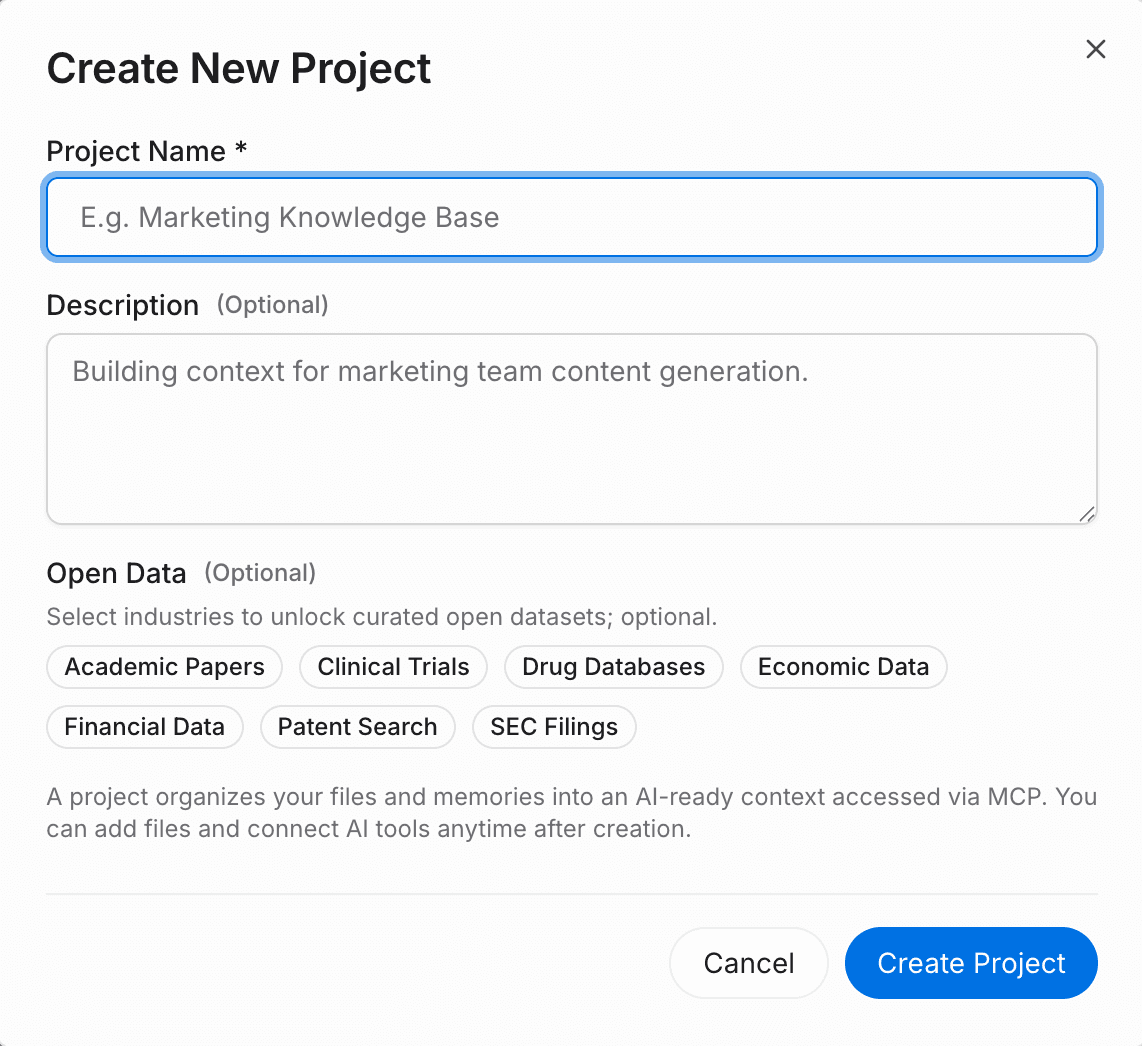
Create a new project in MemoryLake.
Click the attachment button to upload your core documents. The platform supports various formats, including PDF, Word, Excel, and Markdown.
MemoryLake automatically analyzes and indexes the content, converting it into reusable memory.
You can also connect external data sources directly in the file section.
Migration Value: By doing this once in a persistent layer, you keep document context portable. You completely eliminate the need to repeatedly re-upload files every time you switch AI tools.
Step 2: Test Search and Dialogue Capabilities
Before moving to your new external agent, verify that your context has been successfully preserved.
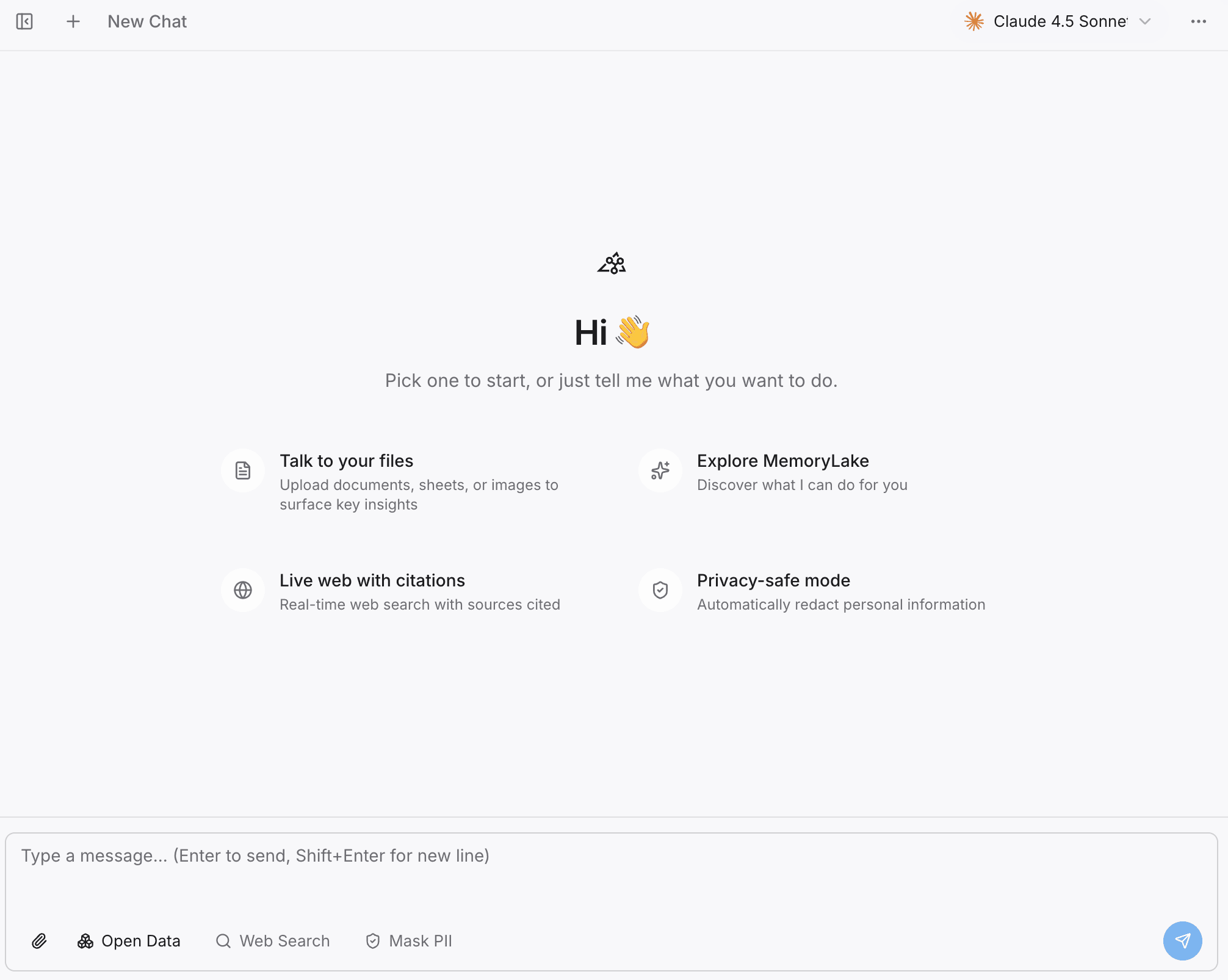
Open the MemoryLake Playground.
Ask questions directly against your project memory to ensure the system accurately retrieves your notes, prior work, and document insights.
Migration Value: This ensures your prior work is actually usable and searchable, guaranteeing workflow continuity before you even connect your new tool.
Step 3: Add Open Industry Data to Enhance Your Project
Often, when moving to a new agent, you want it to perform better than the last one. MemoryLake allows you to augment your personal context with broader industry knowledge.
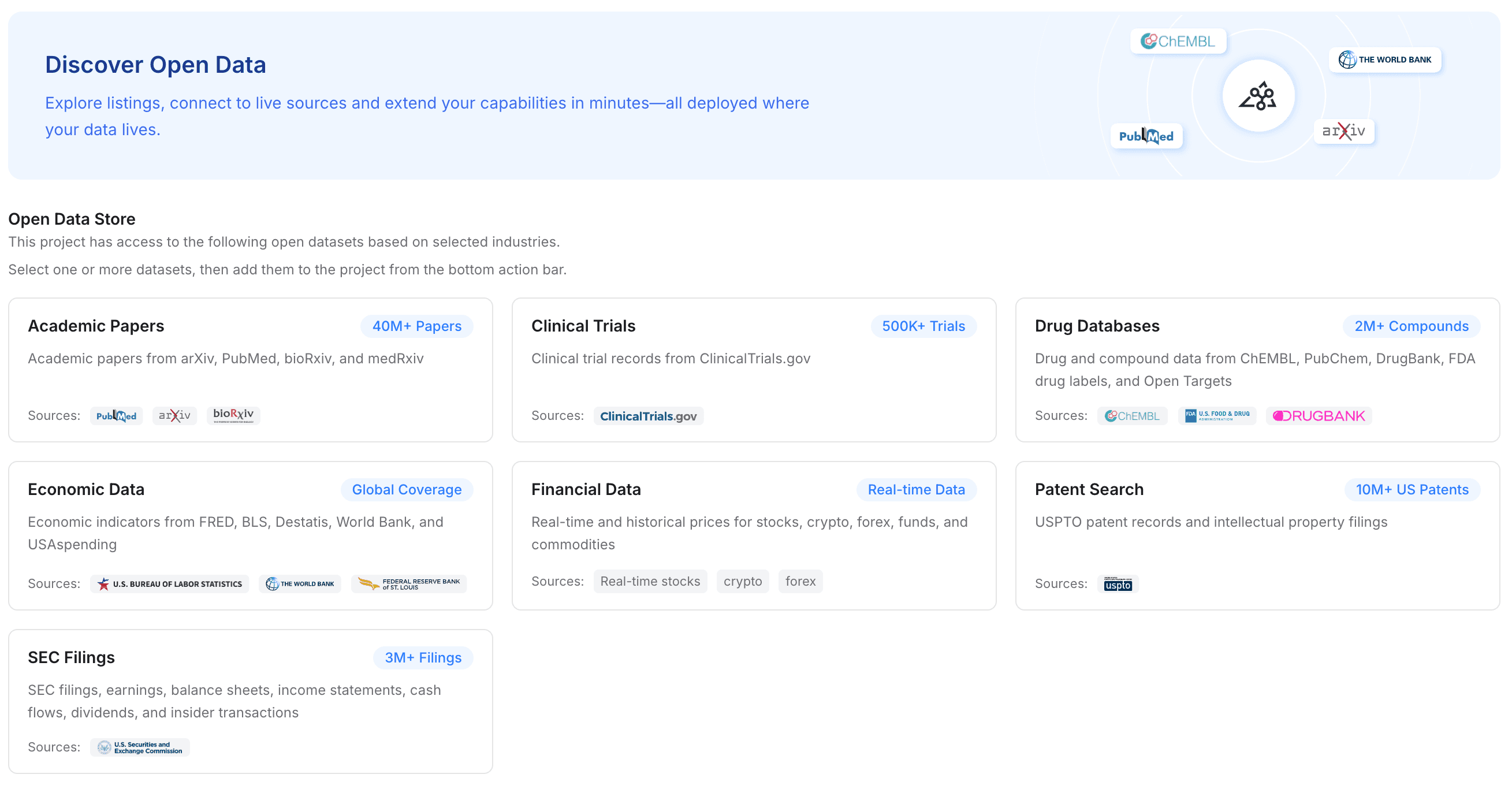
Click to add "Open Data" to your project.
Select from free, available industry datasets to instantly enhance your project's domain knowledge.
Depending on your chosen industry, public documentation highlights access to datasets like academic papers, clinical trials, drug databases, economic data, financial data, patent searches, and SEC filings.
Migration Value: This makes your new agent useful much faster. Instead of spending hours teaching a new model about industry standards, you inject highly structured, domain-specific memory directly into the workflow.
Step 4: Connect MemoryLake to Your Tools and Workflows
The final step is connecting this persistent memory layer to your new AI agent.
Navigate to the API settings and choose or create your own API key.
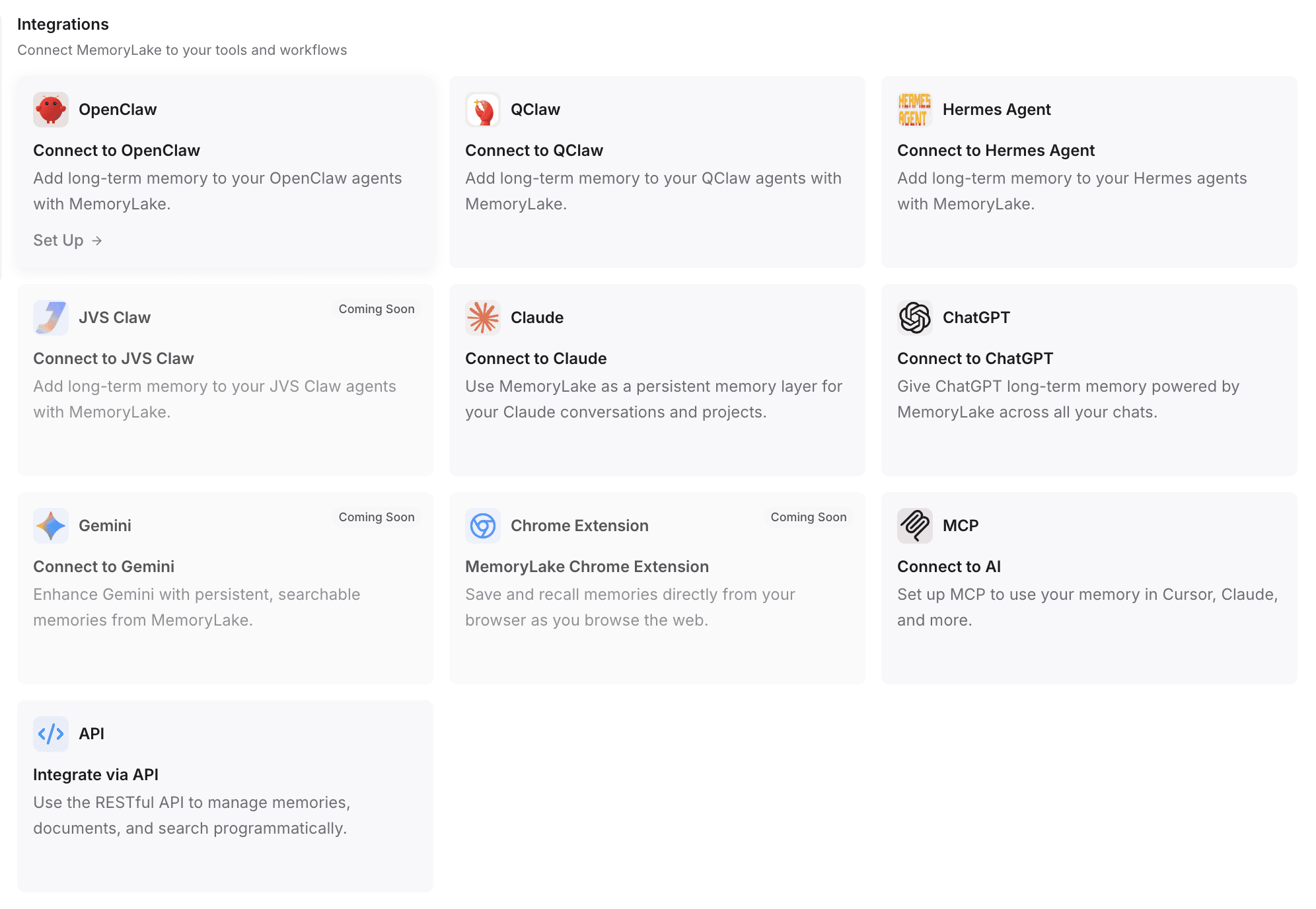
For Automated Configuration: According to the documented setup flow, you can often use automated setup commands. For example, if you are migrating to OpenClaw, you can copy the integration guide and paste it directly into OpenClaw. The agent will automatically install the necessary plugin, complete the configuration, and restart its gateway.
For Other Tools: MemoryLake supports integrations with ChatGPT, Claude, OpenClaw, Hermes Agent, and other tools via plugins or 1-click installations (often requiring just a single command to run).
For Custom Workflows: You can also achieve programmatic integration via API or MCP-style (Model Context Protocol) connections.
Migration Value: This is how you achieve cross-agent memory. Your new agent immediately has access to the exact same files, notes, and context as your old one. You avoid rebuilding prompts and reduce workflow reset to zero.
Common Mistakes to Avoid When Migrating AI Workflows
Confusing chat logs with memory: Downloading a
.txtfile of your ChatGPT history and uploading it to Claude will not work well. Unstructured chat logs dilute context. You need a structured, document-aware memory system.Migrating tool-by-tool: If you set up custom instructions inside Claude, those instructions are trapped in Claude. Keep your system prompts, recurring rules, and critical project context in a tool-agnostic layer.
Neglecting data security: When migrating data, ensure you are using a memory layer that respects your privacy and compliance requirements, especially if dealing with legal or financial documents.
Who This Migration Approach Is Best For
Adopting a reusable memory layer is highly recommended for anyone with document-heavy or continuity-heavy AI workflows. This approach is specifically beneficial for:
Researchers and Analysts: Who need to maintain access to dozens of academic papers or financial reports across different reasoning models.
Founders and Product Teams: Who iterate on product specs, market research, and codebases using different specialized AI agents.
Professionals in Finance, Legal, Biotech, and Consulting: Where losing nuanced project context or previous analytical conclusions can derail an entire workflow.
Conclusion
The era of relying on a single AI agent for everything is ending. As tasks become more specialized, moving your AI workflow to a new agent will become a routine necessity. However, moving tools shouldn't mean abandoning your work. By shifting from isolated chat windows to a persistent memory infrastructure, you can switch AI agents without starting over.
If your workflow depends on files, notes, project context, and reusable memory, a portable memory layer like MemoryLake can make the move much smoother. For teams and individuals who regularly switch tools, MemoryLake is a strong option for preserving workflow continuity instead of rebuilding from zero.
Frequently Asked Questions
How do you move an AI workflow to a new agent without losing context?
To move an AI workflow without losing context, you should stop storing your documents and project history inside the AI agent itself. Instead, use a persistent memory layer (like MemoryLake) to host your files, notes, and context, and connect your new agent to that layer via API or MCP.
What gets lost when you switch AI agents?
When you switch AI agents, you typically lose uploaded files, project-specific instructions, historical context, prior conclusions, and the workflow continuity you built over dozens of interactions.
Is chat history enough when moving to a new AI tool?
No. Exporting chat history only provides a static text log. It does not act as searchable, document-aware memory. Pasting chat logs into a new agent often overwhelms its context window and degrades the quality of its outputs.
How do you keep notes and prior work across agents?
You can keep notes and prior work across agents by using a portable AI memory layer. By uploading your work to a centralized, agent-agnostic platform, any new AI tool you adopt can query that persistent memory to retrieve past insights.
What is MemoryLake and how does it help?
MemoryLake is designed to be a persistent memory layer for AI systems. It helps by acting as a "second brain" or memory passport, allowing users to store documents, context, and notes independently of any specific AI tool, making it easy to migrate workflows to new agents.
How do you avoid rebuilding your workflow from scratch?
Avoid rebuilding from scratch by centralizing your standard operating procedures, recurring instructions, and core documents into an external memory infrastructure. When you adopt a new agent, simply connect it to this infrastructure via plugins or MCP.