How to Write a Presentation Script with AI: A Full Guide
A presentation script is the full text of what you plan to say, written slide by slide in spoken sentences. To write one with AI, give the tool your deck and source data. Draft each slide's lines, then cut the draft to your time limit. Most audiences follow best at 100 to 165 words per minute.
This guide covers what a presentation script is, how it differs from speaker notes, how long it should be, and how to format it. It then walks through a three-step AI workflow with a worked example.
What a presentation script is
A presentation script is a word-for-word version of your talk. It follows the order of your slides and says, in full sentences, what you will say while each slide is on screen.
It is not the text on the slides. Slides carry the evidence: the chart, the headline number, the one-line takeaway. The script carries the explanation that connects them.
A presentation script is also not the same as speaker notes. Notes are prompts, usually a few bullets per slide. A script is complete enough that someone else could deliver the talk from it. Our guide to speaker notes covers the lighter format in detail.
People write scripts for three common reasons. The talk is high-stakes, such as a board update or a funding pitch. The talk will be recorded, so every word stays on file. Or the speaker is presenting in a second language and wants the phrasing settled in advance.
Script, speaker notes, or outline: which one you need
The three formats sit on a scale from loose to exact. Pick the one that matches the risk of the talk, not the one that feels most thorough.
| Format | What it contains | Best for |
|---|---|---|
| Outline | The order of points, one line each | Internal updates you give often |
| Speaker notes | Two to five prompts per slide | Most live presentations |
| Presentation script | Every sentence, in speaking order | Recorded talks, pitches, board meetings, second-language delivery |
Many experienced presenters write a full script and then reduce it to notes. Writing the script forces every transition into words. The notes that follow are shorter because the thinking is already done.
How long a presentation script should be
The length of a presentation script follows from speaking pace. Microsoft's Speaker Coach guidance recommends that presenters "speak at a rate of 100 to 165 words per minute." It says that is the rate most audiences find easiest to process.
That range gives a simple word budget. The figures below multiply the time slot by both ends of the range.
| Talk length | Script length at 100 words per minute | Script length at 165 words per minute |
|---|---|---|
| 5 minutes | 500 words | 825 words |
| 10 minutes | 1,000 words | 1,650 words |
| 20 minutes | 2,000 words | 3,300 words |
Plan for the lower half of the range if your slides carry data. Every chart needs a pause while the audience reads it. A slide with a chart often needs 20 to 30 seconds of silence or slow speech before the point lands.
Set a word budget per slide too. A ten-slide, ten-minute talk averages one minute per slide, but the opening and closing slides usually take longer. A slide timing plan makes that split explicit before you write.
How to write a presentation script with AI
The workflow below uses three steps. The AI does the drafting, and you do the deciding.
Step 1: Put the deck and the source data in one place
Start with everything the script has to be faithful to. That means the deck itself, exported as a PDF, plus the data file behind its charts.
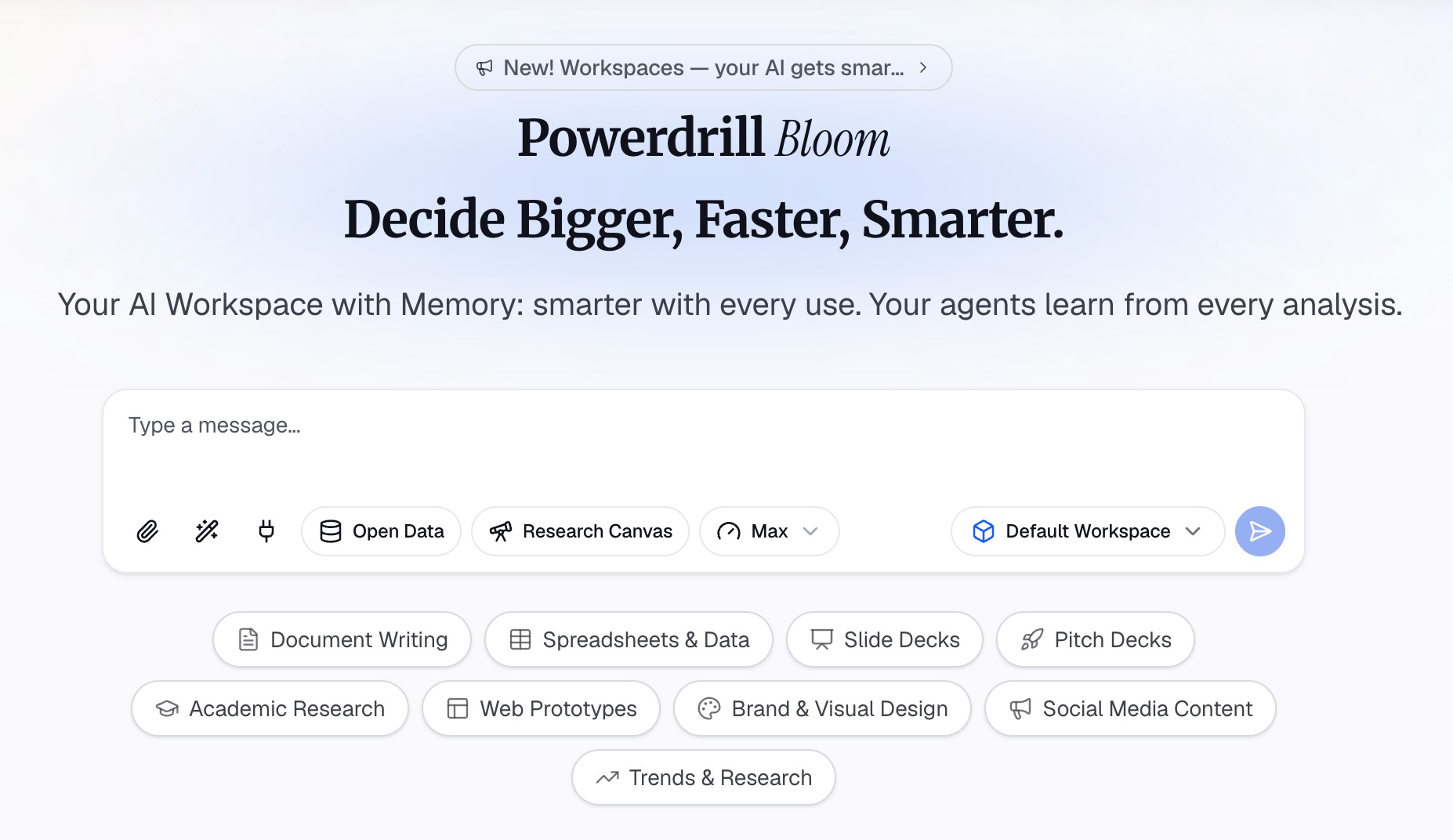
Upload both to an AI workspace such as Powerdrill Bloom. Its plans list uploads of Excel, CSV, PDF, and docs, so the deck and the spreadsheet can sit side by side.
This matters more than the prompt. A script drafted from the slides alone repeats what is on screen. A script drafted with the data behind the slides can explain why a number moved.
Before you ask for a draft, write down three things for the AI to follow. Who is the audience? What should they decide or remember? How many minutes do you have?
Step 2: Draft the script slide by slide, in spoken sentences
Ask for one section per slide, labeled with the slide number and title. Request spoken sentences, not bullets. Ask for each section to open with the slide's main point and end with a line that leads into the next slide.
Give the AI a word budget for each slide. Using the pace range above, a one-minute slide gets about 130 words. A title slide might get 40.
Check every number in the draft against the source file. Powerdrill Bloom's homepage says every number "comes back with the page, the row and the figure behind it." That trace makes the check fast, but you still need to do it. A wrong number said aloud is harder to correct than a wrong number on a slide.
Then read the draft aloud once, without editing. Mark any sentence you stumble on. Those are the sentences to rewrite first.
Step 3: Cut to time and mark the pauses
Now time yourself reading the draft at a natural pace. Most first drafts run long by a third, because written sentences carry more words than spoken ones.
Cut in this order. Remove sentences that repeat what the slide already shows. Then shorten any sentence over 20 words. Then drop examples that make the same point twice.
Mark the delivery cues last. Put a slash where you will pause, and bold the one word per sentence you will stress. Add a note such as "click" where the slide changes. These marks turn the draft from a document into something you can perform.
Finally, ask the AI for a second pass with one instruction: make it sound like a person talking. Compare the two versions and keep whichever lines you would actually say.
How to format a presentation script
A good format makes the script easy to use while standing up. The conventions below keep a script readable at a glance.
- One slide per section. Head each section with the slide number and title, so you can find your place instantly.
- Short paragraphs. Keep each paragraph to two or three sentences. Your eye needs landing points.
- Large type. Use 14-point text or larger and generous line spacing if you will print it.
- Delivery marks in the margin. Pauses, emphasis, and slide changes go where you can see them at a glance.
- Numbers written the way you say them. Write "about a third" rather than "33.4%" when precision does not matter to the listener.
A reusable presentation script template needs only five fields per slide:
- Slide: number and title.
- Point: the one sentence the audience must remember.
- Say: the spoken lines, within the word budget.
- Cue: pauses, emphasis, and the slide change.
- Bridge: the line that leads into the next slide.
Fill the Point field first for every slide before writing any Say lines. If a slide has no clear point, it probably belongs in the appendix rather than in the presentation script.
If you will read from a screen or a teleprompter, keep lines short and avoid tables. If you will speak from memory, the script becomes a rehearsal tool rather than something you hold.
A worked example
Here is one slide's section from a quarterly business review script. The slide shows a bar chart of revenue by region.
Slide 4: Revenue by region.
This is where the quarter was won. / North America grew faster than any other region, and it did it without a price change.
The gap you see here is almost all new customers. / Europe was flat, and we will come back to why on the next slide. [click]
The section is 47 words, or roughly 17 to 28 seconds at the recommended pace. That leaves the audience time to read the chart. It opens with the point, explains the one thing the chart cannot, and hands off to the next slide.
Notice what it leaves out. It does not read the bar values aloud, because the chart shows them. It does not list every region, because only two matter to the argument.
Writing for the ear, not the page
Spoken language follows different rules from written language. A presentation script that reads well on paper often sounds stiff when spoken.
Use shorter sentences than you would in a report. Listeners cannot reread, so each sentence has to land the first time. Put the subject and verb early. "Revenue grew in every region" is easier to follow than "In every region, despite the headwinds we discussed, revenue grew."
Repeat the key point more than feels natural. In a document, saying something twice looks careless. In a talk, it is how people remember.
Use signposts. Phrases such as "the second reason" or "here is the problem" tell the audience where they are. Written documents use headings for this, and a talk has only your voice.
Finally, cut jargon you would not use in conversation. If you would not say "leverage synergies" to a colleague over coffee, do not say it from a stage.
How to rehearse without reading the script
A script is meant to prepare you, not to be read word for word in front of the audience. Reading aloud from a page breaks eye contact and flattens your delivery.
Rehearse in three passes. First, read the full script aloud twice. Second, deliver it from the slides alone, glancing at the script only when stuck. Third, deliver it to one other person and ask where they lost the thread.
Microsoft's Speaker Coach can help with the second pass. Its support page says it "detects when you're being overly wordy or are simply reading the text on a slide." It also reports your pace, so you can check it against the 100 to 165 range.
Memorize the opening and the closing word for word. Those are the moments when nerves peak, and a fixed first sentence gets you started. For the middle, memorize the order of points rather than the exact words.
If questions are likely, prepare for them separately. Our guide on answering data questions in a presentation covers that part of the talk.
Common mistakes
- Scripting the slide text. If the script repeats the slide word for word, the audience reads ahead and stops listening.
- Writing in paragraphs of report prose. Long sentences with nested clauses are hard to say and harder to follow.
- Ignoring the clock. A script that runs 30% over forces you to rush the ending, which is where the decision usually is.
- Skipping the number check. An AI draft can round, reorder, or mislabel a figure. Check each one against the source.
- Never saying it aloud before the day. A script only works once it has been spoken several times.
Where AI actually saves the time
AI is fastest at the first draft of a presentation script. Turning twelve slides and a spreadsheet into twelve spoken sections takes minutes rather than an evening. It is also good at a second pass for tone, rewriting stiff lines into conversational ones.
It saves less time on judgment. Deciding what the audience should remember, which slide to cut, and where to pause is still your work.
The most useful setup keeps the deck, the data, and the draft together, so every claim in the script can be checked against its source. If the deck itself does not exist yet, our Excel to PowerPoint page covers building it from a spreadsheet first. After the talk, a short presentation summary gives people who missed it the same takeaway.
You can try Powerdrill Bloom with your next deck and the file behind it.
Frequently asked questions
What is a presentation script?
A presentation script is the complete text of what a speaker plans to say, organized slide by slide. It is more detailed than speaker notes, which are short prompts. Scripts are common for recorded talks, pitches, and board meetings.
How long should a presentation script be?
Microsoft's Speaker Coach guidance recommends a pace of 100 to 165 words per minute. A ten-minute talk therefore needs roughly 1,000 to 1,650 words. Aim for the lower end if your slides include charts that need reading time.
How do you format a presentation script?
Give each slide its own section, headed with the slide number and title. Keep paragraphs to two or three sentences, use large type, and mark pauses and slide changes in the margin. Write numbers the way you will say them.
How do you memorize a presentation script?
Memorize the opening and closing word for word, and memorize only the order of points in between. Rehearse from the slides alone, glancing at the script when stuck. Deliver it to one listener before the real talk.
Can AI write a presentation script for me?
AI can produce a strong first draft in minutes if you give it the deck, the source data, the audience, and the time limit. You still need to check every number against the source, cut the draft to time, and rewrite lines you would not naturally say.
Sources: Microsoft Support, Suggestions from Speaker Coach · Microsoft Support, Rehearse your slide show with Speaker Coach. Word budgets in the length table are calculated from Microsoft's recommended pace range.