How to Make a Literature Review Presentation: Structure and Examples
A literature review presentation shows an audience what is already known about a topic, where studies agree, and where the gaps are. It is common in thesis defenses, research seminars, journal clubs, and graduate courses. The hard part is not finding papers. The hard part is turning a stack of papers into one clear story that fits on slides.
This guide covers the structure university guides recommend, three ways to organize the body, and how to build a synthesis matrix. It also walks through an AI method in three steps, slide design rules, and a worked example.
Before you start: purpose, audience, and time
Three questions shape every literature review presentation before you open a slide.
- What is it for? A thesis defense uses the review to justify your study. A journal club uses it to inform peers. A course assignment may grade how well you synthesize.
- Who is listening? Experts want methods and gaps. A mixed audience needs the question explained in plain terms first.
- How long do you have? The time limit sets the number of themes you can cover. A short slot may hold only two or three themes.
Write your answers on one line each. They decide what to cut later, when you have more studies than slides.
What a literature review presentation is
A written literature review and a presentation share the same goal. The University of North Carolina's Writing Center explains the core idea. It says a review "usually has an organizational pattern and combines both summary and synthesis."
The difference between those two words matters most on slides. UNC defines a summary as "a recap of the important information of the source." It defines a synthesis as "a re-organization, or a reshuffling, of that information."
A literature review presentation forces that reshuffling. You have minutes, not pages, so you cannot walk through every paper. You have to group the studies, compare them, and say what the group shows.
A course handout from the University of Ottawa puts the standard plainly. It says your review "must present a coherent picture of what is going on." It adds that this means showing "where each paper stands with respect to all others." It warns that a review "must not be a collection of abstracts."
The structure that works
UNC's handout says a literature review contains "at least three basic elements." Those are an introduction, a body that discusses the sources, and a conclusion or recommendations section. A presentation follows the same shape, with a few slides added around it.
| Section | What it covers | Suggested slides |
|---|---|---|
| Title | Topic, your name, course or program, date | 1 |
| Introduction | The research question, why it matters, and how you searched | 1 to 2 |
| Scope and method | Databases, years covered, and how many studies you kept | 1 |
| Themes | One theme per slide, with the studies that support it | 3 to 5 |
| Comparison | A table that compares the key studies side by side | 1 |
| Gaps | What the literature has not answered yet | 1 |
| Conclusion | What the reviewed work shows, and where research could go next | 1 |
| References | Full citations in your required style | 1 or more |
The slide counts are a starting point, not a rule. Check your course rubric or seminar time limit first.
The introduction should tell the audience your organizing principle. UNC suggests writing "a simple statement that lets the reader know what is your main organizing principle." On a slide, that statement becomes one sentence under the title.
The conclusion should look forward. UNC says this section should "Discuss what you have drawn from reviewing literature so far," and asks, "Where might the discussion proceed?" Our guide to the conclusion slide covers how to end on a clear takeaway.
Choose how to organize the body
The body takes the most planning. UNC lists three common ways to organize it: "chronologically, thematically, or methodologically."
| Pattern | How it works | Use it when |
|---|---|---|
| Chronological | Studies in order of publication or by era | The field changed over time and the order shows a trend |
| Thematic | Studies grouped by topic or issue | Different studies answer different parts of your question |
| Methodological | Studies grouped by research method | Methods drive the differences in findings |
Chronological. UNC advises ordering sources by date "only if the order demonstrates a more important trend." The University of Southern California's library guide makes the same point. It says this approach "should only be followed if a clear path of research building on previous research can be identified."
Thematic. UNC notes that a review "is usually organized around ideas, not the sources themselves." In a thematic review, each theme becomes one or two slides. This pattern maps neatly onto slides, since each theme can become its own slide.
Methodological. This pattern groups studies by how they were done, such as surveys, experiments, or case studies. It works well when your audience cares about evidence quality, or when your own study will use one of those methods.
USC also suggests a structure built on positions. It recommends dividing works "into themes or categories," such as those that support a position, those against it, and those that offer another approach. On slides, that split makes a debate easy to follow.
Build a synthesis matrix before you build slides
A synthesis matrix is a table that relates sources to themes. Stanford's Program in Writing and Rhetoric describes it as a chart or matrix. In it, students "relate different sources to each other according to themes, topics, keywords, or codes."
Stanford lists three goals for the activity. One is "To contrast different sources with each other." Another is "To synthesize points of agreement, disagreement, and divergence between sources."
The setup is simple. Put each source in a row, with its author, year, and citation. Add one column per theme, plus columns for method and sample. Fill each cell with a short note or a key number.
The matrix does two jobs for a presentation. It shows which themes have enough studies to deserve a slide. It also exposes gaps: an empty column, or a theme where every study used the same method.
How to make a literature review presentation with AI
AI can do the slow parts: finding papers, extracting their findings, and drafting the matrix and slides. Your job is to check the sources and decide what the evidence means. Here is the method in three steps, using Powerdrill Bloom.
Step 1: Upload your sources or search the literature
Start with the papers you already have. Upload the PDFs, along with any notes or a spreadsheet of studies you have started.
If you need more sources, search the literature directly. Powerdrill Bloom's academic paper search page says it can "Search 40M+ academic papers from PubMed, arXiv, and bioRxiv." It also covers medRxiv, and it says answers come "with links to the original records."
Write your research question at the top of the first prompt. For example: "What does research since 2018 say about how remote work affects employee productivity?" A clear question keeps the search and the themes focused.
Set your limits in the same prompt. Name the years, the study types you want, and any populations to leave out. Note these limits as you go, because they belong on your scope slide later.

Step 2: Group the findings into themes and gaps
Ask for a synthesis matrix, not a summary. A useful prompt is: "Build a table with one row per study and columns for year, method, sample, main finding, and theme."
The result should look something like this. The studies below are placeholders to show the layout, not real papers.
| Study | Year | Method | Sample | Main finding | Theme |
|---|---|---|---|---|---|
| Study A | 2019 | Survey | 1,200 employees | Self-rated output rose | Individual output |
| Study B | 2021 | Field experiment | 250 call agents | Calls handled rose | Individual output |
| Study C | 2022 | Interviews | 40 managers | Coordination took longer | Team collaboration |
| Study D | 2024 | Survey | 3,000 workers | No clear change in output | Individual output |
Even four rows show a pattern worth a slide. The two surveys disagree, and the field experiment sides with one of them. That is a method question your literature review presentation should raise.
Then ask the questions a reviewer would ask. Which themes have the most studies? Where do studies disagree, and do their methods differ? Which part of the question has no strong evidence yet?
Check every row against the source before you trust it. Open the paper, find the finding, and confirm the number. Powerdrill Bloom's research synthesis tool lists a "Meta-analysis table comparing findings across multiple studies" as one of its outputs. Treat that table as a draft you verify, not a final answer.
Step 3: Build the slides from the matrix
Once the matrix is right, turn it into slides. Ask for one slide per theme, a comparison table slide, a gaps slide, and a conclusion slide.
Give each theme slide a title that states the finding, not just the topic. "Most studies link remote work to higher output" works better than "Productivity." Our guide on takeaway slide titles explains the method.
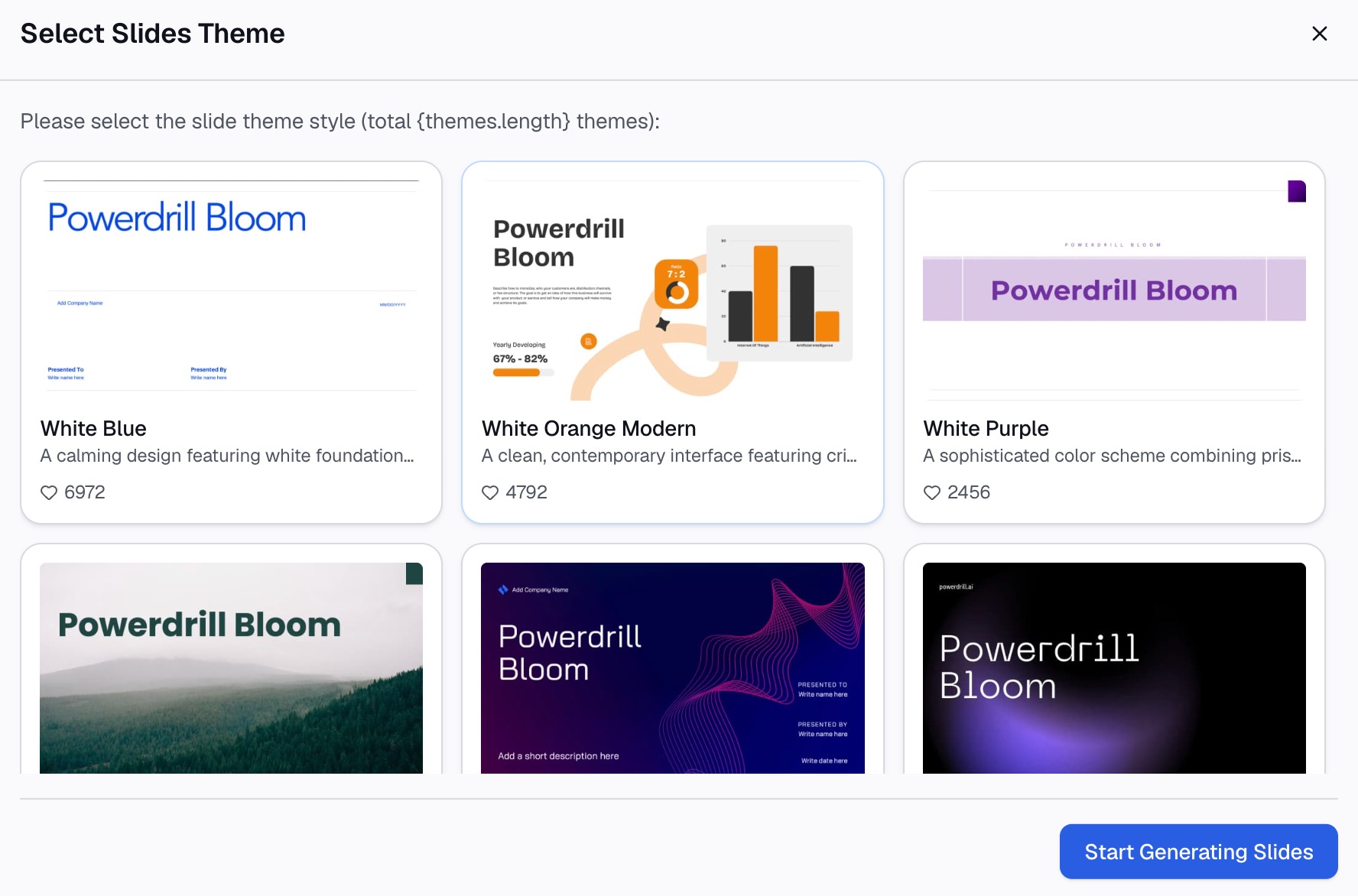
The academic paper search page says you can "Turn raw records into visualizations, tables, and slides in a couple of clicks." Ask for the first draft of your literature review presentation in the same session, so the slides keep their links to the sources. Export the deck to PowerPoint, then edit the wording so it sounds like you. Add a data sources slide that lists your databases and date range.
Slide design rules for a literature review
A literature review presentation carries many citations and numbers. These rules keep it readable.
- Keep details out. The Ottawa handout says "Do not overload slides with tons of technical details." It advises including "only the most important/relevant points in a concise format."
- Compare in a table. The same handout suggests you "Compare all reviewed papers to each other (e.g. via table)." A comparison table lets the audience see agreement and disagreement at a glance.
- Use readable type. Microsoft's presentation tips say to "avoid using font sizes smaller than 18 pt." They add that you may need larger sizes in a big room.
- Keep lines short. Microsoft suggests keeping each bullet or sentence to one line, "without text wrapping."
- Cite on the slide. Put a short citation, such as author and year, next to each finding. Keep the full references for the last slide.
- Show numbers as charts. If several studies report the same measure, a simple bar chart of their results makes the comparison visible at a glance.
A worked example
Here is an outline for a 12-minute seminar talk on remote work and productivity. The topic and the study counts are illustrative, not results from a real review.
| Slide | Title | Content |
|---|---|---|
| 1 | Remote work and productivity: what the research shows | Title, name, course, date |
| 2 | Does working remotely change how much people get done? | The question and why it matters now |
| 3 | 24 studies from 2018 to 2026 | Databases searched, filters, and how many studies were kept |
| 4 | Most studies link remote work to higher individual output | Theme 1, with the strongest studies cited |
| 5 | Team collaboration results are mixed | Theme 2, showing where studies disagree |
| 6 | Survey studies report bigger gains than field studies | Theme 3, a method-driven difference |
| 7 | Key studies compared | A table of method, sample, and main finding |
| 8 | What we still do not know | Gaps, such as long-term effects |
| 9 | What the research supports, and where to go next | Conclusion and next questions |
| 10 | References | Full citations |
Notice the pattern. Slides 4 to 6 each make one claim in the title. Slide 6 uses a methodological point to explain a disagreement, which is the kind of synthesis UNC describes.
How to present it out loud
A literature review can sound like a list if you read it out loud slide by slide. A few habits prevent that.
- Tell the story, not the list. Open each theme with the claim, then name two or three studies that support it.
- Do not read the slides. Microsoft's tips say plainly: "Don't read the presentation."
- Name the disagreements. Say where studies conflict and why, such as a different sample or method.
- End on the gap. The gap is often the reason your own research exists, so give it time.
- Prepare for method questions. Audiences often ask how you chose studies, so keep your search criteria on a backup slide.
If your talk opens with context, our guide to the presentation introduction covers how to frame the question in the first minute.
Common mistakes
These problems show up often, and each one has a simple fix.
- One paper per slide. This turns the talk into a collection of abstracts. Group papers by theme instead.
- Chronological order with no trend. If the dates do not show change over time, switch to themes.
- No comparison. Without a table or chart, the audience cannot see where studies agree.
- No gaps slide. The gaps show you understand the field, not just the sources.
- Unverified AI output. Check every finding and citation against the original paper before you present.
- Too many themes. Seven themes in a ten-minute talk leave no time for comparison. Merge small themes or move them to a backup slide.
If you are still writing the review itself, our guide on how to write a literature review with AI covers that stage. When the review is ready, you can try Powerdrill Bloom to turn your sources into a first draft of the deck.
Frequently asked questions
What is a literature review presentation?
A literature review presentation is a talk that explains what existing research says about a question. It groups studies into themes, compares their findings, and points out gaps. It usually appears in thesis defenses, research seminars, and graduate courses.
How do I structure a literature review presentation?
Use an introduction, a body, and a conclusion, the same three elements UNC's Writing Center lists for a written review. Add a scope slide, a comparison table, a gaps slide, and references. Organize the body by theme, time, or method.
How do I present a literature review in PowerPoint?
Build one slide per theme, with a title that states the finding and short citations beside each point. Add a comparison table and a gaps slide. Microsoft suggests fonts of at least 18 pt and bullets that fit on one line.
Why should a literature review presentation be organized by themes?
A thematic structure shows how studies relate to each other instead of listing them one by one. UNC notes that a review is usually organized around ideas, not sources. Themes also let you cover many studies within a short time limit.
How do I show research gaps in a literature review presentation?
Use a synthesis matrix to find themes with few studies, weak methods, or conflicting results. Put the most important gaps on their own slide near the end. Link each gap to the question your own research could answer.
Sources: UNC Writing Center, Literature Reviews · USC Libraries, The Literature Review · Stanford Program in Writing and Rhetoric, Synthesis Matrix · University of Ottawa, Presenting Literature (Paper) Review (PDF) · Microsoft Support, Tips for creating and delivering an effective presentation. Details read from each source on October 10, 2026.