Nano Banana 2 vs Nano Banana Pro | Which Model Is Better for AI PPT Generation? (2026 Guide)
Introduction
On February 26, 2026, Google officially shook up the AI landscape with the highly anticipated release of Nano Banana 2, powered by the ultra-fast Gemini 3.1 Flash multimodal architecture. Almost immediately, data analysts, marketers, and business leaders flooded search engines with one burning question: What is the difference between the new model and the flagship Nano Banana Pro?
Beyond the dry technical specs, what you really want to know is which model will help you turn raw Excel data into beautiful, boardroom-ready PowerPoint presentations faster. In this definitive comparison, I will reveal the core differences based on real-world business datasets. This guide will show you exactly what Nano Banana 2 and Nano Banana Pro are, and how to use them to drastically accelerate your workflow in PowerPoint slides.
Before diving deep into the technical comparison, I highly recommend checking out my previous foundational guide: Try Nano Banana For Free | How to Use Nano Banana Pro in PowerPoint and Slides to get your workspace set up.
What Is Nano Banana 2?
Nano Banana 2 is Google’s newest lightweight, ultra-high-speed multimodal model built on the Gemini 3.1 Flash architecture. It is designed specifically for lightning-fast response times and highly efficient basic text-to-image/layout generation. What sets this 2026 release apart from previous iterations is its radically improved multimodal understanding, allowing it to rapidly digest visual and textual prompts with minimal latency.
Who Should Use Nano Banana 2?
This model is best suited for users who need to generate quick presentation outlines, brainstorm slide concepts, or rapidly create draft decks without the need for complex data reasoning.
What Is Nano Banana Pro?
Nano Banana Pro is the elite flagship model designed for heavy-duty, enterprise-grade tasks. While Nano Banana 2 prioritizes speed, the Pro version offers absolute dominance in complex data reasoning, high-precision charts/infographics generation, and sophisticated layout design.
It can natively read massive raw data files (Excel, CSV, PDF), clean the data, extract actionable insights, and map them onto visually stunning, business-ready slides with zero coding required. When high-stakes business presentations demand flawless accuracy and visual impact, Nano Banana Pro is the undisputed champion.
Nano Banana 2 vs Nano Banana Pro – Key Differences
Feature | Nano Banana 2 | Nano Banana Pro |
Model Architecture | Gemini 3.1 Flash (Lightweight) | Gemini Advanced / Ultra-Tier (Flagship) |
Processing Speed | Extremely Fast (Near Instant) | Moderate (Requires deep computation) |
Complex Data Reasoning | Basic | Exceptional (Handles deep CSV/Excel analysis) |
Visual Quality & Layouts | Standard, good for drafts | Executive-level, highly polished aesthetics |
Best Use Case | Brainstorming, Outlining | Boardroom Presentations, Data-Driven Slides |
Model Architecture Differences
Nano Banana 2 leverages a distilled "Flash" architecture meant for cost-effective, rapid scaling. Pro utilizes a heavier, multi-layered neural network capable of profound logical deduction and highly nuanced aesthetic alignment.
Performance in Generating PPT Content
When building an Automated Slides Generator workflow, Nano Banana 2 is perfect for writing slide titles and bullet points. Pro, however, actually "understands" the story behind your data, generating deep narratives alongside the slides.
Speed and Output Quality
Nano Banana 2 will hand you a draft in seconds. Pro will take a bit longer but will deliver an immaculate, complex Gemini 3.1 Flash PPT masterpiece equipped with custom infographics and perfectly aligned data visualizations.
Which One Is Better for Creating PPT with AI?
Choosing the right model depends entirely on your presentation goals:
For Business Presentations: Nano Banana Pro. Its ability to maintain a professional tone and generate executive-grade layouts is unmatched.
For Data-Driven Slides: Nano Banana Pro. It excels at turning raw Excel rows into digestible, beautiful charts.
For Marketing Decks: Both (Pro / 2). Use Nano Banana 2 for quick creative brainstorming, and Pro for the final polished client-facing deck.
For Academic or Research PPT: Nano Banana 2 to draft the massive text outlines quickly, followed by Pro to refine complex research graphs.
How to Create a PPT Using Nano Banana Pro: Step-by-Step Guide
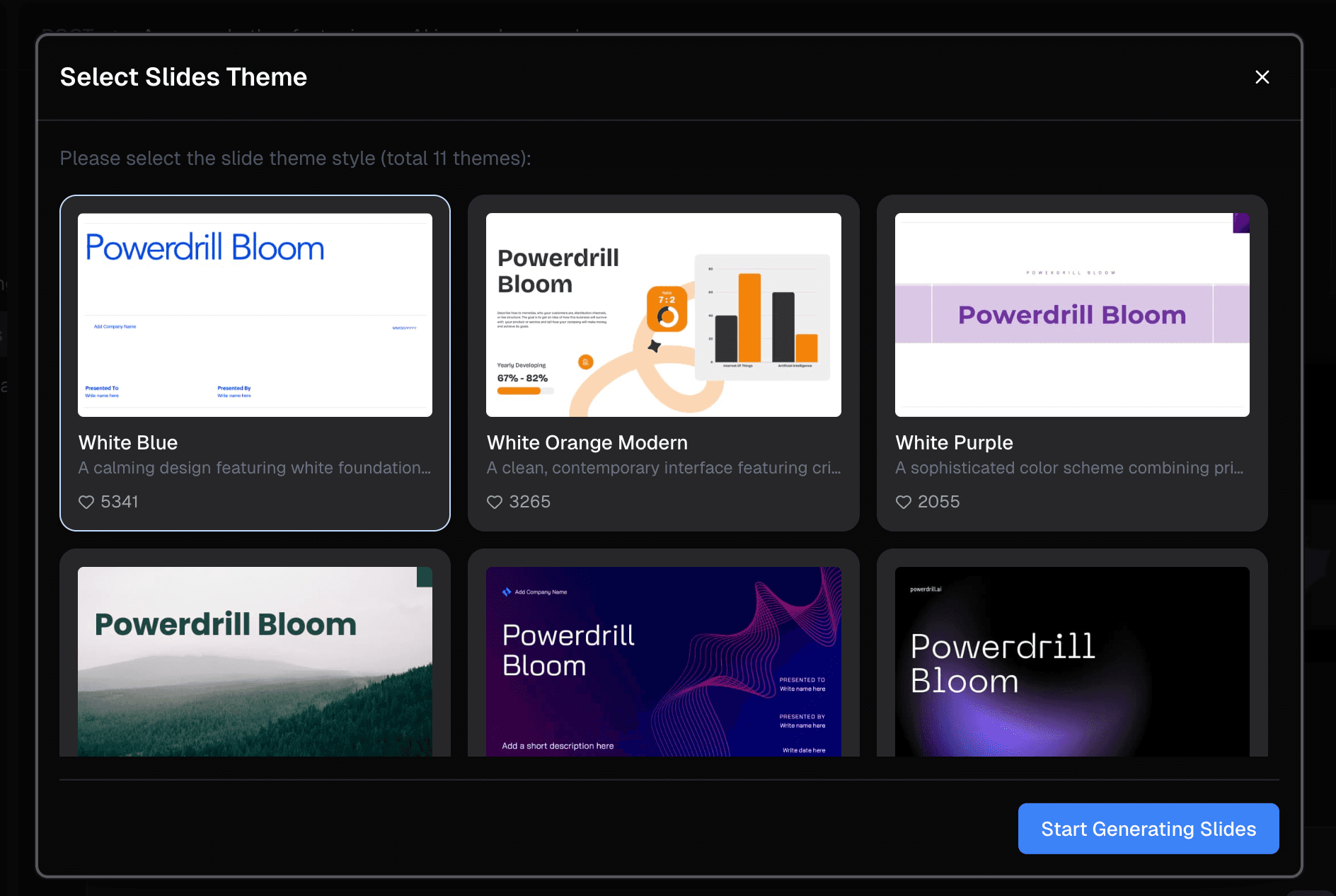
To truly harness the power of Nano Banana Pro without writing a single line of Python, you need an AI agent. Powerdrill Bloom is the ultimate tool for this—it seamlessly integrates Nano Banana Pro to automate the entire process.
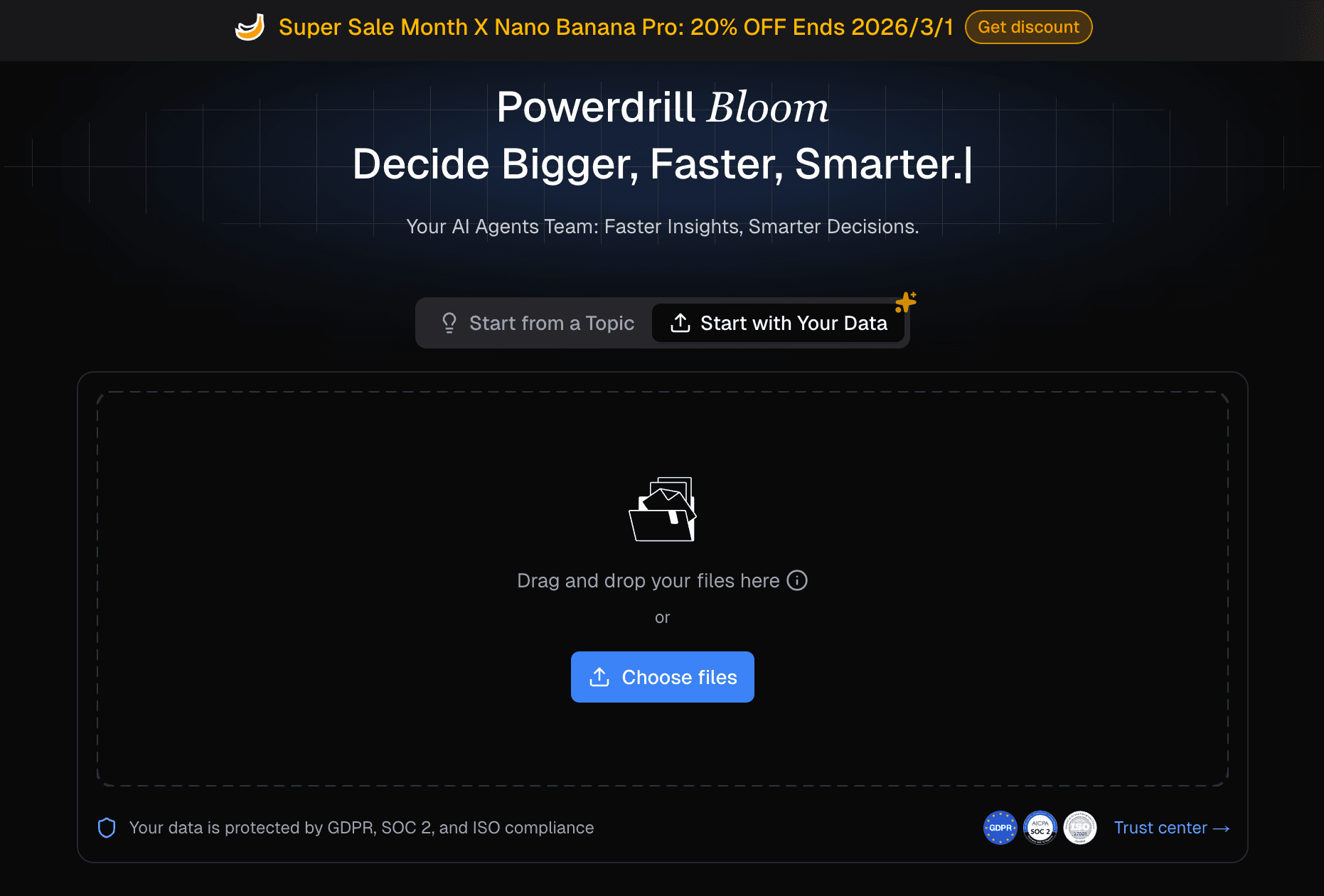
Step 1: Upload Your Raw Data (Excel/CSV/PDF).
Drag and drop your messy financial or marketing data directly into Powerdrill Bloom.
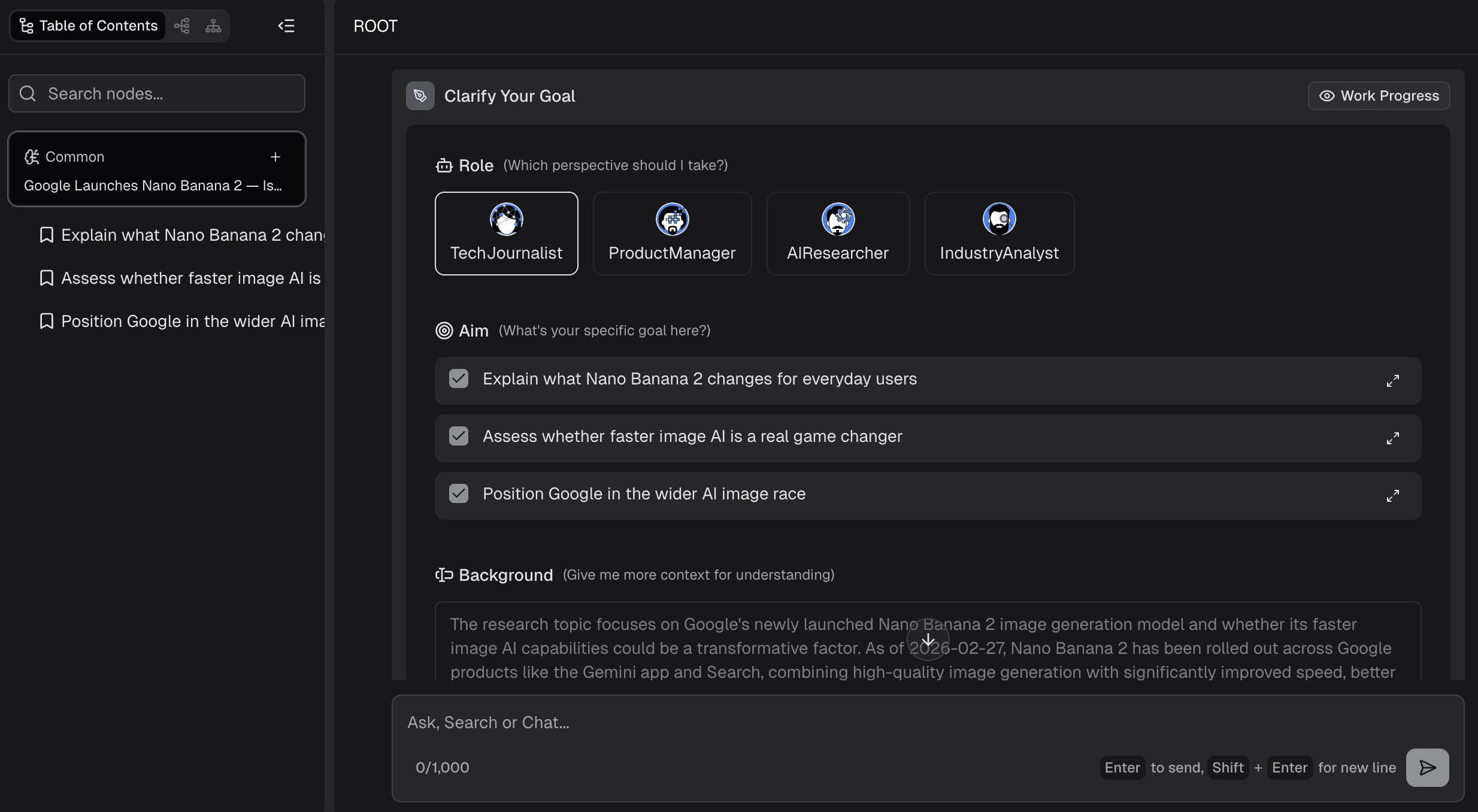
Step 2: Input Natural Language Prompts.
Simply type what you need. (e.g., "Analyze Google Launches Nano Banana 2.")
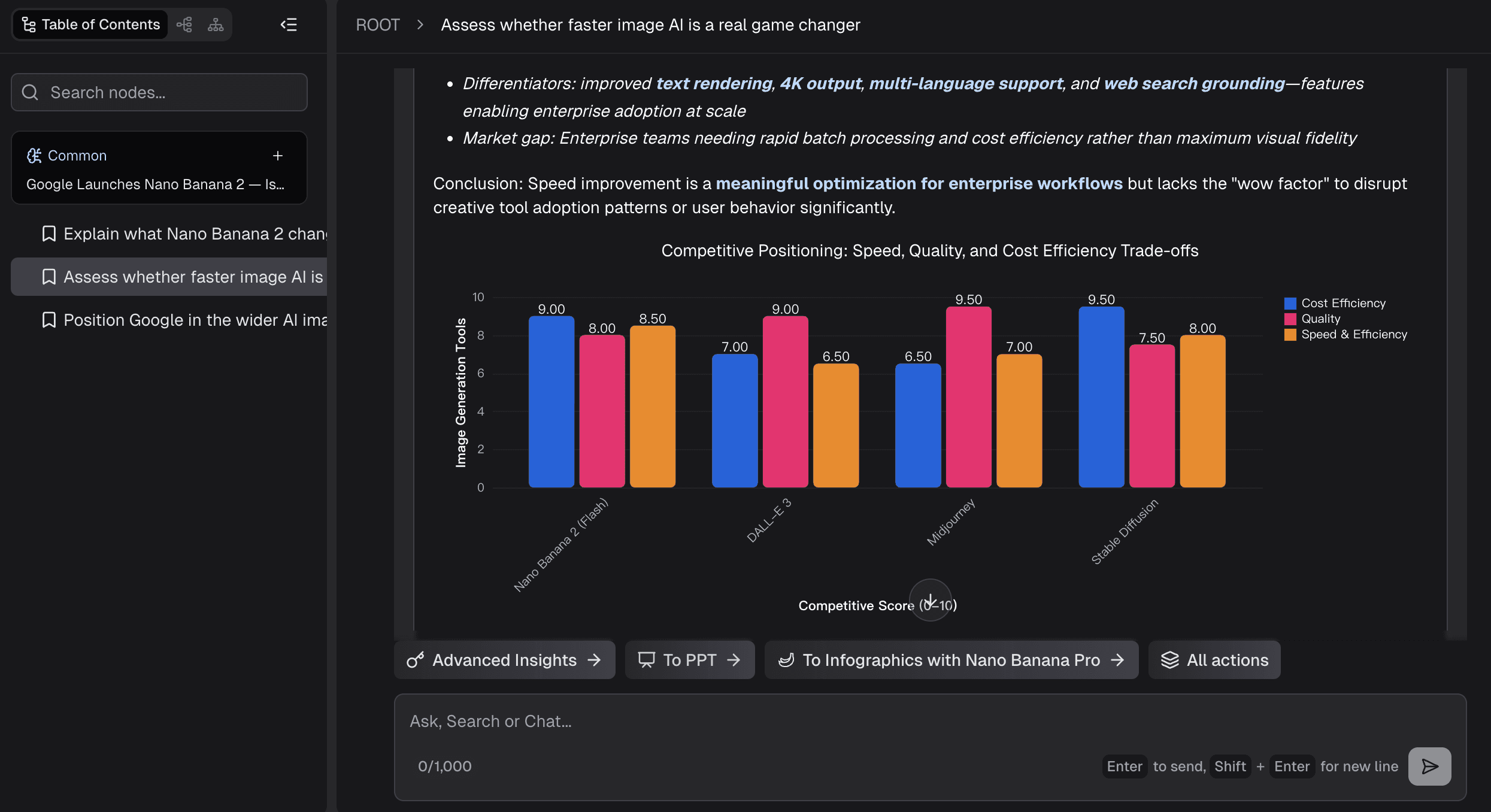
Step 3: Let the AI Analyze & Generate.
Nano Banana Pro springs into action, cleaning the data, plotting trends, and designing business/fancy slides.
Step 4: Export to PPT and Present.
Download the fully editable PowerPoint file. You are ready for your meeting.
Best Practices for AI-Generated PPT in 2026
To get the most out of your Automated Slides Generator, follow these proven strategies:
Use Structured Prompts: Clearly define your target audience, tone, and desired slide count in your prompt.
Combine Data + Narrative: Don't just ask for charts; ask the AI to summarize the insight driving the chart.
Optimize for Slide Readability: Instruct the AI to limit text to 3-4 bullet points per slide.
Avoid Overloaded Slides: Ask the AI to split complex data across multiple slides rather than cramming it into one.
Nano Banana Pro Slide Generation Features
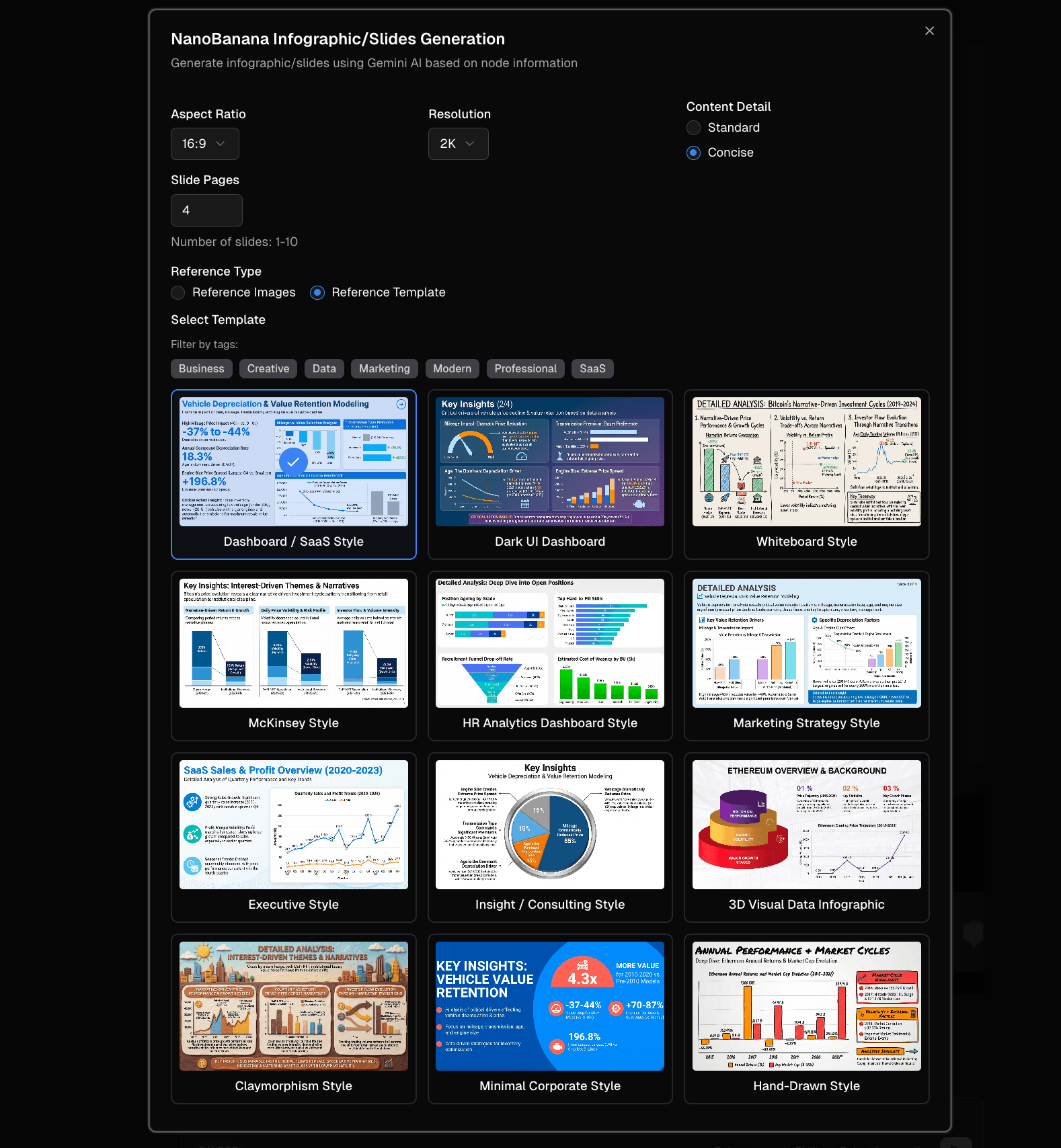
Nano Banana Pro doesn't just create slides; it creates designs. Its generation capabilities natively support advanced template styles tailored for:
Business:
Crisp, corporate layouts with high contrast.
Finance:
Dense but clean waterfall charts and P&L visualizations.
Data Analysis:
Focus on trendlines, heatmaps, and highlight boxes.
SaaS Dashboard:
Sleek, modern, dark-mode friendly UI representations.
When Should You Choose Nano Banana 2 Instead?
You should step down to Nano Banana 2 when you are strictly looking for speed, working on a tight API budget, or when you only need a pure text outline. It is the perfect companion for rapid ideation sessions or internal team brainstorming where high-end visual fidelity isn't required yet.
Powerdrill Bloom makes going from data to ppt easier with AI
For business professionals with zero coding background, raw AI models are hard to use. Powerdrill Bloom perfectly bridges this gap by deeply integrating Nano Banana Pro to solve your biggest workflow pain points.
1. Create PPT Slides from Any Topic or File with AI: Type a topic or upload files like Excel, CSV, and PDF. Powerdrill Bloom understands your content and builds professional PowerPoint slides automatically.
2. Generate Stunning AI-Powered Reports from Excel, CSV, or PDF or a Specific Topic in Seconds: Stop wasting hours formatting data. Powerdrill Bloom instantly turns your files or ideas into clear, insightful reports — ready to share with your team or clients.
Ready to use AI to go from data to graph without the manual work using Nano Banana? Try Powerdrill Bloom for free today.
Final Verdict – The Best Way to Create PPT with AI in 2026
When it comes down to a head-to-head battle, Nano Banana Pro is the definitive winner for serious business and data-driven reporting, while Nano Banana 2 wins on speed for simple drafting. By pairing Nano Banana Pro with an intuitive platform like Powerdrill Bloom, you can transform hours of tedious Excel analysis and PPT formatting into a 2-minute task. Try Powerdrill Bloom today and revolutionize your workflow.
Frequently Asked Questions
Is Nano Banana 2 available for public use?
Yes. Released in February 2026, Nano Banana 2 is publicly available and highly accessible for fast, lightweight multimodal tasks.
Can Nano Banana Pro generate full PPT slides automatically?
Yes. When paired with end-to-end AI agents like Powerdrill Bloom, Nano Banana Pro can automatically analyze data, design layouts, and generate complete slide decks.
What is the difference between Nano Banana 2 and Nano Banana Pro?
Nano Banana 2 is built for high speed and lightweight outlining, whereas Nano Banana Pro excels in complex data reasoning and generating high-precision, beautifully designed visual slides.
Does Nano Banana Pro support PPT export?
Yes. Through integrated platforms, presentations generated by Nano Banana Pro can be flawlessly exported into fully editable Microsoft PowerPoint (.pptx) formats.