Try Nano Banana For Free | How to Use Nano Banana Pro in PowerPoint and Slides
You spend hours crunching numbers and finalizing your logic, only to realize the hardest part is yet to come: Making it look good.
Research suggests professionals spend 2-4 hours per presentation just on formatting, alignment, and design. No matter how brilliant your data is, if it looks like a slide deck from 1999, your insight loses its impact.
What happens when the "Smartest Brain" meets the "Best Face"?
Today, I’m thrilled to walk you through a game-changing update in Powerdrill Bloom: the official integration of Nano Banana Pro.
It is the perfect marriage of Deep Data Storytelling and High-End Commercial Design. Powerdrill Bloom builds the indestructible logical skeleton, while Nano Banana Pro breathes a professional design soul into it.
The best part? You can currently Try Nano Banana For Free directly within Powerdrill Bloom!
Let’s dive into a real-world Use Case—"The Fed Decision in December"—to show you how to compress hours of work into minutes.
The How-To Guide: Wall Street Quality Slides in 3 Steps
Step 1: Define Your Mission
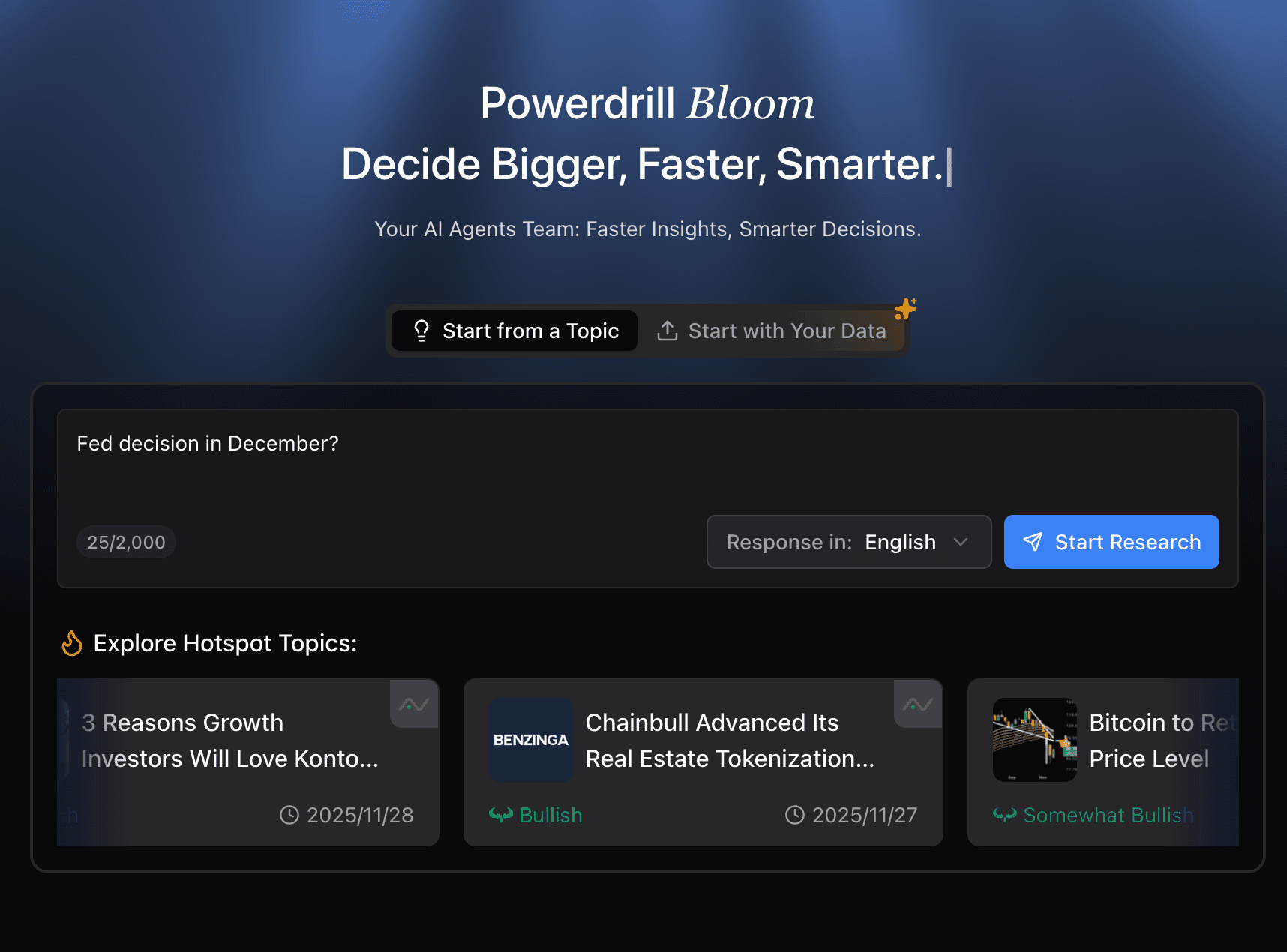
Start with clarity. Open Powerdrill Bloom, log in, and forget about complex prompt engineering. You just need a focused topic.
Scenario: You need a market update deck.
Case Input: Type "Fed decision in December?" into the search bar.
Action: Click "Start Research" and let the AI take the wheel.
At this stage, you aren't writing a PPT; you are commanding the AI to master the subject for you.
Step 2: Watch the Logic Unfold
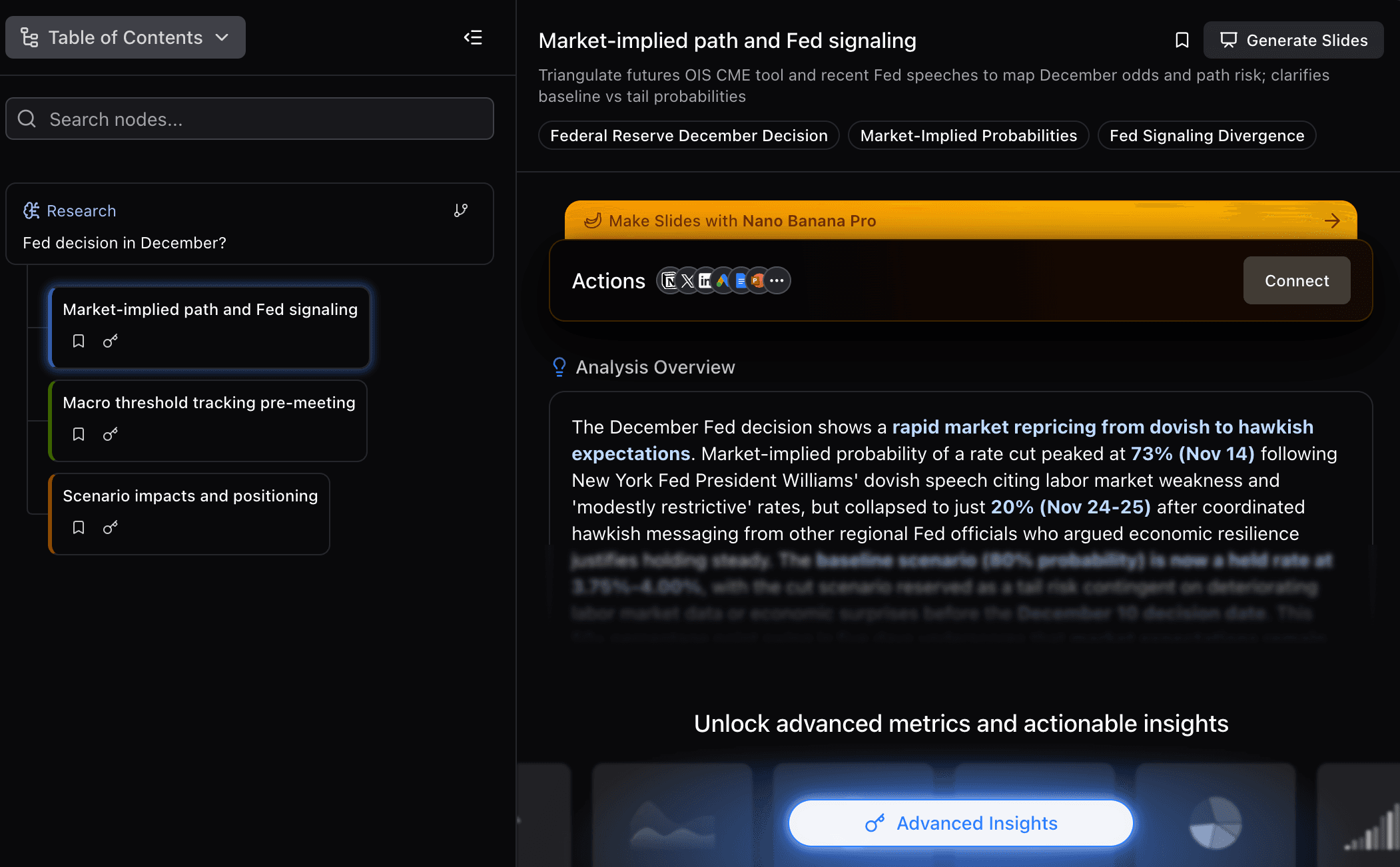
This is where Powerdrill Bloom shines as the "Deep Brain." Instead of dumping text on you, it constructs a Structured Knowledge Graph.
The Process: Bloom dissects the "Fed Decision" topic instantly. It maps out dimensions like inflation metrics, labor market cooling, market pricing, and historical precedents.
Go Deeper: Don't settle for the basics. Click on "Advanced Insights." Unlock deeper narrative arcs and strategic angles you might have missed.
State of Mind: You are no longer staring blankly at a white slide. You are navigating a curated map of knowledge.
Step 3: The Design Transformation
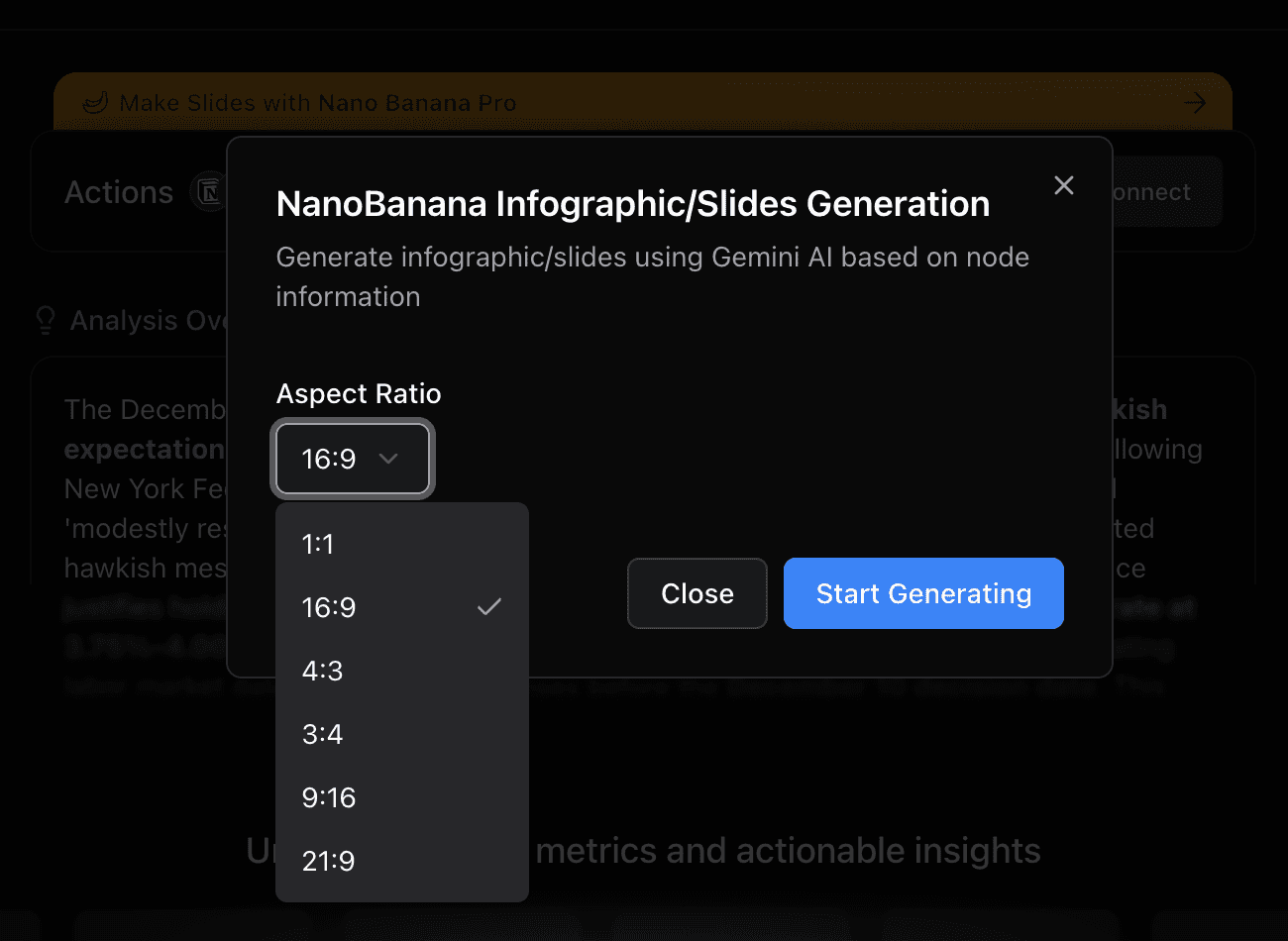
With your logic locked in, it’s time to turn insights into art using the design magic of Nano Banana Pro.
Action: Select your finalized nodes or topic direction within the Bloom interface.
Command: Choose "Generate Slides with Nano Banana Pro."
The Result (in minutes):
Visuals: This is where it gets exciting. The slides are Fancy, Commercial, and Professional. No generic templates here.
Hierarchy: Smart content layout that highlights your key data points automatically.
Why This Changes Everything
Previously, the workflow was: 30 minutes of analysis, 3 hours of PowerPoint hell.
Now, with the power combination of Powerdrill Bloom (Insight) and Nano Banana Pro (Design), the whole process takes minutes.
You save time, but more importantly, you save your mental energy. You focus on the "What" and "Why," and let the AI handle the "How."
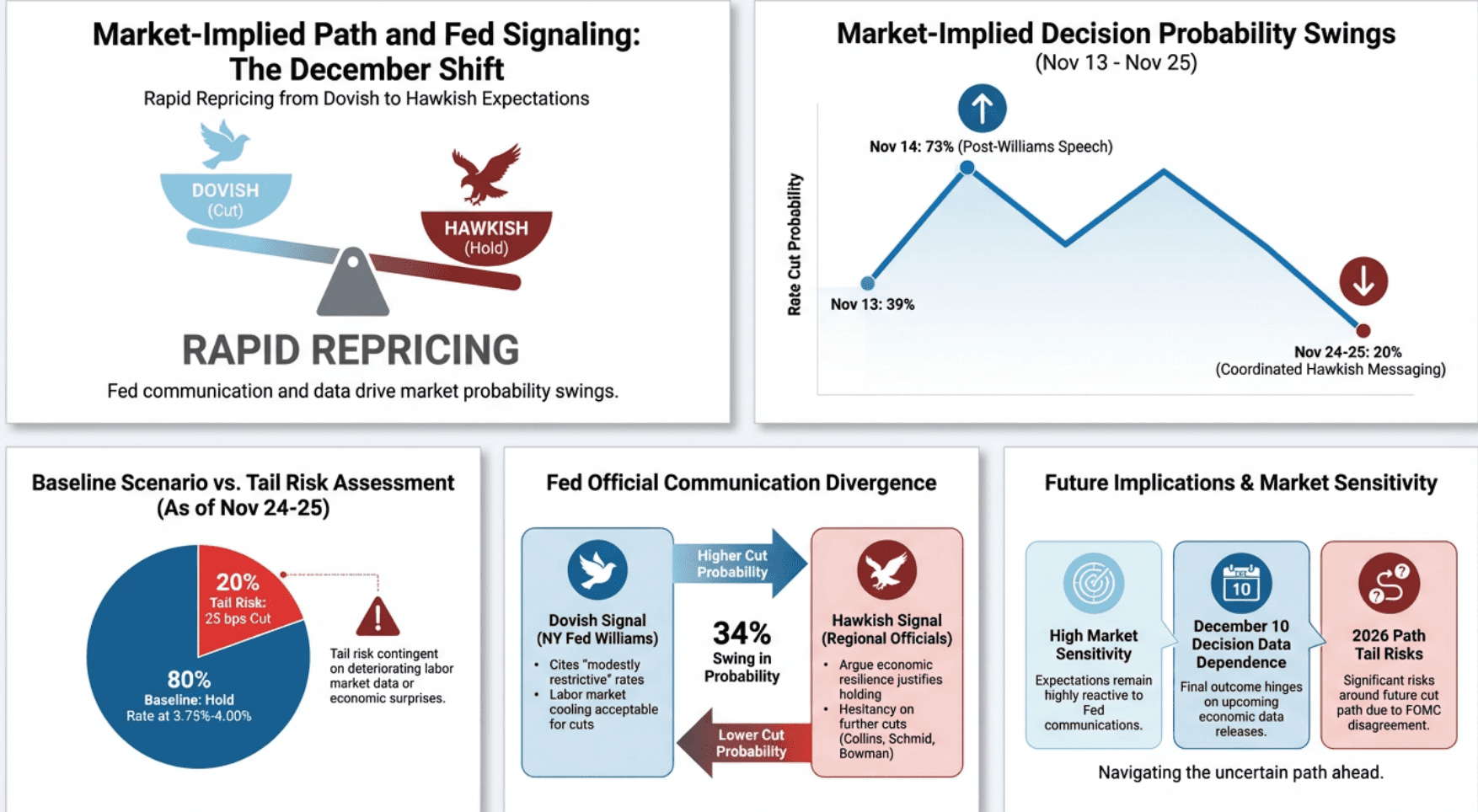
The following graph is a high-information-density graph drawn using Nano Banana Pro, combining data insights and signals:

Experience the Magic for Free
Don't just take my word for it.
Right now, you can Try Nano Banana For Free within Powerdrill Bloom. Whether you are a financial analyst, a marketer, or a founder, this is your shortcut to better storytelling.
Log in to Powerdrill Bloom, type in your next big topic, and turn your insights into a visual masterpiece today!