Powerdrill Bloom vs Gamma: Which Should You Use in 2026?

Powerdrill Bloom and Gamma both end with a deck, but they start from opposite ends. Bloom starts from your data: upload Excel, CSV, TSV, or PDF, and it cleans, analyses, charts, then converts the result into slides. Gamma starts from your content: give it a prompt, a document, or an existing PPTX, and it produces polished slides, docs, and web pages.
Choose Bloom when the content of the deck still has to be worked out from a spreadsheet. Choose Gamma when you already know what the deck says and need it to look good.
All prices and plan details below were checked on 31 July 2026 against each vendor's own pricing page. Both products meter usage in credits, but a credit in one is not a credit in the other, so those numbers are not directly comparable.
Powerdrill Bloom vs Gamma: what's the difference
Gamma is a generation and design tool for presentations, documents, and websites. Bloom is a data agent whose flagship output happens to be a presentation. The overlap is the final artifact. The difference is everything before it: Gamma formats content you supply, while Bloom derives the content from files you upload. That distinction decides the answer for most people faster than any feature table.
Meet Powerdrill Bloom: features & highlights
Powerdrill Bloom describes itself as an AI data analysis workspace with memory. You upload Excel, CSV, TSV, or PDF files, it auto-cleans them, and it proposes exploration paths instead of waiting for you to know what to ask.
Findings accumulate on a visual canvas as modular cards — charts, written insight, follow-up questions — that you rearrange freely. The canvas converts to a presentation-ready deck in one click, in Professional, Business, or Fancy style, and exports to PowerPoint or Notion.
Workspaces hold the persistent memory. Files uploaded once stay available to every later conversation in that space, so next month's export joins the existing context rather than starting from zero.
Agent skills cover repeatable work, with built-ins including ppt-master, officecli-pptx, Research-last30days, and dcf-model. You can add your own or import from GitHub, and paid plans support Claude Skills for research, analysis, automation, and execution workflows.
Open Data has no equivalent on the other side: 12 built-in public dataset explorers covering economic data, financial markets, SEC filings, prediction markets, patents, academic papers, clinical trials, healthcare data, drug databases, transport tracking, and LinkedIn people and companies.
The free plan includes 1,000 daily refreshed credits, file uploads, open data search, chart and summary generation, and built-in agent skills. Paid plans start at Pro, $13.27 per seat per month billed annually, adding 5,000 monthly credits on top of the daily allowance, custom agent skills, and Claude Skills. Team Pro shares credits across a team at the same $13.27 per seat. Compliance covers GDPR, ISO 27001, ISO 20000, and SOC 2 Type 2.
Meet Gamma: features & highlights
Gamma turns a prompt, a pasted document, or an imported file into finished slides, documents, websites, and social assets. Its strength is that the output looks designed without anyone doing design work.
Generation scale is tiered. The free plan creates up to 10 slides per prompt; Plus raises that to 75.
Import and export are both first-class. You can import from PDF and PPTX, and export to PDF, PPTX, PNG, and Google Slides — available even on the free plan.
Brand control sits on Pro. Custom branding and fonts, workspace templates, detailed analytics and advanced sharing, plus API access and up to 10 custom domains. Removing Gamma's own branding starts one tier lower, on Plus.
Publishing is a real differentiator. Gamma output can be published as a website on a custom domain, which is a genuinely different deliverable from a slide file.
The plan ladder, billed annually: Free at $0 with 400 starter credits that do not refill; Plus at $9 per seat per month ($108 a year) with 1,000 monthly credits; Pro at $18 per seat per month ($216 a year) with 4,000; Ultra at $90 per seat per month ($1,080 a year) with 20,000. Team plans carry 6,000 credits per seat per month and Business 10,000. Unused credits roll over up to twice the monthly amount, and annual billing saves up to 28% against monthly. Gamma is SOC 2 Type II compliant. Full detail is on its pricing page.
Powerdrill Bloom vs Gamma at a glance
| Dimension | Powerdrill Bloom | Gamma |
|---|---|---|
| 🎯 Best for | Turning your own data files into analysis, charts, and a deck without SQL | Turning a prompt, document, or existing deck into polished slides, docs, and web pages |
| 💰 Starting paid price (as of 2026-07-31) | Pro at $13.27 per seat / month, billed annually | Plus at $9 per seat / month, billed annually ($108 a year) |
| ⚡ Key strength | Analysis first — cleans and analyses uploaded Excel, CSV, TSV and PDF, then converts the canvas into a deck | Design and publishing — up to 75 slides per prompt on Plus, custom branding and fonts, publish to custom domains |
| ❄️ Main weakness | Design control and web publishing are not the focus; no custom domains or website output | Not a data analysis tool — it formats content you supply and does not clean, reconcile, or compute from a raw spreadsheet |
| 👥 Ideal team size | Solo to mid-size; Team Pro shares credits at $13.27 per seat | Solo to enterprise; Team at 6,000 and Business at 10,000 credits per seat per month |
Feature-by-feature comparison
1. What you feed it
This is the whole decision in one row. Bloom takes data files and works out what they say. Gamma takes content — a prompt, an outline, a document, an existing PPTX — and makes it presentable.
If your starting point is four exports and a question, Gamma has nothing to analyse yet. If your starting point is a finished narrative that looks bad in PowerPoint, Bloom is solving a problem you do not have.
2. Free plans
The free tiers differ in kind, not just size. Gamma gives 400 credits at signup that do not refill, plus unlimited use of the non-AI features, so it functions as an extended trial. Bloom gives 1,000 credits refreshed daily, which functions as an ongoing free tier.
For evaluating over a week, Bloom's daily refresh gives you more room. For producing one polished deck this afternoon, Gamma's 400 starter credits are enough to see the quality.
3. From data to deck
Bloom's path is upload → analyse → charts on a canvas → one-click deck in three styles → PowerPoint or Notion. The charts come from the analysis, and each carries a written read of what it shows.
Gamma's path is prompt or import → generated slides → refine → export to PPTX, PDF, PNG, or Google Slides. If you paste in numbers, it will lay them out attractively; it will not tell you which of them is unusual.
For a monthly report where the finding has to be discovered before it can be presented, that gap is the entire job. Our guide on building a monthly business review deck from a spreadsheet walks through that workflow.
4. Design control, branding, and publishing
Gamma wins this outright, and it is not close. Custom branding and fonts, workspace templates, advanced sharing with analytics, and publishing to as many as 10 custom domains on Pro or 100 on Ultra. Bloom offers three deck styles — Professional, Business, Fancy — and exports for you to finish elsewhere.
If your deck is going to a client, a landing page, or a public audience where the design is part of the message, that is a real argument for Gamma.
5. Credits, plans, and team pricing
Gamma's entry paid tier is cheaper on the sticker: $9 per seat per month against Bloom's $13.27, both billed annually. Gamma's credits roll over up to 2× the monthly allowance; Bloom pairs a monthly allowance with a daily refresh.
Because the two credit units are not equivalent, the only reliable comparison is your own workload on both free tiers. Bloom's plan detail is on its pricing page.
How to make your choice
Powerdrill Bloom is better for:
- Work that starts from spreadsheets, exports, or PDFs rather than from a written narrative
- Recurring reports where the numbers change every month and the analysis has to be redone
- Anyone who needs the chart and the sentence explaining it
- Analysis that draws on public data — markets, economic indicators, SEC filings, patents, research
- Teams that want an ongoing free tier to evaluate with, not a one-off credit grant
Gamma is better for:
- Decks where you already know the content and need it to look designed
- Pitches, client-facing material, and anything published as a web page on your own domain
- Strict brand control — custom fonts, brand colours, workspace templates
- Converting an existing PPTX or PDF into something cleaner
- Long decks from a single prompt, at up to 75 slides on Plus
My verdict
These two compete less than the category suggests. Gamma is a presentation and publishing product; Bloom is an analysis product that ends in a presentation. The question that settles it is simply whether the content of your deck already exists.
If you are writing a pitch, a narrative, or a client proposal, Gamma is the better tool and it is cheaper at entry. If your Monday deck depends on numbers you have not looked at yet, Gamma will format your uncertainty attractively — and that is not the problem you are trying to solve.
There is also a reasonable case for both: derive the finding and the charts in Bloom, then rebuild the final client-facing version in Gamma when design carries real weight. Nothing about either product prevents that, and for teams doing both internal reporting and external pitching it is probably the honest answer.
Getting started with Powerdrill Bloom in 3 steps
If your deck starts from data rather than from a draft, here is the whole workflow.
Step 1: Upload your data
Drop your Excel, CSV, TSV, or PDF files into a workspace. Bloom auto-cleans as it reads, so you do not need to align headers or strip title rows first, and the files stay available for every later question in that workspace.

Step 2: Ask in natural language, or pick a skill
Type the question you actually have — "compare this month against the last three and chart only what moved" — or start from an agent skill such as ppt-master or dcf-model for work you repeat. Bloom also proposes exploration paths once it has read the data.
Step 3: Export the chart, report, or deck
Rearrange the canvas cards, then convert the canvas into a presentation-ready deck in one click — Professional, Business, or Fancy — and export it to PowerPoint or Notion.
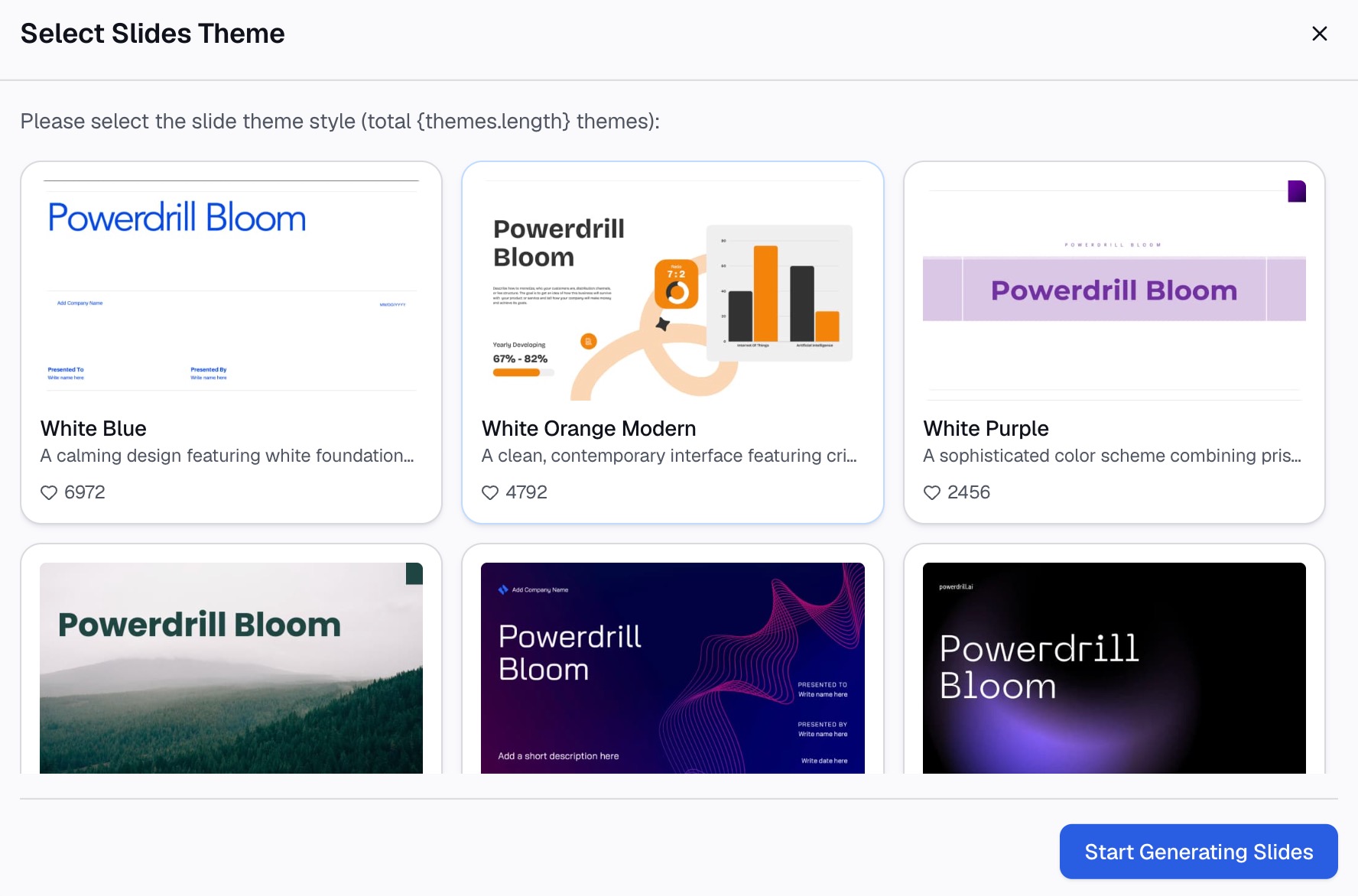
All three steps run on the free plan, which includes 1,000 daily refreshed credits, at Powerdrill Bloom. If you are still surveying the category, top Gamma alternatives reviews the wider field, and the Excel to PowerPoint page shows the data-to-deck path on its own.
Frequently asked questions
Is Gamma cheaper than Powerdrill Bloom?
At the entry paid tier, yes: Gamma Plus is $9 per seat per month billed annually against Powerdrill Bloom Pro at $13.27. The free tiers differ in shape rather than price — Gamma grants 400 starter credits that do not refill, while Bloom refreshes 1,000 credits daily.
Can Gamma analyze a spreadsheet?
Gamma generates and designs presentations, documents, and web pages from content you provide, including imported PDF and PPTX files. It is not built to clean a raw export, reconcile several files, or compute findings from them, which is the step a data agent handles before any slide exists.
Can Powerdrill Bloom export to PowerPoint?
Yes. The analysis canvas converts into a presentation-ready deck in one click, in Professional, Business, or Fancy style, and exports to PowerPoint or Notion.
Which is better for a client-facing pitch deck?
Gamma, in most cases. Custom branding and fonts, workspace templates, and publishing to a custom domain are built for external audiences where design carries weight. If the pitch depends on analysis you have not finished yet, do that part first, then bring the conclusions across.
Can I use both together?
Yes, and for teams doing internal reporting as well as external pitching that is often the practical setup: derive the findings and charts in Bloom, then rebuild the outward-facing version in Gamma when design matters more than speed.