How to Make a Company Profile Presentation: Structure and Examples
A company profile presentation introduces a business to people who do not know it yet. To make one, open with who you are and what problem you solve. Then cover your products, customers, proof of results, team, and how to work with you. Keep it to 10 to 12 slides, with one message per slide.
This guide covers what a company profile presentation is and who reads it. It then gives a slide-by-slide structure, writing tips for each slide, and the visuals that work best. The later sections cover an AI method in three steps, a worked example, design tips, and common mistakes.
What a company profile presentation is
A company profile presentation is a short deck that answers one question: who is this company, and why should I care? It is usually the first deck a prospect, partner, or new hire sees.
It overlaps with the company description in a business plan. The U.S. Small Business Administration explains what that description should do. "Go into detail about the problems your business solves." It adds "Be specific, and list out the consumers, organization, or businesses your company plans to serve."
The SBA also says the description is where you show strengths. "Your company description is the place to boast about your strengths." In a deck, that means proof, not adjectives.
A company profile presentation differs from three nearby decks:
| Deck | Main question | Typical reader |
|---|---|---|
| Company profile presentation | Who are you, and why should I care? | Prospects, partners, new hires, suppliers |
| Sales presentation | Why should I buy this now? | A specific buyer |
| Pitch deck | Why should I invest? | Investors |
| Strategy presentation | Where are we going, and how? | Leadership and the board |
If you need to close a deal, see our guide on how to make a sales presentation. For a plan with financial projections, see how to make a business plan presentation.
Who reads it and what they want to know
The same company profile presentation often serves several readers. Each one scans for something different.
- Prospective clients want to know what you do, who you serve, and whether you have done it before.
- Partners and resellers want to know your market, your reach, and how working together would run.
- Suppliers and banks want stability: how long you have operated, your size, and your track record.
- Job candidates want your mission, your culture, and where the company is heading.
- Investors want a short version before a full pitch deck.
Pick one main reader before you write. Then adjust the order of slides for the others. A sales team might move case studies forward. A recruiter might move the team and culture slides forward.
Structure: a slide-by-slide outline
The structure below fits most companies. Microsoft's presentation tips advise you to "Keep your text simple and minimize the amount of text on your slides." So each slide carries one message.
| # | Slide | What it should say |
|---|---|---|
| 1 | Title | Company name, logo, and a one-line description |
| 2 | Who we are | What you do, for whom, and the problem you solve |
| 3 | Mission and values | Why the company exists and how it works |
| 4 | Company at a glance | Founded, headquarters, team size, locations, key numbers |
| 5 | Products or services | Your main offers, grouped simply |
| 6 | Who we serve | Industries, customer types, or regions |
| 7 | How we work | Your process, from first contact to delivery |
| 8 | Results and proof | Case studies, client logos, awards, certifications |
| 9 | Milestones | A timeline of key moments |
| 10 | Leadership team | Names, roles, and relevant experience |
| 11 | Why choose us | Three clear differences from other options |
| 12 | Contact and next step | Who to contact and what happens next |
Ten to twelve slides is enough for a first meeting. Put extra detail, such as full client lists or certificates, in an appendix.
How to write each slide
Title slide. Write one line that says what you do, not a slogan. "Commercial cleaning for hospitals across Ohio" beats "Excellence in every detail."
Who we are. Follow the SBA's advice and name the problem first. Then name who you serve. Two or three sentences are enough.
Mission and values. Keep the mission to one sentence. Show values through actions, such as "We answer every service call within four hours."
Company at a glance. Use four to six numbers, each with a label. Founded year, team size, locations, and customers served are common choices.
Products or services. Group offers into three or four families. Give each one a short line on what it does for the customer.
Who we serve. Name industries or customer types. If you can, add a short line on the problem each group brings to you.
How we work. Show the process as four or five steps. Readers want to know what working with you feels like.
Results and proof. Use one or two short case studies. Each should state the client's problem, what you did, and the result in numbers.
Milestones. Pick six to eight dates at most. Choose moments that show growth or trust, such as a first big client.
Leadership team. Show photos, names, roles, and one line of relevant experience each. The SBA suggests you "Show how each person's unique experience will contribute to the success of your venture."
Why choose us. Give three reasons that a competitor could not honestly copy. Support each one with a fact from earlier slides.
Contact and next step. Name a person, not just an email address. Say what the next step is, such as a site visit or a short call.
Visuals that work for a company profile
A company profile presentation is mostly text and proof. A few visual types do most of the work.
| Visual | Best for | How to build it in PowerPoint |
|---|---|---|
| Number tiles | Company at a glance | Large numbers with short labels |
| Org chart | Leadership team | SmartArt, Hierarchy category |
| Timeline | Milestones | SmartArt, Process category |
| Map | Locations and reach | A simple map picture with markers |
| Logo wall | Clients and partners | A grid of logos, with permission |
| Before and after | Case studies | Two columns or a small bar chart |
For the org chart, Microsoft's steps are short. On the Insert tab, select SmartArt, then Hierarchy, then an organization chart layout. Microsoft notes you can also start from a template by searching for "org chart" under File, then New.
For the timeline, Microsoft points to the Process category. Its timeline guide says to open the SmartArt gallery, select Process, and choose a timeline layout.
Microsoft also gives a rule for charts. "Make labels for charts and graphs understandable." Use "only enough text to make label elements in a chart or graph comprehensible."
How to make a company profile presentation with AI
Most of the work in a company profile is collecting facts from existing documents. An AI tool can read those documents and draft the deck in one pass.
Here is the method in three steps, using Powerdrill Bloom.
Step 1: Upload your company documents
Start with what you already have. That might be an About page, a capabilities statement, an annual report, case studies, or a pitch deck from last year.
The Free plan lists "Upload Excel, CSV, PDF, and docs." The Word to Slides page says the tool "identifies sections, key points, and themes automatically." The PDF to PPT page covers longer files such as annual reports.
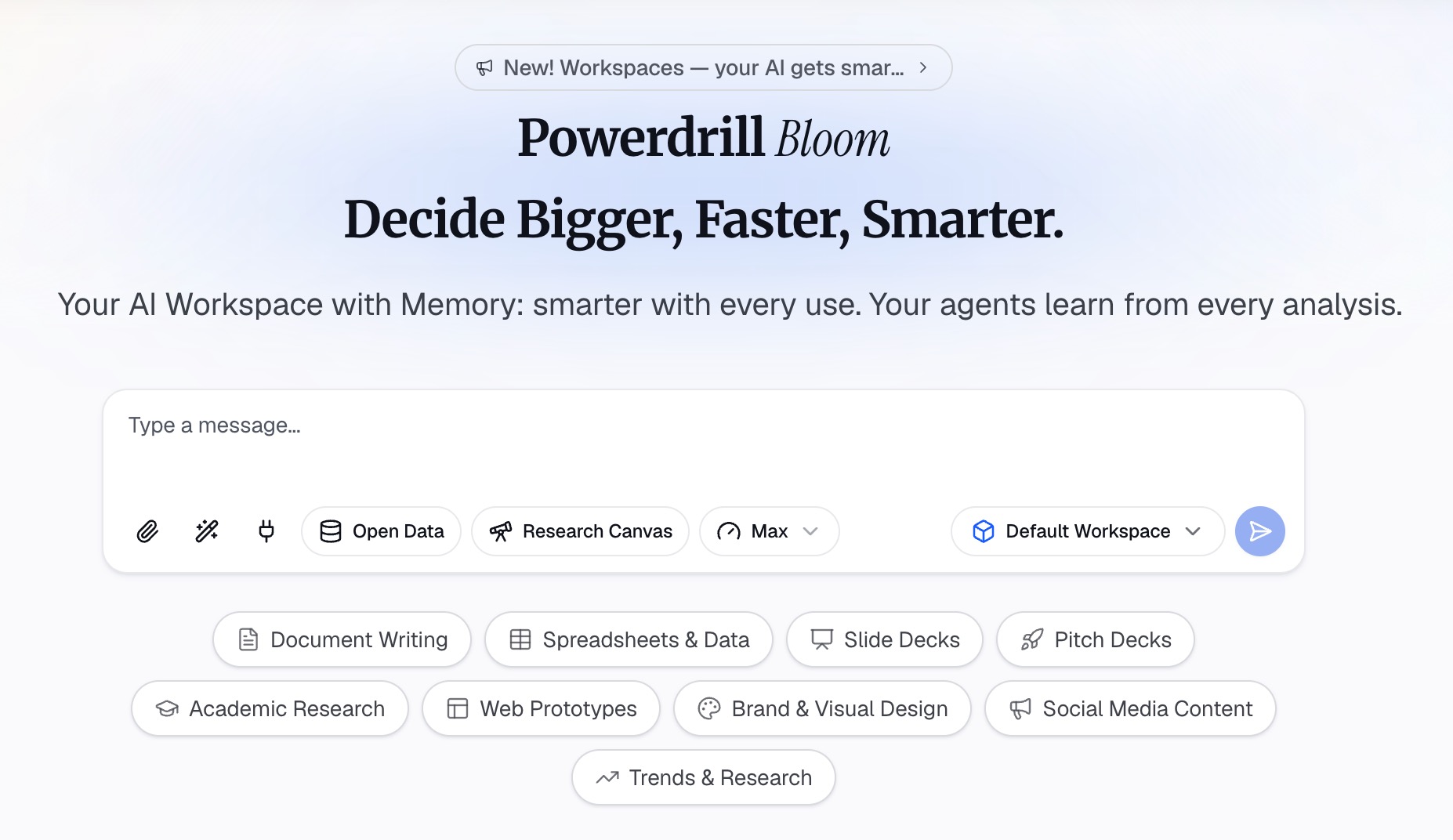
Step 2: Ask for the outline in natural language
Describe the deck you want in one or two sentences. For example: "Build a 12-slide company profile for prospective hospital clients. Use the outline: who we are, services, results, team, and next steps."
The tool suggests directions to explore before it builds slides. You confirm the ones you want. You can also ask follow-up questions, such as "Which three case studies best show our results?"
If you start from a topic instead of files, the Topic to PPT page says it "intelligently searches, analyzes, and explores related information." That helps with market context slides.
Step 3: Generate the slides and check every fact
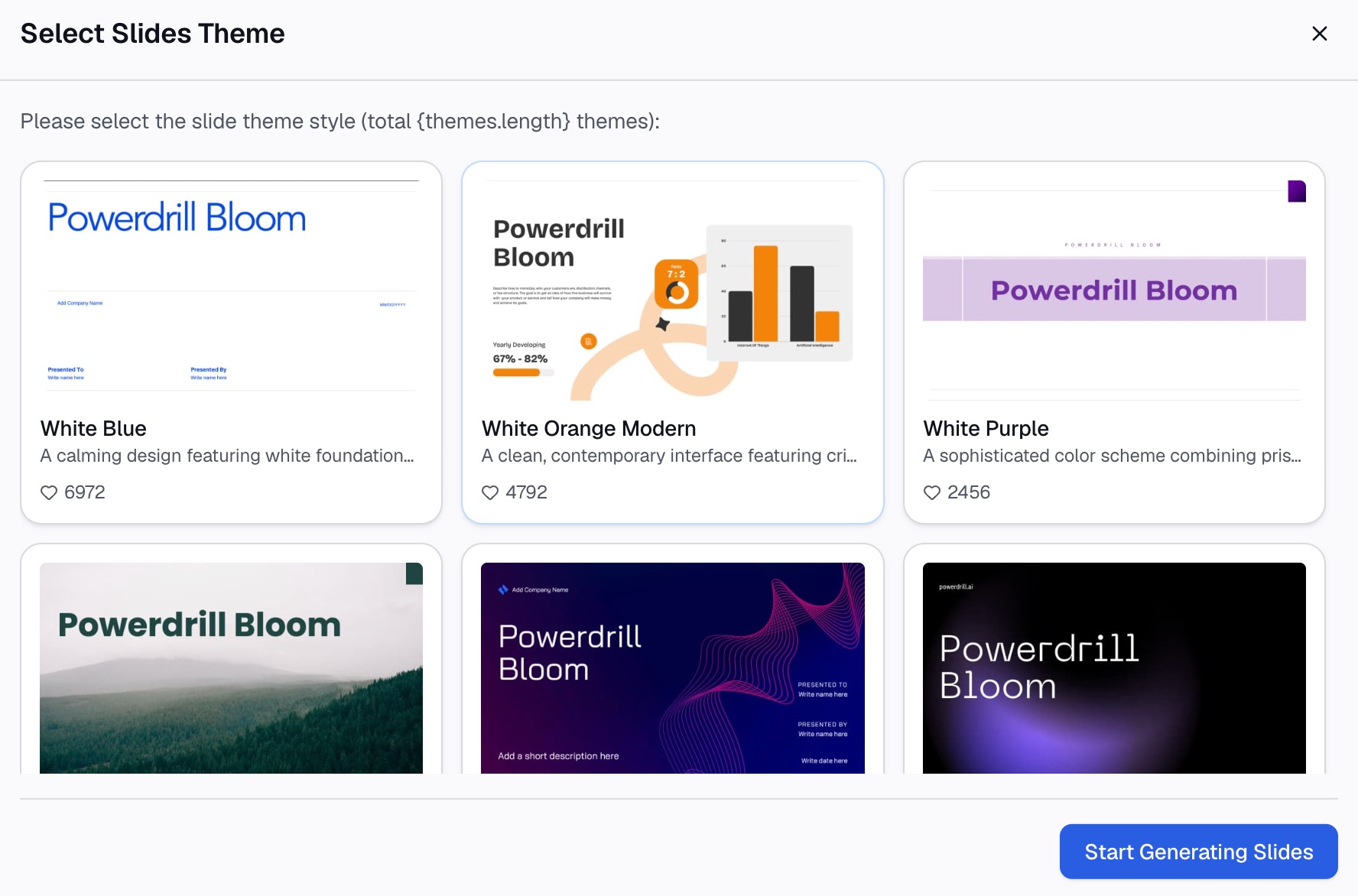
Pick the points to include, choose a theme, and generate the deck. The Excel to PPT page says you can "Choose a template you like, adjust as needed, and export to PowerPoint in one click."
Then check the facts. Confirm every number, date, client name, and job title against the source documents. A company profile is often the first thing a client reads, so one wrong date costs trust.
The Free plan lists "Create basic slides, docs, sheets, and images." Pro adds "Create slides, Office docs, Excel analysis, and Nano Banana images."
A company profile presentation example
Here is a short example for an invented company. Northbeam Facility Services is a commercial cleaning firm. All names and numbers below are invented.
| Slide | Example content |
|---|---|
| Title | Northbeam Facility Services: commercial cleaning for hospitals and clinics in Ohio |
| Who we are | We keep clinical spaces safe and inspection-ready, so care teams can focus on patients |
| At a glance | Founded 2012 · 340 staff · 6 regional depots · 58 healthcare clients |
| Services | Daily clinical cleaning · Terminal cleaning · Floor care · Emergency response |
| How we work | Site survey · Cleaning plan · Trained team on site · Monthly quality audit |
| Results | Mercy Valley Clinic: audit pass rate up from 82% to 97% in six months |
| Milestones | 2012 founded · 2016 first hospital contract · 2020 24-hour response team · 2025 sixth depot |
| Team | Dana Ortiz, CEO, 20 years in hospital operations |
| Why us | Staff trained for clinical settings · 4-hour response · Monthly audit reports |
| Contact | Sam Lee, Head of Partnerships, for a free site survey |
Notice what the example does. Each slide has one message. The numbers have labels. The results slide gives a before and after. The last slide names a person and a next step.
Design tips for company profile slides
Microsoft's presentation tips cover most design choices. Four matter most here.
- Readable fonts. Microsoft suggests "a simple font style, such as Arial or Calibri." It also says to "avoid using font sizes smaller than 18 pt."
- Short lines. Microsoft advises "Use bullets or short sentences, and try to keep each to one line."
- Consistent backgrounds. Choose "an appealing, consistent template or theme that is not too eye-catching."
- Brand colors. Use your logo colors for headings and accents, and keep the background plain.
Two more habits help. Use real photos of your team and sites rather than stock images. Keep logos the same size on the client slide, so no client looks more important than another.
Versions for different audiences
One company profile presentation rarely fits every reader. Keep a master deck, then make short versions.
For sales meetings, move results and case studies to slide three. Cut milestones to three dates. End with a clear offer, such as a free site survey.
For partners, add a slide on how the partnership works. Show regions, referral steps, and who manages the relationship.
For recruiting, lead with mission and culture. Add photos of the team at work and a slide on growth paths.
For investors, keep the profile short and link to the full pitch deck. Investors expect market size and financials, which belong in that deck.
For suppliers and banks, lead with stability. Show years in business, the number of locations, and long-standing clients. Add any certifications or insurance details they usually ask for.
For a website or trade show, make a version that works without a speaker. Use fuller sentences on each slide, since nobody is there to explain them. Export it as a PDF so it opens on any device.
Name each version clearly, such as "Company profile, sales, 2026." Update the master first whenever a number changes, then copy the change to each version.
How to present a company profile in a meeting
A company profile presentation is often shown live, at the start of a first meeting. A few habits make that part go well.
Ask before you present. Start by asking what the other side already knows about you. If they have read your website, skip the first two slides and go straight to proof.
Keep it short. Plan for about ten minutes, then stop and ask questions. Microsoft's tips say "You want your audience to listen to you present your information, rather than read the screen."
Tell one story. Pick one case study that matches the listener's industry. Walk through the problem, what you did, and the result. One relevant story often lands better than five logos.
Bring the appendix. Keep full client lists, certificates, and detailed service sheets in the appendix. Open them only if someone asks.
Leave something behind. Send a PDF copy after the meeting, with a short note that repeats the next step. Name the person who will follow up.
Note the questions. Write down what people asked about. If the same question comes up in several meetings, add a slide that answers it in the master deck.
A short rehearsal helps too. Run through the deck once with a colleague who does not know the company well. Ask where they got lost, and fix those slides first.
Common company profile presentation mistakes
Watch for these before you share the deck.
- Starting with history. Readers care about what you do for them first. Move the founding story to the milestones slide.
- Too much text. If a slide needs a paragraph, split it or move detail to the appendix.
- Claims without proof. "Industry-leading" means little. Show a number, a client, or an award instead.
- Outdated numbers. Check team size, client counts, and locations before each use.
- Unclear next step. End with a named contact and a specific action.
- Logos without permission. Ask clients before you show their logos.
Want a first draft in minutes? Try Powerdrill Bloom with your About page and two case studies, and ask for a 12-slide company profile.
Frequently asked questions
What should be included in a company profile presentation?
Start with a title slide, who you are, your mission, and key numbers. Then cover products or services, who you serve, and how you work. Finish with results, milestones, the leadership team, why clients choose you, and contact details. Keep detailed lists in an appendix.
How many slides should a company profile presentation have?
Ten to twelve slides suit most first meetings. That leaves room for one message per slide. Put certificates, full client lists, and detailed case studies in an appendix.
What is the difference between a company profile and a pitch deck?
A company profile introduces the business to many readers, such as clients, partners, and recruits. A pitch deck asks investors for money, so it adds market size, financials, and the funding request.
How do I make an org chart for a company profile in PowerPoint?
On the Insert tab, select SmartArt, then Hierarchy, then an organization chart layout. Add names and roles, then format it in your brand colors. You can also start from an org chart template under File, then New.
Can AI make a company profile presentation?
Yes. AI tools can read your existing documents, such as an About page, case studies, or an annual report, and draft the slides. Check every number, date, and name against the source documents before you share the deck.
Sources: U.S. Small Business Administration, Write your business plan · Microsoft Support, Tips for creating and delivering an effective presentation · Microsoft Support, Create an org chart in PowerPoint · Microsoft Support, Create a timeline in PowerPoint.