How to Create Business PPTs Faster with AI Skills (2026 Guide)
Introduction
For business users, marketers, and strategy teams, creating professional presentations is often one of the most time-consuming tasks of the week. From gathering raw data and outlining the narrative to formatting individual slides, the journey from an initial idea to a presentation-ready output can take hours, if not days. While standard AI prompt interfaces exist, they often require you to start from a blank page, constantly tweaking one-off prompts to get the desired result—which ultimately defeats the purpose of efficiency.
This is where the transition to reusable AI workflows changes the game. By leveraging predefined AI skills, you can bypass the tedious setup phase entirely. Rather than explaining how a presentation should be structured every single time, you can rely on packaged best practices and automated logic.
In this guide, we will explore exactly how to create business PPTs faster with AI skills, using Powerdrill Bloom’s new Start from Skills feature as the perfect example of business presentation automation.
Quick Answer
How to create business PPTs faster with AI skills?
To create business PPTs faster with AI skills, you should move away from starting with blank pages and one-off prompts. Instead, leverage reusable AI workflows that package best practices into selectable skills. You can do this by using AI workflow platforms like Powerdrill Bloom with its "Start from Skills" feature. Simply select a pre-configured skill, such as ppt-master, input your topic or raw data, and let the AI generate a structured, presentation-ready deck.
What is Start from Skills and why does it matter?
Start from Skills transforms unpredictable prompt engineering into a reliable, automated business presentation workflow. It saves hours of manual formatting, content structuring, and data synthesis, allowing professionals to go from an idea directly to a previewable and downloadable PowerPoint file with maximum efficiency.
What It Means to Create Business PPTs Faster with AI Skills
When we talk about using AI tools for executive decks or routine reporting, many people still think of standard chat interfaces where they type a question and get text back. However, "AI skills" represent a more mature approach to productivity.
An AI skill is essentially a packaged, reusable workflow. When you use an AI skill for business presentations, you are not just asking an AI PPT generator to "make a slide." You are activating a predefined set of instructions, formatting rules, and data-processing capabilities designed specifically for presentation creation. This means the AI already knows how to act as a document-to-presentation workflow, structure an executive summary, and properly format the final output without requiring you to reinvent the wheel every time.
Why Starting from Skills Is Faster Than Starting from Scratch
If you have ever wondered how to make presentations faster, the secret lies in eliminating repetitive setup tasks. Here is why adopting a skill-based approach is superior to starting from scratch.
Less blank-page work
Staring at a blinking cursor trying to figure out the perfect prompt is inefficient. AI skills remove the blank-page syndrome. The underlying logic, formatting parameters, and structure are already built into the skill. You simply provide the topic or the raw context, and the tool does the heavy lifting.
More reusable workflow structure
A major challenge with generic AI is getting consistent results. Prebuilt AI workflows act as a reliable foundation. Once you find a skill that structures data the way you like, you can reuse it indefinitely, knowing that the output will follow the same high-quality logic every time.
Faster output for presentation-heavy teams
For analysts, marketing teams, and researchers, speed to delivery is critical. AI skills accelerate the research-to-slides pipeline. Instead of spending three hours reading reports and another two hours formatting slides, a specialized AI presentation workflow handles the data synthesis and slide generation concurrently.
Better consistency for repeatable business tasks
Whether you are creating a weekly internal report or a standard company analysis, consistency matters. Using a defined skill ensures that your deliverables maintain a professional, corporate structure, reducing the time spent standardizing layouts manually.
How to Use Powerdrill Bloom Start from Skills to Create a Business PPT
Powerdrill Bloom is an AI workflow and agent platform designed to help users move from raw data to actionable, presentation-ready output. Its new Start from Skills feature allows you to build a scalable, skill-based workflow layer.
Here is a step-by-step tutorial on how to use Start from Skills to automate and accelerate your PPT creation.
Step 1. Go to the homepage and switch to Start from Skills
To begin, log into Powerdrill Bloom and navigate to the main dashboard. Instead of using the standard chat interface, locate and toggle the Start from Skills mode.
Why do this? This step shifts the platform from a generic conversational agent into a specialized workflow engine. Activating this mode means you are now browsing a library of pre-configured, highly capable AI skills rather than starting from an empty prompt box.
The efficiency value: You instantly gain access to packaged automation tools designed for specific business deliverables.
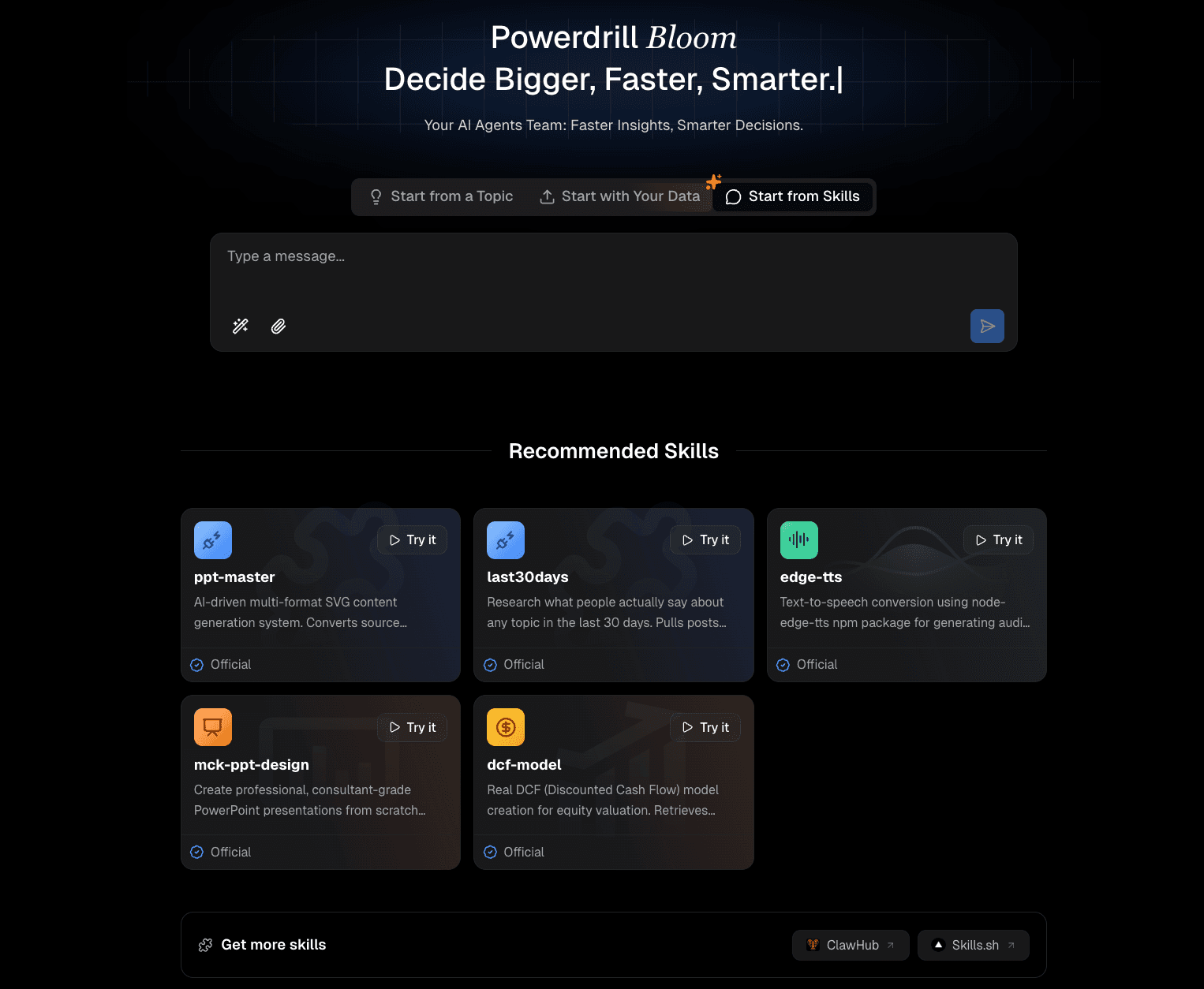
Step 2. Choose ppt-master from Recommended Skills or Manage Skills
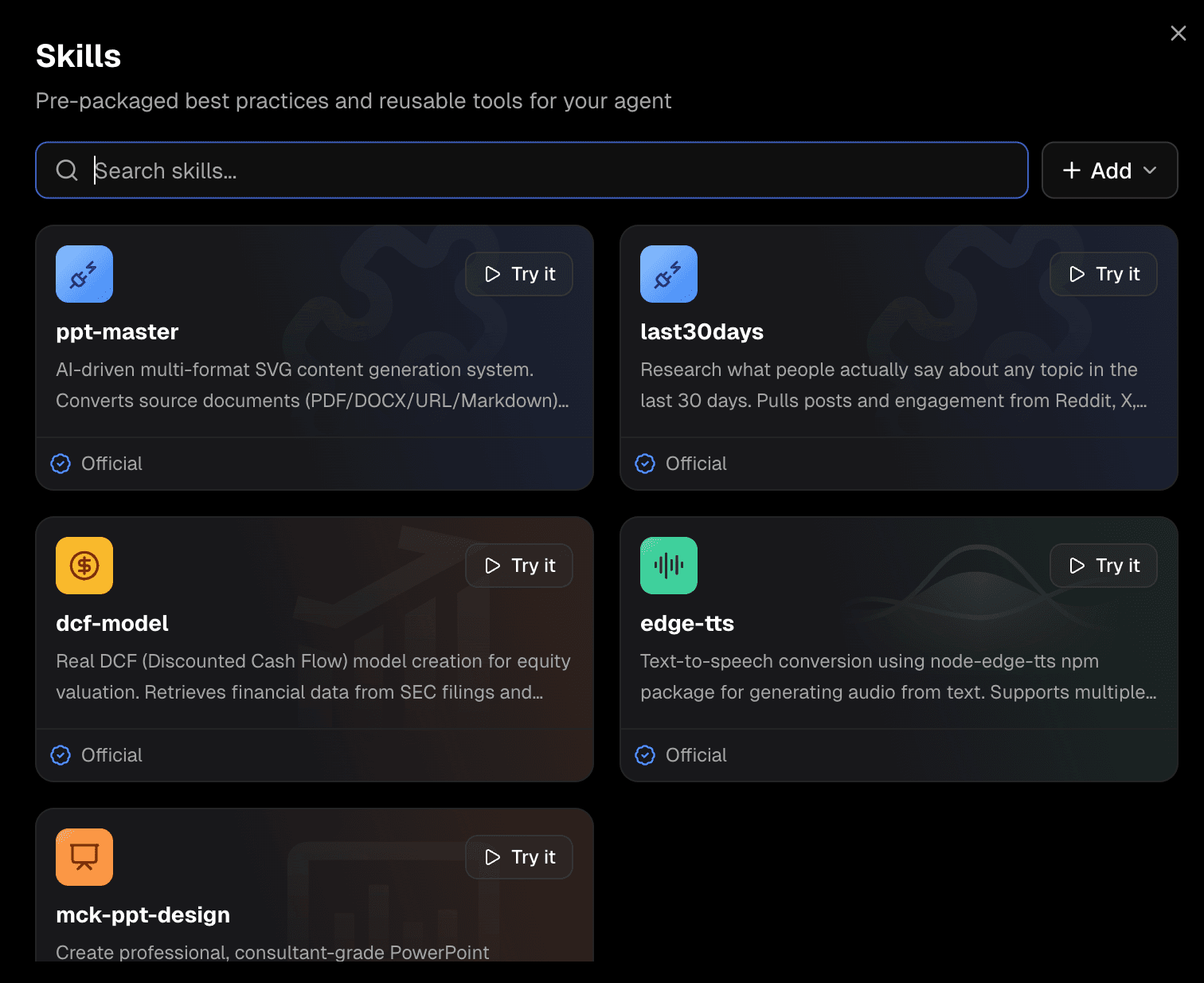
Once you are in the Start from Skills environment, browse the Recommended Skills section or open your Manage Skills menu. Look for and select the skill named ppt-master.
Why do this?
ppt-masteris a dedicated skill explicitly engineered for presentation creation. It understands how to break down complex topics into slide titles, bullet points, and cohesive narratives.The efficiency value: By selecting
ppt-master, you bypass the need to instruct the AI on how to write a presentation. The skill already possesses the logic required for pacing, information density, and professional slide structuring.
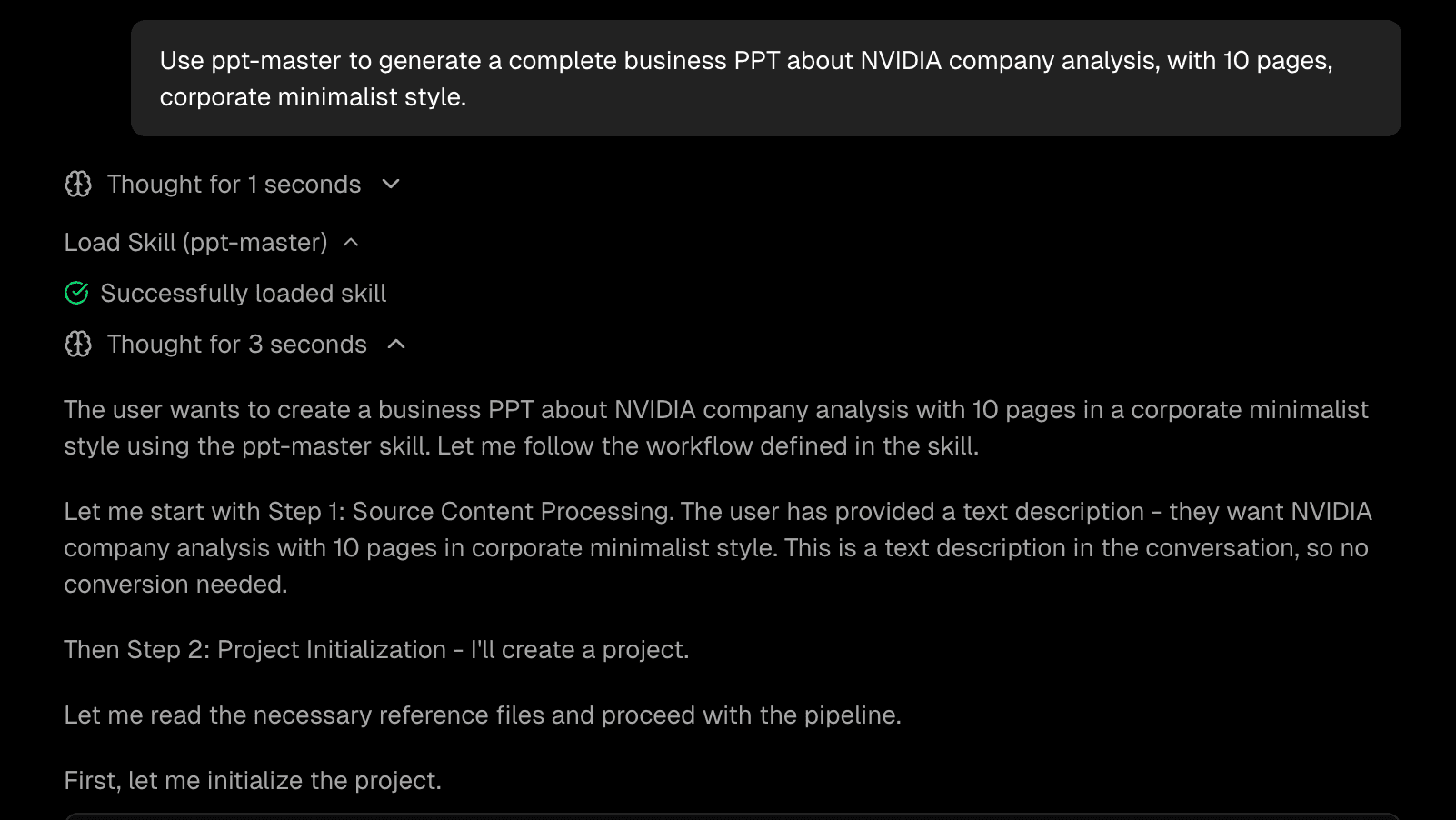
Step 3. Enter a natural-language prompt to generate the PPT
With ppt-master selected, simply type your request into the input field. Because the skill handles the complex logic, your prompt can be direct and conversational. For example, copy and paste this exact prompt:
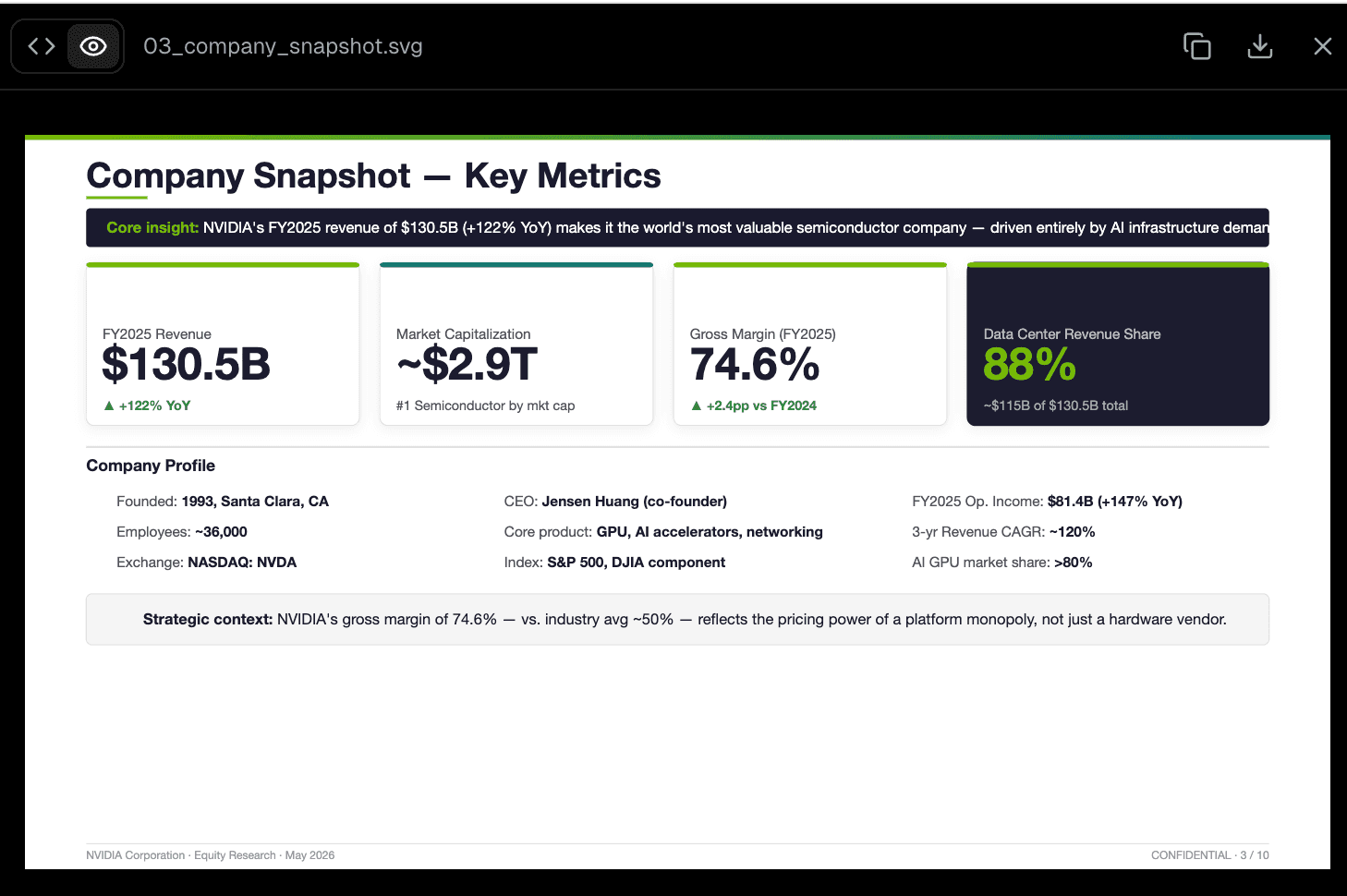
Use ppt-master to generate a complete business PPT about NVIDIA company analysis, with 10 pages, corporate minimalist style.
Why do this? This single sentence gives the AI everything it needs: the subject (NVIDIA company analysis), the scope (10 pages), and the aesthetic direction (corporate minimalist style).
The efficiency value: In a traditional workflow, researching NVIDIA, structuring 10 distinct pages, and drafting the content would take a full afternoon. Here, a single natural-language command triggers the entire research and drafting process instantly.
Step 4. Preview and download the final result
After hitting enter, Powerdrill Bloom will process your request through the ppt-master skill. Within moments, it will generate the structured presentation. You can seamlessly preview the slides directly within the platform to ensure the narrative flows correctly.
Why do this? Previewing allows you to quickly verify the structural integrity and content accuracy before finalizing your work. Once satisfied, click the download button to export the result as an actual PowerPoint file.
The efficiency value: You are not just getting a text outline that you have to copy-paste into PowerPoint. You are receiving a fully formatted, downloadable file ready for final tweaks, saving you the immense hassle of manual slide population.
Why ppt-master Is a Strong Example of Skill-Based Presentation Creation
It is important to understand that ppt-master within Powerdrill Bloom is not just a basic "AI PPT generator." It acts as a comprehensive document-to-presentation workflow.
Its true value lies in its ability to take source content—whether that is a raw idea, market data, or contextual business requirements—and transform it into presentation-ready slides. While our example used a text prompt, skill-based architectures can seamlessly integrate with source-based workflows, processing PDFs, DOCX files, URLs, or Markdown documents to pull accurate data directly into your slides. This ensures that your presentations are not only generated quickly but are deeply rooted in your actual business context.
Common Use Cases for Faster Business PPT Creation
Leveraging reusable AI skills like ppt-master opens up immediate workflow efficiencies across various business scenarios:
Company analysis deck: Quickly summarize competitors, market positioning, and financial overviews.
Executive summary deck: Distill lengthy strategic documents into concise, high-level slides for C-suite reviews.
Sales / strategy presentation: Generate structured pitch decks tailored to specific client industries in minutes.
Internal reporting presentation: Automate weekly or monthly update slides based on standardized metrics.
Research-to-slides workflow: Convert deep-dive academic or market research papers into easily digestible, scannable presentation formats.
Can You Reuse, Upload, or Import Other AI Skills?
A core advantage of Powerdrill Bloom's Start from Skills feature is its workflow extensibility. Bloom is not just a static marketplace of fixed tools; it functions as a dynamic, skill-based workflow layer.
If your team has specific requirements, you are not limited to the default options. Users can upload their own custom Skills, packaging their unique business logic and proprietary frameworks into reusable tools. Furthermore, for highly technical teams, you can import Skills directly from GitHub, seamlessly integrating open-source or internally developed workflows into your presentation and data analysis processes. This ensures that as your business presentation automation needs grow, your AI capabilities can scale and adapt alongside them.
Conclusion
Learning how to create business PPTs faster with AI skills comes down to one fundamental shift: moving away from blank pages and embracing reusable, skill-based workflows. Whether you need a 10-page company analysis or an executive summary, relying on predefined logic ensures you get from a raw concept to a presentation-ready deliverable with minimal friction.
By utilizing a robust AI workflow product, you can automate the heavy lifting of structure and synthesis, freeing up your time for high-value strategic thinking. If your team is tired of starting presentations from scratch and wants to bridge the gap between raw data and polished output, it’s time to explore skill-based automation. Experience the efficiency of the Start from Skills feature in Powerdrill Bloom today, and transform the way you handle business presentation workflows.
Frequently Asked Questions
What is Start from Skills?
Start from Skills is a feature in Powerdrill Bloom that allows users to bypass blank chat interfaces and initiate tasks using pre-configured, reusable AI workflows (Skills). It packages complex logic into a simple, selectable format for faster, more reliable outputs.
How does ppt-master help create PPTs faster?
ppt-master is an AI skill designed specifically for presentations. It automatically handles the structuring, pacing, and formatting of your topic, turning a simple natural-language prompt into a complete, downloadable PowerPoint presentation, saving hours of manual labor.
Do I need to design slides from scratch?
No. By using AI skills for presentations, the tool generates the structural layout and content distribution for you. You receive a structured file that bypasses the need for manual blank-page design.
Can I preview the output before downloading?
Yes. Powerdrill Bloom allows you to preview the generated presentation directly within the platform. Once you are satisfied with the structure and content, you can download it as a ready-to-use PPT file.
Can I upload my own Skills?
Yes. Powerdrill Bloom allows users to upload their own customized Skills. This means you can create and package your own proprietary workflows for repeatable business tasks.
Can I import Skills from GitHub?
Absolutely. For teams looking for advanced extensibility, Powerdrill Bloom supports importing Skills directly from GitHub, making it a highly adaptable workflow layer.
Is this useful for teams that create presentations often?
Highly useful. For strategy teams, analysts, and marketers, utilizing prebuilt AI workflows drastically reduces the time spent on formatting and structuring, allowing them to focus on high-level strategy and delivery.
Why are AI skills better than one-off prompts?
One-off prompts require you to explain the context, formatting rules, and desired output every single time. AI skills package these instructions permanently. They offer better consistency, remove repetitive setup, and provide a much faster, reusable AI workflow.