Powerdrill Bloom vs. Rollstack: Features, Pricing, and Best Use Cases (2026)

Both tools end with a deck or a document. They disagree about which copy of it matters. Rollstack keeps a report you have already built in sync with your data and mails it out on a schedule. Powerdrill Bloom builds the artifact from a file when it does not exist yet. This comparison uses only what both official pages state, as of August 31, 2026.
The difference in one line
Rollstack is built around the second, tenth, and hundredth version of a report. Powerdrill Bloom is built around the first one.
That sounds like a small distinction. In practice it decides everything else. It sets how each product is priced, what it asks you to set up first, and what happens when the report has never existed before.
Meet Rollstack
Rollstack describes itself in its own page title as automating presentations and documents. Its product page organises the platform into seven blocks: connect data source, scheduled updates, AI-powered insights, scale content, share and distribute, governance, and enterprise-grade security.
The clearest statement of the model is in the pricing FAQ. Rollstack defines its two nouns like this: "A destination refers to either a presentation or a document. A data source refers to the platforms that Rollstack connects to to get visualizations and data."
So the shape is data source into destination. Named data sources include Tableau, Power BI, Looker, Omni, Lightdash, Metabase, Microsoft Excel, and Google Sheets. On the partner page, Rollstack says it "maps Power BI to PowerPoint, Word and Google Workspace."
Two more claims set the scale it is designed for. On scheduling, the product page says: "Set it and forget it!" The same block promises you will "never miss a deadline, an insight, or an opportunity."
On volume, it covers "managing hundreds of recurring client reports." It also names weekly, monthly, and quarterly business reviews.
Distribution is a first-class feature rather than an afterthought. Built-in email functionality "allows teams to automatically send 'personalized' and updated reports as soon as they're ready."
One architectural note is unusual and worth knowing. Rollstack states that it "doesn't store any of your slide decks or docs," and that everything "is stored locally within each user's own drive."
Meet Powerdrill Bloom
Powerdrill Bloom is a general action agent. You give it a goal and a file, describe what you want in natural language, and it returns a finished artifact rather than a suggestion.
The inputs listed on the pricing page are Excel, CSV, PDF, and docs, plus search across built-in open data sources. The outputs on the free plan are insights, charts, summaries, and creation of basic slides, docs, sheets, and images.
The Pro plan raises what comes out the other end. It lists Claude Code and Codex-level agent tasks, advanced open-data search and retrieval, and deep analysis and reporting. Output covers slides, Office documents, Excel analysis, and Nano Banana images.
There is no prerequisite dashboard. If the chart does not exist, the agent makes it; the Excel to PPT and AI report generator pages cover the two most common destinations.
Scheduling exists but is deliberately modest. The free plan lists 1 scheduled task and Pro lists 20.
At a glance
| Powerdrill Bloom | Rollstack | |
|---|---|---|
| 🎯 Best for | Producing a report, deck, or analysis that does not exist yet | Keeping an existing deck or document current and sending it out |
| 💰 Entry price (as of Aug 31, 2026) | $0 on the free plan; Pro $13.27/month billed annually | Standard starts at $1,250/month billed yearly; $1,249/month on the monthly view |
| ⚡ Key strength | Goes from a raw file to a finished artifact in one pass | Scheduled refresh and automated distribution at scale |
| ❄️ Main weakness | The pricing page does not describe report distribution, version control, or role-based access | The pricing page describes no permanently free tier, only a 1-week trial on all packages |
| 👥 Team shape | Individuals and small teams; Team Pro at $13.27 per seat per month | Teams with recurring reporting duty; all tiers list unlimited user seats |
Feature by feature
Where the content comes from
Rollstack connects to a data source and pulls visualizations and data points from it. Its own definition names platforms, and the Tableau partner note describes "sending visualizations and data points from Tableau dashboards" into Microsoft 365 and Google Workspace.
Powerdrill Bloom starts from the file itself. Nothing needs to be modelled first, which matters when the request arrives as an email attachment rather than as a dashboard link.
Both accept spreadsheets. The difference is what happens next: one places existing visuals into a destination, the other generates the analysis and the visuals.
Whether the destination already exists
This is the sharpest split. Rollstack defines a destination as a presentation or a document. The product page does not describe uploading a one-off file or building a destination from scratch.
With Powerdrill Bloom, the destination only exists once the run finishes. That is an advantage on the first version and a disadvantage on the fiftieth. No single template is quietly staying in sync behind the scenes.
Recurrence and distribution
Rollstack wins this outright, and its pricing reflects it. The Standard tier on the monthly view lists 10,000 sync updates per year. Alongside that sit unlimited user seats, version control, chat support, and standard service-level agreements.
On the Powerdrill Bloom side, the pricing page lists 1 scheduled task on the free plan and 20 on Pro. It does not describe email distribution, recipient lists, or subscription delivery.
If your actual job is sending 300 client reports every month, that gap is the whole decision.
Governance and access control
Rollstack states that it "respects your organization's RBAC roles," and lists version control on every tier. Standard single sign-on appears on Premium and advanced single sign-on on Enterprise. It also lists SOC 2 Type II compliance, HIPAA, and GDPR, plus AES-256 encryption in its FAQ.
The Powerdrill Bloom pricing page does not describe single sign-on, role-based access control, audit logging, or permission tiers. It does list Team Pro with shared Team Credits, where each member uses one seat, and the site footer states SOC 2 Type 2 certification.
What each one costs to start
Rollstack's published entry point is $1,250 per month for Standard, billed yearly with credits granted upfront. Its FAQ offers a 1-week free trial on all packages. Premium and Enterprise are quoted on request.
Powerdrill Bloom lists a $0 plan with 1,000 daily refreshed credits. Paid tiers are Pro at $13.27 per month billed annually, Plus at $26.60, and Premium at $132.67. Credit packages are a one-time purchase, stack on plan credits, stay valid for 12 months, and work on any plan including the free one.
These are not competing quotes for the same thing. One is priced as a team reporting platform with unlimited seats; the other is priced per person.
Getting started with Powerdrill Bloom
Step 1: Upload the file the report has to come from
Sign in and upload the source export. Excel, CSV, PDF, and docs are listed on the free plan.
Pick the version whose totals you are willing to defend. If two exports are circulating, that choice matters more than any later instruction.
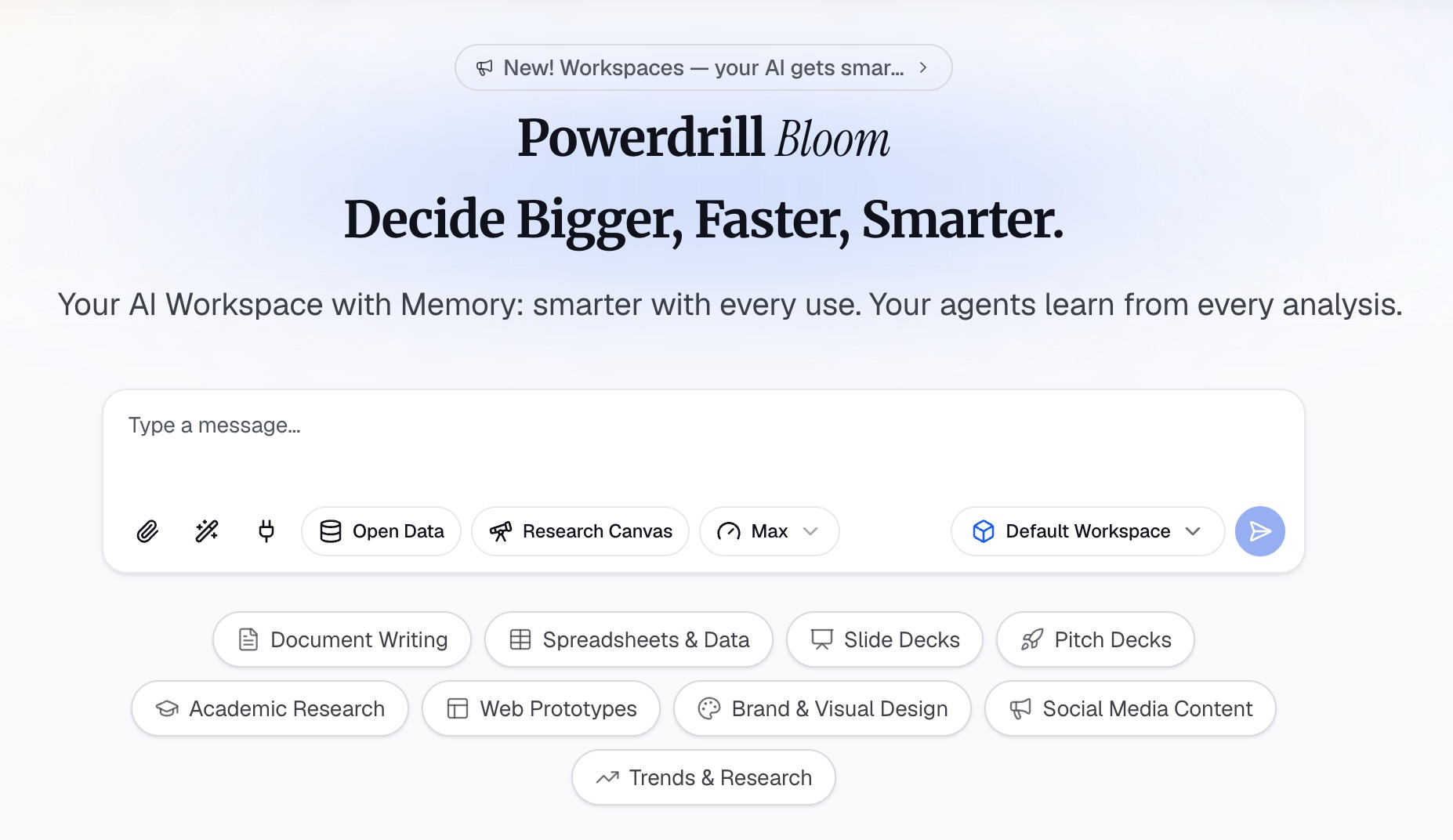
Step 2: Say what the finished thing should be
Describe the output in natural language: a two-page written summary, a six-slide deck, a chart with the segment breakdown beneath it. Name the audience as well as the format.
Being specific here replaces most of the editing later. "For the board, with the assumptions written out" produces a different document than "summarise this."
Step 3: Export it and decide whether it repeats
Export the artifact and check the figures against the source file. Office document output and Excel analysis are listed on Pro.
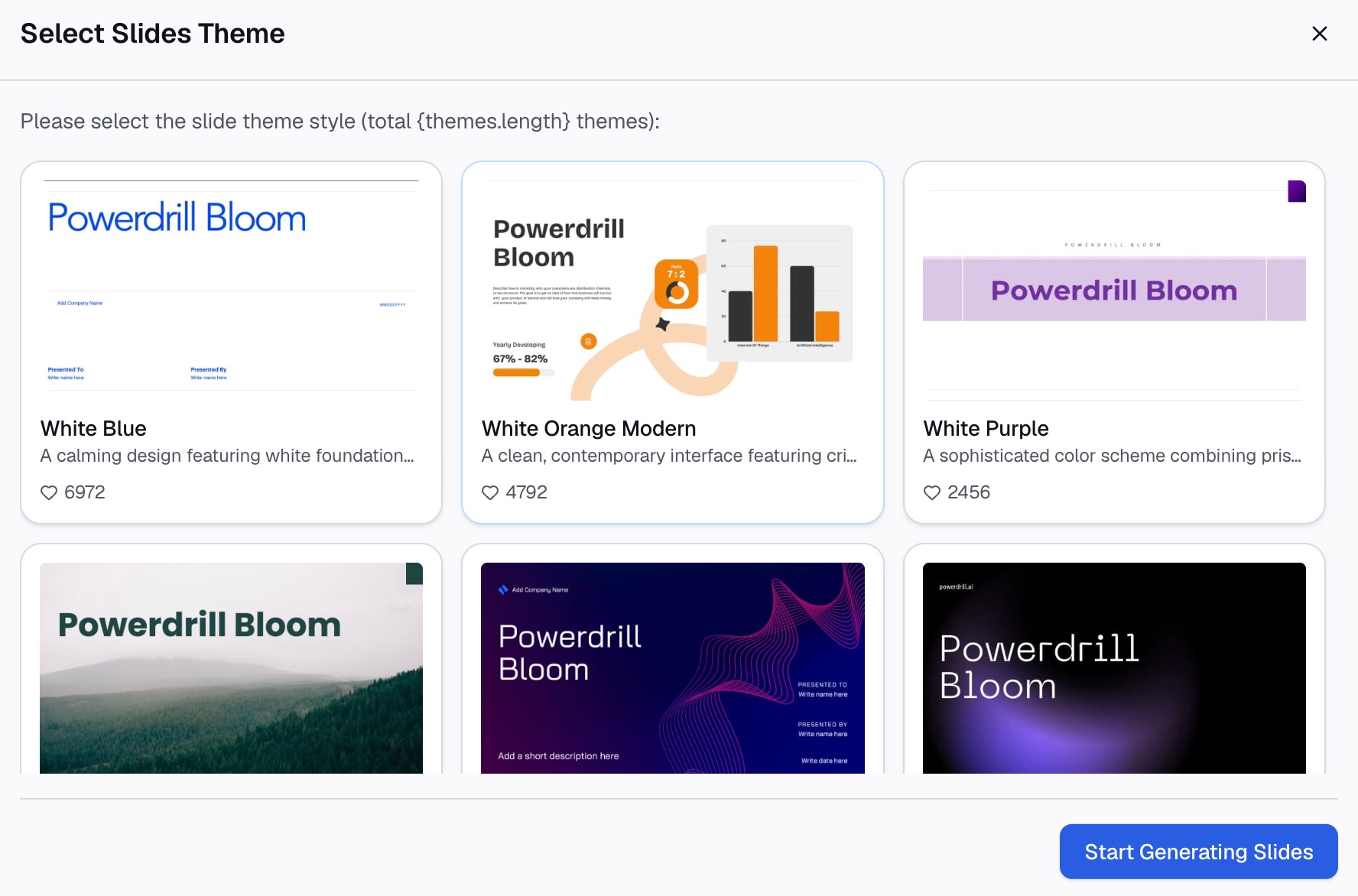
If it needs to run again next month, scheduled tasks start to matter. That is also the point where a tool built for recurrence may be the honest answer. To produce the first version from a file you already have, try Powerdrill Bloom.
Which one fits your situation
Choose Rollstack if
Your reports already exist and the pain is keeping them current. You have a BI layer someone maintains. You send the same document to many recipients on a fixed cadence, and version control plus role-based access are review requirements rather than nice-to-haves.
Rollstack's own blog puts the thesis plainly in a post titled "Why Your BI Tool Isn't the Finish Line." If you agree with that sentence, you are its buyer.
Choose Powerdrill Bloom if
The report you need does not exist, the data arrived as a file, and the deadline is this afternoon. Also if no dashboard has been built yet, or the question is one-off enough that building one would be the expensive part.
The comparison with Zapier covers the neighbouring question of automating steps between apps, which is a different problem again.
The verdict
These two products sit at opposite ends of the same pipeline, and the honest recommendation depends on which end you are stuck at.
Rollstack is the stronger choice once a reporting obligation is repeating and shared. Scheduled refresh, distribution by email, version control, and unlimited seats are the features that matter at that point. Its pricing assumes you already have that problem.
Powerdrill Bloom is the stronger choice at the moment of creation. It is also the cheaper way to find out whether a report is worth automating at all. Plenty of teams need both, in that order. Charts and visuals for either route are covered on the make graphs from Excel page.
Frequently asked questions
What is the main difference between Powerdrill Bloom and Rollstack?
Rollstack keeps an existing presentation or document in sync with a data source and distributes it on a schedule. Powerdrill Bloom generates the artifact from a file when it does not exist yet.
Does Rollstack have a free plan?
Its pricing page does not describe a permanently free tier. The FAQ states that Rollstack offers a 1-week free trial on all packages, with Standard starting at $1,250 per month.
Can Powerdrill Bloom send reports to a distribution list?
The pricing page does not describe email distribution or recipient lists. It lists 1 scheduled task on the free plan and 20 on Pro, so recurring generation is supported while delivery is not described.
Do both tools work from a spreadsheet?
Yes. Rollstack lists Microsoft Excel and Google Sheets among its data sources, alongside BI platforms. Powerdrill Bloom lists Excel and CSV uploads on its free plan.
Which one is better for a board deck?
If the deck exists and the numbers change every quarter, Rollstack is designed for exactly that. If the deck has to be built this week from an export, Powerdrill Bloom is the faster route to a first version.