Powerdrill Bloom vs. Glide: Features, Pricing, and Best Use Cases (2026)
Both tools start from the same place: a spreadsheet you already have. They end somewhere completely different.
Glide turns that spreadsheet into software your team logs into. Powerdrill Bloom turns it into a file you send to someone. Neither is a lesser version of the other, and the choice is usually obvious once you say which of those two you actually owe.
Every price and capability below comes from each vendor's own pages, read on August 28, 2026.
What the two tools actually hand you
Glide states its own position better than any comparison could. The GlideOS product page pitches shared data this way. "Apps can read and write to the same live data; no exports, no duplicates, no stale copies."
That sentence is the whole difference. The export is framed as the problem being solved. The data is supposed to stay live, inside apps that many people open every day.
Powerdrill Bloom treats the export as the deliverable. The board pack, the client summary, the weekly deck: all three leave the system on purpose. They are finished the moment they are sent.
Both positions are defensible. They just serve different weeks of work.
What Glide is built around
Glide describes GlideOS as "an AI software development platform for building internal business apps from a spreadsheet, a prompt, or a file." The homepage puts it more directly: "Turn your spreadsheets into apps that run your business."
The output is plural by design. The site advertises "a mobile app for your team in the field. A dashboard for your executives. A portal for your customers." All of those sit on the same underlying data.
There is a conversational layer too. The homepage promotes "Ask Glide," described as a way to "ask your business anything." This is not a build-only tool.
Connections cover the usual operational stack. The named integrations include Google Sheets, Excel, Airtable, QuickBooks, Salesforce, PostgreSQL, Snowflake, Slack, Notion, and Asana.
One structural note matters before you compare prices. The vendor states that "GlideOS is a standalone product, completely separate from the original Glide platform (Glide Classic)." It has its own plans and needs its own subscription.
What Powerdrill Bloom is built around
Powerdrill Bloom starts from a file and finishes at an artifact. The free plan lists uploads for Excel, CSV, PDF, and docs, plus search across built-in open data sources.
What comes out is named on the plan itself. Free lists insights, charts, and summaries, along with basic slides, docs, sheets, and images. Pro adds slides, Office documents, and Excel analysis.
Recurring work is published as a count rather than a capability. Free lists 1 scheduled task and Pro lists 20.
There is also an input Glide does not describe. The free plan includes search across built-in open data sources, and Pro upgrades that to advanced open-data search and retrieval. That matters when the report needs context your own export never contained.
Team billing is flat. The pricing page lists Team Pro at the same per-seat rate as individual Pro, with members drawing on shared Team Credits.
Powerdrill Bloom vs. Glide at a glance
| Powerdrill Bloom | Glide | |
|---|---|---|
| 🎯 Best for | Turning a file into a document someone reads once | Turning a spreadsheet into an app a team uses daily |
| 💰 Entry paid price (as of Aug 28, 2026) | $13.27 per month, billed annually | Solo $25 per month |
| ⚡ Key strength | Named artifacts: slides, Office docs, Excel analysis | Connected apps, dashboards, and customer portals on live data |
| ❄️ Main weakness | Pricing page describes no app builder, roles, or portals | Pricing and home pages describe no deck or document export |
| 👥 Team shape | Per-seat, shared Team Credits | Per-workspace tiers, Team starts at 5 members |
Feature by feature
Starting point
Both accept a spreadsheet. GlideOS additionally accepts "a prompt, or a file" as a starting point for an app. Its product page shows XLSX, CSV, Google Sheets, and PDF among the sources.
Powerdrill Bloom accepts Excel, CSV, PDF, and docs on the free plan. The practical difference is what happens next, not what goes in.
The thing you get at the end
One produces an app. That is stated everywhere on the site, and the plan table counts usage in Projects rather than in documents.
Powerdrill Bloom produces files. Slides, Office documents, and Excel analysis are listed by name on the Pro plan.
This is the part that decides most comparisons. Searching the pricing and home pages for export, PDF, PowerPoint, slide, deck, and download returns nothing. That is consistent with the stated philosophy, not an oversight.
Ongoing versus one-off
An app platform is built for work that repeats forever. Field teams, inventory, work orders, and vendor management all appear in the app catalogue.
Powerdrill Bloom is built for work that has a due date. When something does repeat, it is handled as a scheduled task, capped at 1 on Free and 20 on Pro.
Who else touches it
Access is a first-class concept on the app side. Team plans list "team member only sign-in" and a team dashboard, and Enterprise adds single sign-on and custom connectors.
Powerdrill Bloom's pricing page does not describe roles, permissions, portals, or a mobile app. It describes credits, uploads, and outputs.
Asking questions of the data
Both have a natural language layer, and it would be wrong to hand this one to either side. "Ask Glide" is promoted for asking your business anything.
Powerdrill Bloom's free plan lists insights, charts, and summaries, and Pro lists deep analysis, visualization, and reporting.
Pricing, side by side
| Plan | Powerdrill Bloom | Glide |
|---|---|---|
| Free | $0, 1,000 daily refreshed credits, 1 scheduled task | $0, 1 Project, limited credits |
| Entry paid | Pro $13.27 per month, billed annually | Solo $25 per month, 5 Projects |
| Mid tier | Plus $26.60 per month | Team $125 per month, from 5 members |
| Upper tier | Premium $132.67 per month | Enterprise, contact sales |
| Team | Team Pro $13.27 per seat, shared Team Credits | Team dashboard, 50 credits per member |
Two structural notes matter more than the headline numbers.
One side meters projects and storage. The comparison table lists Projects at 1, 5, and 20 across Free, Solo, and Team, with storage at 100 MB, 25 GB, and 100 GB.
Powerdrill Bloom meters credits. Free lists 1,000 daily refreshed credits, and Pro adds 5,000 monthly credits on top of that daily pool.
Powerdrill Bloom also sells one-off capacity. Its pricing page describes a Credit Package as a one-time purchase with no recurring billing. It stacks on your plan and stays valid for 12 months.
Where each one runs out of road
Both sets of limits below come from the vendors' own pages.
The app platform's published ceilings. Free carries 1 Project and 100 MB of storage. Team members start at 5 on the Team plan, and single sign-on with custom connectors is an Enterprise line. Because GlideOS is separate from Glide Classic, an existing subscription to the older product does not carry over.
Powerdrill Bloom's published gaps. The pricing page does not describe an app builder, role-based permissions, customer portals, mobile apps, or writing data back to the source. Free also carries a single scheduled task.
Neither list is a verdict. They are the two places where a team hits a wall and starts shopping.
Check both against your next quarter rather than against a feature count. A ceiling you never reach costs nothing.
Three requests, and where each one lands
| The request | Better starting point | Why |
|---|---|---|
| "Field techs need to log jobs on their phones" | Glide | The output is software people open every day |
| "Turn this vendor's CSV into a one-page summary" | Powerdrill Bloom | The file is the input and the file is the deliverable |
| "Leadership wants the same numbers every Monday" | Either, with a caveat | Glide needs the data flowing into an app; Powerdrill Bloom needs a scheduled task |
The third row is where teams usually mis-plan. Both can do it, and both have a prerequisite.
Glide's version assumes someone maintains the app and its connections. Powerdrill Bloom's version assumes a paid tier once you have more than one recurring job.
Getting started with Powerdrill Bloom
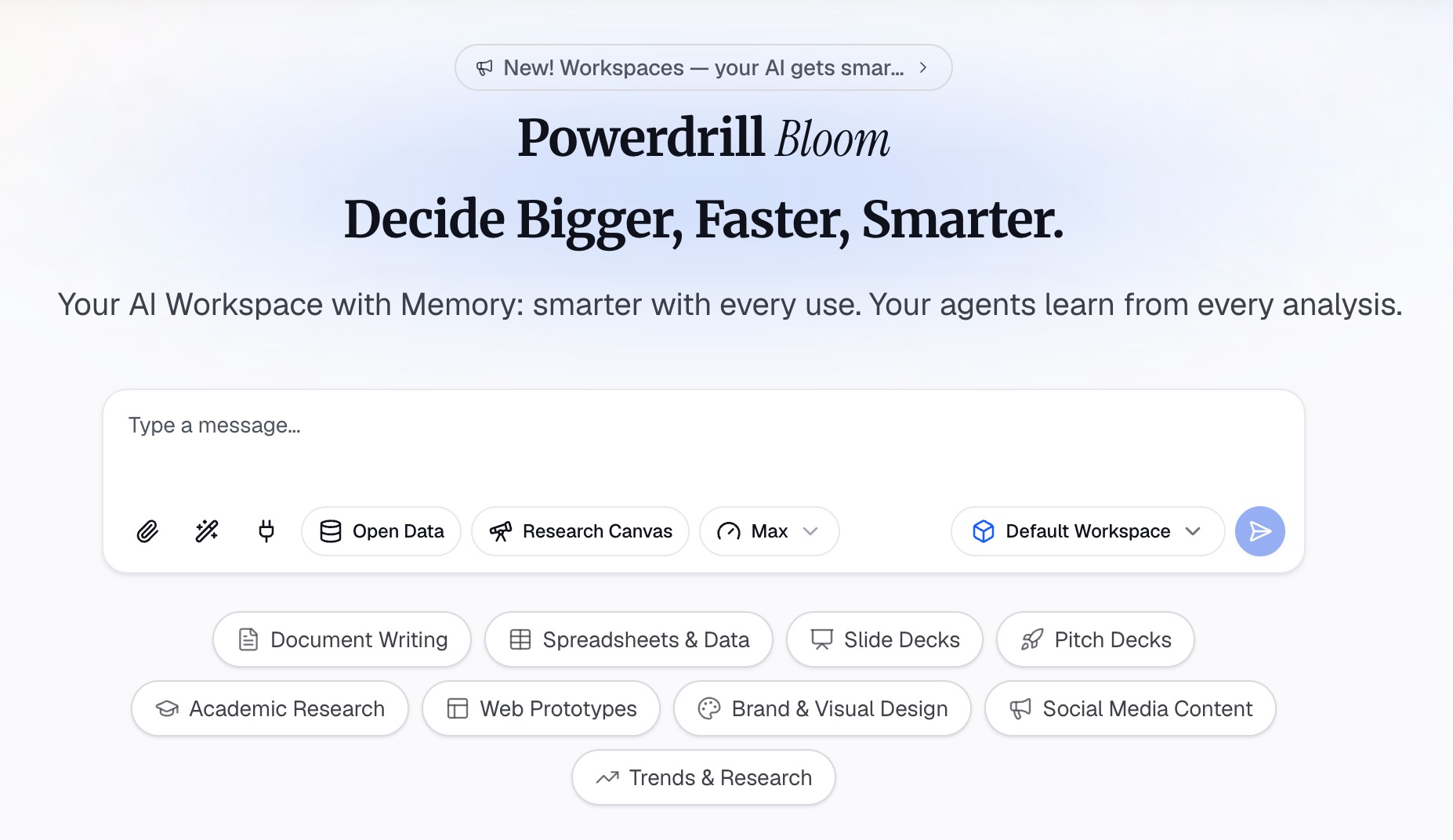
Step 1: Upload the file the request came with
Sign in and upload the export you were sent. Excel, CSV, PDF, and docs are listed on the free plan.
Step 2: Describe the artifact you owe someone
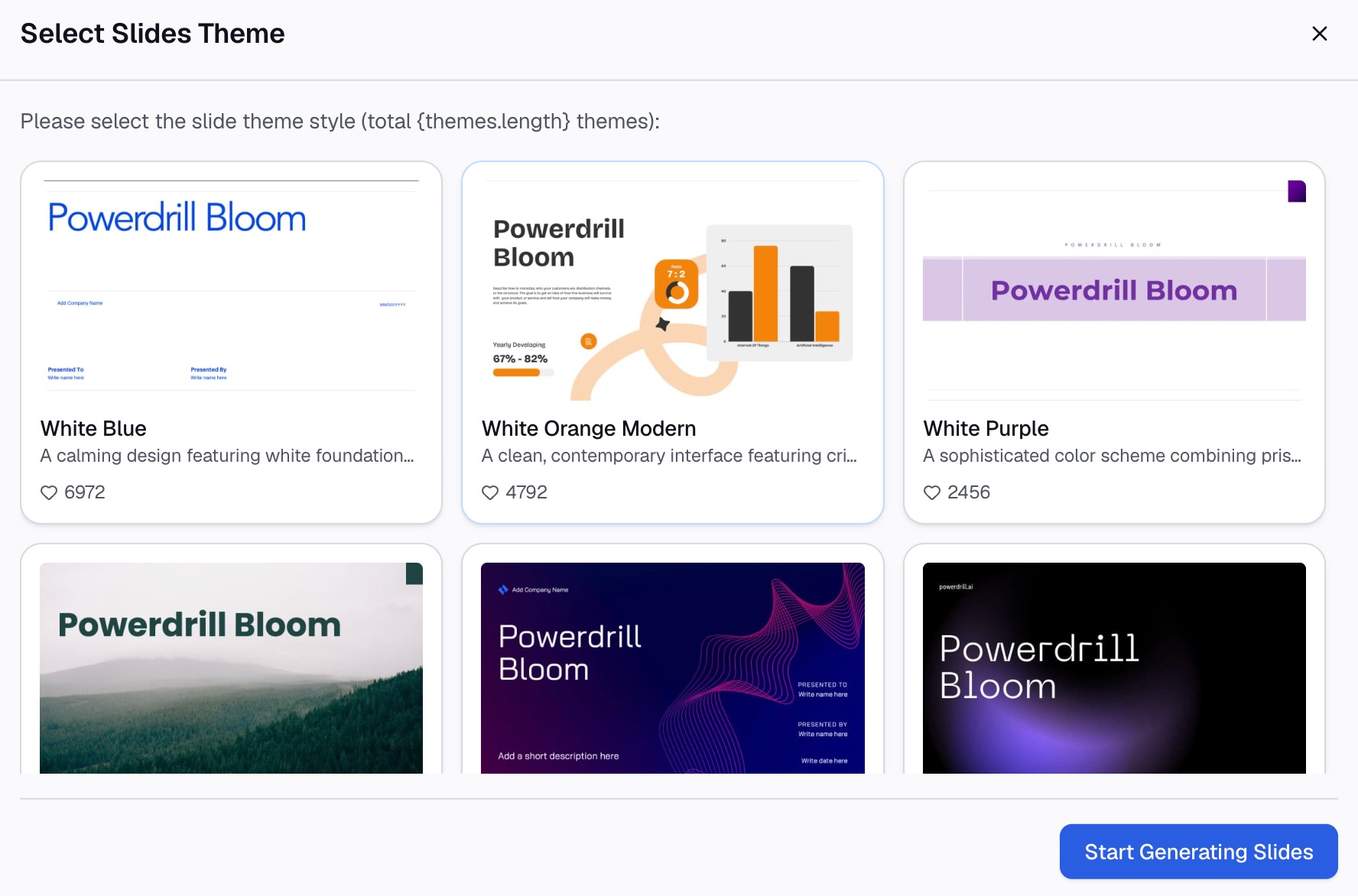
Say what you need in natural language: a one-page summary, a chart for a single metric, a short deck for a review. Name the audience, because that changes what gets cut.
Step 3: Take the finished file
Review the output, then export it. On Pro that includes slides, Office documents, and Excel analysis.
If the same request repeats weekly, put it on a scheduled task rather than redoing Step 1. Our auto reporting page covers that pattern, and the AI report generator page covers the one-off version. The Excel AI assistant page covers the spreadsheet side. To test the artifact half on something real, try Powerdrill Bloom on an export you already have.
Which one fits your team
Pick Glide if the work itself needs a home. Recurring operations, role-based access, and live two-way data are its core, and no document generator replaces that.
Pick Powerdrill Bloom if the work lives elsewhere and the deliverable is what is missing. Nothing has to be rebuilt as an app first.
Plenty of teams end up with both, and the split is clean. One runs the operation. The other explains it to people who will never log in. Our Powerdrill Bloom vs. Airtable comparison covers the database-platform version of the same question.
Budget behaves differently in each case, too. An app is a running cost that scales with the people who use it. A document is a one-off cost that scales with how often you need one.
If you are choosing one, work backwards from the artifact. Ask what you will be judged on at the end of the week, then pick the tool that produces that thing.
Frequently asked questions
Is Glide cheaper than Powerdrill Bloom?
The entry paid tiers are $25 per month for Glide Solo and $13.27 per month billed annually for Powerdrill Bloom Pro. They meter different things, so compare projects against credits rather than the headline figures.
Can Glide export a PowerPoint deck or a PDF report?
Its pricing and home pages do not describe deck or document export. The product page frames that as intentional, promising apps that "read and write to the same live data" instead.
Does Powerdrill Bloom build apps?
Its pricing page does not describe an app builder, roles, portals, or a mobile app. It describes uploads, analysis, and produced files such as slides, Office documents, and Excel analysis.
Do both tools have a usable free plan?
Yes, with different shapes. Glide Free lists 1 Project with 100 MB of storage. The Powerdrill Bloom free plan lists 1,000 daily refreshed credits and one scheduled task.
Is GlideOS the same as the older Glide product?
No. Glide states that GlideOS is "completely separate from the original Glide platform (Glide Classic)" and requires its own subscription.