Powerdrill Bloom vs. Copilot Cowork: Features, Pricing, and Best Use Cases (2026)
Both tools accept a goal and return finished work rather than a draft. They differ in where the work starts. Powerdrill Bloom starts from a dataset you upload and moves toward charts, reports and slides. Copilot Cowork starts inside Microsoft 365 and runs long tasks across the apps and files already there.
That difference decides almost everything else, including how each one is priced and who can buy it.
This comparison uses only facts published on both official pages, checked on August 12, 2026.
What's the difference between Powerdrill Bloom and Copilot Cowork?
Powerdrill Bloom is a general action AI agent whose flagship strength is data. Upload a file, explore it on a visual canvas, then turn the result into a chart, a report or a deck.
Microsoft describes Copilot Cowork as an agentic system that "executes complex, long-running, multi-tool tasks." Its own wording is direct about the output. You define the work, and Cowork "runs it end-to-end and returns a completed result, not just a draft or a recommendation."
The overlap is genuine. Both will edit a spreadsheet, produce written analysis and assemble a deliverable. Neither is a chat box with a file uploader bolted on.
The clearest separator is the boundary each one draws. One draws it around a dataset. The other draws it around a Microsoft 365 tenant.
Scope also decides who signs off. A dataset-scoped tool can be adopted by one analyst on a Tuesday. A tenant-scoped agent involves IT, licensing and a security review before anyone runs a task.
Meet Powerdrill Bloom
Powerdrill Bloom is organised around a visual exploration canvas. After an upload it proposes three exploration paths, then populates the canvas with cards holding charts, insights and follow-up questions.
Core analysis formats are Excel, CSV, TSV and PDF. Workspaces widen that: a file uploaded once is understood across formats and remembered in every later session inside that workspace.
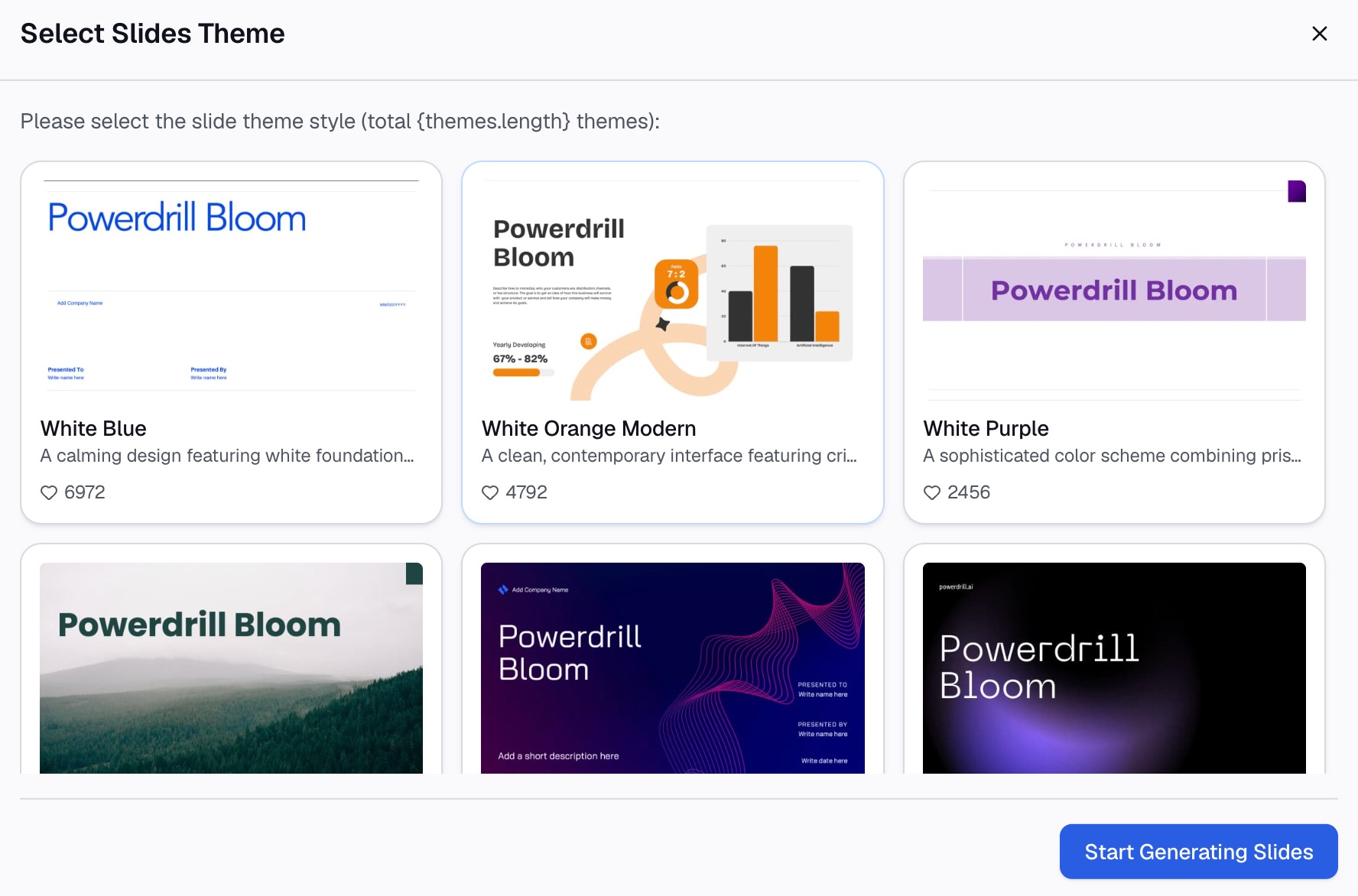
Output is where the product concentrates. Any point on the canvas converts to slides in one step, in Professional, Business or Fancy styles, exporting to PowerPoint or Notion. Skills such as ppt-master, officecli-pptx, Research-last30days and dcf-model handle repeatable workflows, and custom skills can be added.
Open Data extends the input side with twelve public datasets, covering areas such as SEC filings, financial data and economic indicators. Compliance covers GDPR, ISO 27001, ISO 20000 and SOC 2 Type 2, and the interface supports 17 languages.
Pricing is published openly. There is a free plan with 1,000 daily credits, and Pro at $13.27 per month billed annually. Plus, Premium and Team Pro tiers sit above it on the pricing page.
Meet Copilot Cowork
Copilot Cowork reached general availability on June 16, 2026. Microsoft positions it as the execution layer for Microsoft 365 rather than as a separate application.
The examples in the announcement are concrete. Automating spreadsheet editing with dependency charts. Comparing thousands of files across product versions. Generating ranked lists of sales opportunities with follow-up recommendations.
Execution is cloud-hosted, so tasks keep running even when your laptop is off. It works across Word, Excel, PowerPoint, Outlook and Teams, and reaches Fabric and Dynamics 365 applications.
Nine partner plugins were listed at general availability: Enosix, Harvey, LSEG, Miro, monday.com, Moody's, Morningstar, S&P Global Energy and TeamsMaestro. Microsoft also stated that more than half of the Fortune 500 used the product during its preview period.
Access has two layers. It requires the Microsoft 365 Copilot User Subscription License, and adds usage-based billing denominated in Copilot Credits.
The partner list is worth reading as a signal. Harvey, LSEG, Moody's, Morningstar and S&P Global Energy point squarely at legal and financial workflows, which suggests where Microsoft expects early value to land.
At a glance
| Powerdrill Bloom | Copilot Cowork | |
|---|---|---|
| 🎯 Best for | Turning a dataset into charts, reports and decks | Long-running multi-tool work inside Microsoft 365 |
| 💰 Pricing (as of Aug 2026) | Free plan available; Pro $13.27/month billed annually | Microsoft 365 Copilot licence plus usage-based Copilot Credits |
| ⚡ Key strength | Visual exploration canvas with one-step slide output | Runs end-to-end across Word, Excel, PowerPoint, Outlook and Teams |
| ❄️ Main weakness | Core analysis formats limited to Excel, CSV, TSV and PDF | No standalone plan; cost is a licence plus metered credits |
| 👥 Team size | Solo through team, with Team Pro seats | Organisations already licensed for Microsoft 365 Copilot |
Both weakness rows come from the official pages rather than from opinion. One states its supported formats; the other states its licensing requirement.
Two figures give useful context. Microsoft states that more than half of the Fortune 500 used Copilot Cowork during preview, and Powerdrill Bloom publishes a free tier. Those describe very different adoption motions.
Feature-by-feature
Starting point
Powerdrill Bloom expects a file. The canvas is built around one body of data and the questions asked of it, which makes the scope of any answer easy to see.
Copilot Cowork expects a goal and a tenant. Its material is whatever already lives in Word, Excel, PowerPoint, Outlook and Teams, so the input is a working environment rather than an upload.
Neither is the better assumption. They fit different starting conditions.
Analysis and charting
Charting is the sharpest divergence. Powerdrill Bloom recommends a chart type from the data, renders it on the canvas, and keeps the same file available for follow-up questions.
Cowork's stated analytical examples lean toward operations on files: editing spreadsheets with dependency charts, comparing thousands of documents, ranking opportunities. That is analysis at scale across many objects, rather than exploration of one dataset.
There is a scale difference underneath this. Comparing thousands of files is a breadth problem, and exploring one dataset thoroughly is a depth problem. Tools optimised for one are rarely best at the other.
If the end product is a chart someone will defend in a meeting, that difference matters. Our guide to turning a CSV into a chart shows the shape of that path.
Deliverables
Both return completed work. The route to it differs.
Powerdrill Bloom builds the deck from the canvas you already explored, so the slides inherit the charts you kept. Exports go to PowerPoint or Notion, and the Excel to PPT page covers that flow.
Cowork returns the deliverable inside the Microsoft 365 file where it belongs. For teams whose review process runs on Word and Excel, landing in the native file is a real advantage.
Consider where the deliverable has to live. A file reviewed in Word inside a tenant is a different requirement from a deck you will present once and then archive.
Long-running and unattended work
This is Cowork's clearest strength. Cloud-hosted execution means a task continues while the machine is closed, which suits work measured in hours rather than minutes.
Powerdrill Bloom also has scheduled tasks, with counts published by plan: one on Free and twenty on Pro. That covers a set of standing reports and is a stated ceiling rather than an open one.
Formats and inputs
Powerdrill Bloom names its core analysis formats: Excel, CSV, TSV and PDF. That is a clear boundary, and an unusual input has to be converted first.
Copilot Cowork inherits whatever Microsoft 365 already holds, which is broader by default. The tradeoff is that its reach is defined by the tenant rather than by a list you can check in advance.
Cost structure
The pricing models are not comparable line by line, and pretending otherwise would mislead.
Powerdrill Bloom publishes a per-seat price with a free entry point, so the bill is knowable before you start. Copilot Cowork requires an existing Microsoft 365 Copilot licence and then meters usage in Copilot Credits on top.
Neither approach is wrong. Metered pricing suits variable enterprise workloads, and flat per-seat pricing suits teams that need a predictable number. Know which one your finance process tolerates.
Access and governance
Cowork inherits Microsoft 365 tenant administration, which is the reason large organisations adopt it. Governance, identity and data boundaries are already configured.
Powerdrill Bloom publishes its own certifications: GDPR, ISO 27001, ISO 20000 and SOC 2 Type 2. It runs as a hosted product with no desktop deployment to manage, which suits teams outside a managed Microsoft estate.
How to make your choice
Choose Powerdrill Bloom if the work starts with a file
Pick it when a dataset arrives as an export and has to become a chart, a summary or a deck. The canvas is the reason, because you can see what the data supports before committing to a claim.
It also fits teams without SQL or Python, and teams without a Microsoft 365 Copilot licence. Questions are asked in natural language, and the Excel AI assistant page shows that entry point.
Choose Copilot Cowork if the work lives in Microsoft 365
Pick it when the material is already spread across Word, Excel, PowerPoint, Outlook and Teams, and when tasks run long enough to need unattended execution.
It also makes sense when the licence is already paid for. If your organisation has Microsoft 365 Copilot deployed, the marginal decision is about credits rather than about a new vendor.
The deciding question is usually procurement
For many teams this is settled before features are compared. Timing matters as well. A team that needs an answer this week cannot wait for a licence review. A team already inside the Microsoft estate has little reason to onboard a second vendor. One route needs an enterprise licence already in place; the other has a free tier and a published seat price.
Getting started with Powerdrill Bloom
Step 1: Upload your data
Upload the Excel or CSV file you want to work from. Powerdrill Bloom profiles the columns on arrival, so missing values and type mismatches surface before any chart is drawn.

Step 2: Ask for what you need in natural language
Describe the result rather than the steps. Ask which segment drove last quarter's change, then ask for the chart that shows it most clearly.
Step 3: Export the chart, report, or deck
Take out a single chart, a written summary, or the whole canvas as slides. If the work repeats monthly, save it as a scheduled task and try Powerdrill Bloom on next month's export.
My verdict
For data work that ends in something visual, Powerdrill Bloom is the shorter path. It starts where the data is, keeps exploration on one surface, and converts that surface into slides without a rebuild.
For long-running work spread across an existing Microsoft 365 estate, Copilot Cowork is the stronger fit. Cloud execution, native file output and tenant-level governance are real capabilities, and the Fortune 500 adoption figure Microsoft published reflects that.
One caution applies to both. An agent that returns finished work makes it easy to stop checking, and finished-looking output is exactly what a reviewer trusts most.
The honest summary is that these rarely compete head to head. One is bought by a team with a dataset and a deadline. The other is bought by an organisation that already runs on Microsoft 365 and wants its agent layer switched on. If you are weighing agent options more broadly, our explainer on what Claude Cowork is covers a third approach.
Frequently asked questions
Is Powerdrill Bloom or Copilot Cowork better for data analysis?
Powerdrill Bloom is built around one dataset and a visual canvas, which suits exploratory analysis ending in a chart. Copilot Cowork is stronger when the work spans many files already inside Microsoft 365.
Do I need a Microsoft 365 licence to use Copilot Cowork?
Yes. Microsoft states that it requires the Microsoft 365 Copilot User Subscription License, with usage-based billing in Copilot Credits on top of that licence.
Does Powerdrill Bloom have a free plan?
Yes, with 1,000 daily credits. Paid tiers start at Pro, listed at $13.27 per month billed annually, with Plus, Premium and Team Pro above it.
Which one runs tasks without me watching?
Both, in different ways. Copilot Cowork runs cloud-hosted tasks that continue when your laptop is off. Powerdrill Bloom publishes scheduled task counts by plan, with one on Free and twenty on Pro.
Can either tool build a presentation?
Yes. Powerdrill Bloom converts an explored canvas into slides in one step and exports to PowerPoint or Notion. Copilot Cowork works across PowerPoint as one of the Microsoft 365 apps it operates in.