Powerdrill Bloom vs. ClickUp: Features, Pricing, and Best Use Cases (2026)
Both of these tools will now hand you a finished artifact. That is new, and it makes the old framing of "project tool versus analysis tool" useless.
The real difference is where the artifact grows from. ClickUp builds it out of the work already living inside ClickUp. Powerdrill Bloom builds it out of the file you are holding.
Every price and capability below comes from each vendor's own pages, read on August 27, 2026.
Powerdrill Bloom vs. ClickUp at a glance
| Powerdrill Bloom | ClickUp | |
|---|---|---|
| Starting point | An uploaded file or a connected database | Work already tracked in the workspace |
| Entry paid price | $13.27 per month, billed annually | $7 per user per month, billed annually |
| AI billing | Credits included in the plan | Brain 2 listed separately, unlimited from $9 |
| Named outputs | Slides, Office documents, Excel analysis, charts | Pages, code, charts, spreadsheets, decks |
| Recurring work | Scheduled tasks, 1 on Free and 20 on Pro | Automations, 5K per month on Business |
| What it does not describe | Gantt charts, Kanban boards, time tracking | — |
What ClickUp is built around
ClickUp organises work first. Its pricing page lists Unlimited Tasks, Collaborative Docs, Kanban Boards, Sprint Management, and Calendar View on the free plan.
The paid tiers add the planning machinery. Unlimited brings Unlimited Gantt Charts, Native Time Tracking, and Resource Management. Business adds Portfolio Workload Management and Sprint Points & Reporting.
Capacity is published as structural limits rather than as row counts. The plan table lists Lists per Space at 40, 200, 400, and 1000 across the four tiers.
Automation is metered per tier. Business lists 5K Automations Per Month and Enterprise lists 250K.
What Powerdrill Bloom is built around
Powerdrill Bloom starts from a file. The free plan lists uploads for Excel, CSV, PDF, and docs, plus search across built-in open data sources.
The output is the point. Plans list insights, charts, and summaries on Free, and slides, Office documents, and Excel analysis on Pro.
Recurring delivery is published as a count. Free lists 1 scheduled task and Pro lists 20.
Team billing is flat rather than tiered. The pricing page lists Team Pro at the same per-seat rate as the individual Pro plan, with members sharing Team Credits.
There is one input the other tool does not describe. The free plan lists search across built-in open data sources, and Pro upgrades that to advanced open-data search and retrieval. That matters when the report needs context your own export does not contain.
Where the two overlap more than you would expect
This is the part most comparisons get wrong, so it is worth stating plainly.
ClickUp's Brain 2 page claims deliverables, not suggestions. It says Brain 2 "sees your work and creates finished, shareable deliverables on the spot." Then it adds: "Not suggestions. Not outlines. Working pages, real code, ready to use or share immediately."
It also claims file input. The same page offers this example: "Parse 200 accounts from a CSV, cross-reference two task lists, export the result as a spreadsheet."
Presentations are claimed too. The page states that Brain 2 "builds your next all-hands, sprint review, or client pitch," describing real typography and curated palettes.
So no honest version of this comparison says ClickUp cannot produce a deck or read a CSV. Its own page says it does both.
What differs is the surrounding context. ClickUp's pitch depends on the work being inside ClickUp already, which is why the page leads with seeing your work. Powerdrill Bloom makes no such assumption, because the input is whatever you upload.
How each one bills its AI
This is the difference that shows up on an invoice, and the two vendors have made opposite choices.
ClickUp separates the AI from the seat. The Brain 2 page presents it as its own subscription and states that unlimited use starts at $9. The seat price sits underneath that.
Powerdrill Bloom folds the AI into the plan. Free lists 1,000 daily refreshed credits. Pro adds 5,000 monthly credits on top of the daily pool, and Team Pro shares Team Credits across members.
There is a second consequence worth thinking through. ClickUp also meters automations by tier, at 5K per month on Business and 250K on Enterprise. Those are workflow runs rather than AI calls, so heavy users are budgeting on two lines at once.
The Brain 2 page makes one more claim that matters for model choice. It says "Every model. One subscription," and describes switching between providers inside the same plan.
Powerdrill Bloom takes a different route to the same idea. Its pricing page lists Claude Code and Codex-level agent tasks, and Claude Skills workflows for research, analysis, automation, and execution.
Neither approach is cheaper in the abstract. Which one wins depends on whether your AI usage is spread across a whole team or concentrated in two or three people.
Pricing, side by side
| Plan | Powerdrill Bloom | ClickUp |
|---|---|---|
| Free | $0, 1,000 daily refreshed credits | Free Forever, 60MB storage |
| Entry paid | Pro $13.27 per month, billed annually | Unlimited $7 per user per month, billed annually |
| Mid tier | Plus $26.60 per month | Business $12 per user per month, billed annually |
| Upper tier | Premium $132.67 per month | Enterprise, contact sales |
| Team | Team Pro $13.27 per seat per month | Priced per user on every tier |
Two structural notes matter more than the headline numbers.
ClickUp's AI sits on a second line. The Brain 2 page lists it as its own subscription, with unlimited use starting at $9. That is in addition to the seat.
Powerdrill Bloom's credits are inside the plan. Free lists 1,000 daily refreshed credits, and Pro adds 5,000 monthly credits on top of the daily pool.
Both vendors also sell one-off capacity. The Powerdrill Bloom pricing page describes a Credit Package as a one-time purchase with no recurring billing that stacks on top of your plan.
Where each one runs out of road
Both sets of limits below are on the vendors' own pages.
ClickUp's published ceilings. The free tier lists 60MB of file storage. Activity history is listed at 1 day on Free and 7 days on Unlimited. Free-plan guests, per the plan table, must be given full access, because permission controls begin on Unlimited.
Powerdrill Bloom's published gaps. The pricing page does not describe Gantt charts, Kanban boards, time tracking, or dashboards. Searching it for those four terms returns nothing. Free also carries a single scheduled task, so anything recurring needs a paid tier.
Neither list is a verdict. They are the two places where a team hits a wall and starts shopping.
Check both lists against your own next quarter rather than against a feature count. A ceiling you will never reach costs nothing, and one you will hit in March decides the whole choice.
Three requests, and where each one lands
Abstract comparisons are easy to agree with and hard to use. These three requests are the ones that actually separate the tools.
| The request | Better starting point | Why |
|---|---|---|
| "Where is the sprint at, and who is blocked?" | ClickUp | The state lives in the tasks already |
| "Turn this vendor's CSV into a one-page summary" | Powerdrill Bloom | The file is the input, and nothing needs importing first |
| "Build the same deck every Monday from a fresh export" | Either, with a caveat | ClickUp needs the data inside it; Powerdrill Bloom needs a scheduled task |
The third row is where teams usually mis-plan. Both tools can do it, and both have a prerequisite.
ClickUp's version assumes the numbers already flow into the workspace. If they arrive as an emailed export every Monday, something has to put them in first.
The Powerdrill Bloom version assumes a paid tier once you have more than one recurring job. Free lists a single scheduled task, and Pro lists twenty.
Ask which prerequisite is cheaper for your team. That question settles more comparisons than any feature table.
Getting started with Powerdrill Bloom
Step 1: Upload the export
Sign in and upload the file the request actually came with. Excel, CSV, PDF, and docs are listed on the free plan.
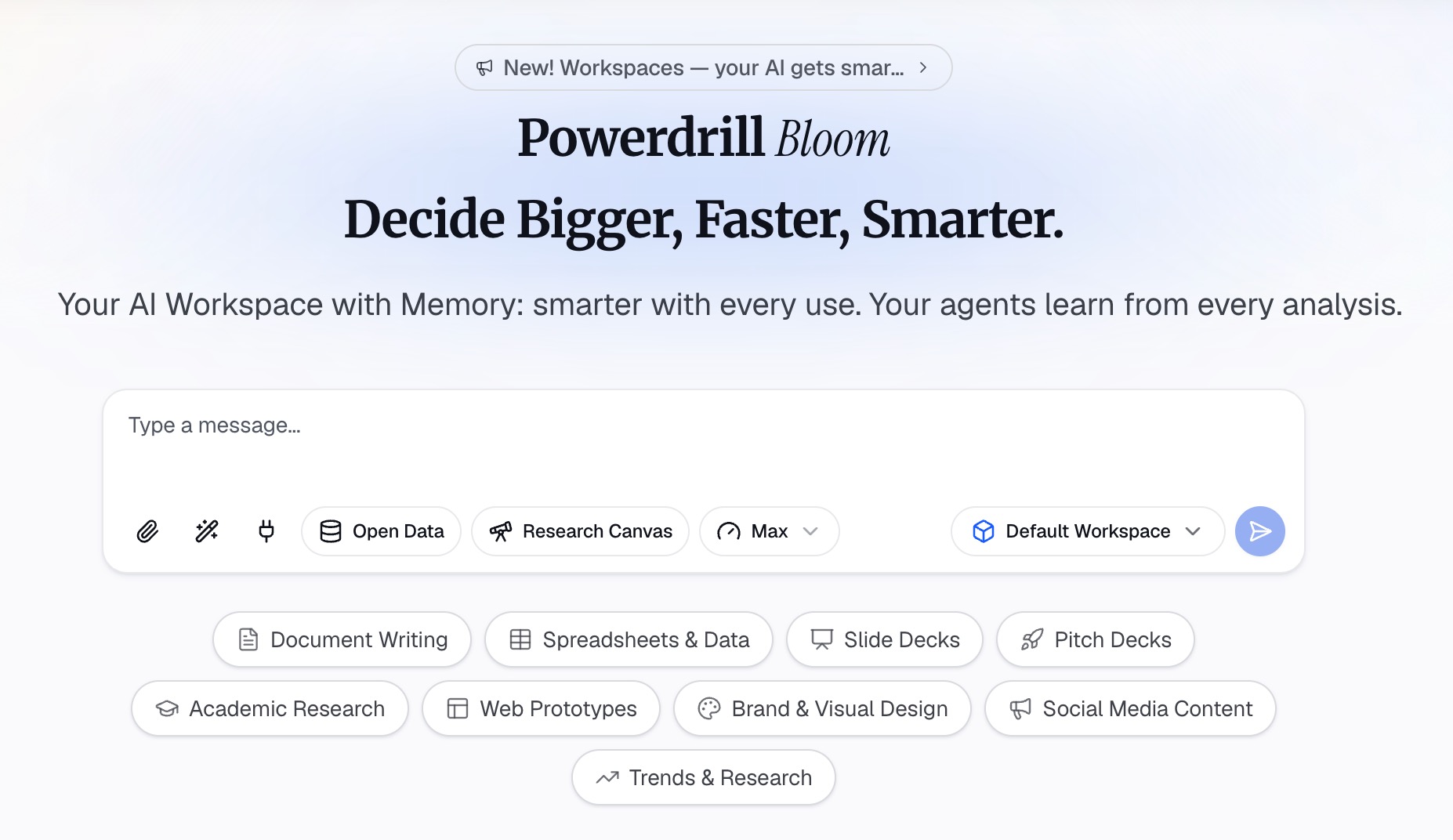
Step 2: Describe the artifact you owe someone
Say what you need in natural language: a summary for a weekly update, a chart for one metric, a short deck for a review. Name the audience, because that changes what gets cut.
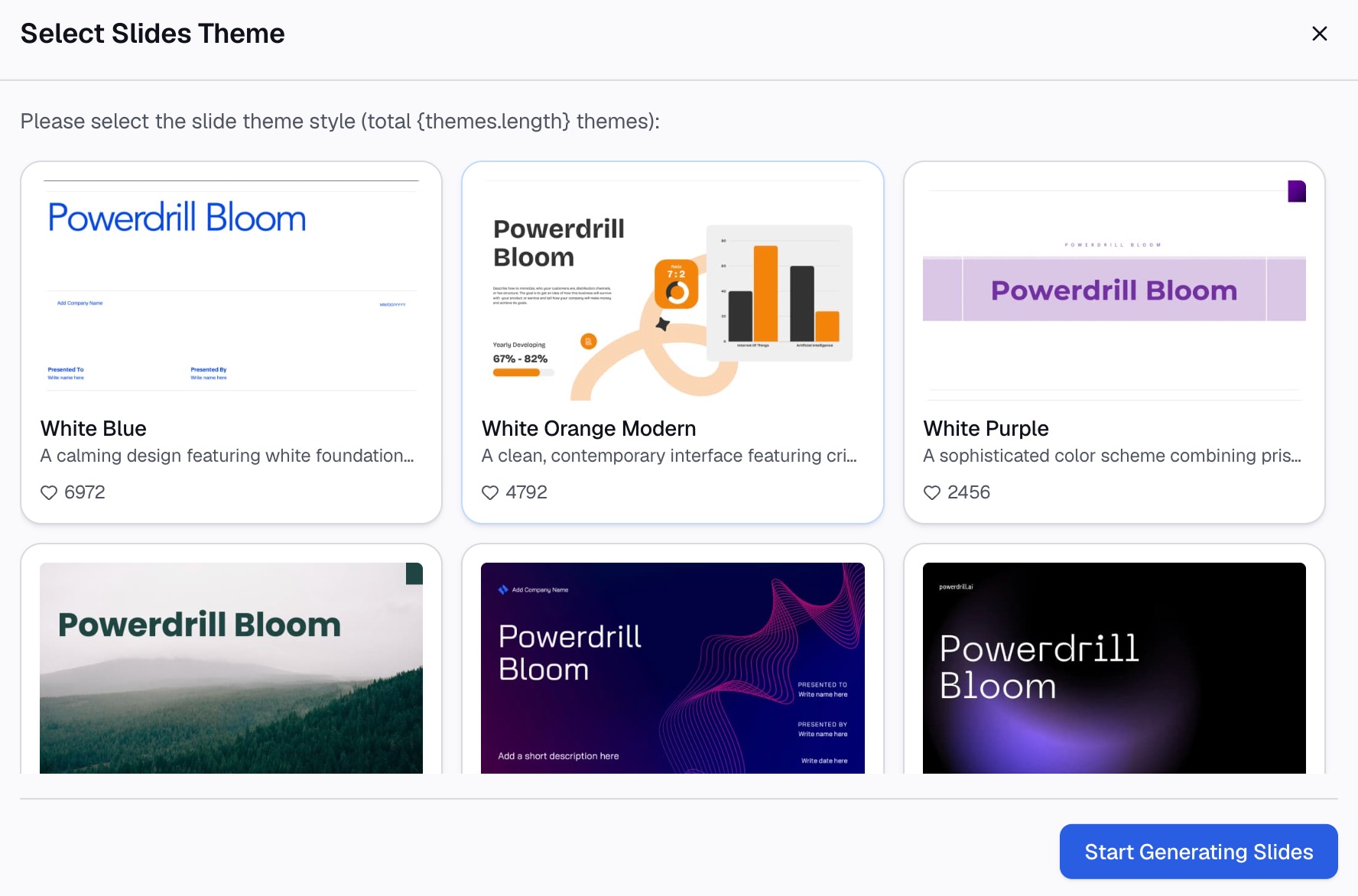
Step 3: Take the finished file
Review the output, then export it. On Pro that includes slides, Office documents, and Excel analysis.
If the same request repeats every week, put it on a scheduled task instead of redoing Step 1. Our auto reporting page covers that pattern, and the AI report generator page covers the one-off version.
Which one fits your team
Pick ClickUp if the work itself needs a home. Sprints, owners, dependencies, and time tracking are its core, and Brain 2 then produces artifacts from that record.
Pick Powerdrill Bloom if the work already lives elsewhere and the deliverable is what is missing. Nothing has to be migrated into it first, because the input is the file you were sent.
Plenty of teams end up with both, and the split is usually clean. One holds the plan of record. The other turns exports into the document that gets forwarded.
If you are choosing only one, work backwards from the artifact. Ask what you will be judged on at the end of the week, then pick the tool that produces that thing without a migration first.
To test the second half on something real, check the pricing page and then try Powerdrill Bloom on an export you already have. Our Powerdrill Bloom vs. Airtable comparison covers the record-platform side of the same question.
Frequently asked questions
Is ClickUp cheaper than Powerdrill Bloom?
The entry seat is lower at $7 per user per month billed annually, against $13.27 per month. Brain 2 is listed as a separate subscription starting at $9 for unlimited use, so compare the pair rather than the seat alone.
Can ClickUp build a deck or a spreadsheet?
Yes. Its Brain 2 page claims finished decks, rendered charts, and spreadsheet exports, and gives a CSV parsing example.
Does Powerdrill Bloom do project management?
Its pricing page does not describe Gantt charts, Kanban boards, or time tracking. It describes uploads, analysis, and produced artifacts instead.
Which one handles a file someone just emailed me?
Powerdrill Bloom treats that as the normal starting point, with Excel, CSV, PDF, and docs on the free plan. ClickUp can parse a CSV, but its stated strength is work already inside the workspace.
Do both offer a usable free tier?
Yes, with different shapes. ClickUp Free Forever lists unlimited tasks with 60MB of storage. The Powerdrill Bloom free plan lists 1,000 daily refreshed credits and one scheduled task.