Excel AI | Free Excel Data Analysis and Visualization with Powerdrill
Joy
2026年1月7日
Introduction
For modern businesses, efficiency is the ultimate currency. The traditional workflow of "Manual Cleaning + VLOOKUP + Formatting" is obsolete. It kills creativity and wastes hours.
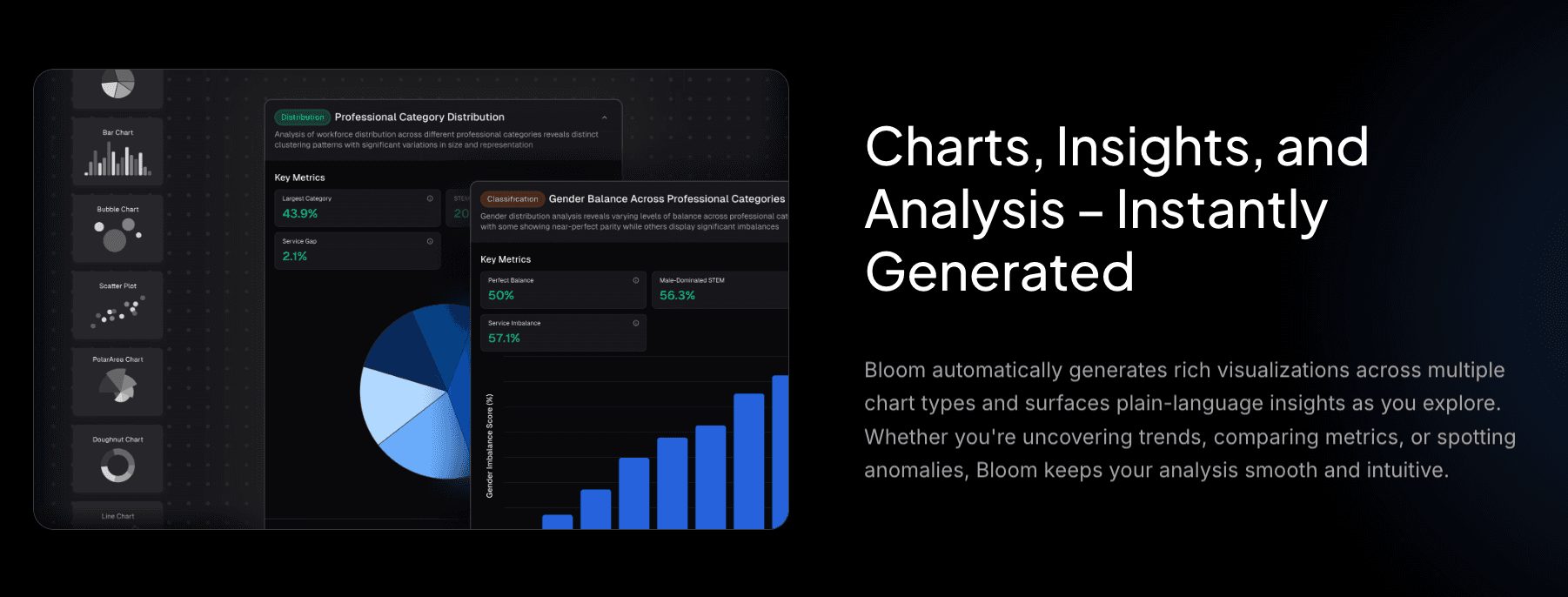
Enter Excel AI. We have entered an era where you can instantly clean messy datasets, saving countless hours of manual labor. Through simple conversational interactions, you can generate professional bar charts, pie charts, and trend lines while automatically extracting Key Performance Indicators (KPIs).
This isn't just an update; it's a revolution from "managing spreadsheets" to "mastering business dynamics."
What is Excel AI Data Visualization?
Excel AI leverages Machine Learning and Natural Language Processing (NLP) to transform static spreadsheets into dynamic, intelligent agents.
It specifically targets common analytical pain points:
Overwhelmed: Drowning in complex Excel sheets with thousands of rows.
Confusion: Inability to decipher obscure statistical metrics.
Ugly Reports: Spending hours creating charts that still look unprofessional.
FOMO: Fear of missing out on critical hidden insights due to human error.
You don't need to hire more staff; you need a 24/7 AI Data Analyst. Excel AI exists to ensure data empowers your decisions, rather than slowing you down.
Why Choose Powerdrill Bloom?
Among the noise of AI tools, Powerdrill Bloom stands out as the savior for business professionals. It functions as an AI Agent that transforms raw data into compelling narratives.
One-Click Cleaning:
Powerdrill Bloom can handle multiple sheets simultaneously. It automatically identifies and cleans duplicates, missing values, and formatting errors. Whether it's CSV, Excel, or PDF, it returns a pristine dataset instantly.

Conversational Chart Generation:
Forget Python or VBA. Simply ask, "Show me the sales trend for Q3," and the AI recommends the optimal chart type.

Instant Deep Insights:
It goes beyond "what happened" to explain "why." Powerdrill Bloom intelligently extracts summaries and forward-looking insights, ensuring you are always the smartest person in the room.

Step-by-Step Guide
From raw chaos to a polished presentation in three simple steps:
Step 1: Upload & Clean
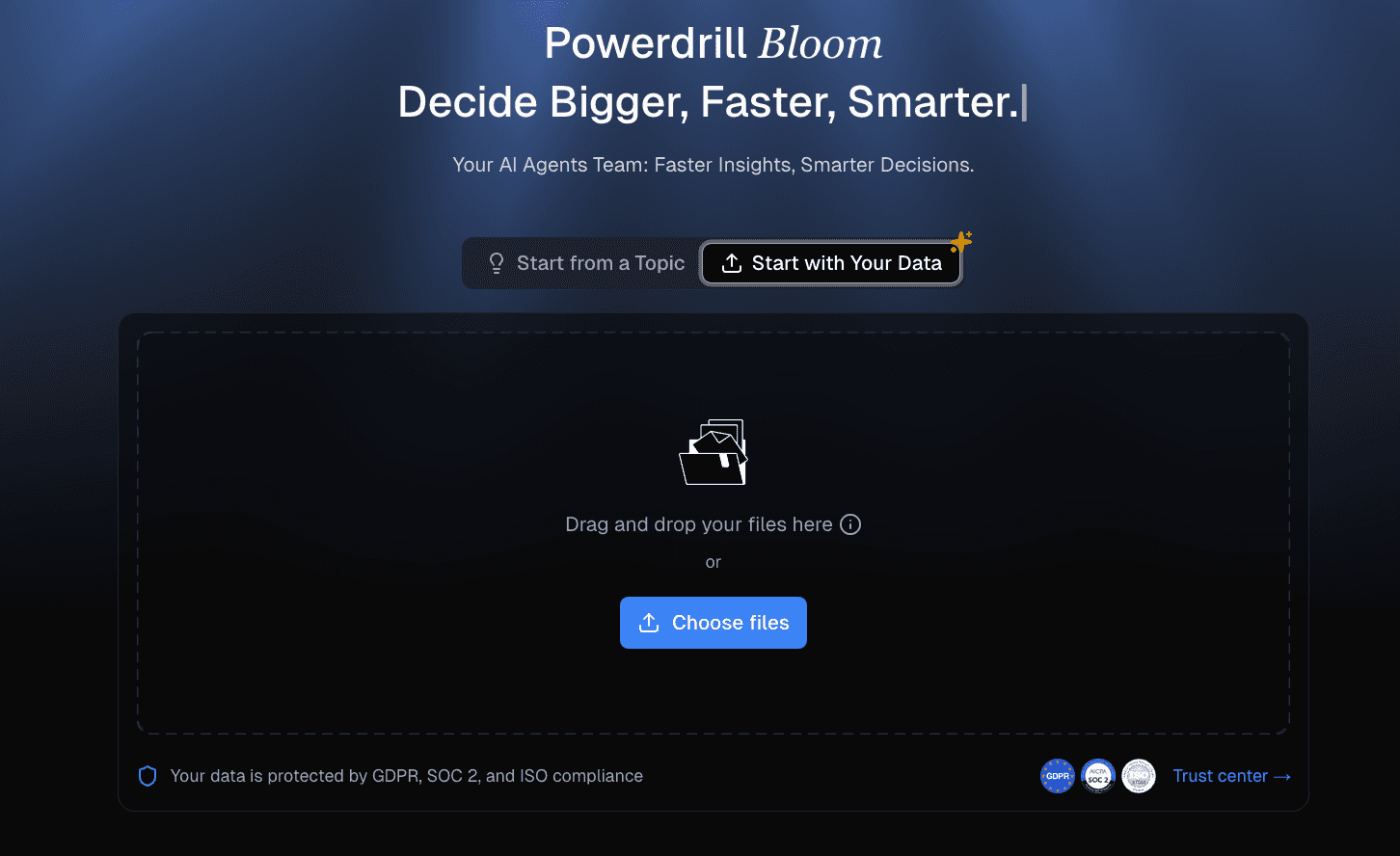
Upload your Excel, CSV, or PDF files. Powerdrill Bloom immediately analyzes and structures the data. In seconds, messy rows are converted into high-quality information sources, generating instant, clear infographics.

Step 2: Conversational Insights
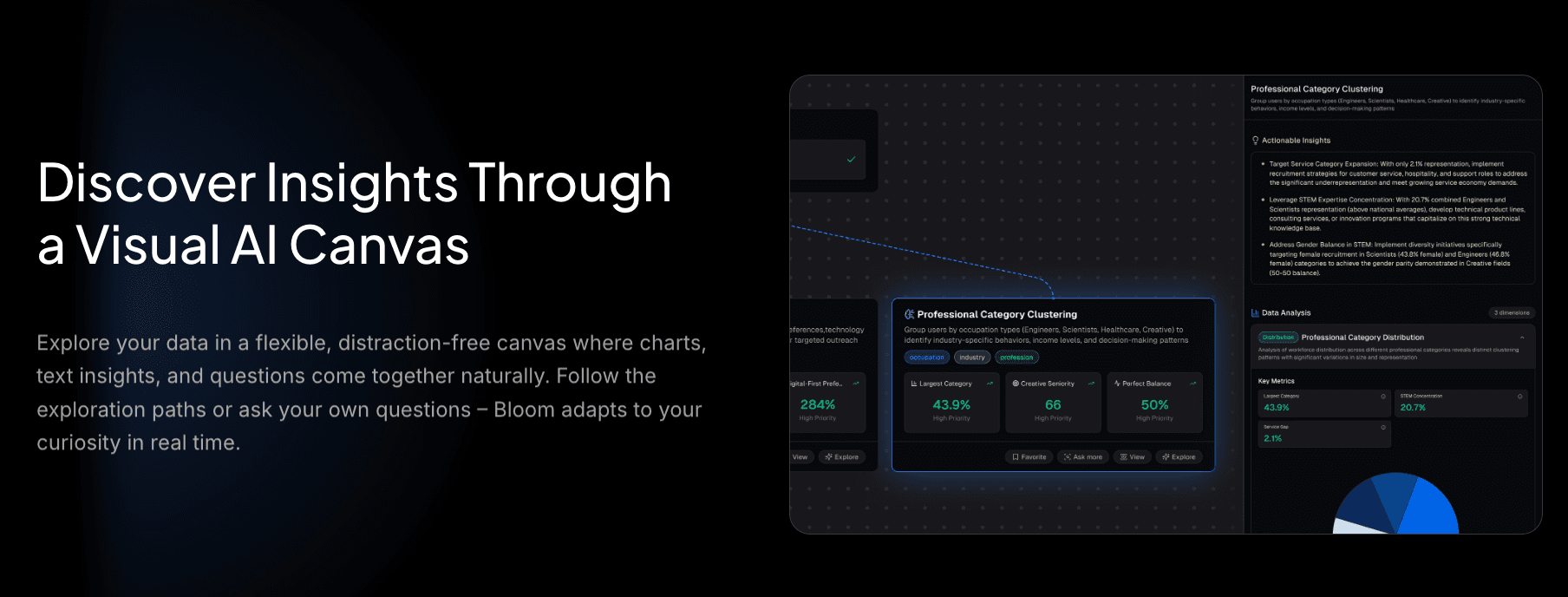
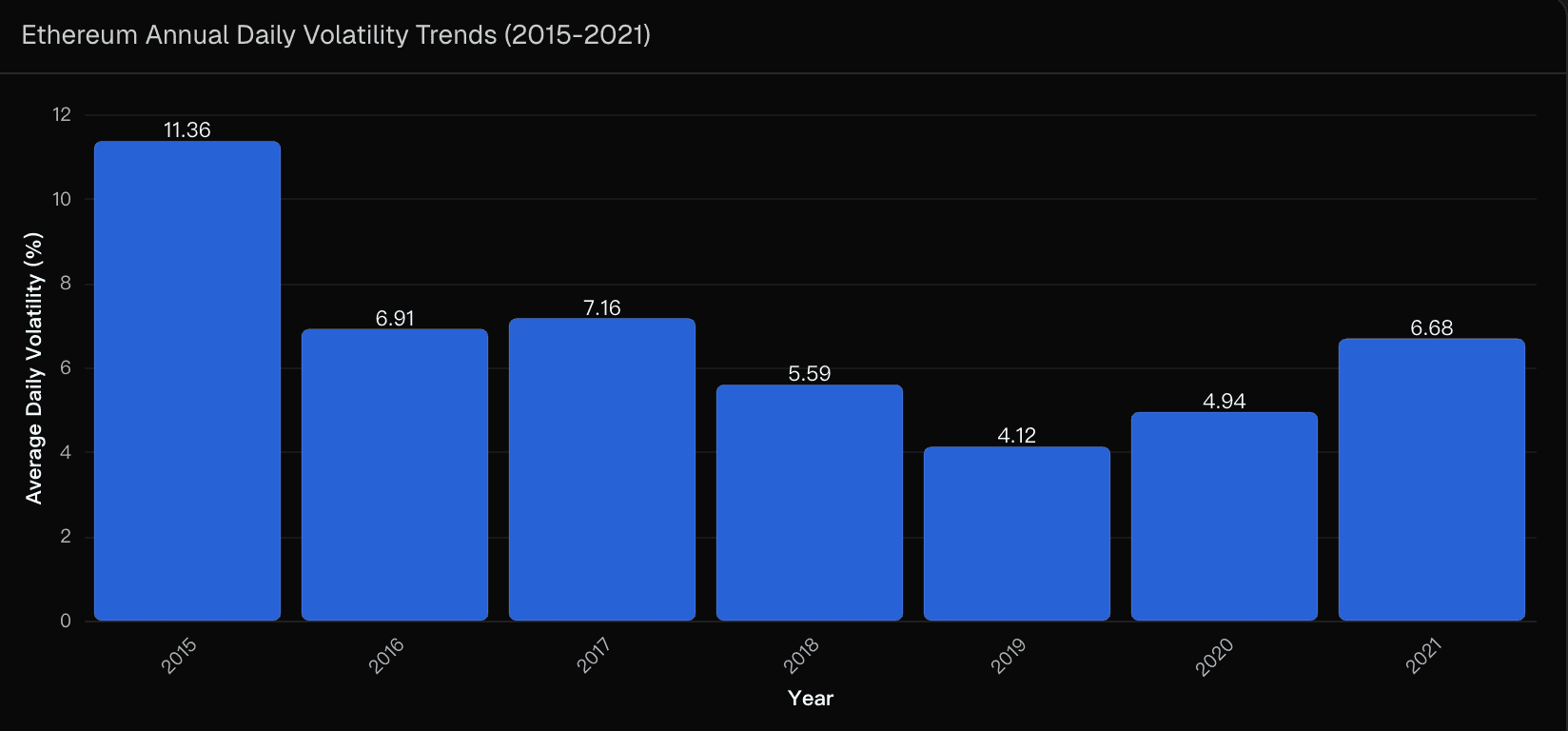
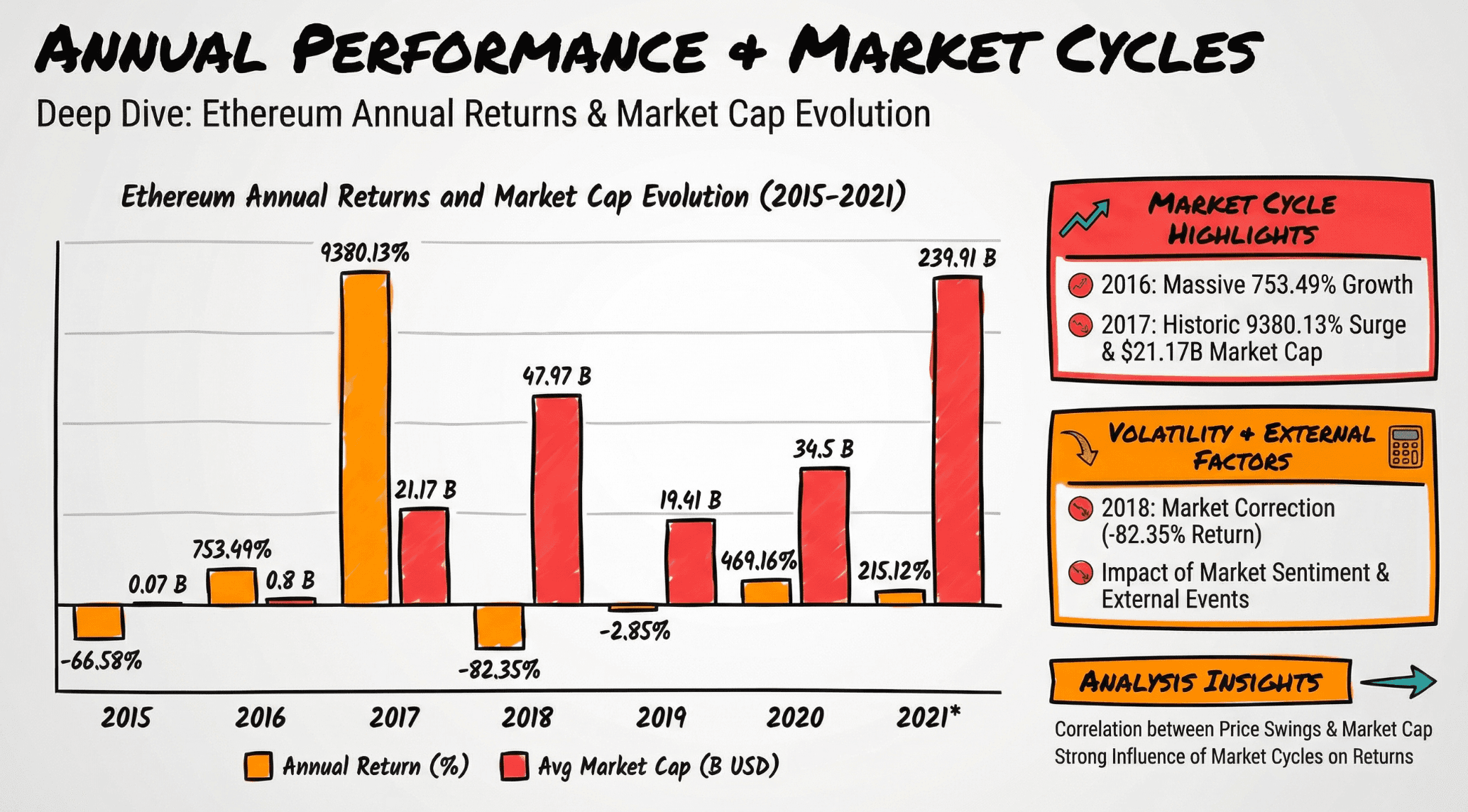
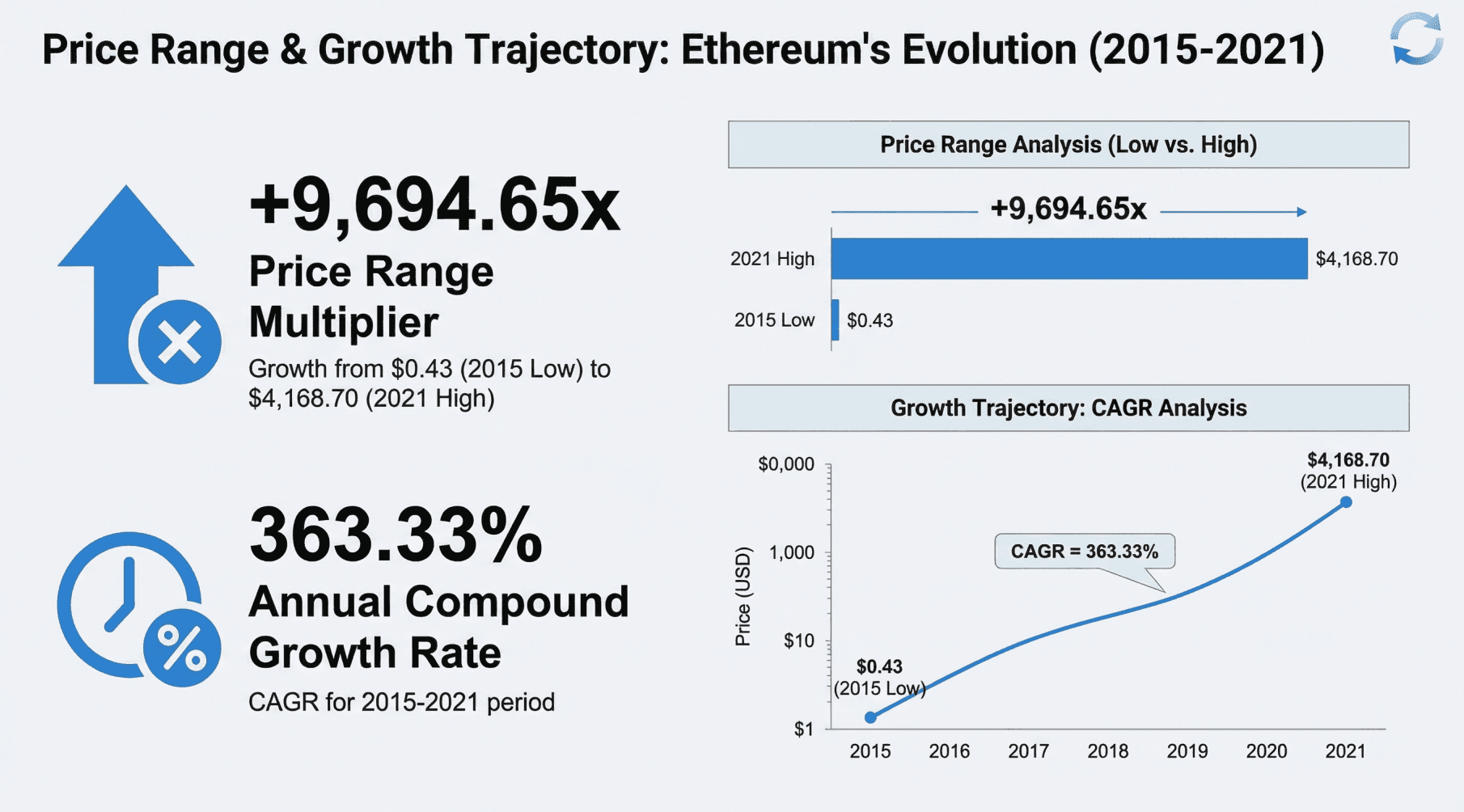
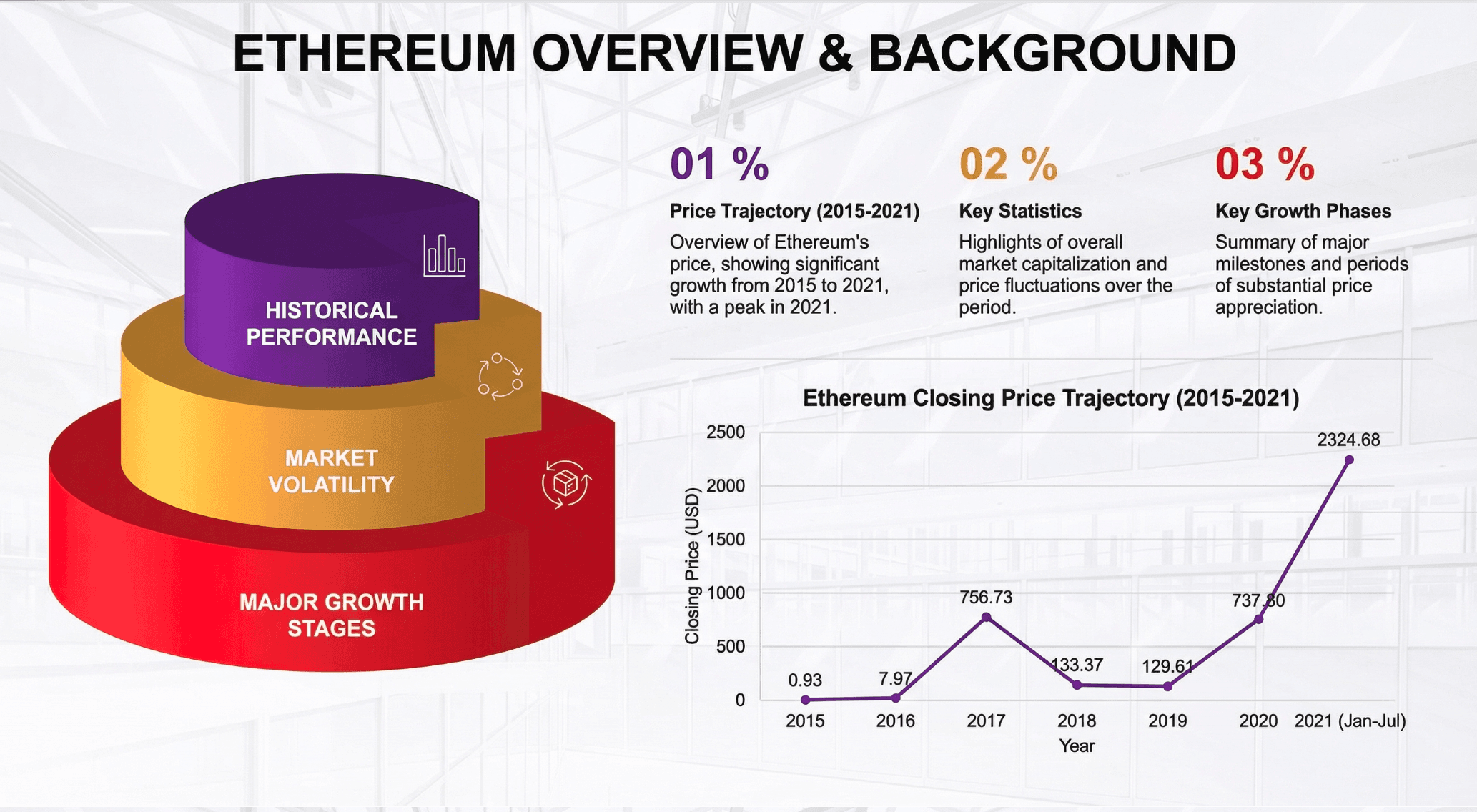
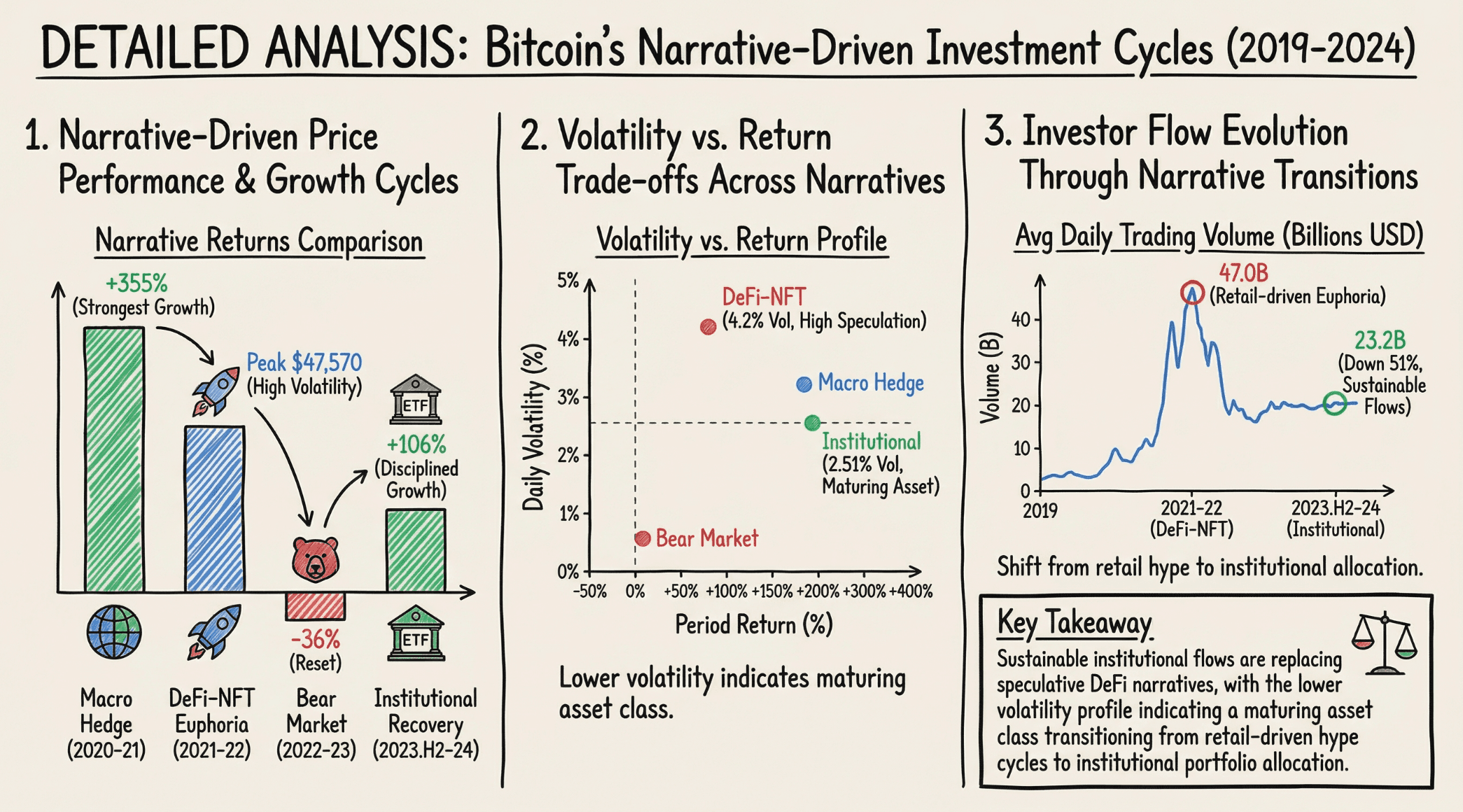
Interact with your data using natural language. Ask questions like, "Ethereum Annual Daily Volatility Trends" or "Identify the main causes of churn." The AI doesn't just give text answers; it recommends the best chart layouts to visualize complex trends instantly.

Step 3: Visual Storytelling with Nano Banana Pro
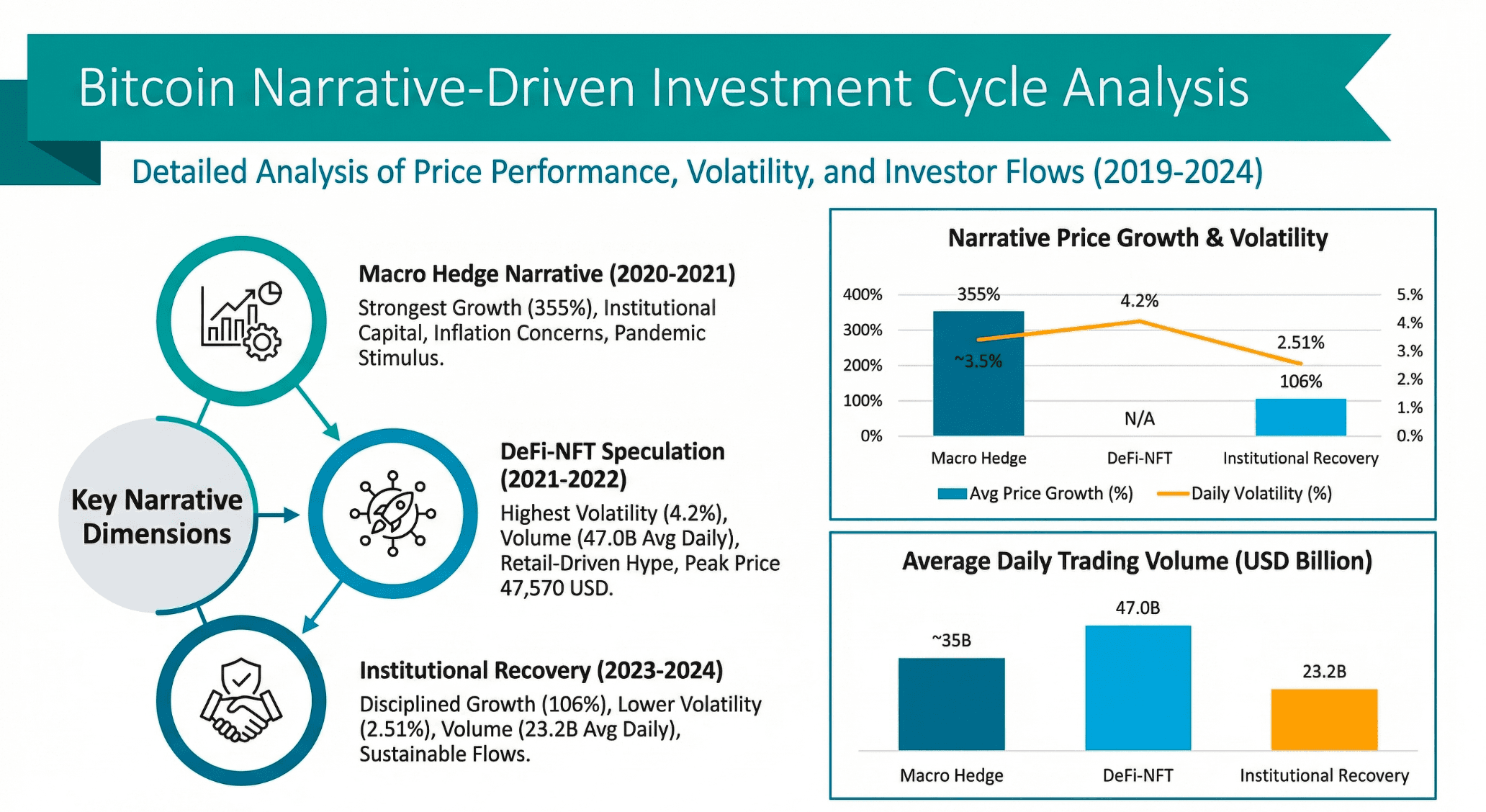
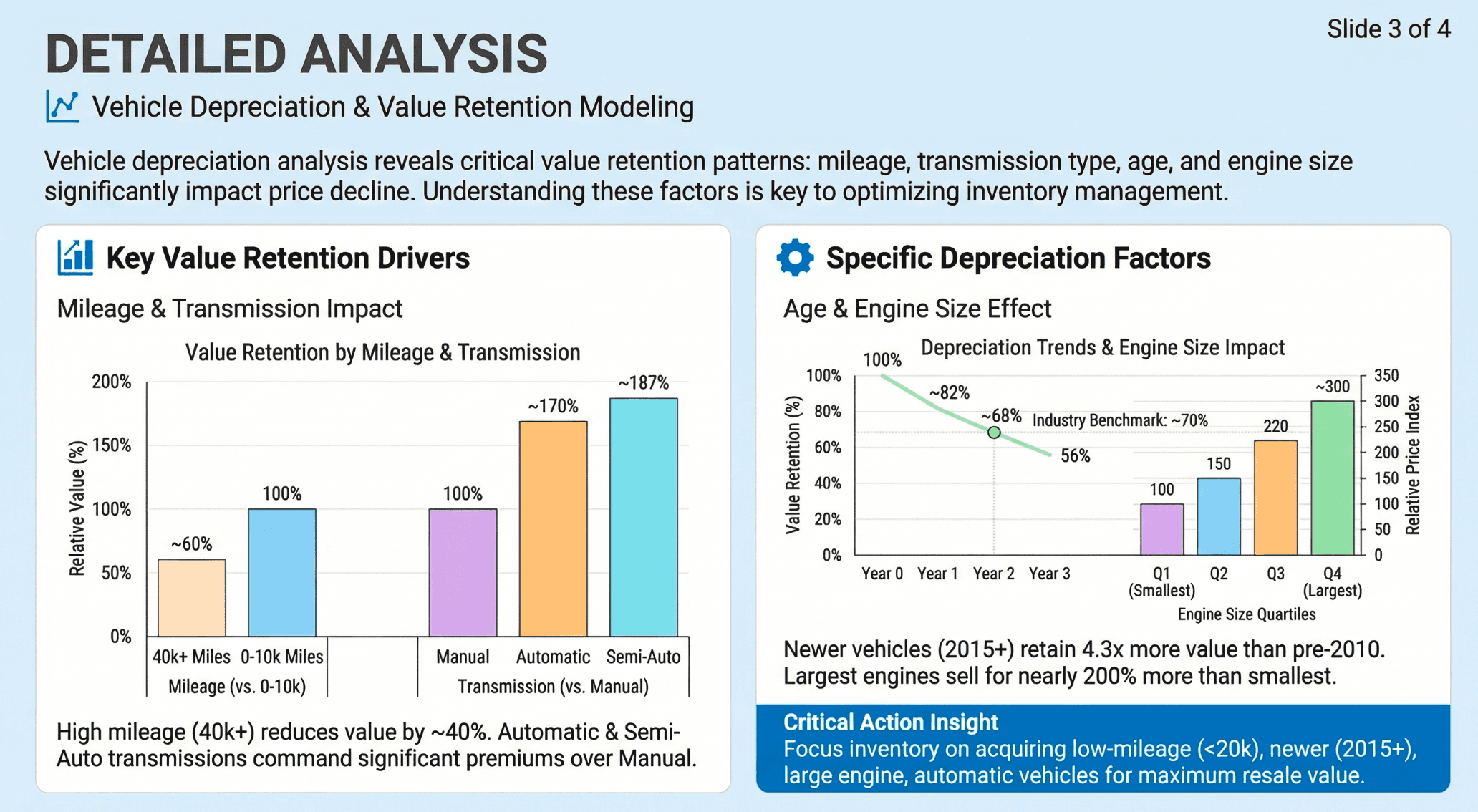
This is the game-changer. Powered by the Nano Banana Pro visual engine, Powerdrill Bloom renders your dry data into professional slides.
The Highlight: No more screenshotting. It generates high-resolution Data Preview Images and Slides where text and data are perfectly laid out for maximum readability and impact.

Nano Banana Pro Template Showcase
Nano Banana Pro comes with built-in, ready-to-use templates designed to make your data look expensive and professional:
McKinsey Style:
Vibe: Minimalist, structured logic, authoritative.
Best For: High-level strategic reporting and board meetings.

Dashboard Style:
Vibe: High information density, KPI cards, clean grid.
Best For: Operational monitoring and weekly reviews.

SaaS Style:
Vibe: Modern tech, gradients, sleek blues and purples.
Best For: Product roadmaps and tech startup pitches.

Whiteboard Style:
Vibe: Hand-drawn aesthetic, relaxed.
Best For: Brainstorming sessions and creative strategy.

Executive Style:
Vibe: Conclusion-first, bold typography.
Best For: C-Suite briefs where time is limited.

Marketing Strategy Style:
Vibe: Vibrant colors, funnel visualizations.
Best For: Campaign analysis and growth strategy presentations.

Conclusion
In 2026, data analysis is no longer a niche skill.
Powerdrill Bloom democratizes Free Excel Data Analysis by making the process faster (automated cleaning), smarter (AI insights), and more beautiful (Nano Banana Pro visuals). Stop doing the robot's work. Leverage Excel AI to build automated workflows and focus on the decisions that matter.