
Introduction
It's December 2025. Year-end reporting season is upon us.
If you are still manually wrestling with VLOOKUP formulas, spending hours scrubbing dirty data, or screenshotting charts from Excel into PowerPoint, you are falling behind.
This article reviews the top 5 tools that can transform your workflow from a manual grind to an automated powerhouse.
Market Trends
Before we dive into the list, let's look at the "Rising vs. Falling" trends this month:
Rising: End-to-End Agents:
The biggest trend of December 2025 is the demand for "Excel to Slides" capabilities.
Users favor tools that handle the entire pipeline: Cleaning → Analyzing → Visualizing → Presentation.
Similar innovations are also emerging in google sheets AI, offering powerful automation and predictive capabilities in real-time collaboration environments.
Falling: Simple Formula Generators:
Single-function plugins that only generate formulas are becoming obsolete.
As basic AI features get integrated directly into spreadsheet software, third-party tools must offer deeper insights and better output formats to survive.
Top 5 Tools Review
Powerdrill Bloom
The All-in-One Data Exploration & Reporting Agent
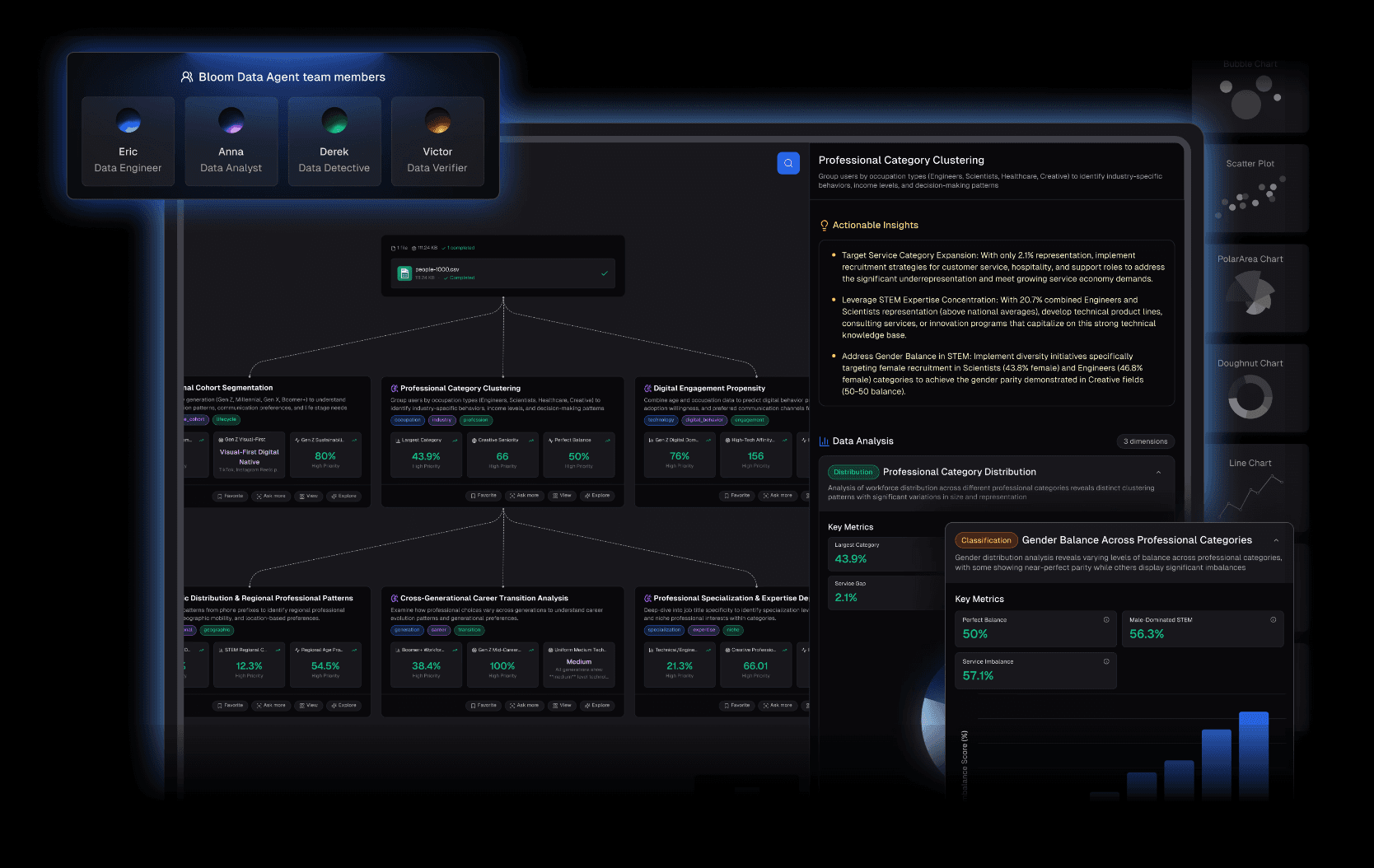
Powerdrill Bloom is the standout performer of 2025. It positions itself not just as an analyzer, but as a "Result Generator."
Core Features
Nano Banana Pro (The Ultimate Advantage): This is the game-changer. Unlike competitors, Bloom can instantly convert your analysis results and charts into Professional/Business Slides and Data Preview Images. It bridges the gap between Excel data and the boardroom screen effortlessly.
Auto-Cleaning: Upload messy Excel, CSV, or PDF files. Bloom automatically detects structure, merges headers, and cleans anomalies.
Predictive Insights: Ask natural language questions like "Why did Q4 retention drop?" and get deep, chart-backed answers instantly.
Best For
Business Analysts, Marketing Managers, and Executives who need to present data, not just look at it.
Pricing
Free Trial available; Subscription-based Pro plan.

Microsoft Copilot for Excel
The Ecosystem Native
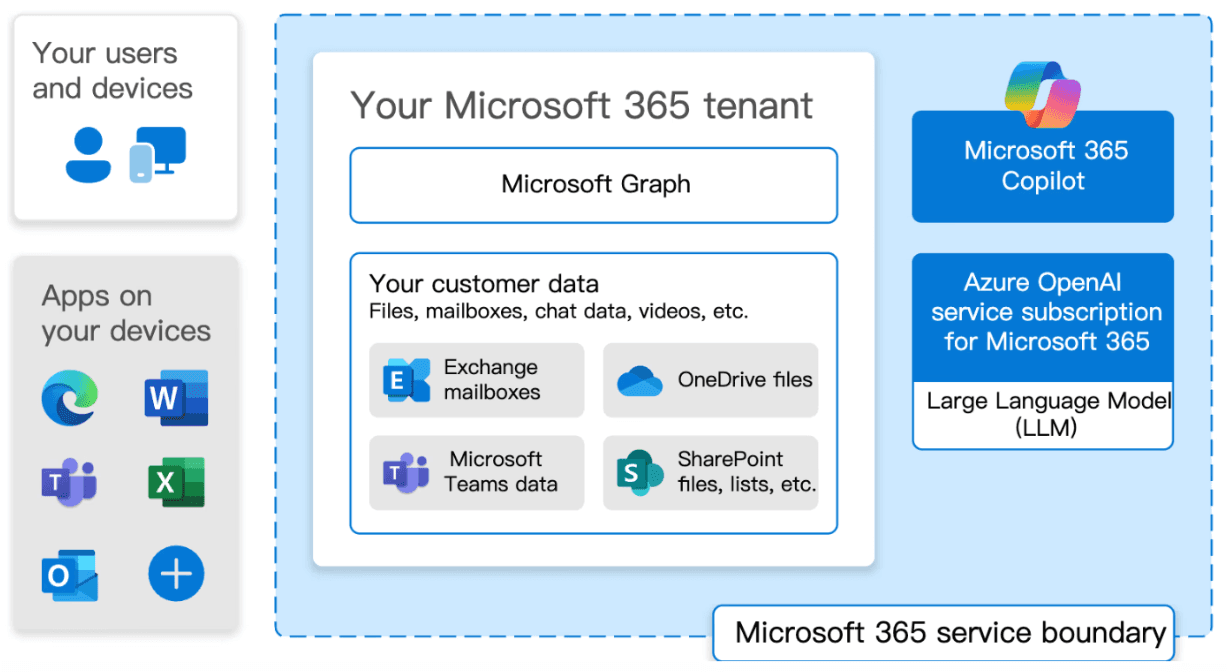
The safe, integrated choice for those deeply embedded in the Microsoft 365 enterprise environment.
Core Features
Python in Excel: Generates and executes Python code directly within cells for complex calculations.
Seamless Integration: Works securely with data stored in OneDrive and SharePoint.
Trend Highlighting: Quickly identifies outliers and patterns with simple prompts.
Best For
Enterprise employees who require strict data compliance and live within the Microsoft ecosystem.
Pricing
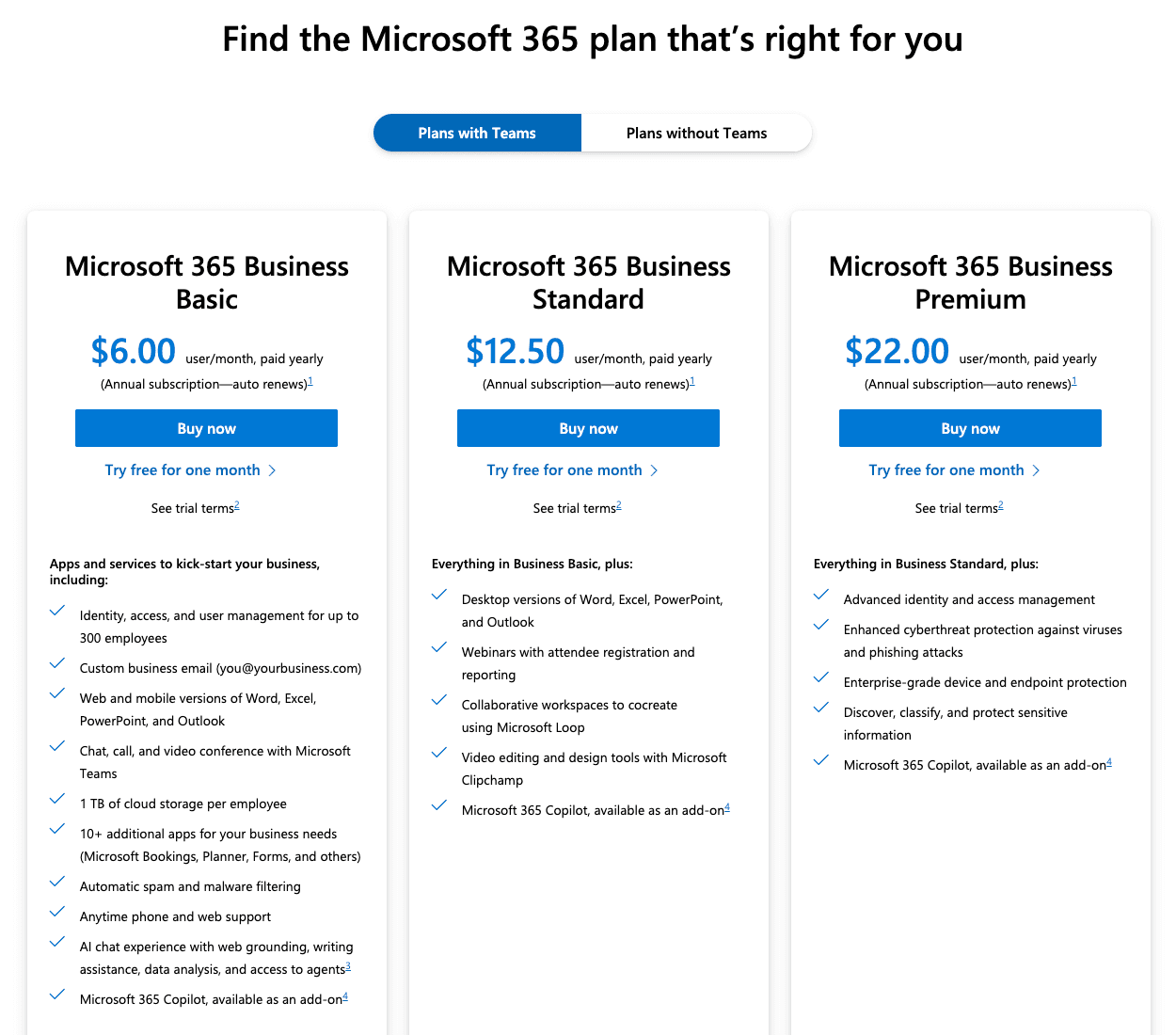
Requires Microsoft 365 Copilot Enterprise subscription.
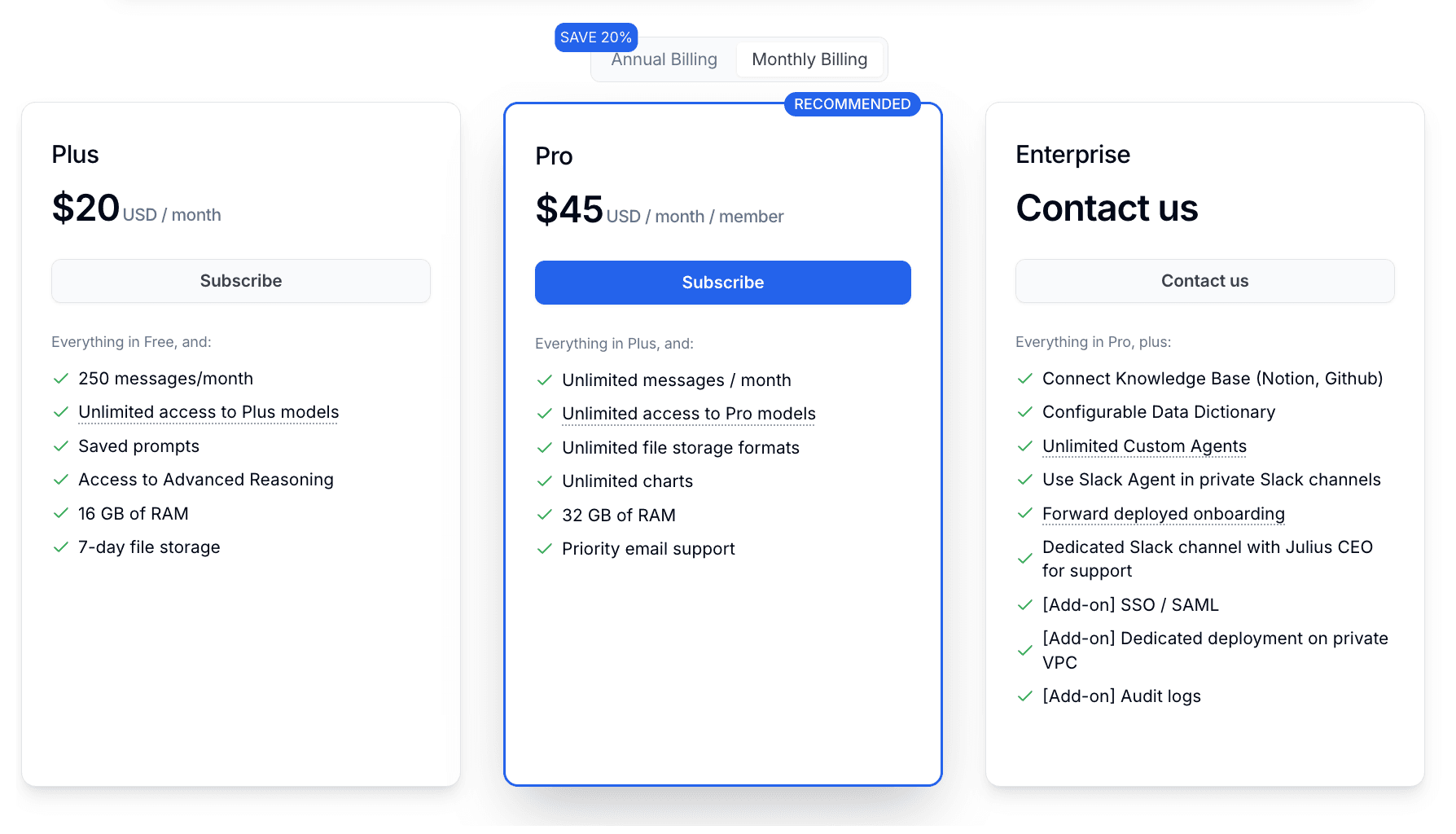
Julius AI
The Pocket Data Scientist
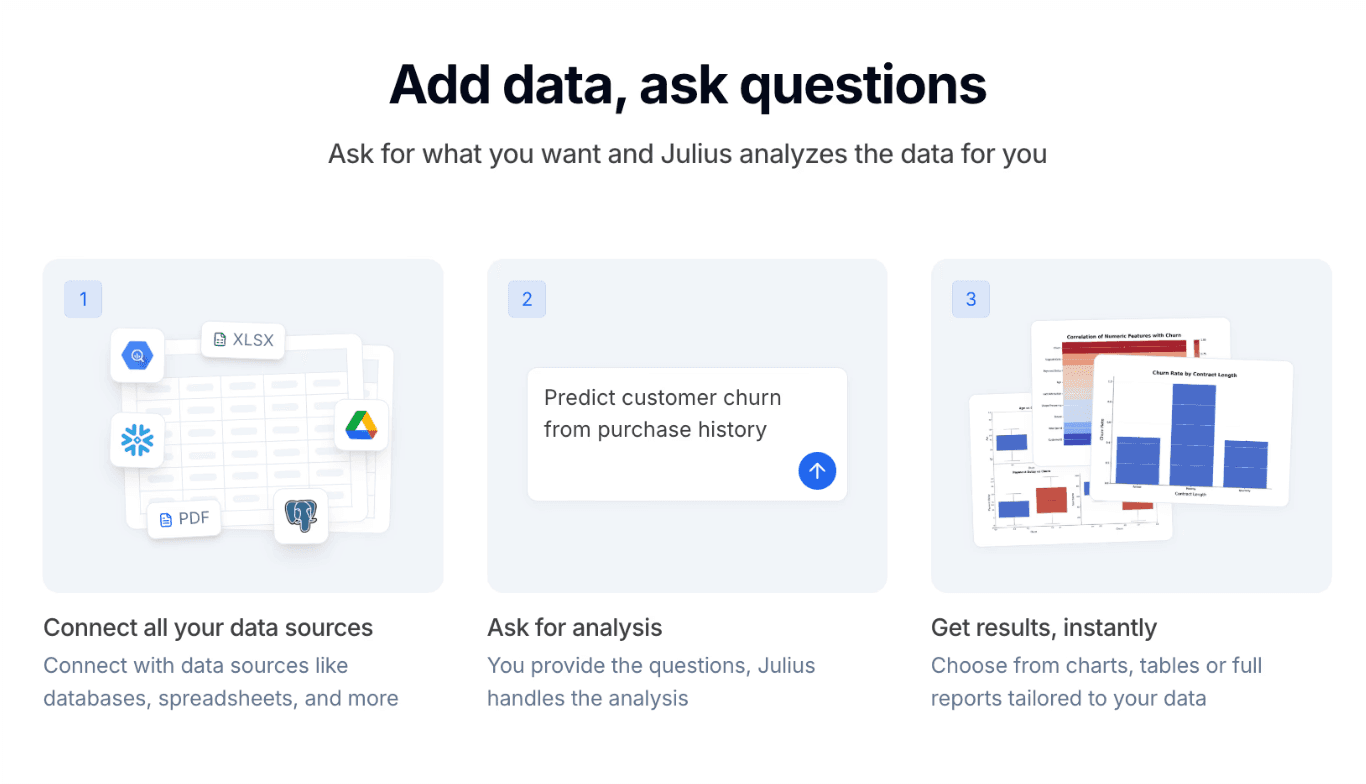
A robust computational engine designed for heavy statistical lifting and code transparency.
Core Features
Advanced Statistics: excellent for regression models, forecasting, and complex aggregations.
Code Transparency: It shows the Python code it writes, allowing users to verify the logic.
Versatile Import: Connects to various data sources beyond simple spreadsheets.
Best For
Data Scientists and Researchers who need to audit the code behind the analysis.
Pricing
Per-user monthly subscription.
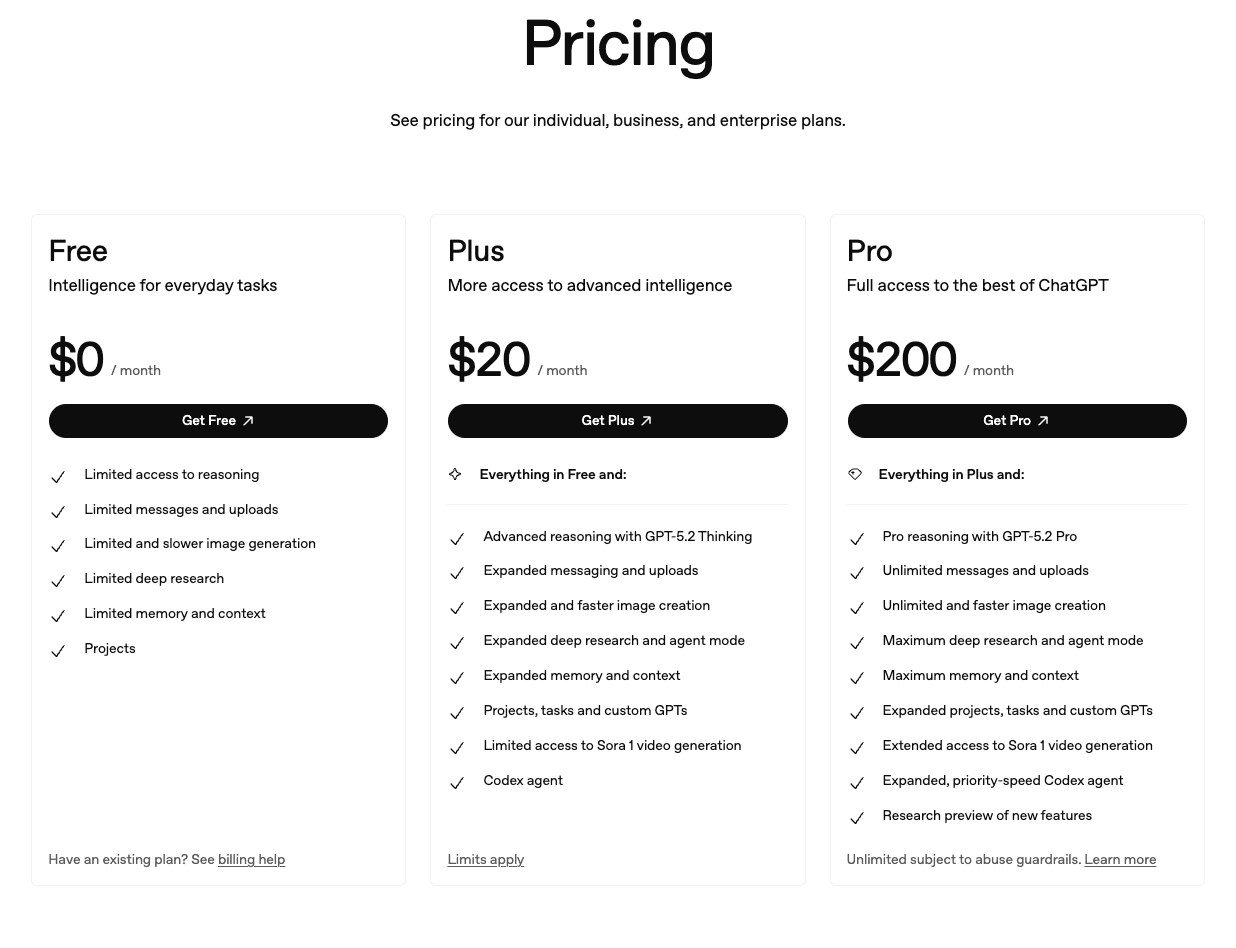
ChatGPT
The Generalist Swiss Army Knife
OpenAI’s standard-bearer. While powerful, it lacks the specialized interface of dedicated Excel tools.
Core Features
Broad Knowledge: Can combine external world knowledge with your internal data.
File Interpretation: Quickly summarizes large text-heavy datasets.
Best For
Ad-hoc queries and tasks involving a mix of unstructured text and structured data.
Pricing
Per-user monthly subscription.
Formula Bot
The Legacy Specialist
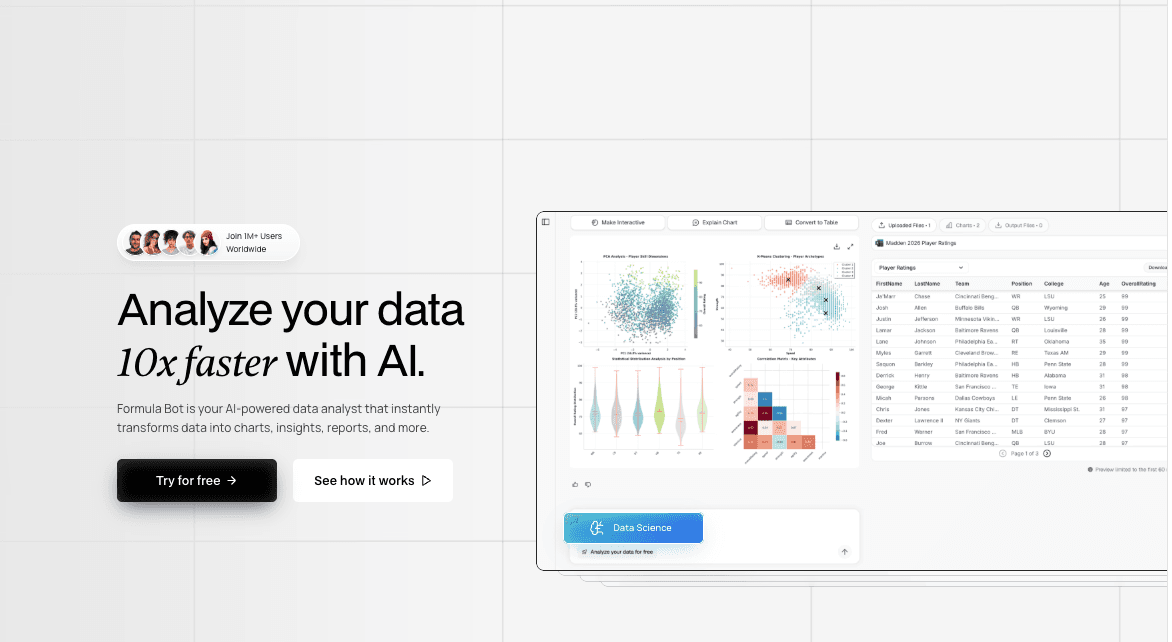
One of the original AI tools for spreadsheets, focusing strictly on formula syntax.
Core Features
Text-to-Formula: Accurately translates instructions into Excel or Google Sheets formulas.
Regex Generator: Simplifies the creation of complex Regular Expressions.
Best For
Users who just need a quick fix for a broken formula and don't need full analysis.
Pricing
Per-user monthly subscription.

Comparison Table
Tool Name | Data Cleaning | Visualization Quality | Slide Generation | Ease of Use |
Powerdrill Bloom | ⭐⭐⭐⭐⭐ | ⭐⭐⭐⭐ | ⭐⭐⭐⭐ | ⭐⭐⭐ |
MS Copilot | ⭐⭐⭐⭐ | ⭐⭐⭐ | ⭐⭐ | ⭐⭐⭐ |
Julius AI | ⭐⭐⭐⭐ | ⭐⭐⭐⭐ | ⭐⭐⭐⭐ | ⭐⭐⭐ |
ChatGPT | ⭐⭐⭐ | ⭐⭐⭐ | ⭐⭐ | ⭐⭐⭐⭐⭐ |
Formula Bot | ⭐⭐⭐ | ⭐⭐⭐ | ⭐⭐ | ⭐⭐⭐ |
Conclusion
As we close out 2025, the right tool depends on your bottleneck:
Stick with Microsoft Copilot if you are bound by strict enterprise IT policies.
Choose Julius AI if you need to inspect raw Python code for statistical modeling.
However, if your goal is maximum efficiency from raw data to a polished presentation, Powerdrill Bloom is the #1 recommendation for December 2025. Its ability to generate slides via Nano Banana Pro is unmatched in the industry.