Как создать финансовый отчет для совета директоров из электронной таблицы (полное руководство)
Введение
Презентация финансовых данных членам совета директоров и топ-менеджерам требует соблюдения тонкого баланса между детальной точностью и стратегической ясностью. Для финансовых директоров и руководителей, несущих строгую фидуциарную ответственность, перевод сложных бухгалтерских таблиц в понятный и практически применимый отчет часто опирается на ментальные эвристики — ментальные ярлыки, используемые для отсеивания шума и выделения ключевых показателей здоровья бизнеса.
Однако ручное составление таких высокоуровневых отчетов для руководства — процесс общеизвестно утомительный, трудоемкий и подверженный человеческим ошибкам. К счастью, искусственный интеллект полностью изменил этот рабочий процесс.
Сегодня ИИ-агенты для создания презентаций позволяют финансовым командам полностью отказаться от ручного форматирования слайдов, превращая необработанные финансовые данные в готовые для совета директоров отчеты за считанные минуты.
Что такое финансовый отчет, готовый для совета директоров?
Финансовый отчет, готовый для совета директоров — это высокоуровневый аналитический обзор для руководства, который преобразует сложные бухгалтерские данные в четкие стратегические выводы для лиц, принимающих решения. Вместо демонстрации необработанных гроссбухов он фокусируется на общей картине. Ключевые элементы обычно включают в себя:
- Основные финансовые KPI: Главные метрики, такие как квартальный рост выручки, валовая маржа, EBITDA, чистый отток денежных средств (net cash burn) и оставшийся запас денежных средств (cash runway).
- Контекстные комментарии: Краткие письменные пояснения, детализирующие, почему фактические показатели разошлись с прогнозами или историческим бюджетом.
- Визуальный анализ трендов: Чистые, интуитивно понятные графики и диаграммы, иллюстрирующие динамику во времени и помогающие руководителям мгновенно оценить результаты.
- Прогноз на будущее: Стратегические рекомендации и четкие планы действий, основанные на текущих показателях эффективности капитала и ликвидности.
Типичные проблемы финансовой отчетности на основе таблиц
Опора исключительно на традиционные электронные таблицы при ручной подготовке презентаций для совета директоров создает серьезные трудности для финансовых отделов:
- Кошмары контроля версий: Поиск актуального набора данных среди запутанных итераций вроде
Q3_P&L_Final_v3_edit.xlsxотнимает драгоценные часы. - Высокий риск человеческой ошибки: Ручное копирование и вставка данных между Excel и PowerPoint часто приводят к неработающим формулам, устаревшим цифрам или перепутанным местами знакам.
- Серьезная перегрузка данными: В стандартных таблицах отсутствует визуальная иерархия, из-за чего члены совета директоров часто увязают в мелких строках баланса вместо того, чтобы сосредоточиться на глобальной стратегии.
- Критическое отставание по времени: Дни или недели, необходимые для ручной консолидации отчетов, означают, что руководители часто принимают важные решения на основе устаревших финансовых срезов.
Традиционный рабочий процесс против отчетности на базе ИИ (на примере Powerdrill Bloom)
Переход к автоматизации на базе ИИ коренным образом меняет принципы работы корпоративных финансов. Вот как громоздкий традиционный процесс подготовки отчетности сопоставим с использованием передового ИИ-агента, такого как Powerdrill Bloom:
- Ручная очистка данных против мгновенного парсинга: Традиционные команды тратят часы на очистку и форматирование необработанных CSV; Powerdrill Bloom мгновенно загружает, сопоставляет и анализирует сложные многостраничные таблицы.
- Статичные диаграммы против динамической аналитики: Аналитики вручную строят жесткие графики в PowerPoint; Bloom автоматически оценивает структуру ваших данных для создания наиболее наглядных визуализаций.
- Разрозненный текст против единого повествования: Финансовые директора обычно пишут резюме отдельно от анализа данных; Bloom встраивает интеллектуальные, контекстно-зависимые комментарии прямо рядом с вашими финансовыми графиками.
- Линейная переделка против постоянной памяти: Обновление традиционной презентации требует запуска процесса проектирования заново; постоянные рабочие пространства (Workspaces) в Bloom запоминают ваши исторические файлы между сессиями для быстрого и регулярного обновления квартальных отчетов.
Как создать готовый для совета директоров финансовый отчет из таблицы с помощью Powerdrill Bloom
Давайте пошагово разберем процесс превращения необработанной финансовой таблицы в презентацию для руководства с помощью Powerdrill Bloom.
Шаг 1: Загрузите таблицу в Powerdrill Bloom
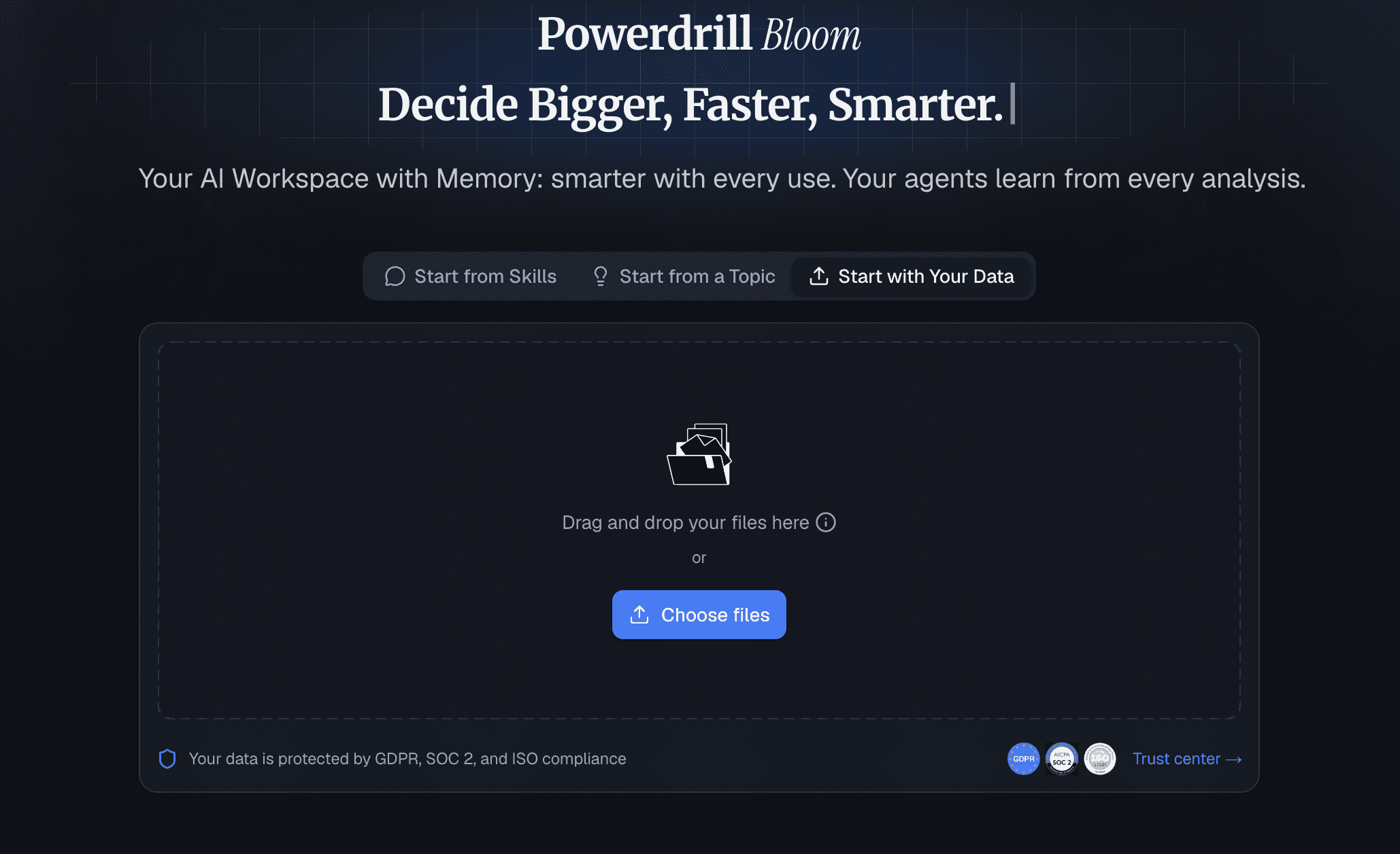
Начните с перехода в ваше выделенное рабочее пространство Powerdrill Bloom. Просто перетащите необработанные финансовые файлы .xlsx или .csv прямо на платформу. Поскольку Bloom использует постоянные рабочие пространства (Workspaces), ваши базовые финансовые модели надежно сохраняются между сессиями. Это позволяет без труда ссылаться на исторические квартальные данные в будущих циклах отчетности без необходимости каждый месяц заново загружать всю финансовую историю.
Шаг 2: Определите цели анализа
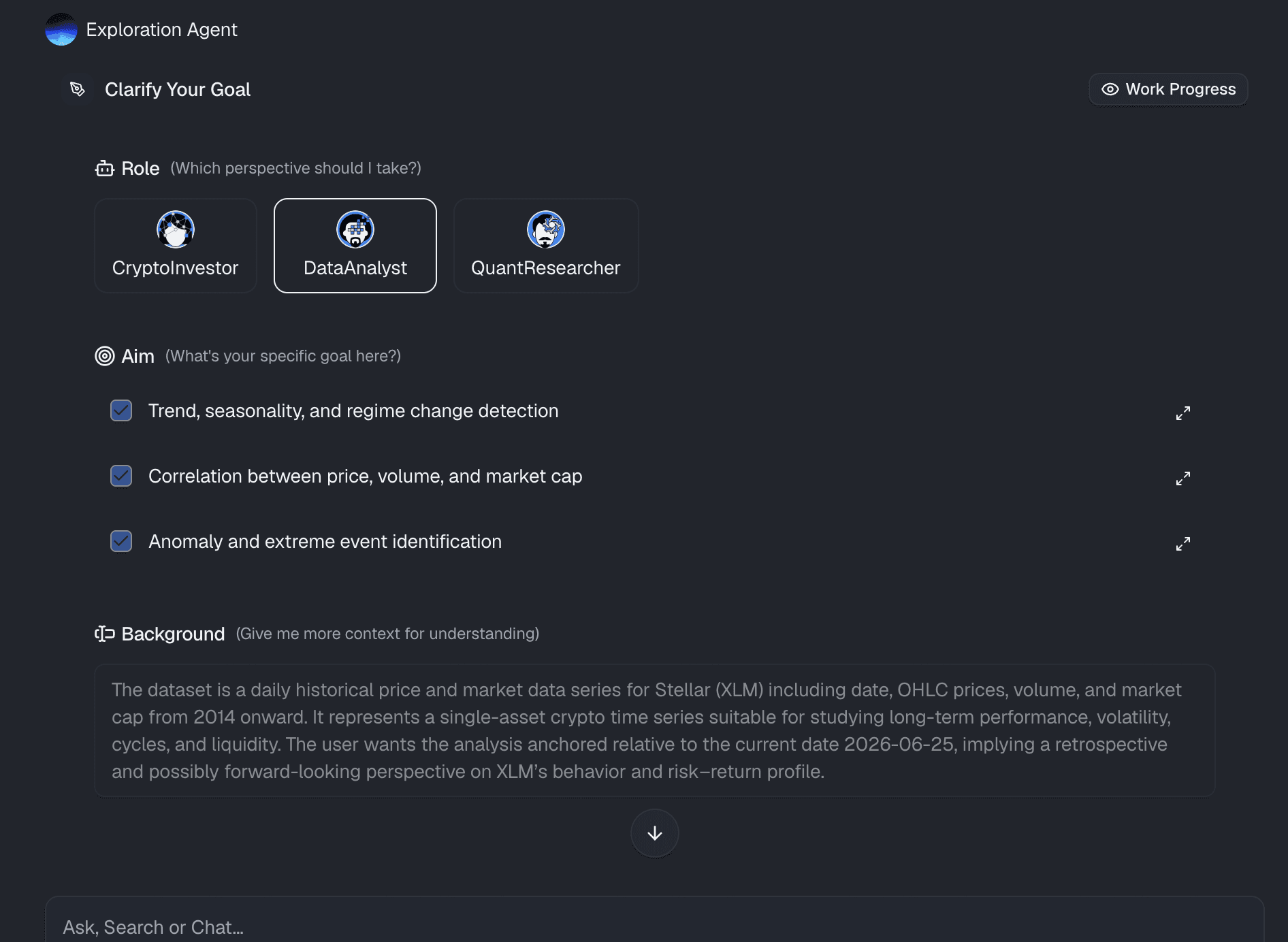
После подключения таблицы объясните Bloom, что вам нужно, используя обычный разговорный язык. Вам не нужно писать сложные SQL-запросы или запутанные макросы для таблиц. Просто введите запрос на простом языке, например: «Проанализируй наш отчет о прибылях и убытках за третий квартал, рассчитай чистый отток денежных средств и выдели три основных отклонения в операционных расходах по сравнению с прогнозируемым бюджетом».
Шаг 3: Автоматическая генерация финансовых выводов
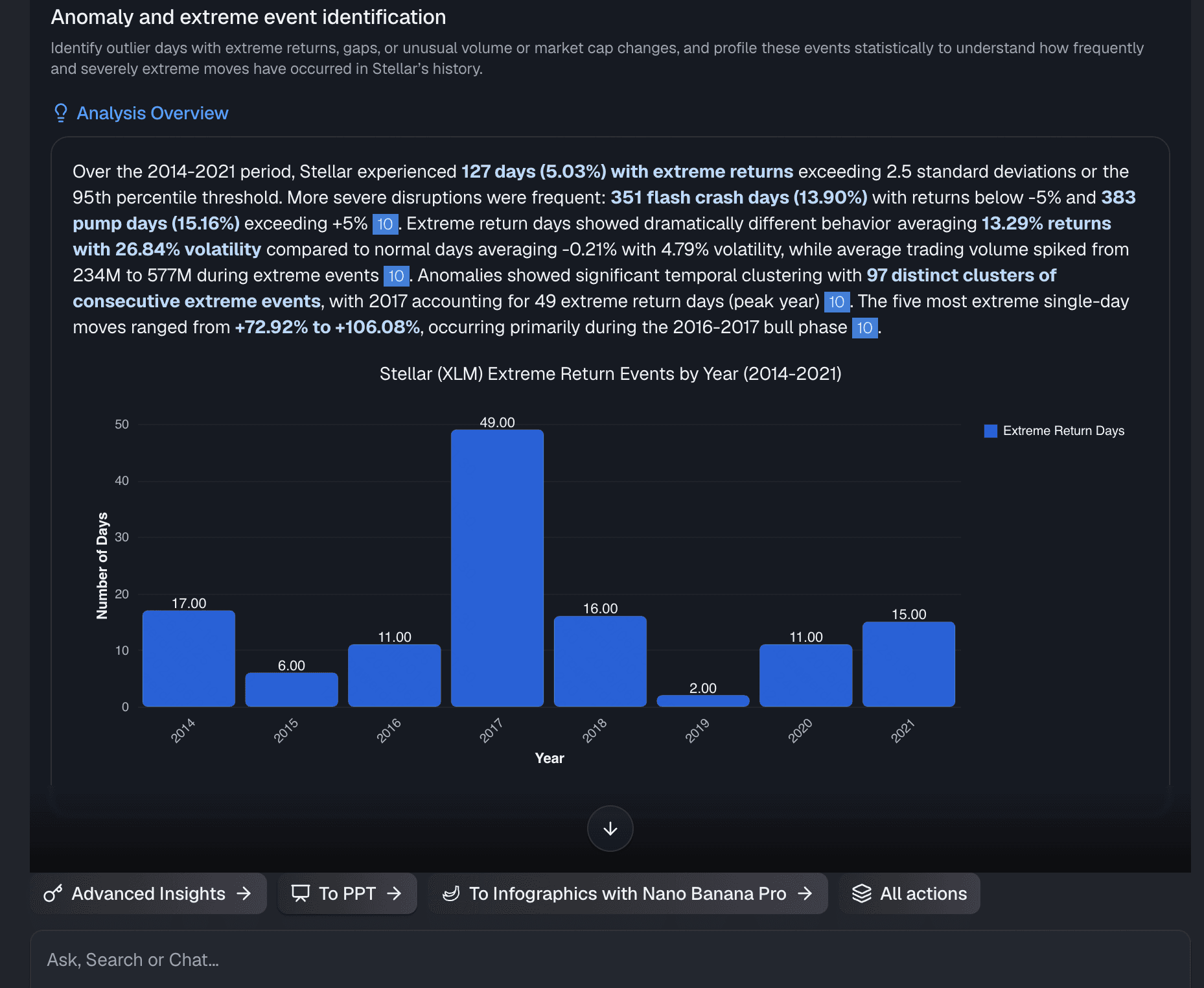
Powerdrill Bloom действует как специализированный финансовый ИИ-аналитик. Он обрабатывает необработанные данные таблиц, применяет специализированные аналитические навыки и мгновенно выдает комплексные результаты. Он определяет базовые финансовые тренды, указывает на потенциальные риски ликвидности и структурирует выводы в виде профессионально оформленных тезисов для руководства, которые наглядно раскрывают историю, стоящую за вашими цифрами.
Шаг 4: Экспорт в один клик
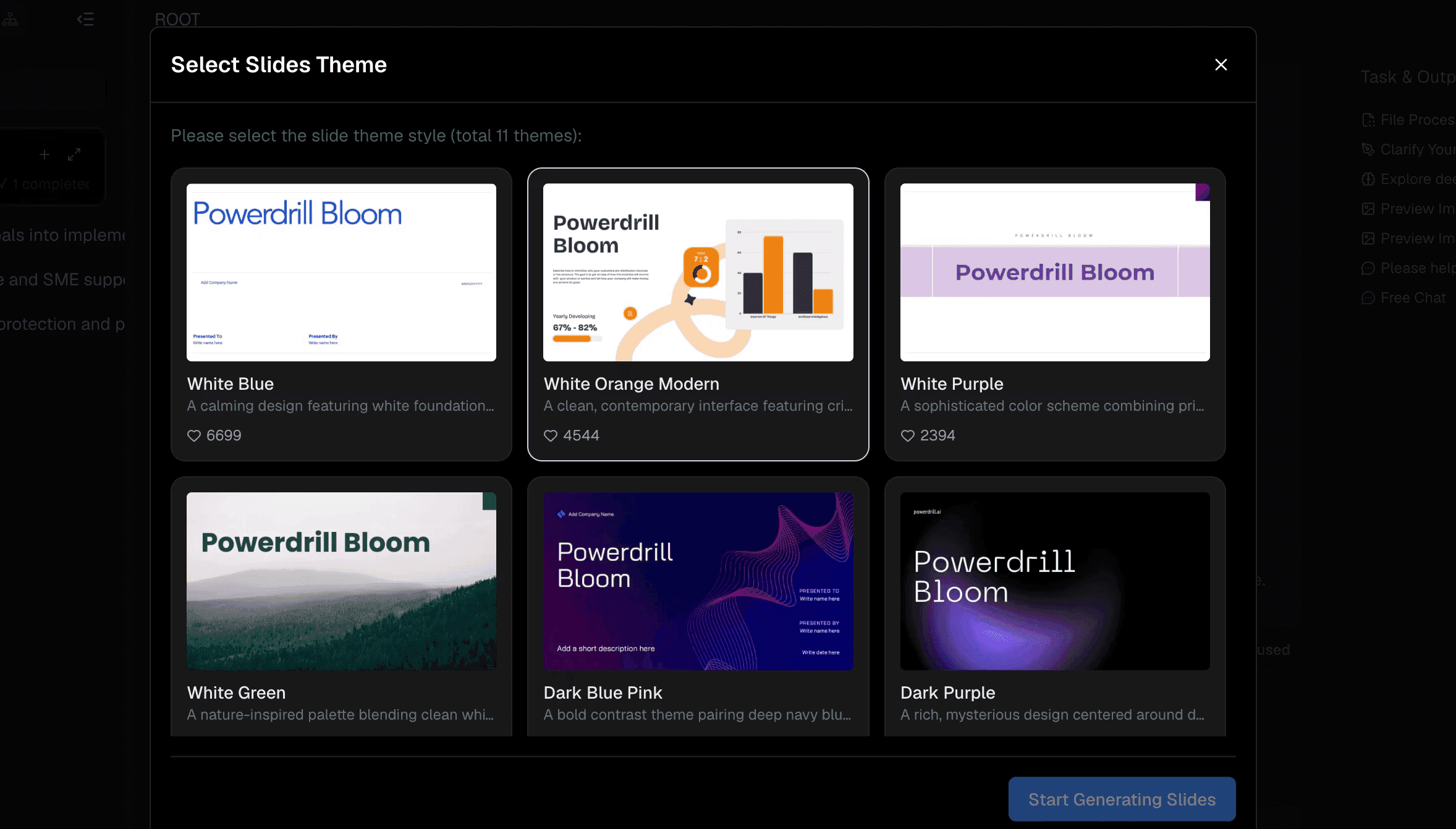
Когда вы будете удовлетворены созданными ИИ выводами и графиками, воспользуйтесь флагманской функцией презентации в один клик от Bloom. Мгновенно превратите комплексный финансовый анализ в чистую, красиво оформленную презентацию. Макет, типографика, визуальная иерархия и графики автоматически оптимизируются для просмотра руководством — вы мгновенно получаете готовый для совета директоров слайд-дек без необходимости ручного дизайна.
Почему современные финансовые команды переходят на отчетность с ИИ
Прогрессивные финансовые отделы быстро отказываются от ручной обработки данных в пользу рабочих процессов отчетности на базе ИИ:
- Беспрецедентная скорость: Циклы подготовки отчетности на конец месяца и квартала сокращаются кардинально — с нескольких недель до нескольких минут.
- Устранение выгорания: Автоматизация рутинной консолидации данных поддерживает вовлеченность финансовых специалистов, снижая текучесть кадров в периоды высокой нагрузки по отчетности.
- Стратегические возможности: Бухгалтеры и финансовые аналитики превращаются из обычных обработчиков данных в доверенных и ценных стратегических консультантов для руководства.
- Гибкость в реальном времени: Руководители могут запрашивать оперативные финансовые сводки на лету, чтобы быстро реагировать на внезапные изменения в экономике или на рынке.
Почему Powerdrill Bloom выделяется на общем фоне
В то время как многие универсальные инструменты ИИ предлагают лишь базовые интерфейсы чата, Powerdrill Bloom специально создан для безупречного выполнения сложной практической работы:
- Настоящая работа без кода: Пользователи могут выполнять глубокое финансовое моделирование и создавать презентации, не написав ни единой строки кода.
- Глубокая интеграция инструментов MCP: Легко подключайте внешние источники данных и инструменты Model Context Protocol (MCP) для проведения обогащенного многофакторного финансового анализа.
- Сквозной рабочий процесс: Он полностью устраняет разрыв между обработкой необработанных таблиц и готовыми презентациями в рамках единой унифицированной среды.
- Постоянный контекст: В отличие от стандартных LLM, которые теряют контекст сразу после закрытия вкладки, Bloom сохраняет знания о файлах между сессиями для непрерывной и беспрепятственной отчетности.
Заключение
Подготовка финансового отчета для совета директоров не должна требовать бессонных ночей, проведенных за борьбой с формулами в таблицах и выравниванием слайдов. Устраняя разрыв между необработанными бухгалтерскими данными и стратегическим повествованием для руководства, автоматизация на базе ИИ позволяет финансовым лидерам представлять свои цифры с абсолютной уверенностью и стратегической ясностью.
Сделайте шаг в будущее современной финансовой отчетности, подключите свои таблицы к Powerdrill Bloom уже сегодня и оцените простоту и эффективность мгновенного создания презентаций в один клик.
Часто задаваемые вопросы
Может ли Powerdrill Bloom работать со сложными финансовыми моделями?
Да, Powerdrill Bloom легко обрабатывает сложные таблицы, определяя ключевые метрики и финансовые коэффициенты без необходимости ручной корректировки формул.
Безопасны ли мои финансовые данные в Powerdrill Bloom?
Абсолютно. Powerdrill Bloom использует протоколы безопасности корпоративного уровня, гарантируя, что ваши конфиденциальные финансовые таблицы будут надежно защищены в постоянных рабочих пространствах.
Нужны ли мне навыки программирования для использования Powerdrill Bloom?
Программирование не требуется. Powerdrill Bloom работает на основе простых запросов на естественном языке для анализа таблиц и создания презентационных отчетов.
Как быстро Powerdrill Bloom может создать финансовую презентацию?
Powerdrill Bloom превращает необработанные таблицы в полностью отформатированные, готовые для совета директоров слайды буквально за считанные секунды.
Может ли Powerdrill Bloom сравнивать несколько финансовых периодов?
Да! Просто загрузите несколько таблиц или исторические данные, и Powerdrill Bloom автоматически рассчитает отклонения и выделит долгосрочные тренды.