Free Data Analysis PowerPoint Templates & Presentation Slides | Created with Nano Banana (2026 Guide)
Introduction
It’s 2026. If you are still scouring the web for "Free Data Analysis PowerPoint Templates," downloading blank files, and painstakingly manually updating charts from Excel, you are doing it the hard way.
Business professionals today demand "End-to-End Visual Narratives." We know the struggle: finding a template is easy; making it work with your specific data is painful.
Enter Powerdrill Bloom, the AI agent that—powered by the Nano Banana Pro design engine—transforms raw data into board-ready presentation slides instantly. Stop searching for templates; start generating insights.
AI Data Visualization vs Static Templates
Why are analysts and managers switching from template libraries to AI generation?
The Old Way (Static Templates): You download a "Dashboard Template." You open Excel. You create a chart. You screenshot it. You paste it into PPT. The colors clash, the alignment is off, and the formatting breaks. It’s a friction-heavy process.
The Powerdrill Bloom Way (AI Rendering): This is "Data-First Design." You upload your dataset. The AI understands the context. Nano Banana Pro then dynamically renders your data into the slides.
The Result: Pixel-perfect slides where the template adapts to your data, not the other way around. No design skills required.
Nano Banana Pro Template Showcase
Nano Banana Pro comes pre-loaded with a diverse library of data-centric themes. Here are the top styles designed for specific business needs:
1. McKinsey / Consulting Style
Description: Minimalist, high-authority, and logic-driven. Uses the "Pyramid Principle" structure with clean charts and specific "Action Titles" at the top.
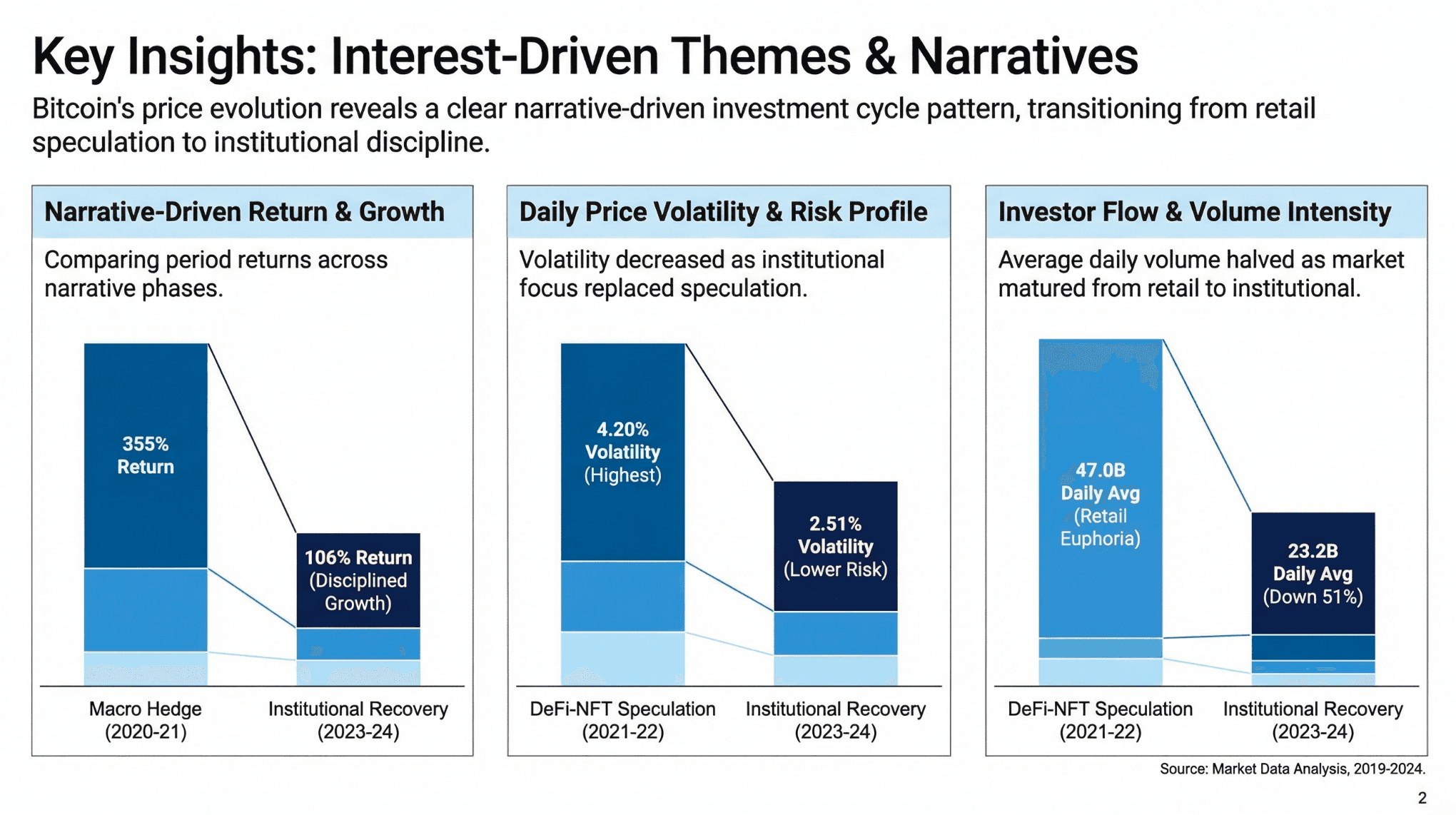
Target Audience: Management Consultants, Strategists.
Use Case: Strategic proposals, complex business problem solving, and high-stakes client deliverables.
2. Dashboard Style
Description: High information density. Consolidates KPIs, sparklines, and gauges into a single view, mimicking a BI tool interface but in PPT format.
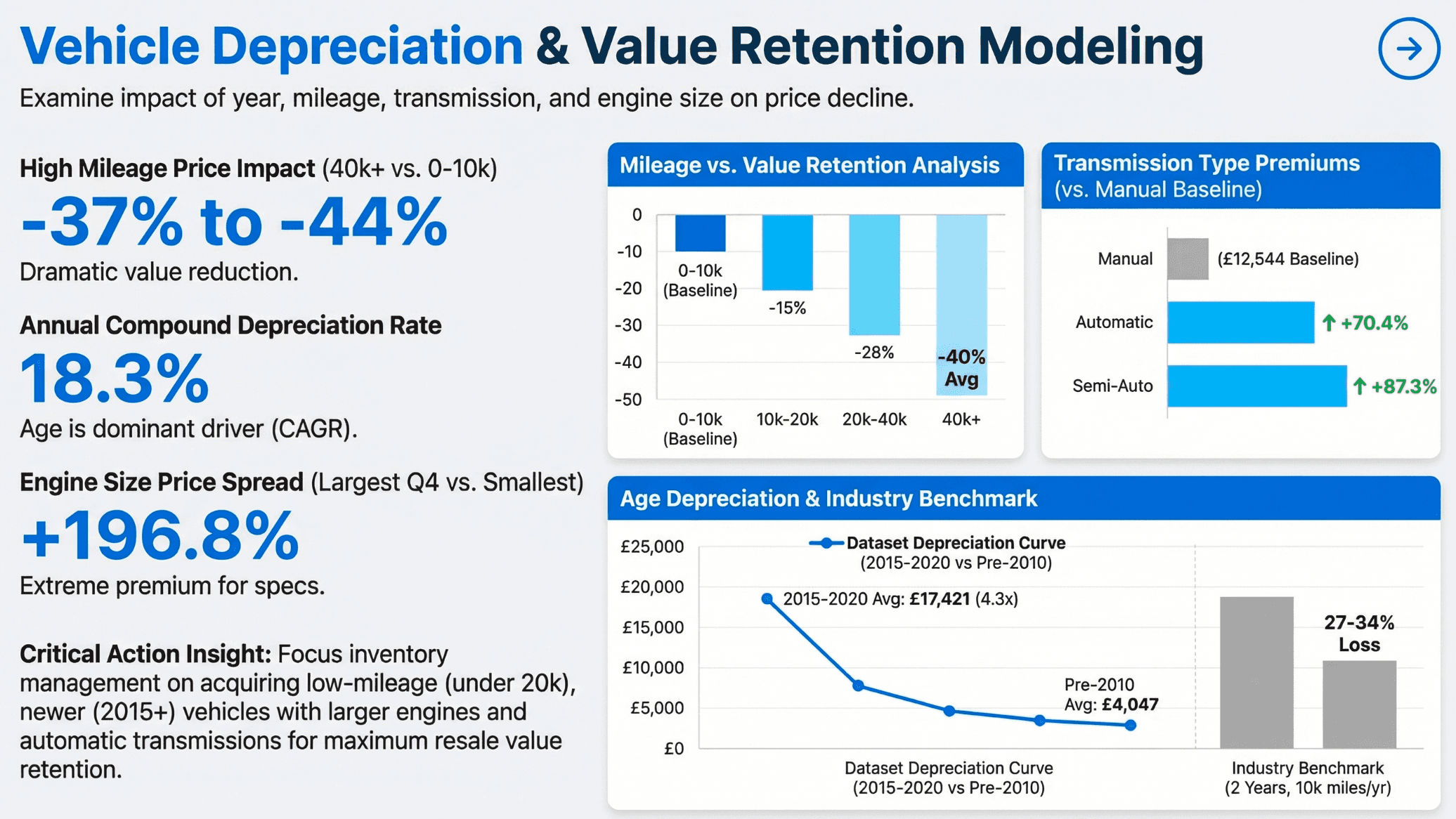
Target Audience: Data Analysts, Operations Managers.
Use Case: Weekly/Monthly business reviews (WBR/MBR), performance tracking, and operational health checks.
3. SaaS / Tech Style
Description: Modern, sleek, often utilizing dark modes, gradients, and futuristic typography. It screams innovation.
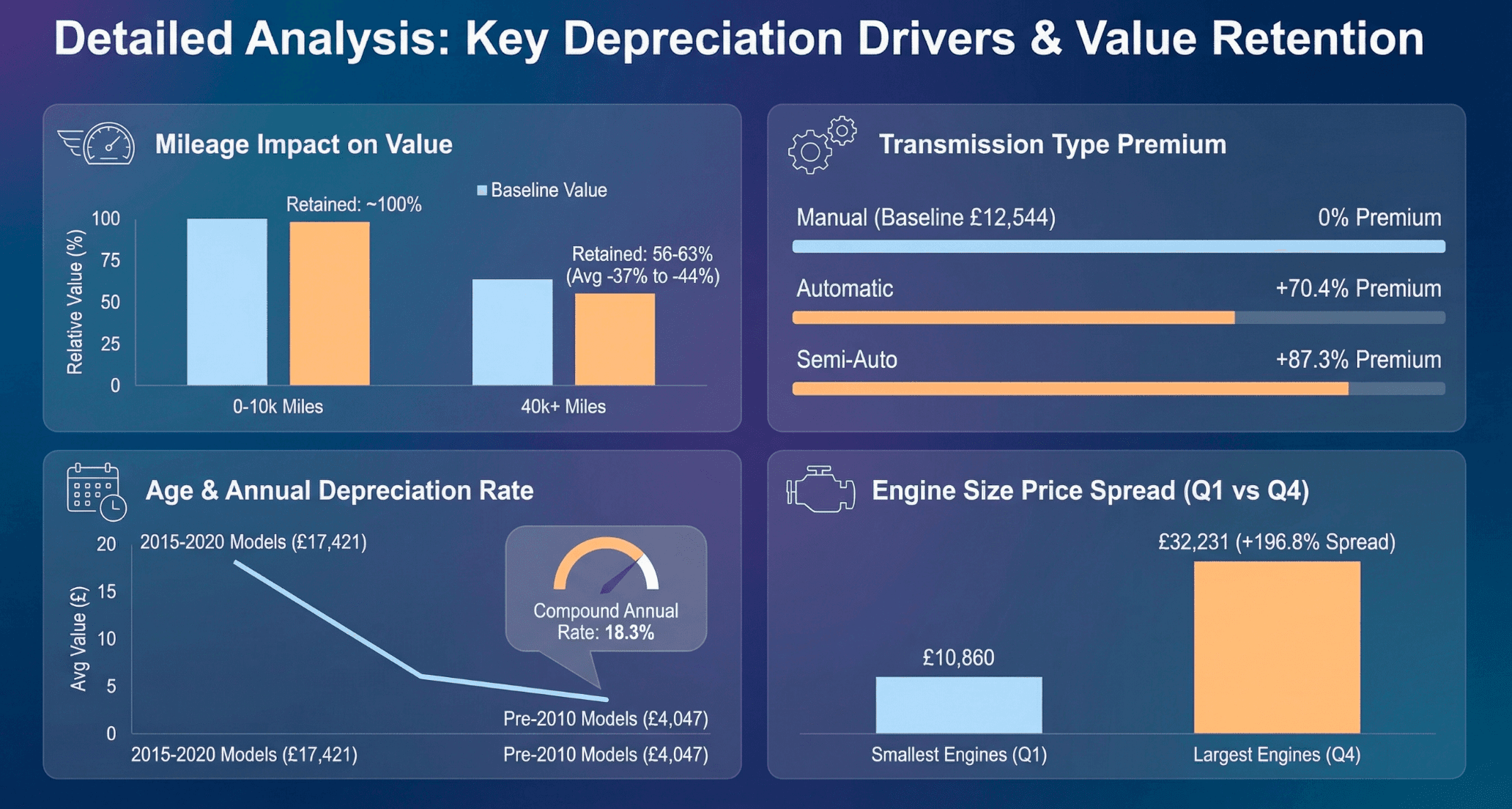
Target Audience: Product Managers, Tech Founders.
Use Case: Product launches, Investor Pitch Decks, and technical roadmap presentations.
4. Whiteboard / Hand-Drawn Style
Description: Informal and approachable. Mimics a sketch on a whiteboard, suggesting that ideas are "works in progress," inviting collaboration.
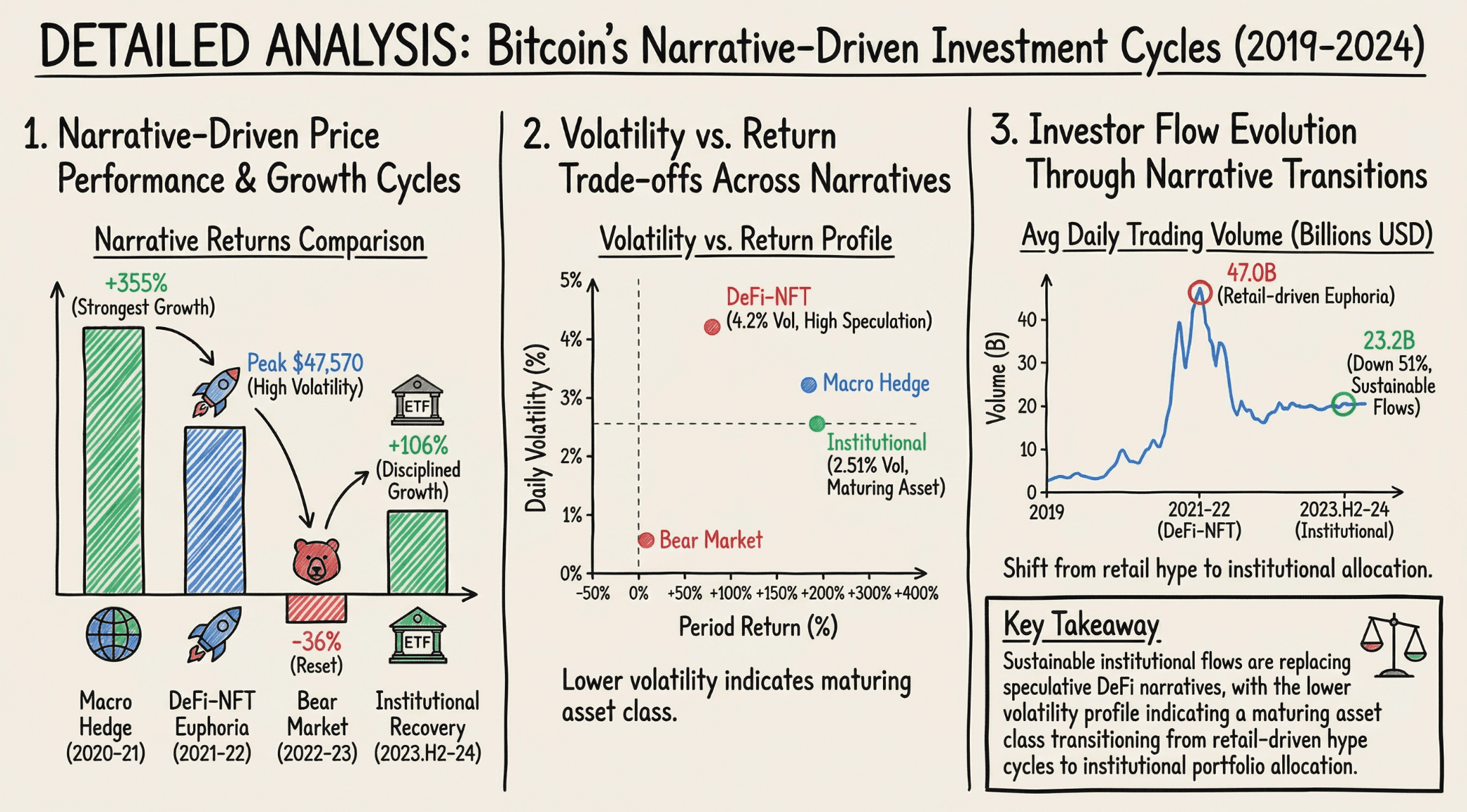
Target Audience: Team Leads, Creative Directors.
Use Case: Internal brainstorming sessions, early-stage ideation, and workshops.
5. Executive Style
Description: Big fonts, bold charts, and zero clutter. Focuses on one key message per slide to ensure clarity for decision-makers.
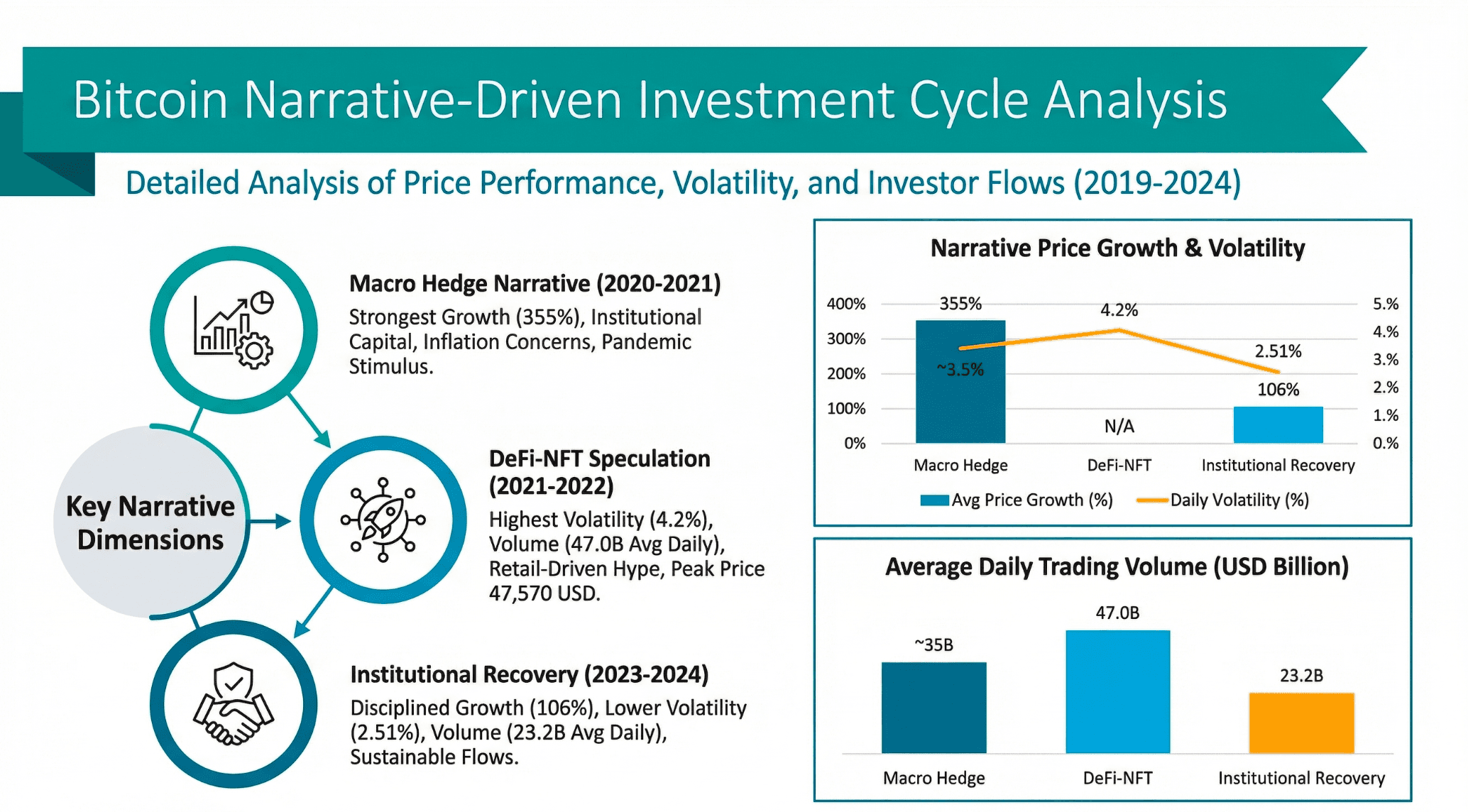
Target Audience: Directors, VPs.
Use Case: Briefing the CEO or Board of Directors where time is limited and clarity is paramount.
6. Marketing Strategy Style
Description: Vibrant and dynamic. Features pre-built funnel visualizations, customer persona cards, and conversion metrics.c
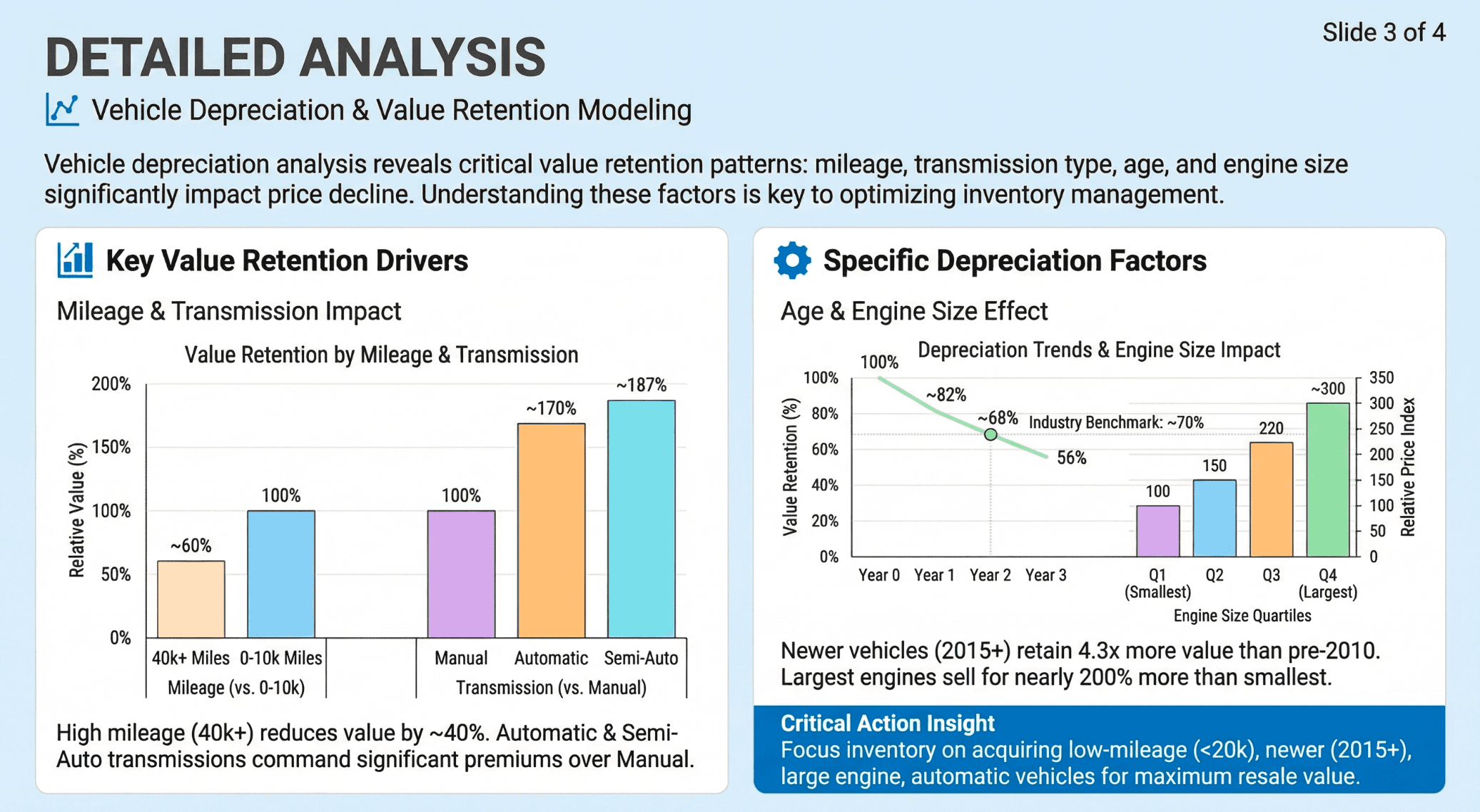
Target Audience: CMOs, Marketing Teams.
Use Case: Campaign post-mortems, go-to-market strategies, and user growth analysis.
Guide: 3 Steps to Professional Slides
Powerdrill Bloom acts as your all-in-one data exploration and presentation agent. Here is the streamlined workflow:
Step 1: Universal Upload & Auto-Clean
Forget about formatting nightmares. Upload your Excel, CSV, or PDF files directly. Powerdrill Bloom performs Automatic Data Cleaning, handling messy datasets and preparing them for visualization instantly.
Step 2: Chat-Based Insights & Layout
Interact with your data using natural language. Ask, "Show me the sales trend by region for Q4." The AI will Extract Insights and intelligently recommend the best visualization type
Step 3: Nano Banana Pro Template Rendering
This is the game-changer. The Nano Banana Pro engine takes those insights and renders them into high-quality slides. It automatically adjusts text layout and chart scaling to fit the chosen theme, generating a Data Preview Image and the final exportable file.
Conclusion
Accelerate Your Workflow with Powerdrill Bloom
Powerdrill Bloom solves the "Analysis Paralysis" with natural language interaction and the "Design Bottleneck" with Nano Banana Pro.
In 2026, the best "Free Data Analysis PowerPoint Template" isn't a file you download—it's a system that builds the slide for you. Transform your Excel sheets into compelling stories in seconds.
FAQ
What are AI Data Analysis Presentation Templates?
Unlike static background images, AI templates (like those in Nano Banana Pro) are dynamic. They automatically bind to your uploaded data, rendering charts and text perfectly without manual formatting.
Which tool can generate slides directly from Excel?
Powerdrill Bloom is the top recommendation for 2026. It accepts Excel/CSV inputs and uses AI to generate fully editable slides in various professional styles.
How can I create McKinsey-style data slides quickly?
Instead of designing from scratch, use Powerdrill Bloom and select the "McKinsey Style" preset via Nano Banana Pro. The AI ensures your charts and layout match the rigorous standards of top consulting firms.