Powerdrill Bloom vs Gemini Deep Research: Which Should You Use in 2026?
Powerdrill Bloom vs Gemini Deep Research comes down to where the answer lives. Gemini Deep Research reads the public web and writes you a report. Powerdrill Bloom reads the files you upload and produces charts, decks, and reports from them. Both are agents; they point in opposite directions.
That distinction sounds simple, and it is. It gets blurred because both tools accept file uploads, both write long-form output, and both call themselves research agents. This comparison sorts out what each one is actually built to do, what it costs, and which one belongs in your week. Facts and pricing below are current as of August 3, 2026.
Powerdrill Bloom vs Gemini Deep Research: what's the difference
Gemini Deep Research is a web research agent. It plans a search strategy, reads across hundreds of sites, and returns a multi-page report with citations. Powerdrill Bloom is a data agent. It takes your spreadsheets, CSVs, and PDFs, runs analysis against them, and returns charts, dashboards, decks, and reports as files you can send on. One answers "what is known about this topic." The other answers "what is true in my data."
Meet Gemini Deep Research: features and highlights
Deep Research is Google's agentic research feature inside Gemini. You give it a topic. It breaks that topic into sub-questions, browses hundreds of websites, and synthesizes a structured multi-page report with sources. The current version runs on Gemini 3.
Beyond the plain report, it can produce an audio summary of its findings. It also hands off into Canvas, where a report becomes interactive content, a quiz, or narrated commentary. It also reaches into Google Workspace: Gmail, Drive, and Chat can serve as sources alongside the public web. Files you upload directly work too.
Deep Research is available on Gemini's free tier. Google's paid AI plans raise the usage ceiling. Google AI Plus lists roughly twice the free tier's limits, AI Pro roughly four times, and AI Ultra up to twenty times Pro. Exact prices vary by region, so check Google's plans page for your market.
The strength is coverage. Ask a question the internet can answer, and Deep Research reads more in ten minutes than you would in a day. It shows its sources too.
Meet Powerdrill Bloom: features and highlights
Powerdrill Bloom is a general-purpose action AI agent whose flagship capability is data analysis and the artifacts that come out of it. You upload Excel, CSV, TSV, or PDF files, ask questions in natural language, and it runs the analysis and builds the output.
The output is the part that distinguishes it. Analysis happens on a canvas. One click turns that canvas into a slide deck in a Professional, Business, or Fancy style, exportable to PowerPoint or Notion. Charts, dashboards, and written reports come out the same way. Skills extend the agent for specific jobs — ppt-master and officecli-pptx for presentations, dcf-model for financial modeling, Research-last30days for recent-window research. Workspaces give a project persistent memory across sessions, so the agent keeps context about your data instead of starting cold each time.
The Free plan costs $0 and includes 1,000 daily refreshed credits with one scheduled task. Pro is $13.27 per seat per month billed annually, adding 5,000 monthly credits on top of the daily allowance and 20 scheduled tasks. The platform holds GDPR, ISO 27001, ISO 20000, and SOC 2 Type 2 compliance.
Powerdrill Bloom vs Gemini Deep Research at a glance
| Dimension | Powerdrill Bloom | Gemini Deep Research |
|---|---|---|
| 🎯 Best for | Turning your own files into charts, decks, and reports | Surveying what the public web says about a topic |
| 💰 Starting price (as of 2026-08-03) | Free $0; Pro $13.27/seat/mo billed annually | Free tier included; paid Google AI plans raise limits, prices vary by region |
| ⚡ Key strength | Produces the artifact — deck, chart, dashboard — not just prose | Breadth of sources and cited synthesis in minutes |
| ❄️ Main weakness | Not built to survey the open web at Deep Research's scale | Output is a report; charts and decks are not the native deliverable |
| 👥 Ideal team size | Individuals through teams; Team Pro adds shared credits | Individuals and small teams already inside Google Workspace |
Feature-by-feature comparison
1. Source of truth
Deep Research treats the public web as the corpus. It searches, reads, and cites, and it can pull in Gmail, Drive, and Chat as additional context. Powerdrill Bloom treats your uploaded files as the corpus — Excel, CSV, TSV, and PDF — and analyzes them directly. The practical test is whether the number you need already exists in a file you own. If it does, a web research agent has to be handed that file before it can help; a data agent starts there.
2. What you get back
Deep Research returns a multi-page written report with citations, plus an optional audio summary and a Canvas handoff for interactive versions. Powerdrill Bloom returns charts, dashboards, slide decks, and reports as files. If your next step is reading and deciding, a report is the right shape. If your next step is presenting to someone else on Thursday, a deck you can open in PowerPoint saves the conversion.
3. Analysis depth on structured data
This is the clearest split. Powerdrill Bloom is built to compute against tabular data: joins across files, aggregations, time-series work, and financial modeling through the dcf-model skill. Deep Research is built to read and synthesize prose at scale; it is not primarily a calculation engine for your spreadsheets. Neither is a deficiency — they are different jobs, and both tools are good at the job they were designed for.
4. Memory and repeat work
Powerdrill Bloom's Workspaces keep context across sessions, so a recurring monthly analysis does not start from an empty prompt each cycle. Scheduled tasks re-run work on a cadence — one on Free, twenty on Pro. Deep Research is oriented around a research request as a discrete unit of work, with Canvas as the place output goes afterward. For a question you ask once, that is fine. For a report you rebuild every month, persistent context does real work.
5. Ecosystem fit
Deep Research lives inside Gemini and reaches into Gmail, Drive, and Chat. That is a genuine advantage if your organization already runs on Google Workspace. Powerdrill Bloom is a standalone workspace with its own connectors, exports to PowerPoint and Notion, and 12 public datasets in its Open Data library. Neither is a lock-in argument, but the shortest path usually runs through whatever you already have open.
Bonus: governance and compliance
For regulated teams this is often the deciding factor rather than a footnote. Powerdrill Bloom publishes GDPR, ISO 27001, ISO 20000, and SOC 2 Type 2 compliance. Google's coverage runs through Workspace and Cloud certifications, which your IT team likely already holds documentation for. Check both against your own data-handling policy before uploading anything sensitive, whichever tool you pick.
If your question is really about your own data
The comparison above assumes you know which kind of question you have. Often the honest answer is both: some context to gather from outside, and numbers of your own to make presentable. Here is how the second half works in Powerdrill Bloom.
Step 1: Upload your files
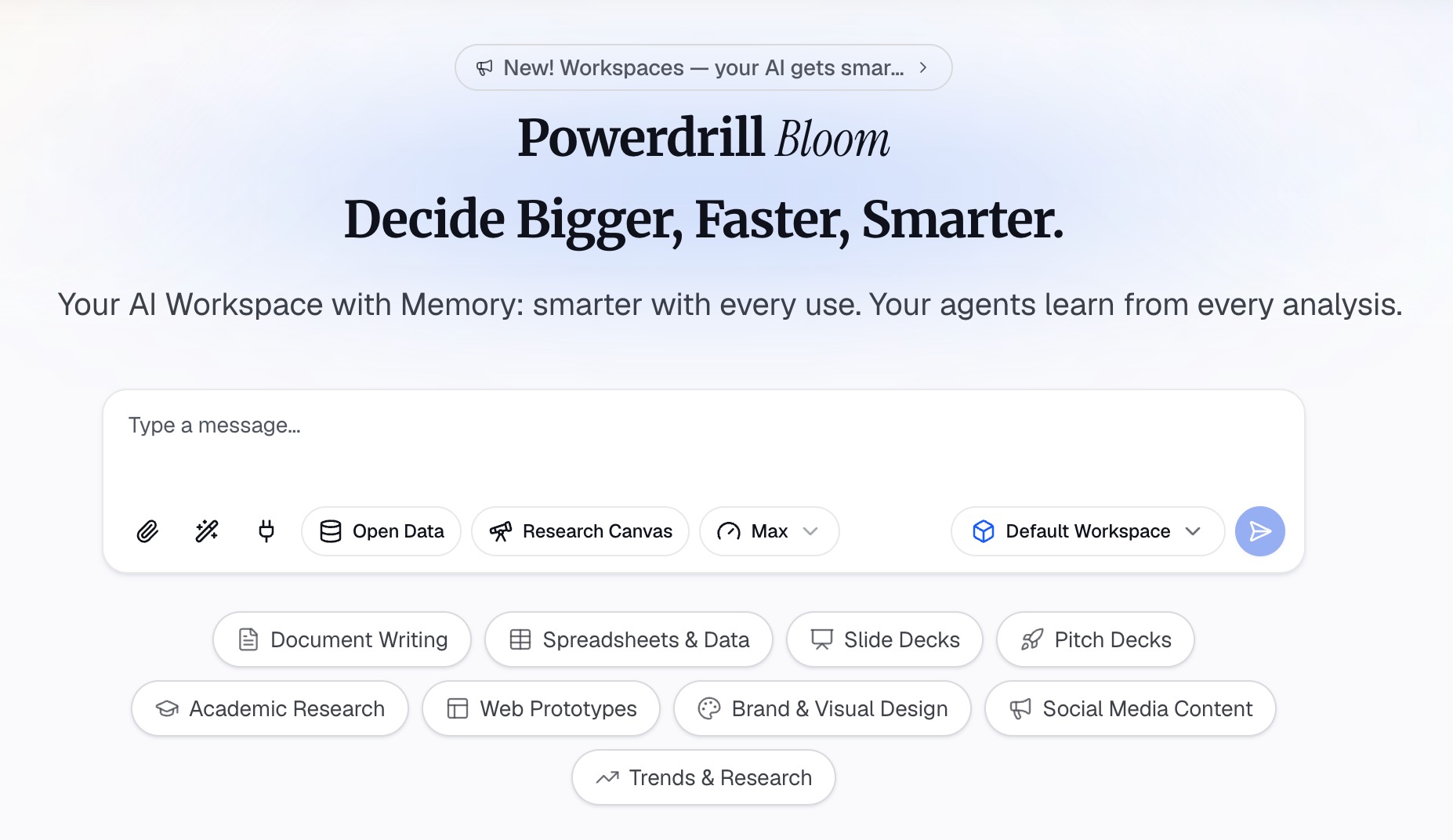
Drag in the Excel, CSV, TSV, or PDF files that hold your numbers. Multiple files at once is fine; the agent reads them together rather than one at a time. Cleaning and column detection happen automatically, so merged header rows and inconsistent date formats do not stop the run before it starts.
Step 2: Ask in natural language
Describe what you want in your own words. Try "compare Q2 revenue by region against Q1 and explain the biggest movers," or "chart monthly churn and flag anything outside two standard deviations." You can also point the agent at a specific skill: dcf-model for valuation work, ppt-master when the endpoint is a presentation. When you are not sure what to ask first, follow the suggested exploration paths.
Step 3: Export the chart, report, or deck
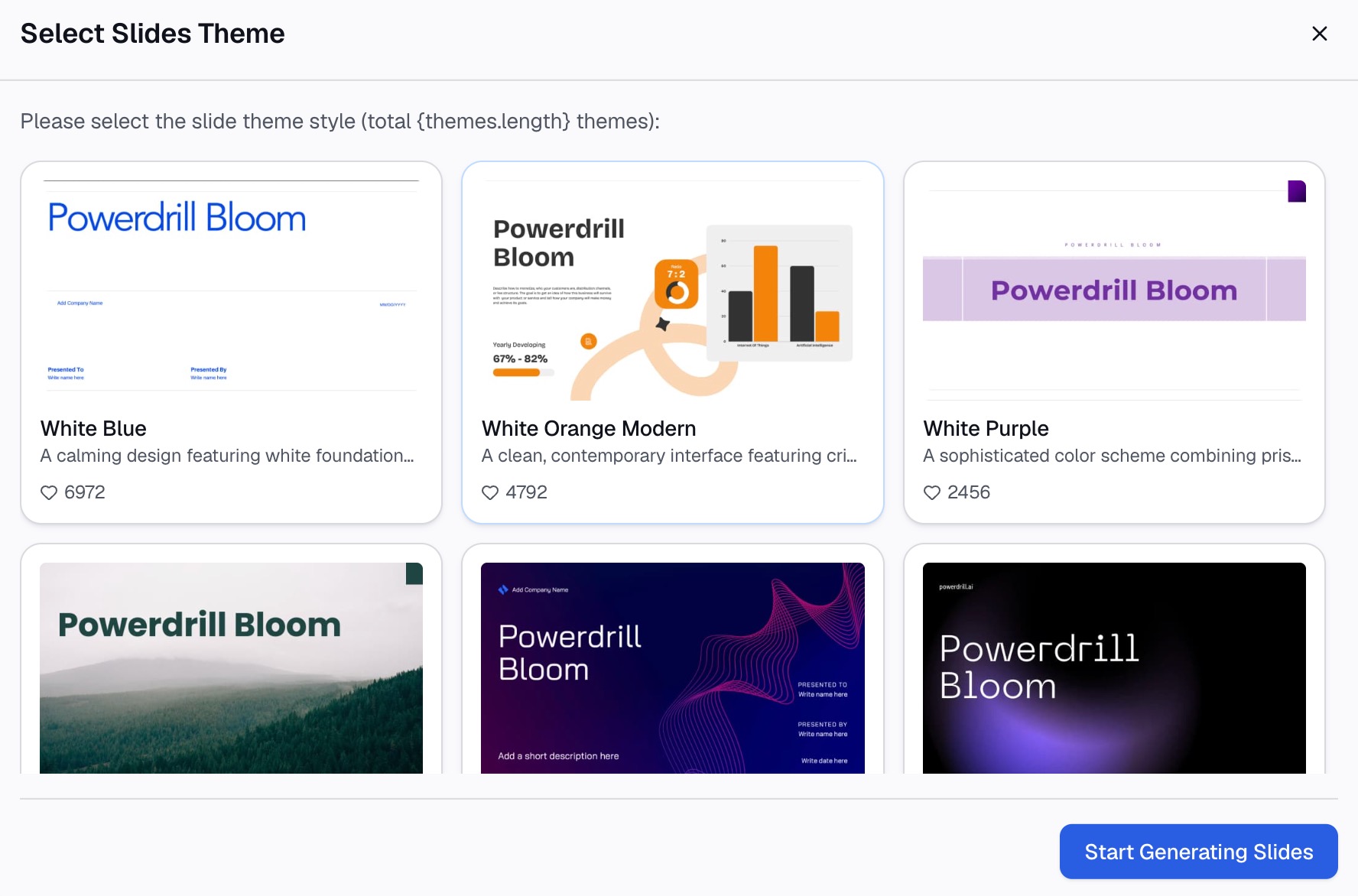
Take the result out in the format your audience needs. The canvas converts to a slide deck in one click, in a Professional, Business, or Fancy style, and exports to PowerPoint or Notion. Charts and written reports export the same way. This is the step that separates having an answer from having something to send.
How to make your choice
Gemini Deep Research is better for you if:
You are answering a question the open web already knows — market sizing, competitor landscape, regulatory background, technical due diligence. You value cited sources you can click through and verify. You work inside Google Workspace and want Gmail and Drive treated as part of the corpus. Your deliverable is a document someone will read, and you are happy to build any visuals yourself afterward.
Powerdrill Bloom is better for you if:
The answer lives in files you already have. You need charts, a dashboard, or a deck rather than prose, and you do not want to rebuild the visuals by hand. You repeat the same analysis on a schedule and want the context to persist between runs. You are working with Excel, CSV, TSV, or PDF inputs and want the analysis and the artifact to come from the same place. See the AI report generator and Excel to PPT pages for what that output looks like in practice.
My verdict
These tools are not substitutes, and treating them as competitors leads people to pick the wrong one. Gemini Deep Research is the stronger choice for external questions, and its breadth of sourcing at free-tier pricing is genuinely hard to beat. Powerdrill Bloom is stronger when the data is yours and the deliverable is visual — a chart, a dashboard, a deck someone will sit through.
Picking one for a typical analyst week comes down to where the time actually goes. Count the hours before you count the features. Reading about a market is a few hours a month. Turning last month's numbers into something presentable is a few hours a week. That asymmetry is why the data agent tends to earn its place first. If your job is genuinely research-shaped, the reverse holds and Deep Research fits better.
Working with your own spreadsheets and want the chart or deck without the manual rebuild? Try Powerdrill Bloom free and see what one upload produces.
Frequently asked questions
Can Gemini Deep Research analyze my spreadsheet?
You can upload files to Deep Research, and it will read them as part of its research context. Its output is a written report rather than a computed chart or dashboard. For spreadsheet analysis where the deliverable is a visual, a dedicated data agent is the closer fit.
Is Gemini Deep Research free?
Deep Research is included on Gemini's free tier. Google's paid AI plans raise the usage ceiling. AI Plus lists roughly twice the free limits, AI Pro four times, and AI Ultra up to twenty times Pro. Prices vary by region.
How much does Powerdrill Bloom cost?
The Free plan is $0 and includes 1,000 daily refreshed credits with one scheduled task. Pro is $13.27 per seat per month billed annually, adding 5,000 monthly credits and 20 scheduled tasks. Team Pro matches Pro's per-seat price with shared team credits.
What's the difference between a research agent and a data agent?
A research agent gathers and synthesizes information from outside sources, usually the web, and returns a written summary with citations. A data agent computes against data you supply and returns analysis artifacts — charts, dashboards, decks. The split is source and output shape, not capability level.
Which one should I use for a monthly business review?
Powerdrill Bloom, in most cases, because a monthly review runs on your own numbers and ends in a deck. Deep Research is a useful complement when the review needs external market context alongside the internal figures.