Powerdrill Bloom vs. Beautiful.ai: Features, Pricing, and Best Use Cases (2026)
Both of these end in a presentation, and they start in completely different places. Beautiful.ai starts from your content and makes the slides look right. Powerdrill Bloom starts from your data file and works out what the slides should say.
That is the whole decision. If the numbers are settled and the deck needs to look professional, one of these is the shorter path. If the numbers are not settled yet, it is the other one.
This comparison uses only facts published on both official pages, checked on August 17, 2026.
What's the difference between Powerdrill Bloom and Beautiful.ai?
Beautiful.ai describes itself as "A faster way to create professional presentations," promising "auto-aligning Smart Slides that get you to work-ready decks 10x faster."
Powerdrill Bloom is a general action AI agent whose flagship strength is data. You upload a file, explore it on a canvas, and convert what you kept into a chart, a report or slides.
The overlap is narrow and real. Both produce a deck, and both use AI to get there faster.
The divergence is upstream. Beautiful.ai's AI arranges and designs; its own framing is "a thoughtful AI workflow that keeps you in the driver's seat." Powerdrill Bloom's AI analyses first, then exports.
There is a second difference in what each protects. Beautiful.ai protects visual consistency across a team. Powerdrill Bloom protects the link between a slide and the number behind it.
Meet Powerdrill Bloom
Powerdrill Bloom is organised around a visual exploration canvas. After an upload it proposes three exploration paths, then fills the canvas with cards holding charts, insights and follow-up questions.
Core analysis formats are Excel, CSV, TSV and PDF. Workspaces extend that: a file uploaded once is understood across formats and remembered in later sessions inside that workspace.
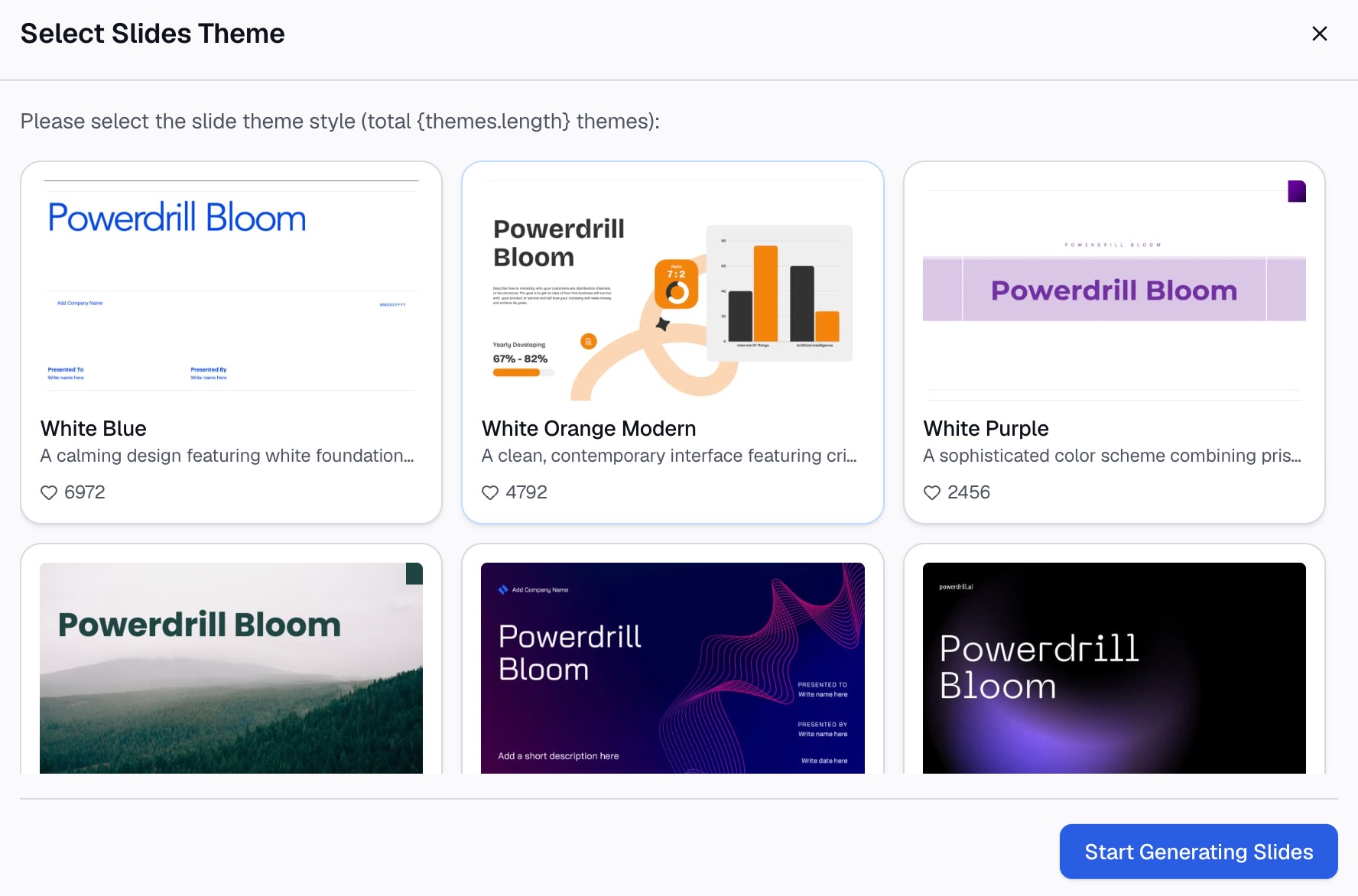
Output is the concentration point. Any part of the canvas converts to slides in one step, in Professional, Business or Fancy styles, exporting to PowerPoint or Notion. Skills such as ppt-master, officecli-pptx, Research-last30days and dcf-model cover repeatable workflows, and custom skills can be added.
It also ships an MCP server, so a compatible client can browse datasets and start jobs. Compliance covers GDPR, ISO 27001, ISO 20000 and SOC 2 Type 2, and the interface supports 17 languages.
Pricing is published per seat. Free includes 1,000 daily credits, and Pro is listed at $13.27 per month billed annually. Plus, Premium and Team Pro sit alongside it on the pricing page.
Meet Beautiful.ai
Beautiful.ai is a presentation product first. Its stated purpose is helping teams "create polished presentations that reflect your brand everywhere they're shared."
The named capabilities centre on design automation. Smart Slides auto-align as you add content, with 300+ Smart Slide layouts, image and icon libraries, and video embedding.
Brand control is a stated pillar. The product lists customisable themes, brand controls, and on its top tier "configurable brand guardrails" for enforcing standards across a team.
On data, it publishes "data-linked charts & graphs" and the ability to "link any spreadsheet for fast edits and live updates." It does not name which file formats it ingests.
Distribution features round it out: voice-over, viewer analytics and share tracking, real-time collaborative editing, a centralised template library and version control.
Pricing has four published shapes. Pro is $12 per month billed annually for one seat. Team is $40 per user per month annually, or $50 monthly, for 2 to 20 users. Enterprise is quoted for 20+ users and adds SSO, advanced permissions and audit logs. A single presentation can be bought outright for $45, and a 14-day trial covers Pro or Team.
Its logo wall names CVENT, IDC and Paciolan, alongside a customer claim of reducing presentation time by 75%. Treat that as vendor-published positioning rather than a measurement of your own workflow.
At a glance
| Powerdrill Bloom | Beautiful.ai | |
|---|---|---|
| 🎯 Best for | Turning a data file into a chart, report or deck | Making already-decided content look professional |
| 💰 Pricing (as of Aug 2026) | Free plan; Pro $13.27/month billed annually | No free plan; Pro $12/month annually, Team $40/user |
| ⚡ Key strength | Analysis and export on one canvas, slides in one step | 300+ auto-aligning Smart Slide layouts and brand guardrails |
| ❄️ Main weakness | Lighter design control: three presentation styles | No free plan; Team caps at 20 users; file formats unpublished |
| 👥 Team size | Solo through team, with Team Pro seats | Solo on Pro; 2–20 on Team; 20+ moves to Enterprise |
Both weakness rows come from the official pages. One publishes its presentation styles; the other publishes its seat bands and omits its input formats.
One note on the price row. The two entry prices are close, and they buy different things, so comparing them directly tells you almost nothing.
Feature-by-feature
What each one starts from
This is the deciding section, and everything else follows from it.
Beautiful.ai assumes you know what the deck says. You bring text, an outline or a prompt, and the product handles layout, alignment and brand.
Powerdrill Bloom assumes the opposite. You bring a file and do not yet know which six numbers matter, which is the more common situation for anything built from an export.
Test yourself with one question. Could you write the slide titles right now? A yes points to a design tool, a no points to an analysis surface.
Design control
Beautiful.ai wins this outright, and it is not close.
300+ auto-aligning layouts, brand controls, themes, icon and image libraries, and brand guardrails on the top tier constitute a real design system. A deck built there will look consistent without anyone policing it.
Powerdrill Bloom publishes three presentation styles: Professional, Business and Fancy. That is enough for an internal review and less than a design team wants for an external launch.
If your deck goes to customers under a strict brand, weigh this heavily.
Data handling
The positions reverse here. Powerdrill Bloom names Excel, CSV, TSV and PDF as core analysis formats and profiles columns on upload.
Beautiful.ai states "data-linked charts & graphs" and "link any spreadsheet," without publishing the formats or a file size limit. That phrasing describes a chart that stays current, not analysis of the file.
The distinction matters because a linked chart still requires you to know what to chart. Our AI graph maker page covers the generation side of that.
Ask each vendor's documentation about the specific file you have. A PDF statement and a clean CSV are very different asks.
Getting from spreadsheet to slides
Powerdrill Bloom converts an explored canvas to slides in one step, exporting to PowerPoint or Notion. Our Excel to PPT page covers that route.
Beautiful.ai's path assumes the content exists, then arranges it. For a spreadsheet, that means you produce the findings elsewhere first.
Neither approach is wrong. They sit at different points in the same chain, which is why some teams end up running both.
Sharing and measurement
Beautiful.ai publishes viewer analytics, share tracking and voice-over. For a deck sent to prospects rather than presented live, that is directly useful.
Powerdrill Bloom exports files and does not publish view tracking. If knowing who opened the deck matters, that is a gap.
Recurring work
Powerdrill Bloom publishes scheduled task counts by plan, with one on Free and twenty on Pro. A monthly deck can run as a saved task.
Beautiful.ai publishes a centralised template library and version control. Those help a team reuse a structure rather than regenerate the analysis.
Speed claims, read carefully
Both products sell speed, and neither number means what it appears to.
Beautiful.ai publishes "work-ready decks 10x faster" and a customer figure of 75% less presentation time. Those describe the assembly stage, not the analysis that precedes it.
Powerdrill Bloom's one-step canvas-to-slides export makes the same kind of claim about a different stage. Neither vendor is measuring your whole cycle.
Time your own last deck in two parts: working out what it should say, then making it look right. Whichever half is larger tells you which product to buy.
Team and governance
Beautiful.ai lists Team at 2 to 20 users, with SSO, advanced permissions and audit logs on Enterprise. The 20-user ceiling means a growing team hits a sales conversation.
Powerdrill Bloom offers Team Pro seats and publishes GDPR, ISO 27001, ISO 20000 and SOC 2 Type 2 certifications. For a procurement review, those are usually the first documents requested.
How to make your choice
Choose Powerdrill Bloom if the numbers are not settled
Pick it when the deck starts as a file and you need to work out the story. The canvas keeps the analysis attached to the output, so the trail back to a number survives a question in the room.
It also fits recurring work built from a fresh export each month. The analysis is the repeated part, not the layout.
Choose Beautiful.ai if the design bar is the constraint
Pick it when the content is decided and the deck has to look right without a designer. Smart Slides and brand controls exist precisely for that.
It also fits decks that get sent rather than presented, given the viewer analytics and share tracking.
If you need both, run them in sequence
The natural split is obvious once stated. Do the analysis where the data lives, then rebuild the final external version where the brand system lives.
Just decide which one holds the canonical numbers. Two tools means two versions of a figure unless one is clearly the source.
Getting started with Powerdrill Bloom
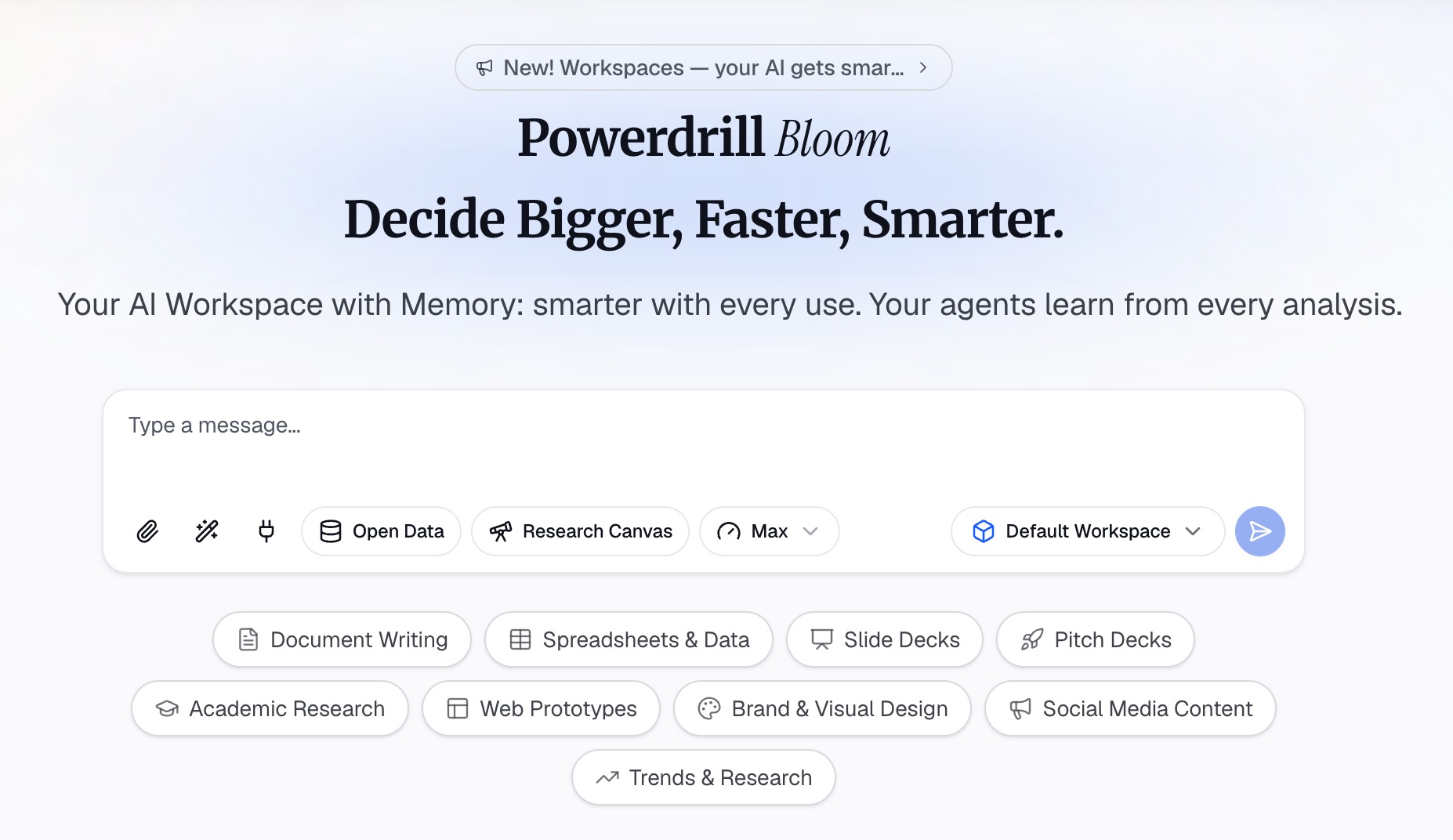
Step 1: Upload your data
Upload the Excel, CSV or PDF file behind the deck. Powerdrill Bloom profiles the columns on arrival, so missing values and type mismatches surface before any chart is drawn.
Step 2: Ask for what you need in natural language
Describe the result rather than the steps. Ask which segment moved last quarter, then ask for the chart that shows it most clearly.
Step 3: Export the chart, report, or deck
Take out a single chart, a written summary, or the whole canvas as slides. If the deck repeats monthly, save it as a scheduled task and try Powerdrill Bloom on next month's export.
My verdict
If your problem is that decks look amateur, Beautiful.ai solves it directly. A design system with 300+ auto-aligning layouts and brand guardrails is a real answer, and $12 per month annually is a low bar for it.
If your problem is that you have a file and no story, Beautiful.ai does not help, because it assumes the story exists. Powerdrill Bloom is built for that half of the job.
Cost is close enough at the entry tier to be a tiebreaker rather than a decision. The free plan question is sharper: Powerdrill Bloom publishes one and Beautiful.ai does not.
One caution applies to both. A tool that produces a polished artifact quickly makes it easy to stop checking the input. A beautiful slide built on a mislabelled column is worse than an ugly one. Our guide to reviewing a data deck before you send it covers the step neither product removes.
Frequently asked questions
Is Powerdrill Bloom or Beautiful.ai better for presentations?
Beautiful.ai is stronger on presentation design, with 300+ auto-aligning Smart Slide layouts and brand controls. Powerdrill Bloom is stronger when the deck must be derived from a data file. It analyses the file and exports slides in one step.
Does Beautiful.ai have a free plan?
No. It publishes a 14-day trial of Pro or Team, and education users with a valid address are offered a year free. Powerdrill Bloom publishes a free plan with 1,000 daily credits.
Can Beautiful.ai analyse an Excel file?
Its published capabilities cover data-linked charts and linking a spreadsheet for live updates, not analysis of the file. It also does not name which file formats it accepts, so verify that against your own file.
How do the prices compare?
Beautiful.ai lists Pro at $12 per month billed annually and Team at $40 per user per month annually, capped at 20 users. Powerdrill Bloom lists Pro at $13.27 per month billed annually, with Team Pro seats alongside.
Can I use both together?
Yes, and the split is straightforward. Do the analysis where the data lives, then rebuild the external version inside the brand system. Keep one of the two as the source of the numbers.