How to Turn NPS Survey Results Into an Insight Report With AI (in 3 Steps)
Net Promoter Score (NPS) is the gold standard for measuring customer loyalty and satisfaction. By asking one simple question, "On a scale of 0-10, how likely are you to recommend us to a friend or colleague?", businesses can easily categorize their user base into Promoters, Passives, and Detractors. However, the real goldmine of customer sentiment lies in the follow-up question: Why did you give this score?
Historically, turning thousands of quantitative scores and open-ended text responses into a cohesive, actionable report has been a grueling, manual task. Today, Artificial Intelligence allows businesses to instantly digest unstructured feedback, turning raw spreadsheet data into polished, highly visual insight reports in a fraction of the time.
Why Use AI for NPS Analysis
Analyzing survey data manually takes time, resources, and infinite patience. Implementing AI into your workflow provides several distinct advantages:
Instant Sentiment Analysis: AI can read and categorize thousands of open-ended text responses in seconds, instantly identifying whether the overall tone is positive, negative, or neutral.
Uncovering Hidden Trends: AI algorithms can effortlessly cross-reference NPS scores with other variables (such as customer demographics, subscription tiers, or regions) to find hidden correlations that a human might easily overlook.
Elimination of Human Bias: When manually reading feedback, it’s easy for analysts to subconsciously focus on comments that confirm existing beliefs. AI treats all data objectively, providing an unbiased view of actual customer sentiment.
Automated Reporting: Instead of wrestling with pivot tables and slide decks, AI tools can automatically visualize data and compile it into a ready-to-share narrative report.
How to Turn NPS Survey Results Into an Insight Report With Powerdrill Bloom
Powerdrill Bloom is an AI-first data analysis workspace that acts like an entire team of data professionals. Instead of writing complex formulas or building pivot tables, you can use Bloom's specialized AI Data Agents to process your survey files through conversational prompts. Here is how to create an insight report in three simple steps:
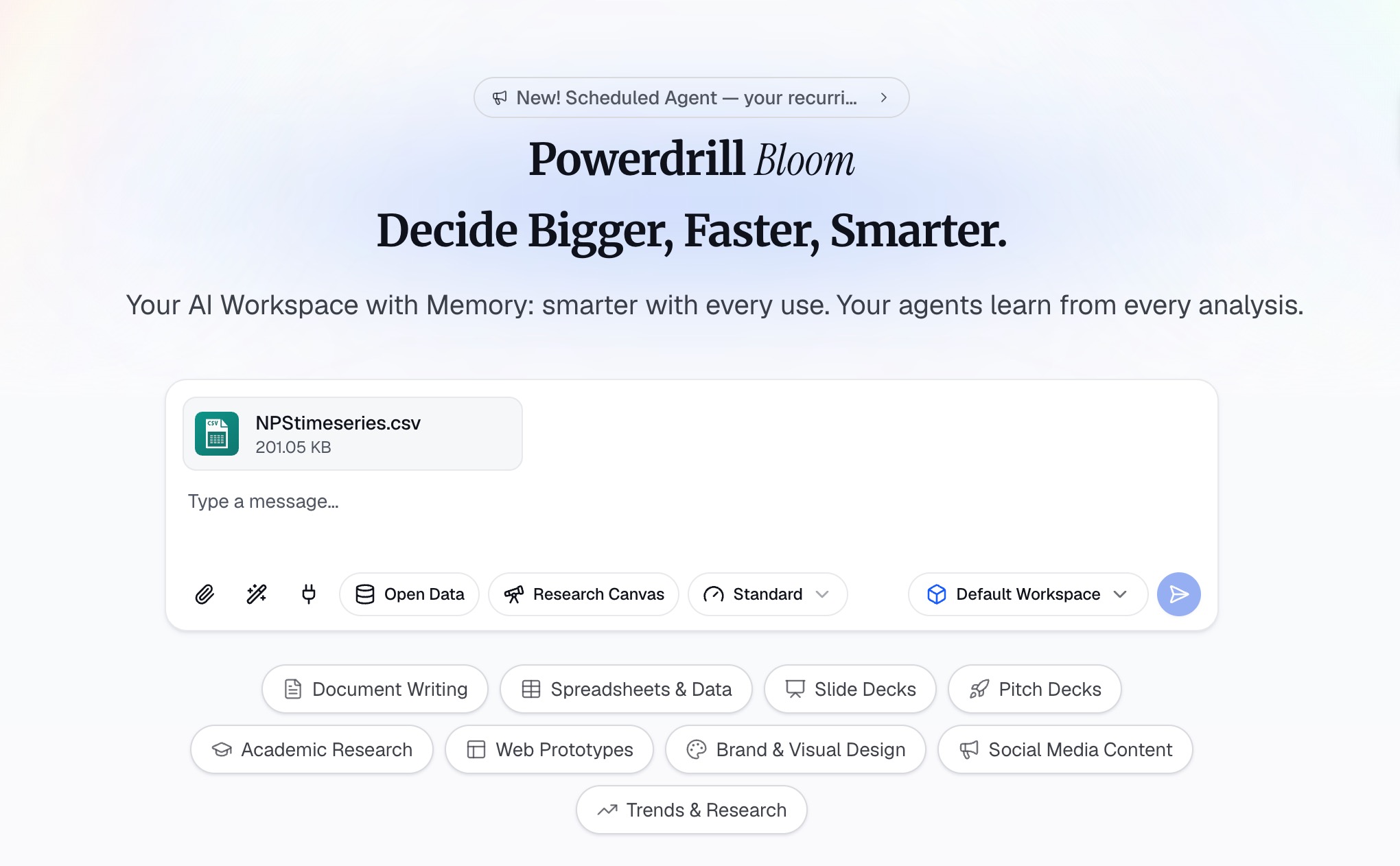
Step 1. Upload Your NPS Survey Report
Import your financial services NPS report directly into Powerdrill Bloom without copying texts or tables page by page. Once uploaded, the platform parses all content, including NPS scores, customer comments, industry benchmarks and demographic data. You can choose from three AI models: Lite, Standard and Max. Use the lightweight model for brief summaries, and Max for reports with massive open-ended feedback and multi-dimensional statistics. Select a suitable model in advance to match your analytical needs and avoid wasting computing power.
Step 2. Ask AI to Extract the Key Insights From NPS Data
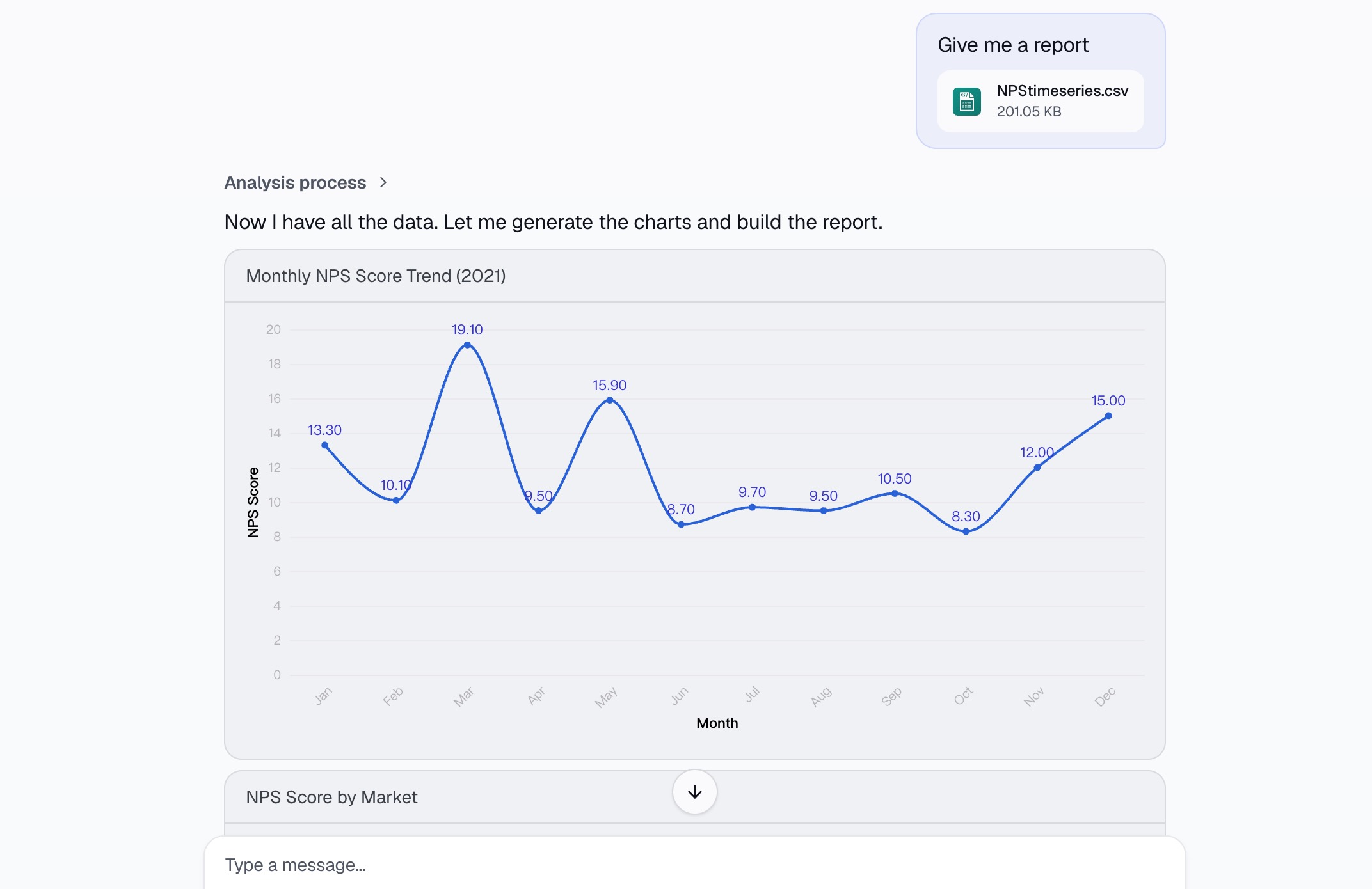
Avoid vague prompts like “summarize this report”. Give clear instructions instead. For example, ask the AI to identify ten core insights, with each conclusion supported by NPS scores, promoter/detractor ratios and verbatim customer feedback. Raise follow-up questions after the initial analysis to explore churn risks, improvement opportunities and data suitable for executive meetings. This conversational workflow works well for financial NPS reports, helping surface hidden issues overlooked during a quick review and enabling deeper, targeted analysis.
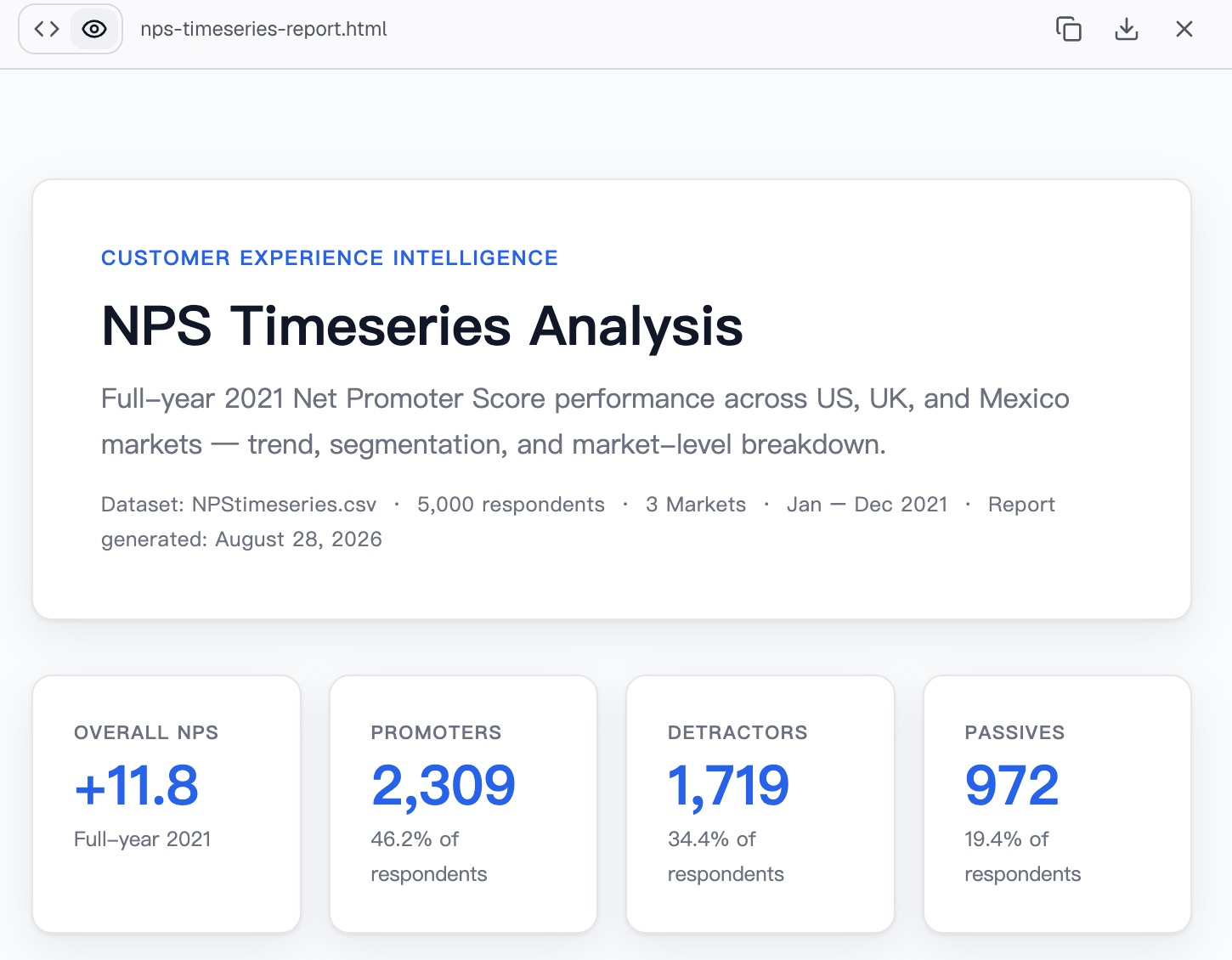
Step 3. Generate and Export the Insight Report
Consolidate key findings into a structured insight report instead of leaving conclusions scattered across chat logs. A practical report includes an executive summary, core findings, key metrics, customer sentiment trends and actionable recommendations, replacing lengthy raw texts. Financial NPS reports contain large amounts of quantitative data. Visualize core conclusions with charts to illustrate score fluctuations and group differences for easier reading. This elevates the workflow beyond basic summarization and turns fragmented survey data into formal materials ready for team sharing and business meetings.
Best Practices for Better NPS Insights
AI can only analyze the data it receives. To ensure your insight reports are highly actionable, keep these best practices in mind:
Always Ask the Follow-Up Question: A numerical score tells you what is happening, but the open-ended feedback tells you why. Without qualitative data, your insights will be severely limited.
Segment Your Data: Pass customer metadata (such as purchase history, plan type, or company size) alongside your survey results. AI can use these segments to show exactly which customer profiles are thriving and which are churning.
Close the Loop: The purpose of an insight report is to drive action. Ensure you have a process to follow up with Detractors to solve their specific issues and with Promoters to encourage online reviews or referrals.
Track Consistently: Run your NPS surveys at regular intervals (e.g., quarterly, or after specific milestones like onboarding) so your AI tool can track sentiment shifts and trend lines over time.
Common Mistakes When Analyzing NPS Surveys
Even with powerful AI tools, businesses can fall into a few common analytical traps:
Obsessing Over the Score Alone: Focusing solely on the aggregate NPS number rather than the underlying drivers of customer satisfaction. A stagnant overall score might hide massive shifts in underlying user sentiment.
Ignoring the Passives: Companies often focus all their energy on fixing Detractors or rewarding Promoters. Passives (scores of 7 or 8) are the easiest cohort to convert into Promoters if you take the time to analyze what's holding them back.
Siloing Survey Data: Analyzing NPS data in a vacuum without cross-referencing it with support ticket volume, product usage data, or revenue metrics.
Over-Surveying Customers: Sending surveys too frequently leads to survey fatigue, resulting in lower response rates and skewed, frustrated feedback.
Conclusion
Turning NPS survey results into a meaningful insight report no longer requires days of manual data entry, tagging, and slide formatting. By leveraging AI analysis tools like Powerdrill Bloom, you can transform spreadsheets of raw scores and text into clean, visual, and highly accurate presentations in minutes. By automating the heavy lifting of data processing, your team can finally focus on what actually matters: acting on customer feedback to build better products and stronger relationships.
FAQs
What is a good Net Promoter Score (NPS)?
Anything above 0 is good, meaning more Promoters than Detractors. Above 30 is great, and 70+ is world-class.
Can AI accurately understand text feedback tone?
Yes, modern AI models excel at sentiment analysis, accurately detecting nuances, frustration, and context in open-ended responses instantly.
Do I need coding skills to use Powerdrill Bloom?
Not at all. It is a no-code platform where you interact with your data entirely using simple, natural language.
How often should I send NPS surveys?
Send relational surveys quarterly or bi-annually. Avoid surveying the same customer more than twice a year to prevent fatigue.
How does AI handle messy survey data?
AI tools automatically clean messy inputs, fix formatting errors, and structure raw survey files for accurate and deep analysis.