How to Turn a Topic Into a Board-Ready Slide Deck With One Agent Skill (2026 Updated Guide)

You’ve got a solid topic and you know exactly what you want to say. But turning those thoughts into an executive-ready presentation? That’s usually where things grind to a halt.
We’ve all been there: opening a blank PowerPoint, messing with fonts and alignment for an hour, and realizing half the day is gone before you’ve even outlined your core message.
It really doesn’t have to be such a headache. With Powerdrill Bloom's mck-ppt-design skill, you can practically automate the whole process from a raw idea to a polished, consultant-grade deck. Just drop in your topic, and the tool handles the research, structures the narrative, and applies a clean, McKinsey-style design.
When it's ready, just export it straight to PowerPoint. No design background needed, and no toggling between a dozen open tabs. Here’s a step-by-step look at how it works.
Why "Start With a Topic" Beats "Start With a Template"
Most people build presentations the wrong way. They open PowerPoint, pick a template, and start filling in slides. But templates only solve one problem: how it looks. They don't solve the harder problem: what to say and how to structure it.
Starting with a topic flips this model. Instead of forcing your content into a pre-existing layout, Bloom first understands your topic and then builds the structure around it. The AI doesn't just generate random slides—it analyzes your topic, explores it from multiple angles, and organizes the content into a logical narrative: introduction, key arguments, supporting evidence, and actionable conclusions.
The result isn't a collection of disconnected pages. It's a complete narrative thread, a deck that you could present as-is or tweak slightly before walking into the boardroom.
One sentence summary: Templates define "how it looks." Topics define "what it says." Starting with a topic gives you both.
What Is the mck-ppt-design Skill?
mck-ppt-design is Powerdrill Bloom's specialized AI skill for creating professional, consultant-grade PowerPoint presentations from scratch. It uses MckEngine, a python-pptx wrapper, to apply McKinsey-style design principles automatically.
In plain language: It's a pre-configured AI workflow designed specifically for high-stakes presentations. You don't need to teach the AI "how to make a board deck"—the skill already knows. It has built-in logic for slide structure, formatting rules, and output templates that meet the visual standards of top-tier consulting firms.
What makes it different from ppt-master: While ppt-master focuses on transforming source documents into structured slide decks, mck-ppt-design goes a step further—it applies McKinsey-style visual design at every layer. From cover pages to data visualizations to timelines, every element follows the clean, minimalist aesthetic that boards and investors expect.
How to trigger it: Simply describe what you need. Mention "create a board presentation," "make a strategy deck," "quarterly review slides," or reference mck-ppt-design directly. Bloom handles the rest.
How mck-ppt-design Delivers McKinsey-Quality Visuals
What sets mck-ppt-design apart is its design engine. The skill calls over 67 high-level methods across 12 categories:
| Category | What It Covers |
|---|---|
| Structure | Slide architecture and logical flow |
| Data | Charts, tables, and data visualization |
| Framework | Strategic frameworks and models |
| Comparison | Side-by-side and before/after visuals |
| Narrative | Storytelling and sequencing |
| Timeline | Projections, roadmaps, and schedules |
| Team | Org charts and team structures |
| Charts | Advanced chart types and formatting |
| Images | Visual asset placement and styling |
| Advanced Viz | Complex data visualization |
| Dashboards | Executive dashboards and KPIs |
| Visual Storytelling | End-to-end narrative design |
Key design guarantees:
Consistent typography across every slide
Zero file-corruption issues—no broken layouts
BLOCK_ARC native shapes for circular charts (donut, pie, gauge)
Production-hardened guard rails for spacing, overflow, legend consistency, title style uniformity, and dynamic sizing for variable-count layouts
In short: the skill doesn't just generate slides—it generates slides that look like they came from a consulting firm.
How to Turn a Topic Into a Board-Ready Deck With mck-ppt-design
Step 1: Enter Your Topic
Log in to Powerdrill Bloom and select the mck-ppt-design skill from the skill library. In the input box, type your topic or question.
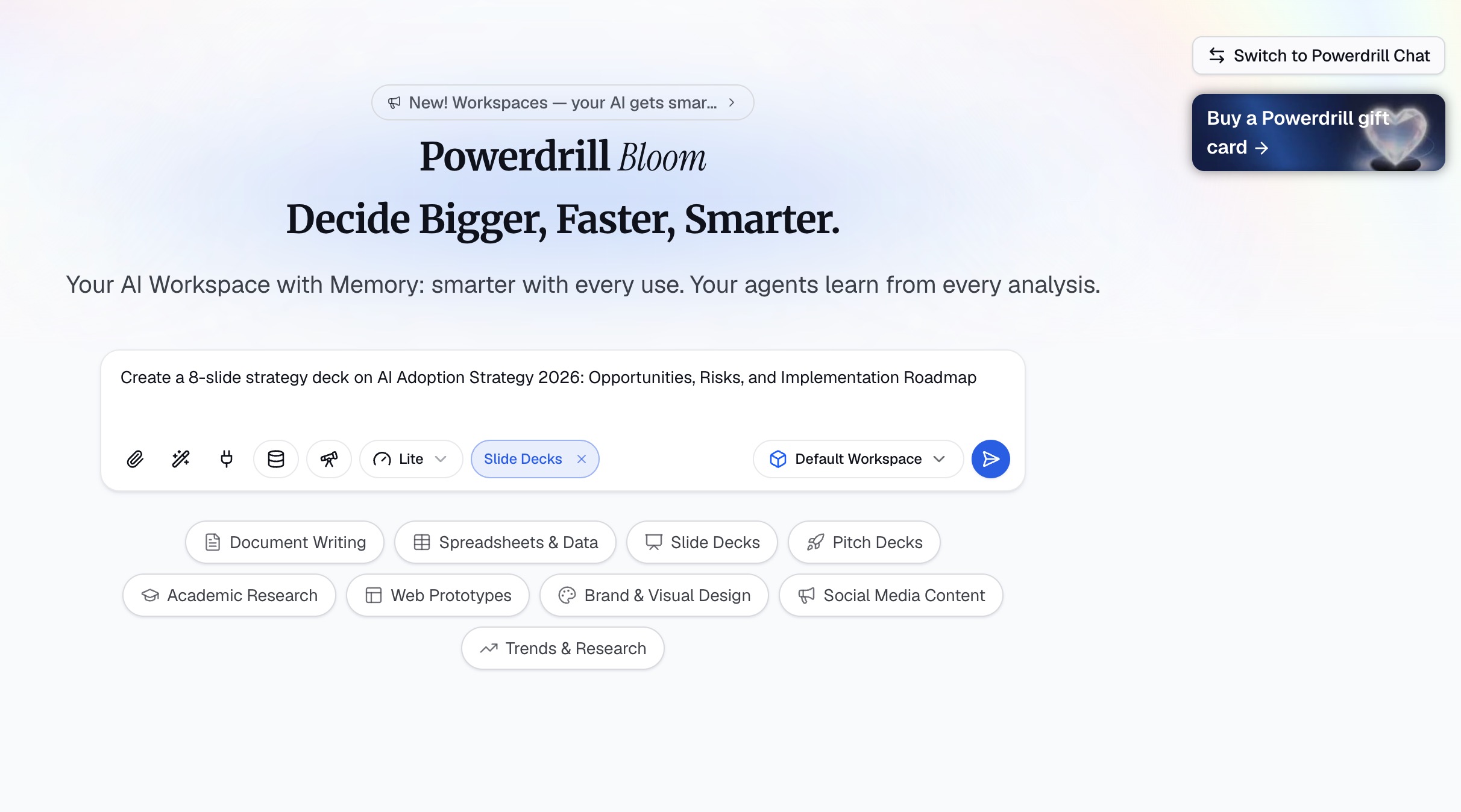
Example: "Create an 8-slide board-ready presentation on the 2026 AI chip market competitive landscape".
No files needed. No attachments required. Just a topic. Bloom handles everything from here.
Step 2: AI Researches and Explores the Topic
Once you submit your topic, Bloom doesn't immediately generate slides. Instead, it starts a smart exploration phase:
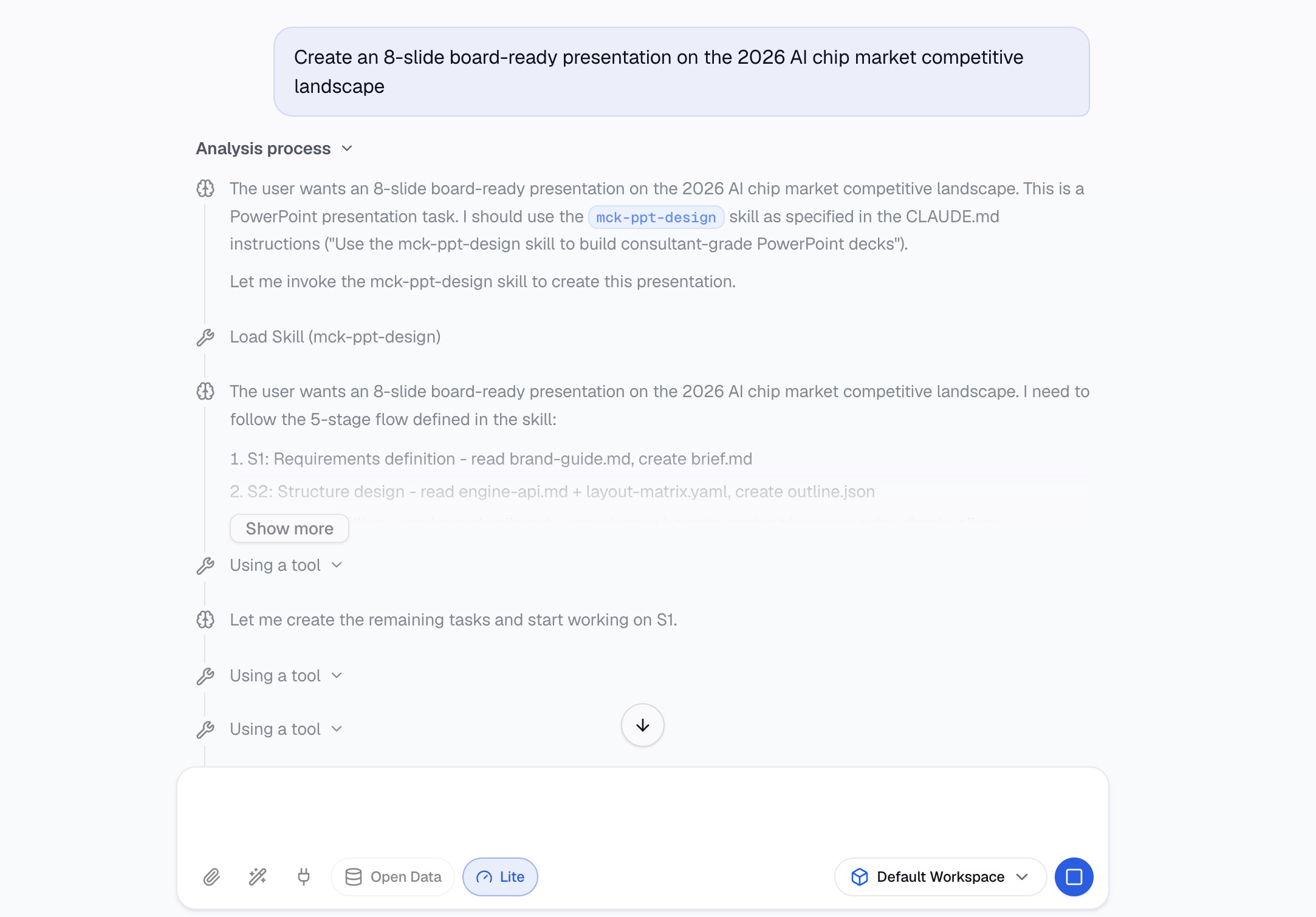
Actively searches for and analyzes relevant information
Explores the topic from different angles and dimensions
Organizes key questions and core arguments
Synthesizes everything into structured summaries and insights
The key insight here: You don't get generic templated filler. You get real, insight-driven content built from the research the AI does on your behalf.
Step 3: Generate the Deck With McKinsey-Style Design
Based on the AI's research and exploration, Bloom automatically compiles the most relevant insights into a structured slide deck and applies McKinsey-style design throughout.
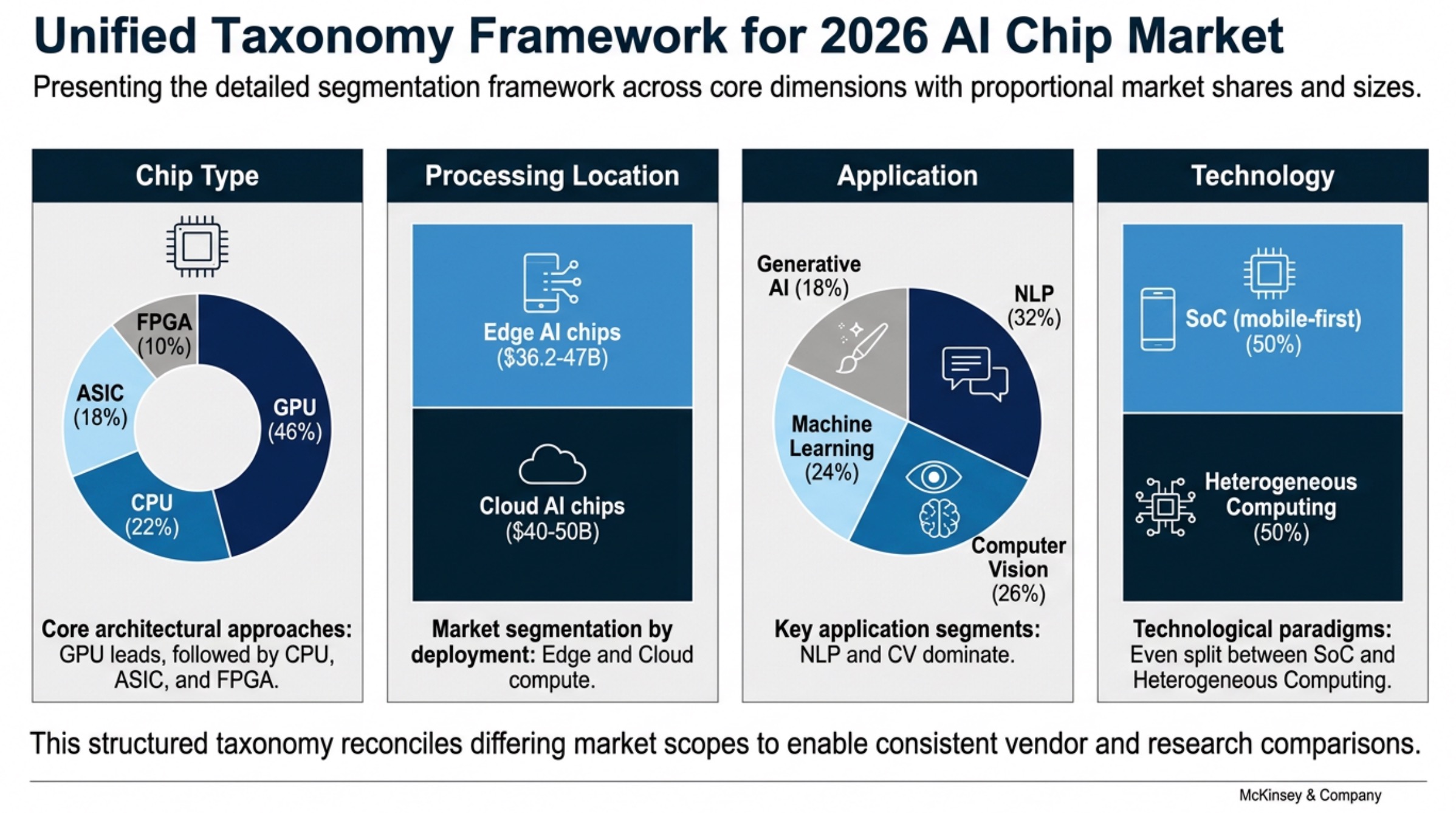
Choose a template theme and click generate. Bloom automatically:
Transforms the explored insights into structured, presentation-ready slides
Applies consistent typography and McKinsey-style design principles
Formats data and insights into charts and visuals using the 67+ design methods
Maintains visual consistency across every slide
From analysis to storytelling, all in one step—with consultant-grade visuals.
Step 4: Export and Deliver
When generation is complete, export your deck as a PowerPoint file (.pptx) with one click.
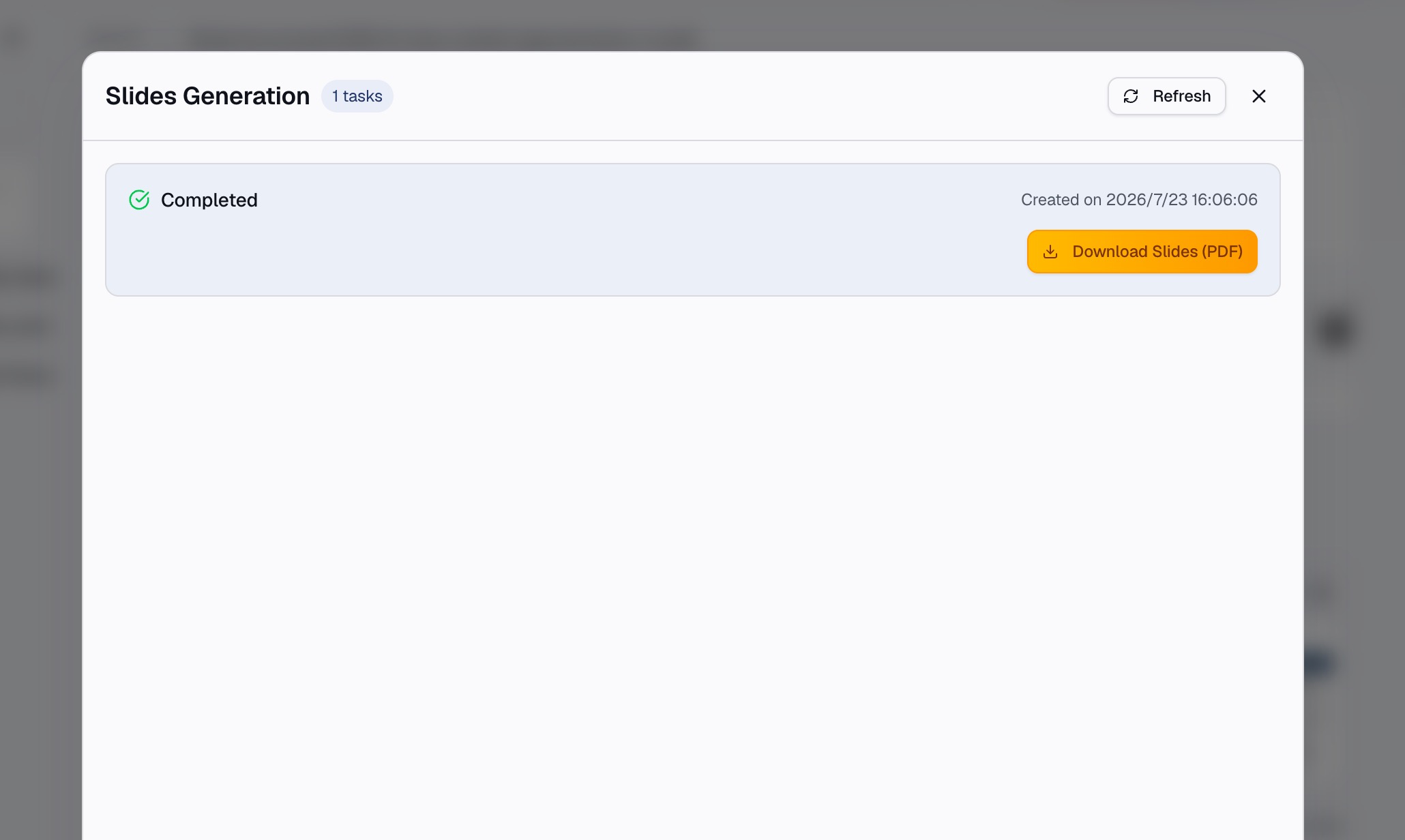
What you get:
A fully structured, logically flowing presentation
McKinsey-style professional design applied throughout
Ready to present as-is or with minor tweaks
No manual copy-pasting. No reformatting. No last-minute design panic.
Why This Is a "Board-Ready" Presentation
Board presentations demand more than just decent slides. They need strategic depth, data credibility, and visual professionalism, all in one package. mck-ppt-design delivers all three.
Strategic structure: Bloom doesn't randomly stack information. It generates a complete narrative thread—problem analysis, key conclusions, data-backed insights, competitive comparisons, and structured frameworks. This is exactly the kind of "think first, then present" logic that boards expect.
McKinsey-grade visuals: The skill's 67 design methods across 12 categories ensure every slide meets the visual standards of top consulting firms. Consistent typography, production-hardened guard rails, and native support for circular charts mean your deck looks polished—not like a template someone rushed through.
Speed that matters: From topic input to downloadable deck, the entire process takes 15-30 minutes. What used to take hours or days of manual work—including the painstaking process of designing McKinsey-style slides from scratch—is compressed into a single session.
mck-ppt-design vs Traditional Presentation Building
| Dimension | Traditional Approach | mck-ppt-design Skill |
|---|---|---|
| Starting point | Blank slide or template | A single topic or idea |
| Research | Manual searching, reading, organizing | AI auto-research and synthesis |
| Structure | You build the outline | AI generates logical framework |
| Content | Write slide by slide | AI compiles insights into slides |
| Design | Manual McKinsey-style formatting | Auto-apply 67 design methods |
| Charts | Build manually | Auto-generate with BLOCK_ARC native shapes |
| Consistency | Painstaking manual alignment | Production-hardened guard rails |
| Time | Hours to days | 15-30 minutes |
Pro Tips for a Board-Ready Deck
Be specific with your topic. "AI trends" is too broad. "2026 AI chip market competitive landscape and our strategic opportunity" gives Bloom a clear target to research and structure around.
Trust the AI's synthesis. Bloom automatically selects and organizes the most relevant insights—you don't need to manually curate every detail.
Leverage the design methods.
mck-ppt-designoffers 67 methods across 12 categories. If you need a specific visual—a timeline, a ring chart, a framework—the skill has a method for it.Review the generated outline. Before exporting, scan the slide structure to ensure the narrative flows the way you want. If not, regenerate with adjusted parameters.
Don't be afraid to iterate. If the first version isn't quite right, tweak your topic description and generate a new version in minutes.
Final Thoughts
Turning a topic into a board-ready presentation used to take hours of research, writing, and painstaking design. Now, Powerdrill Bloom's mck-ppt-design skill compresses the entire process into one step: enter a topic, get a consultant-grade deck.
It's not magic—it's the power of AI skills combined with 67 McKinsey-style design methods. Presentation creation goes from manual labor to curation and decision-making. You no longer worry about structure, format, or visual consistency. You focus on one thing: what's your core argument?
If you're presenting to the board next week, give mck-ppt-design a try today. The free beta is open, and you can go from topic to downloadable deck in under 30 minutes. Visit Powerdrill Bloom and see for yourself.
FAQs
1. Do I need to upload any files to use mck-ppt-design?
No. Just type your topic. Bloom handles the research, structuring, and McKinsey-style design automatically.
2. How long does it take to generate a complete deck?
From topic input to downloadable PPT, expect 15-30 minutes for a standard board presentation.
3. Can I customize the visual style of the deck?
Yes. The skill applies McKinsey-style design by default, with multiple template variations available.
4. What if I already have a draft or report?
Upload it. mck-ppt-design works with source materials too, though for topic-to-deck workflows, no file is needed.
5. Is there a free version available?
Yes. Powerdrill Bloom offers a free beta with full access to mck-ppt-design and other skills.