How to Generate a Full PPT From One Topic Prompt (Step-by-Step Guide)
Introduction
Crafting a compelling presentation from scratch can consume hours of your valuable time. Whether you are attempting to build dynamic slides based on a single topic idea or trying to extract relevant information from a massive, text-heavy document, the manual process of researching, outlining, and designing is incredibly tedious.
Fortunately, artificial intelligence has completely revolutionized presentation creation. Today, you can seamlessly generate a complete, professionally designed PowerPoint presentation simply by providing a brief topic prompt or uploading a source file.
In this comprehensive guide, we will explore the best AI solutions currently available, highlighting how these modern platforms can drastically reduce your workload and elevate your slide design to the next level.
Why Use AI for PPT
Creating presentations manually can be a daunting, time-consuming task, but utilizing AI for PowerPoint generation completely transforms the experience. Here is why you should integrate AI into your presentation workflow:
Instant Content Generation: AI can immediately translate a single topic prompt or raw text into a comprehensive, well-structured slide outline, curing writer's block and jumpstarting your project.
Automated Design and Formatting: Say goodbye to spending hours tweaking layouts. AI intelligently aligns text, selects appropriate layouts, and balances visual elements for a polished, professional look without any manual effort.
Smart Summarization: Instead of overwhelming your audience with walls of text, AI perfectly condenses complex information and dense data into digestible, high-impact bullet points suited for visual presentations.
Massive Time Savings: By automating the tedious research, drafting, and design phases, AI allows you to drastically cut down your preparation time so you can focus entirely on rehearsing your delivery and speaking points.
Top 5 AI Tools to Generate a Full PPT From One Topic Prompt
1. Powerdrill Bloom
Powerdrill Bloom is an innovative, state-of-the-art AI assistant that instantly generates full PowerPoint presentations from simple text topic prompts or uploaded PDF documents. It bridges the gap between deep document analysis and automated slide creation.
Key Features
Instant AI prompt-to-PPT generation.
Interactive natural language chat with uploaded documents.
Flawless, highly accurate PDF-to-PPT conversions.
Pros
Delivers highly accurate and contextually relevant slide content.
Incredibly user-friendly with zero learning curve.
Maintains excellent visual formatting and logical slide structure.
Cons
Requires a stable internet connection for the AI engine to function optimally.
Pricing
Free basic version available; Premium plans start at $13.27/month.
2. Smallpdf
Smallpdf is a widely popular online document suite that recently incorporated AI features to help users summarize, manage, and convert PDF documents into presentation slides quickly.
Key Features
AI-powered PDF summarizer.
Simple drag-and-drop conversion interface.
Seamless integration with Google Drive and Dropbox.
Pros
Highly intuitive and colorful web interface.
Fast processing speeds for basic documents.
Cons
Lacks a dedicated text-prompt-to-PPT generation feature.
The free tier is heavily restricted to a few actions per day.
Pricing
Free limited tier; Pro version starts at $15/month.
3. Nitro
Nitro is a comprehensive, enterprise-grade desktop PDF editor. While traditionally known for standard document manipulation, it uses advanced processing to transform complex PDF content into editable presentation formats.
Key Features
High-fidelity document conversion engine.
Comprehensive desktop editing suite.
Robust batch processing capabilities.
Pros
Excellent offline performance and reliability.
Familiar, Microsoft Office-style ribbon interface.
Cons
Does not offer a direct generative AI prompt-to-PPT feature.
Pricing is relatively steep for casual or individual users.
Pricing
Starts at $15/user/month.
4. iLovePDF
iLovePDF is a lightweight, incredibly popular web platform ideal for students and educators who need to quickly convert their PDF reading materials into PowerPoint formats for class presentations.
Key Features
Fast and straightforward file conversion.
Accessible mobile application.
Tools for merging and splitting source documents.
Pros
Extremely affordable premium subscription.
Highly reliable for standard, text-heavy documents.
Cons
Very limited AI capabilities compared to dedicated generative tools.
Often struggles with accurately placing complex graphics on slides.
Pricing
Free basic tier; Premium starts at $5/month.
5. Canva
Primarily a powerhouse graphic design platform, Canva features "Magic Design," an impressive AI tool that generates beautifully designed presentations directly from a single text topic prompt.
Key Features
AI-driven prompt-to-presentation generation.
Massive library of templates, stock photos, and graphics.
Highly customizable drag-and-drop slide editor.
Pros
Unmatched aesthetic quality for final presentations.
Excellent real-time collaboration features for teams.
Cons
Focuses heavily on design rather than deep data extraction from PDFs.
Can sometimes generate overly generic text for complex topics.
Pricing
Free tier available; Canva Pro starts at $144/year.
Step-by-Step: Convert a PDF to PPT with Powerdrill Bloom
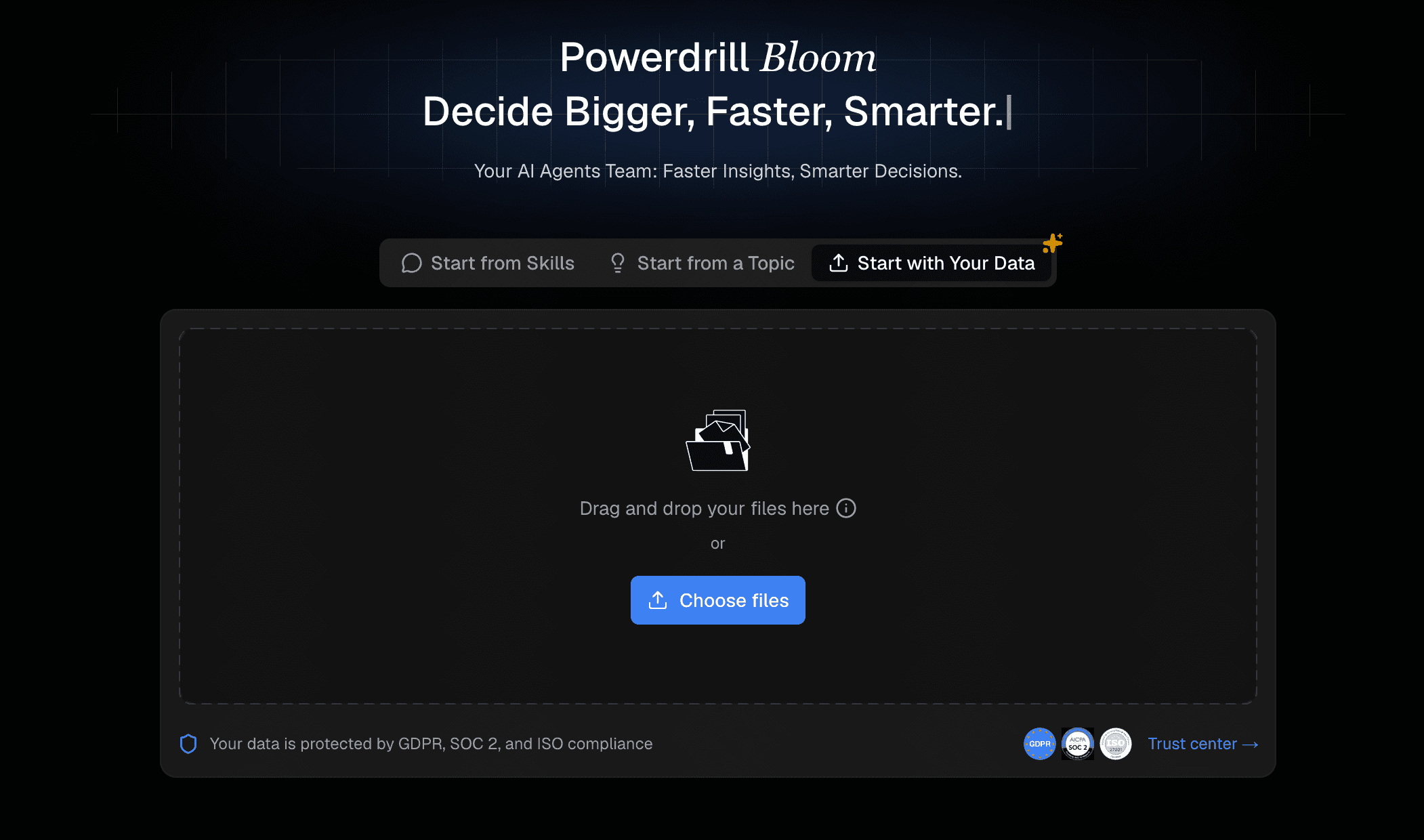
Step 1- Upload Your Files
Getting started is effortless. Simply log into the Powerdrill Bloom platform and navigate to the dashboard. Drag and drop your source document or enter your topic prompt directly into the designated upload area to trigger the AI processing engine.
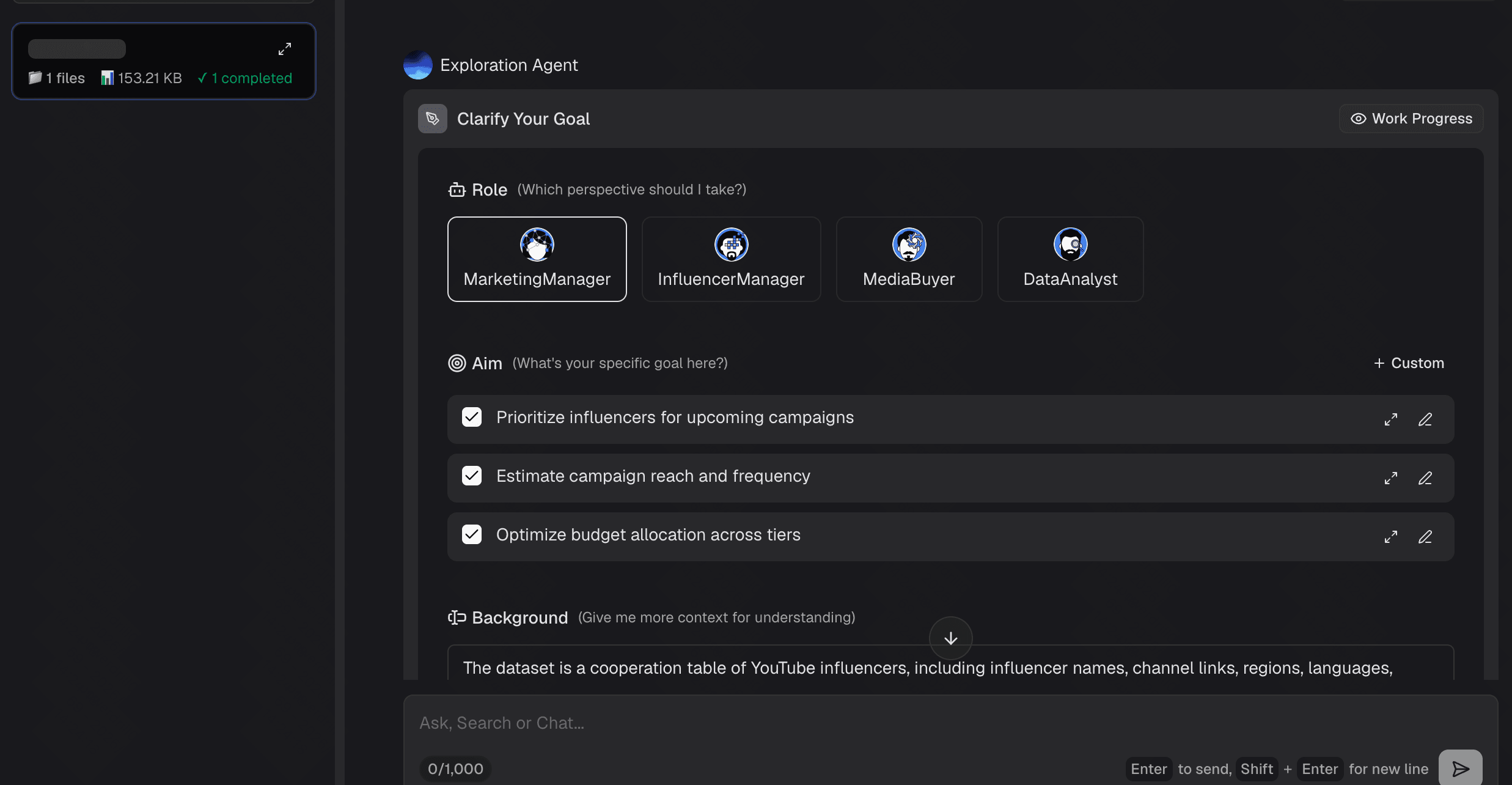
Step 2- View the Exploration Results
Within a matter of seconds, the AI completely analyzes your file. It will present you with an instant summary, highlight the key takeaways, and provide a clear, logical structural breakdown of the uploaded content.
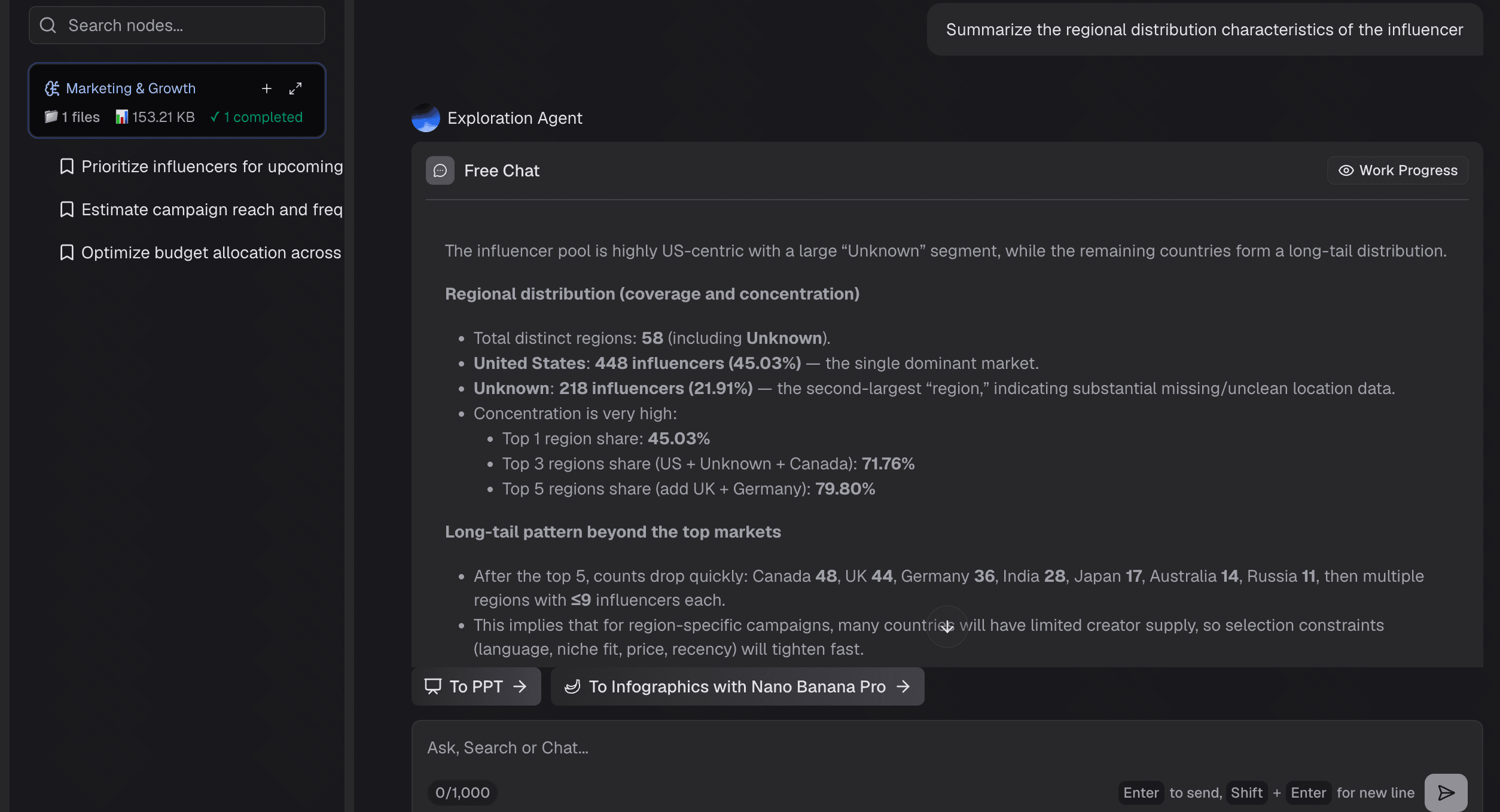
Step 3- Ask Questions Using Natural Language
Engage with your document through the built-in AI chat interface. You can type commands in everyday language, asking the AI to emphasize specific data points, summarize certain chapters, or reorganize the extracted information into a structured slide outline.
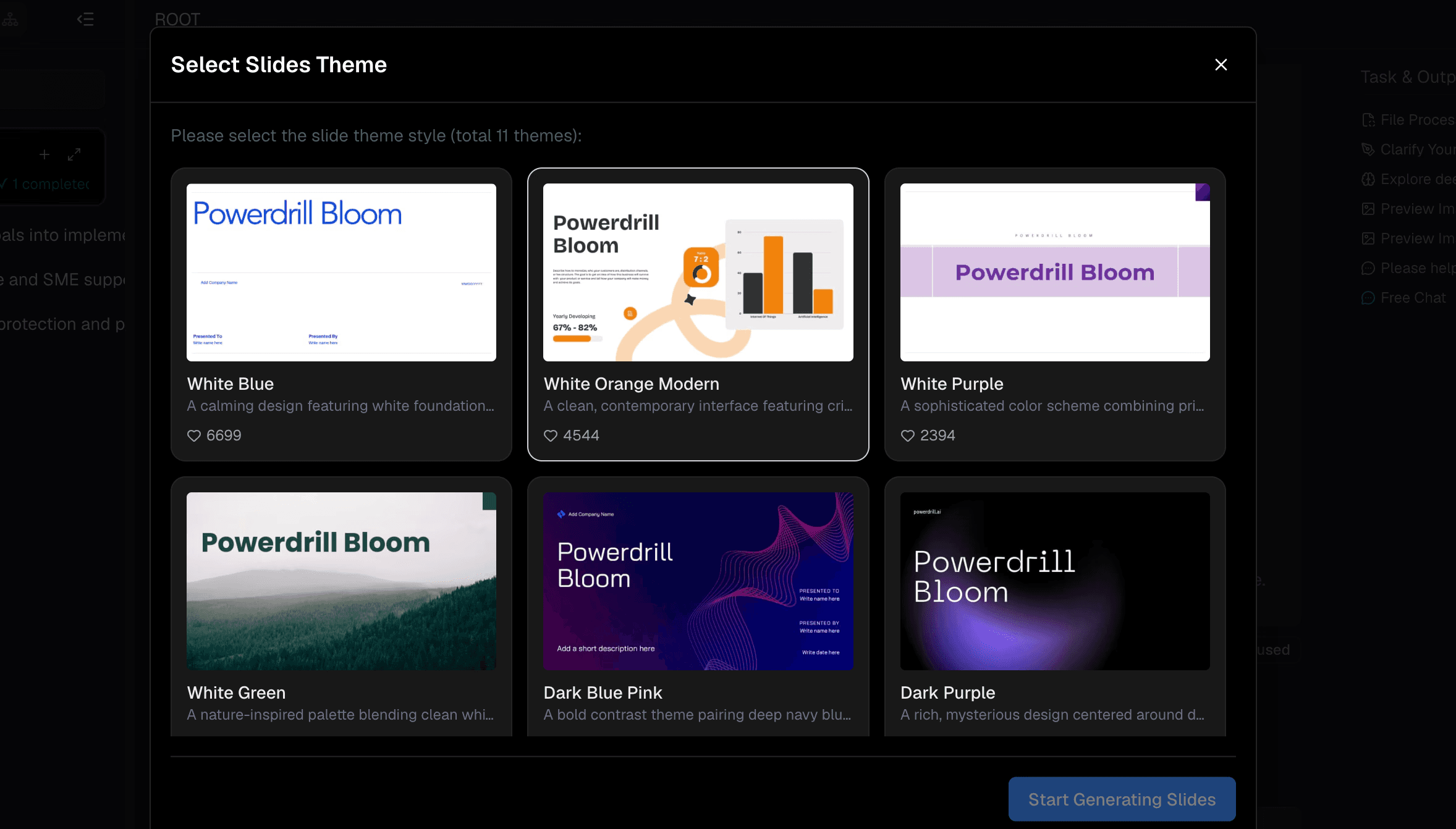
Step 4- One-click Exportation
Once you are fully satisfied with the AI-generated outline and the curated content, simply click the export button. Powerdrill Bloom will instantly assemble the data and generate a fully formatted, downloadable PowerPoint presentation.
Who Should Use Powerdrill Bloom?
Powerdrill Bloom is the ultimate solution for anyone looking to reclaim their time and streamline their presentation workflow.
Educators and teachers can use it to instantly turn lengthy syllabi or textbook chapters into engaging lecture slides.
Business professionals can effortlessly convert quarterly reports, project whitepapers, or brief meeting prompts into polished pitch decks for stakeholders.
Additionally, students will find it incredibly useful for summarizing dense academic papers into digestible presentations for class projects.
Ultimately, if you regularly deal with documents or need to generate structured slides without the headache of manual formatting, this tool is indispensable.
Conclusion
Generating a full, professional PPT from a single topic prompt or an existing document doesn't have to be a frustrating, time-consuming struggle. Modern AI tools have completely transformed this workflow, making it more accessible than ever. While many platforms offer basic conversion capabilities or aesthetic design assistance, Powerdrill Bloom provides the ultimate all-in-one experience.
By perfectly combining natural language processing, intelligent document analysis, and seamless automated slide generation, it easily stands out as the best tool on the market. We highly recommend trying Powerdrill Bloom today to completely revolutionize the way you create your presentations.
FAQs
Can I generate a PPT from a single text prompt?
Yes, Powerdrill Bloom easily creates fully structured PowerPoint presentations from just a brief topic prompt or an uploaded document.
Will the AI accurately summarize my uploaded PDF?
Absolutely. Powerdrill Bloom’s advanced AI precisely extracts key information from your PDF to create accurate, concise presentation slides.
Is it possible to edit the AI-generated PowerPoint later?
Yes, Powerdrill Bloom exports your presentation as a standard PPTX file, allowing you to seamlessly edit text and layouts.
Do I need design skills to use this tool?
Not at all. Powerdrill Bloom automatically formats and designs the entire presentation for you based on your provided prompt.
How long does the AI presentation generation take?
The process is incredibly fast. Powerdrill Bloom typically generates your complete, downloadable PowerPoint presentation in just a few seconds.