How to Generate a Competitor Benchmark Report From Spreadsheet Data (Zero Coding)
Introduction
Competitor benchmarking is the backbone of any smart business strategy. It tells you where you stand, what your rivals are doing, and where the gaps are. But for most teams, the process is painfully slow. You gather data from e-commerce platforms, social media, review sites, and internal spreadsheets. You clean it, format it, and try to make sense of it. Days pass. The report finally lands on your desk, and by then, the market has already moved.
What if you could go from a messy Excel file to a polished competitor benchmark report in minutes, without writing a single line of code?
That’s exactly what Powerdrill Bloom makes possible. It’s an AI-powered tool that turns spreadsheets into structured insights, visual reports, and actionable recommendations, all through natural language. No data science degree required. No complex queries. Just upload your file, tell Bloom what you need, and let the AI do the heavy lifting.
Three Major Pain Points of Traditional Competitor Analysis
Anyone who has done competitor analysis knows that the real challenge is never “not knowing what to analyze,” but rather “having the data yet not knowing where to start.”
Pain Point 1: Dispersed data, time-consuming consolidation.
Competitor information is scattered across different platforms—Taobao, Tiktok, Amazon, and more. Prices, selling points, reviews, and sales figures each live in their own silos. Just figuring out what each sheet in your spreadsheet says can take half an hour.
Pain Point 2: Tabular data is “visible” but “unreadable.”
Hundreds of user reviews, parametric comparisons across multiple brands, and various audience personas—these numbers are meaningful on their own, but the connections between them are anything but obvious. Which insights truly matter? Manual sorting is not only slow but also prone to missing critical information.
Pain Point 3: Report generation relies on “manual crafting.”
Turning spreadsheet data into readable documents, PPTs, or promotional copy means copying, pasting, formatting, and endless revisions—tedious, repetitive, and error-prone.
Powerdrill Bloom was built to eliminate all three.
What Can a Competitor Benchmark Report Tell You
A well-constructed competitor benchmark report is more than a table of numbers. It answers the questions that actually matter for your business:
Market positioning: Who are the major players? What price tiers do they occupy? Where is the market saturated, and where is it underserved?
Feature gaps and advantages: What do your competitors offer that you don’t? What do you offer that they don’t? Which features are table stakes, and which are true differentiators?
User sentiment: What are customers actually saying? What do they love? What frustrates them? Which pain points are going unaddressed?
Channel strategy: Where are competitors selling? Which platforms drive their volume? Are they over-reliant on a single channel?
Opportunity identification: Based on all of the above, where should you focus your resources? Which markets, features, or messages offer the highest return?
A good report doesn’t just present data—it tells a story about the competitive landscape and points you toward your next move.
How to Generate a Competitor Benchmark Report With Powerdrill Bloom
Step 1: Upload Your Spreadsheet to Powerdrill Bloom
Start by uploading your raw data file. Powerdrill Bloom supports common formats like Excel (.xlsx) and CSV. The tool automatically detects your spreadsheet structure—every sheet, every column header, every row of data.
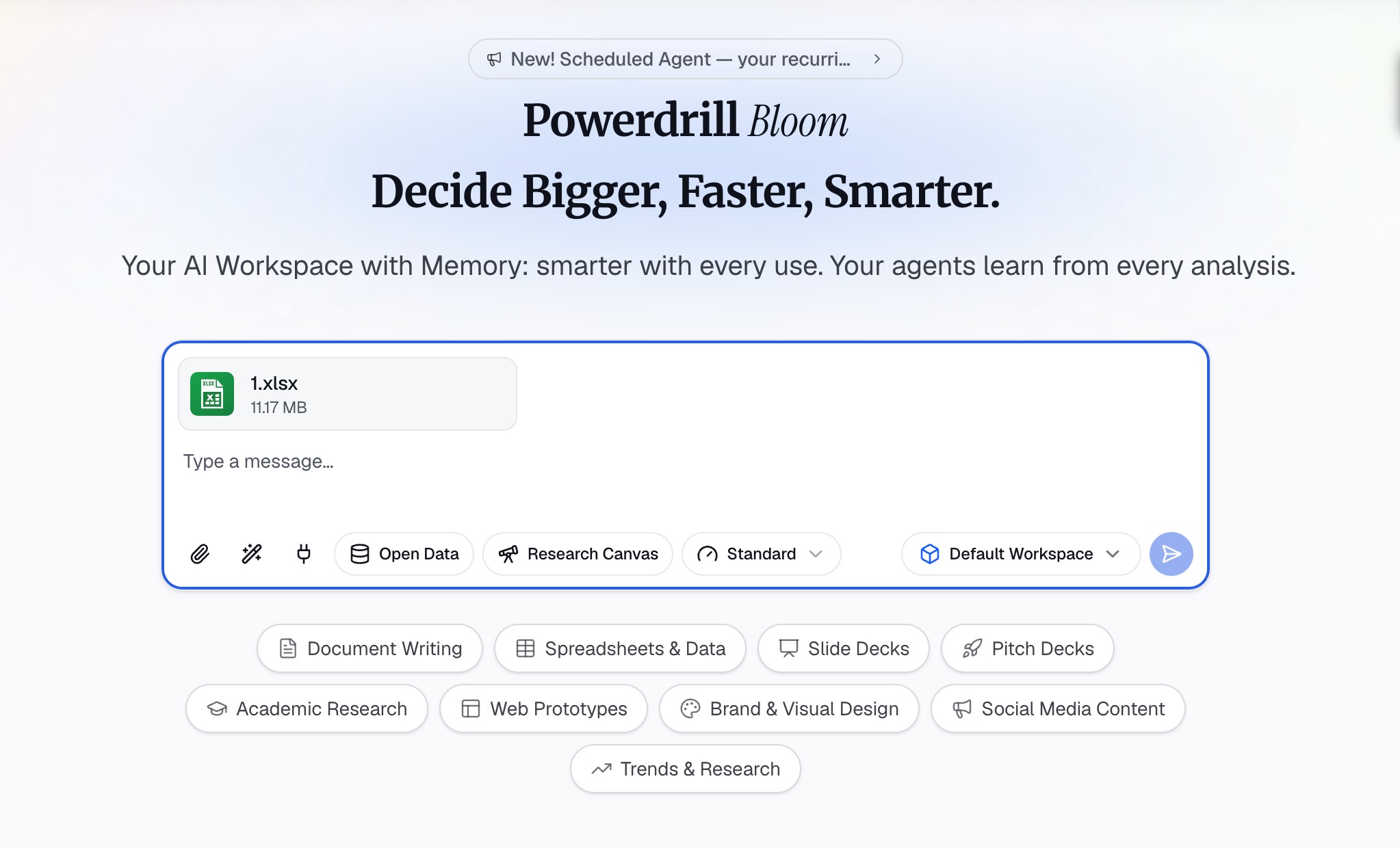
For example, imagine you have a spreadsheet with multiple sheets covering product selling points, competitor specifications, user review analysis, audience personas, and market size data. Bloom doesn’t need you to explain what each sheet means. It reads the headers, things like “Priority,” “Feature,” “User Benefit,” “Competitor Comparison”, and understands the data hierarchy on its own.
No manual mapping. No pre-cleaning. Just upload and let the AI figure out the layout.
Step 2: Make Your Request
This is where Powerdrill Bloom truly shines. You don’t need to write queries, build dashboards, or learn any syntax. Just type what you want in plain language.
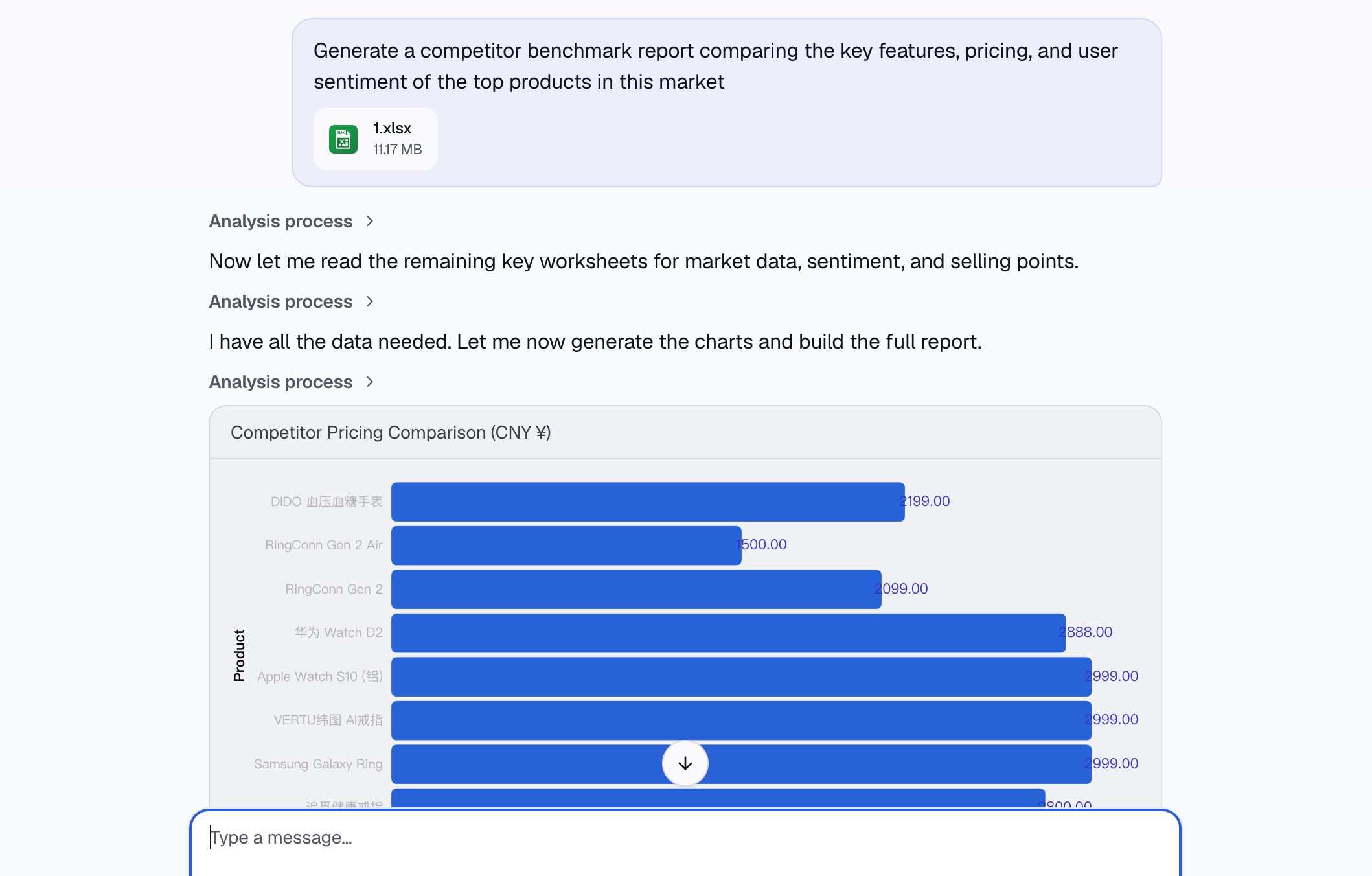
For instance, you might say: “Generate a competitor benchmark report comparing the key features, pricing, and user sentiment of the top products in this market.”
Or: “Identify the top three differentiation points based on the competitor comparison and user review data.”
Or: “Summarize the market landscape who are the key players, what are their price points, and where are the gaps?”
Bloom processes your request against the entire dataset. It knows which columns contain pricing, which contain feature lists, which contain review excerpts, and which contain competitive positioning. It cross-references these sources to deliver an answer that’s grounded in your actual data, not generic AI hallucination.
You can also ask follow-up questions. Want to dig deeper into a specific competitor? Ask. Want to see only the P0 (highest-priority) selling points? Ask. The conversation is fluid and iterative, just like talking to a data analyst on your team.
Step 3: Generate the Competitor Benchmark Report
Once you’ve made your request, Powerdrill Bloom gets to work. In seconds, it synthesizes information from across your spreadsheet and generates a structured report.
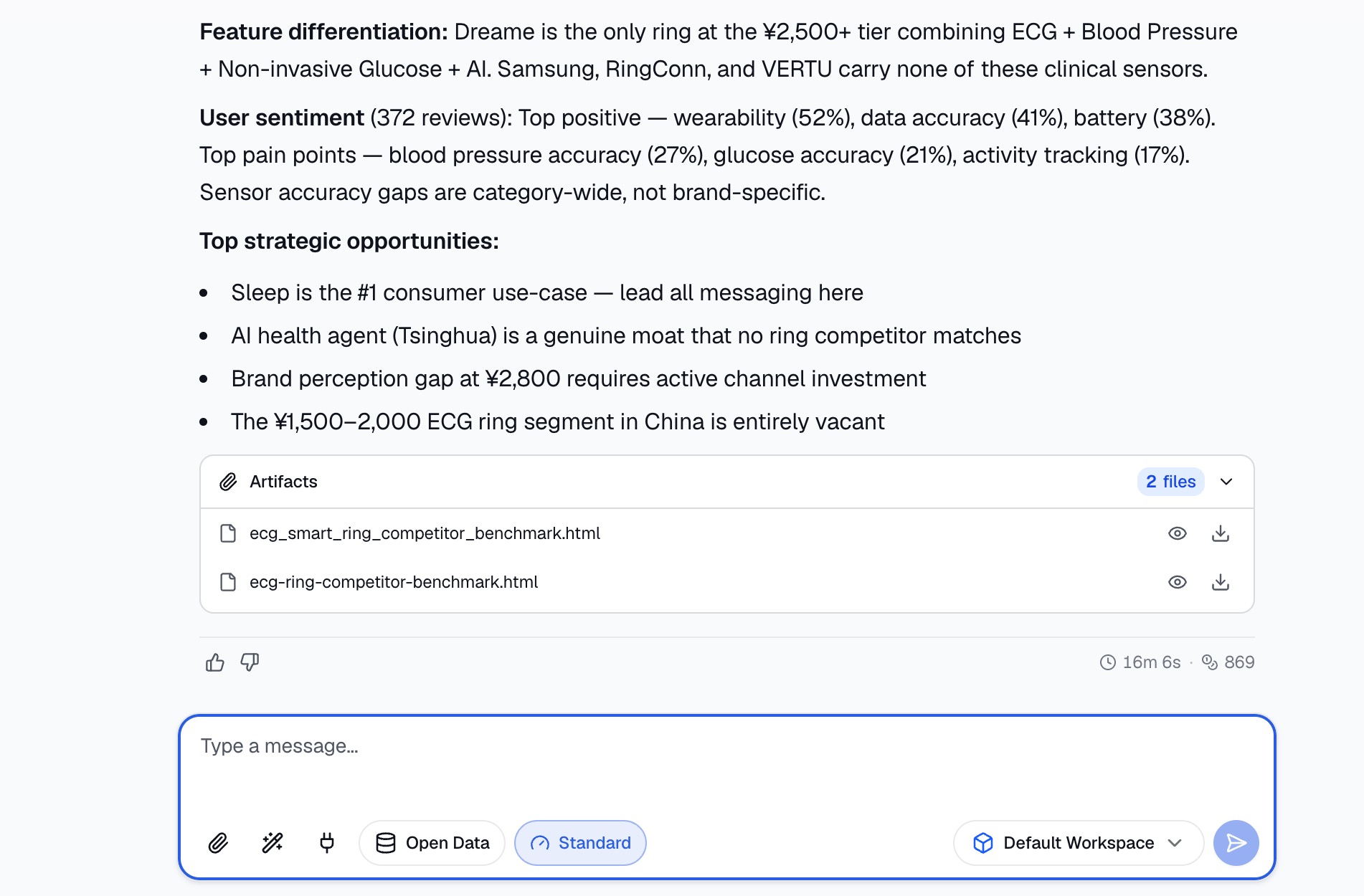
What does that report look like? It typically includes:
Executive summary: A high-level overview of the competitive landscape, distilled from your data.
Competitor profiles: Side-by-side comparisons of key players, covering price, features, positioning, and channel presence.
Feature gap analysis: A clear breakdown of what competitors offer versus what your product offers, highlighting areas of advantage and vulnerability.
User sentiment summary: Aggregated insights from reviews—what customers praise, what they complain about, and what they wish existed.
Market opportunity mapping: Actionable recommendations based on the data—which segments to target, which features to emphasize, which channels to prioritize.
The report is delivered in a clean, readable format, no more wrestling with pivot tables or manual formatting. You get insights, not just numbers.
Step 4: Download the Report
With the report generated, you can download it for sharing, presentation, or further editing. Powerdrill Bloom supports export to common formats, making it easy to integrate into your existing workflows whether that means dropping it into a deck, emailing it to stakeholders, or using it as the foundation for a deeper strategic discussion.
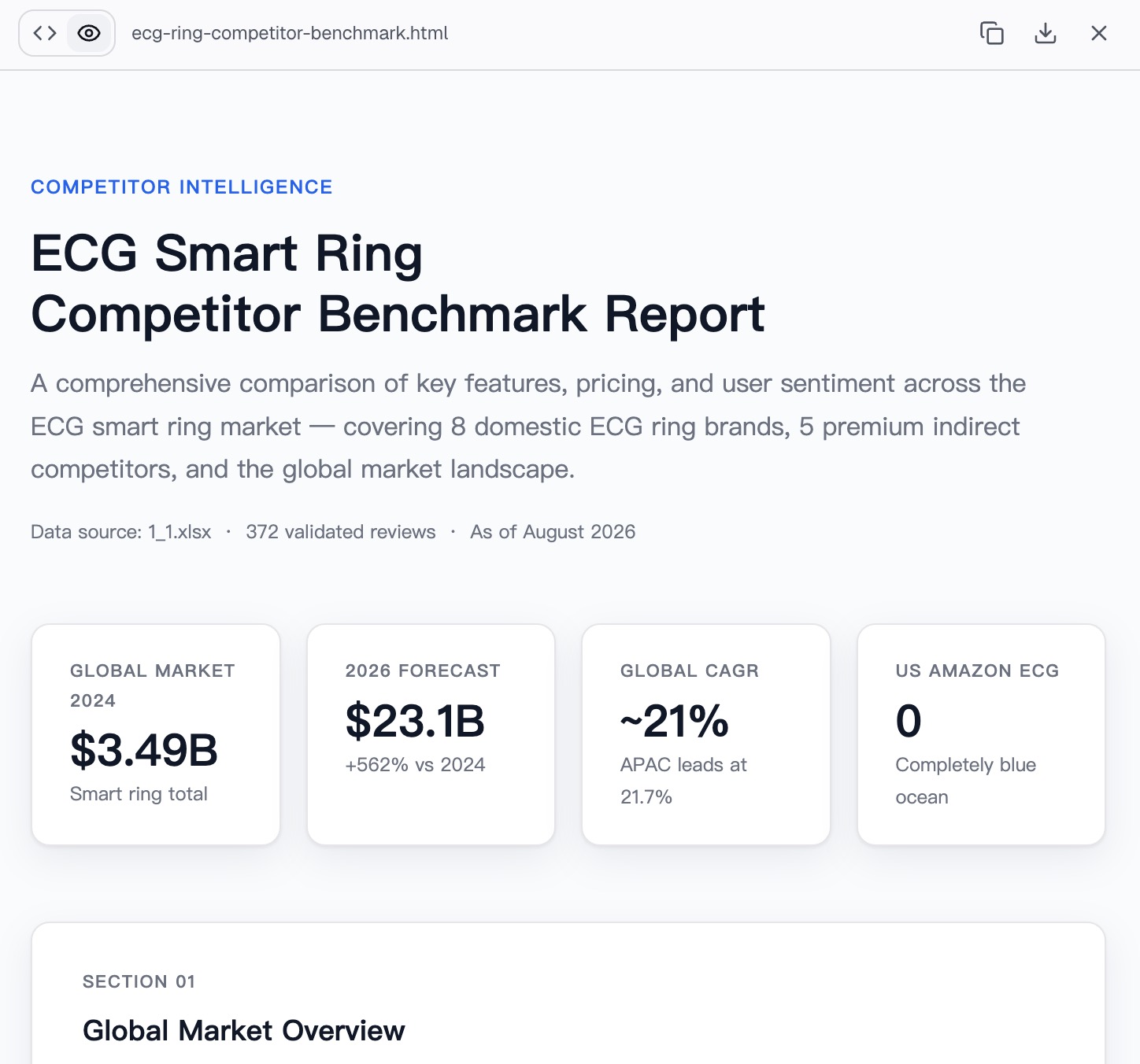
The entire process, from upload to downloadable report, takes minutes, not days.
Tips for Better Competitor Benchmarking
Even with a powerful tool like Powerdrill Bloom, the quality of your output depends on the quality of your input. Here are a few best practices:
1. Organize your data before uploading. While Bloom can handle messy spreadsheets, cleaner data yields better results. Use clear, consistent column headers. Separate different types of information (e.g., product specs, reviews, pricing) into distinct sheets.
2. Be specific in your requests. Vague questions produce vague answers. Instead of saying “analyze this,” try “compare the battery life and waterproof ratings of all competitors” or “list the top three user complaints about the market leader.” The more precise you are, the more useful the output.
3. Use the conversation iteratively. Don’t expect the perfect report in one go. Start with a broad request, review the output, and ask follow-up questions to drill down into areas that interest you.
4. Cross-reference with external sources. Your spreadsheet contains your data. But the competitive landscape also includes information that isn’t in your file—news, analyst reports, social chatter. Use Bloom’s output as a foundation, then layer on external intelligence.
5. Share and collaborate. A benchmark report is most valuable when it informs decisions across teams—product, marketing, sales, and leadership. Share the report broadly and use it as a starting point for strategic conversations.
Conclusion
Competitor benchmarking doesn’t have to be a slow, manual grind. With Powerdrill Bloom, you can turn a stack of spreadsheets into a structured, insight-rich report in minutes—without writing a single line of code.
The tool handles the heavy lifting: understanding your data structure, synthesizing information across sheets, and generating clear, actionable outputs. You stay focused on what matters—interpreting the insights, making decisions, and executing your strategy.
Whether you’re a product manager sizing up the competition, a marketer crafting a positioning strategy, or a founder looking for your next move, Powerdrill Bloom gives you back the time and clarity you need to compete effectively.
Upload your data. Ask your question. Get your report. It’s that simple.
FAQs
Q1: Do I need any coding or data analysis skills to use Powerdrill Bloom?
No. Powerdrill Bloom is designed for zero-code use—just upload your file and ask questions in natural language.
Q2: What file formats does Powerdrill Bloom support?
It supports common spreadsheet formats including Excel (.xlsx) and CSV.
Q3: Can Powerdrill Bloom handle multiple sheets in a single file?
Yes. Bloom automatically detects and understands the structure of all sheets in your workbook.
Q4: How long does it take to generate a report?
Typically just seconds to a few minutes, depending on the size and complexity of your dataset.
Q5: Can I export the report for sharing with my team?
Yes. Powerdrill Bloom allows you to download reports in common formats for easy sharing and presentation.