How to Auto-Generate PPT Slides From Excel Files in 2026
Introduction
In the fast-paced, data-driven business landscape of 2026, raw data alone is no longer sufficient to drive executive decision-making. The true value of information lies in how swiftly and compellingly it can be presented to stakeholders. Every single day, professionals across the globe gather massive amounts of operational data within Excel spreadsheets.
However, translating those endless rows and columns into an engaging, digestible narrative remains a critical hurdle. Historically, turning raw metrics into a highly polished presentation was a tedious, mind-numbing chore that drained productivity.
Today, artificial intelligence has completely revolutionized this workflow. You no longer need to spend hours meticulously formatting slides or wrestling with broken charts. Auto-generating PowerPoint (PPT) slides directly from Excel files is now a seamless, instantaneous process, empowering you to focus entirely on high-level strategy rather than graphic design.
The Traditional Manual Excel-to-PPT Bottleneck vs. AI Automation in 2026
The standard procedure for converting spreadsheet data into a PowerPoint presentation has long been notorious for creating massive administrative bottlenecks. However, the rise of AI automation has shifted this paradigm entirely.
The Traditional Manual Bottleneck
Tedious Data Preparation: In the past, users were forced to spend hours manually cleaning messy datasets, formulating complex pivot tables, and running extensive macros just to make sense of the raw numbers before any slide design could even begin.
Endless Formatting Frustrations: Copying and pasting charts from an Excel workbook into PowerPoint often resulted in shattered layouts. Users frequently battled with misaligned text, severed data links, and inconsistent brand colors that required constant manual adjustment.
Static Version Control Nightmares: If a single financial figure or metric changed at the last minute in the original spreadsheet, professionals had to essentially restart the agonizing process of updating and reformatting the slide deck.
The 2026 AI Automation Advantage
Instantaneous Conversion: Modern AI eliminates hours of repetitive labor by instantly translating raw spreadsheet rows into fully formulated, presentation-ready slide decks in a matter of seconds.
Intelligent Storytelling: Advanced AI does not simply copy and paste data. It actively comprehends the overarching context, automatically extracting the most vital narratives, highlighting trends, and generating concise summaries.
Error Elimination: By removing manual human intervention from the data transfer process, automation completely eradicates copy-paste errors, ensuring that every chart and figure presented is mathematically flawless.
Why Powerdrill Bloom is the Ideal Tool for Processing Complex Datasets
Navigating this new era of AI-driven data visualization requires a robust platform. Powerdrill Bloom stands out as the premier solution on the market for handling intricate data structures.
Deep Contextual Understanding via LLMs: Powerdrill Bloom is powered by state-of-the-art Large Language Models. It does not just see numbers; it understands deep business contexts. Whether analyzing a regional sales report or a complex supply chain matrix, the AI accurately interprets the variables to draw meaningful conclusions.
Flawless Handling of Massive Scale: Many legacy tools crash when fed large files. Powerdrill Bloom is engineered to process massive datasets seamlessly. It can digest sprawling, million-row CSV files with complex interdependencies without experiencing any performance lag.
Automated Visual Intelligence: Instead of relying on rigid, uninspiring templates, Powerdrill Bloom acts as a virtual data scientist. It automatically evaluates the dataset and determines whether a scatter plot, dynamic bar chart, or heatmap will best represent your specific insights visually.
Zero Learning Curve: The platform entirely removes the technical barriers associated with traditional Business Intelligence tools. Users simply converse with the platform in natural, everyday language to prompt analysis, making it accessible to anyone regardless of technical expertise.
How to Auto-Generate PPT Slides From Excel Files by Using Powerdrill Bloom
Transforming your dense spreadsheets into an impactful presentation is incredibly straightforward. By leveraging Powerdrill Bloom, you can generate slides in just a few clicks.
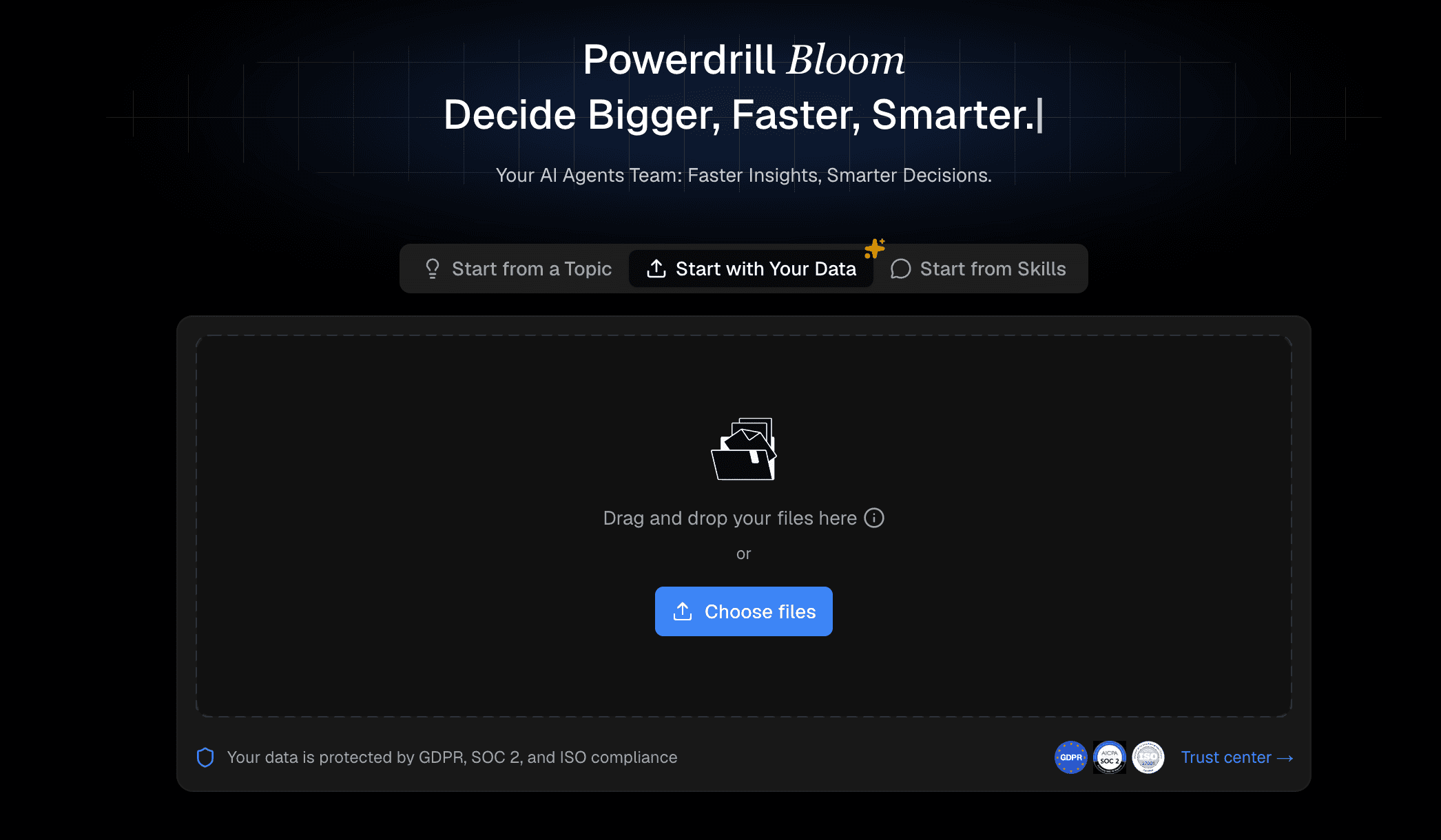
Step 1: Upload Your Excel or CSV File
Simply drag and drop your spreadsheet into the secure dashboard. The platform instantly categorizes your columns, understands your metrics, and prepares the dataset for analysis while maintaining strict data privacy protocols.
Step 2: Prompt the AI for Insights
Use conversational language to ask the AI questions. Type a prompt like "Summarize Q3 regional sales," and the platform instantly synthesizes your raw data into clear, compelling bullet points.

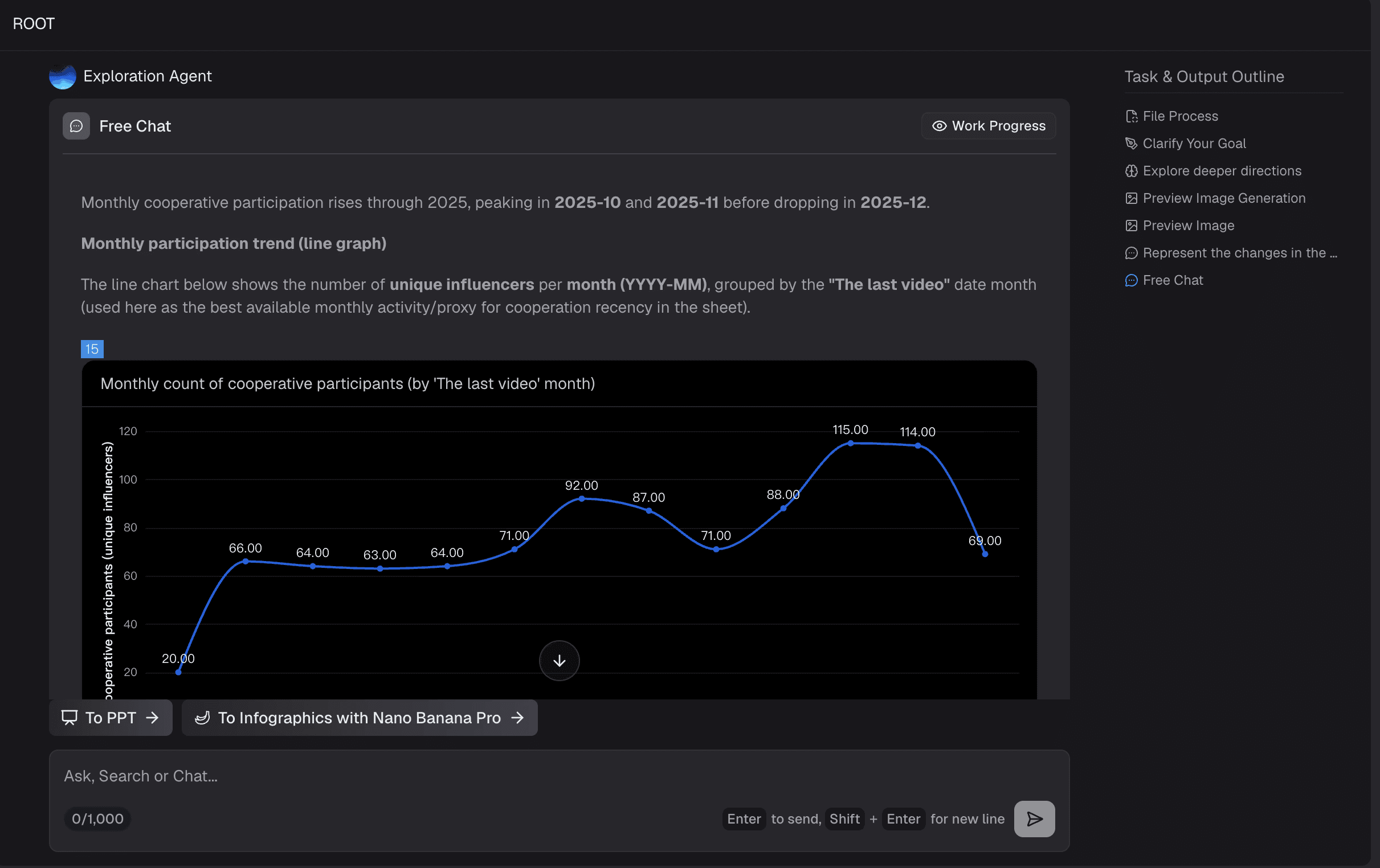
Step 3: Graph Generation
Based on your requested insights, the AI automatically conceptualizes and generates the perfect visual aids. It independently selects and designs the most effective charts to represent your data accurately.
Step 4: Use One-Click Export
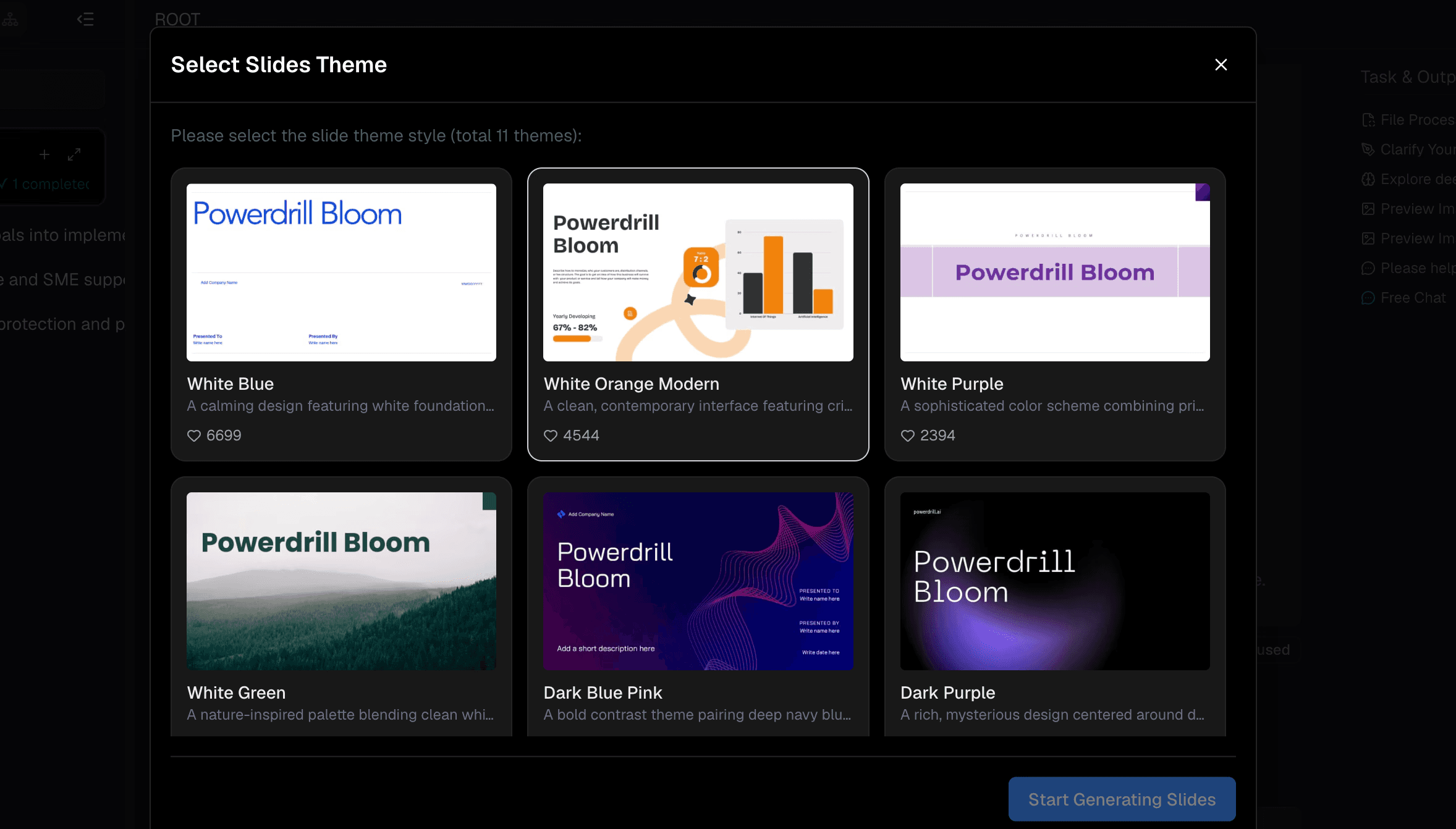
Hit the "Export to PPT" button to instantly compile everything into a structured PowerPoint file. The downloaded deck remains entirely editable so you can quickly apply your corporate master template.
Who Should Use Powerdrill Bloom?
Powerdrill Bloom is specifically designed for any professional who needs to translate raw numbers into actionable insights at lightning speed.
Financial analysts can utilize the tool to generate comprehensive end-of-month reporting decks in a fraction of the time it used to take.
Marketing teams can instantly transform digital campaign performance spreadsheets into persuasive, client-facing pitch decks.
Sales directors can effortlessly auto-generate customized quarterly reviews for their specific territories.
Furthermore, academic researchers and students can utilize the platform to quickly visualize dense experimental data for lectures.
Ultimately, if your daily workflow involves moving metrics from Excel to PowerPoint, Powerdrill Bloom will dramatically elevate your productivity.
Conclusion
In 2026, there is absolutely no excuse for wasting countless hours manually transferring data from spreadsheets into static slide decks. The era of the traditional manual bottleneck is officially over, replaced by intelligent, fast, and highly secure automation. By adopting advanced AI solutions, you can significantly elevate the quality of your presentations while reclaiming your valuable time. Do not let outdated manual reporting methods slow your business down.
Take the leap into the future of data visualization and head over to Powerdrill Bloom today to effortlessly transform your complex Excel data into stunning, professional PowerPoint presentations.
FAQs
Is Powerdrill Bloom free to use?
Yes, Powerdrill Bloom provides a flexible free tier for everyday users, alongside premium plans for complex, enterprise-level processing needs.
Are the exported PPT slides editable?
Absolutely. The downloaded PowerPoint files contain entirely editable text boxes, shapes, and dynamic charts instead of unalterable static images.
Is my uploaded data kept secure?
Yes. The platform relies on strict enterprise-grade encryption protocols to guarantee your sensitive corporate data remains private and completely protected.
Do I need any coding skills?
Not at all. The interface relies entirely on conversational natural language, so absolutely zero programming or technical experience is required.
Can it handle massive CSV files?
Yes, the platform is specifically engineered to ingest and analyze incredibly large datasets rapidly without experiencing any detrimental performance lag.