How to Auto-Generate Daily Work Reports From Excel in 2026

Introduction
Managing daily work reports using Excel used to mean dedicating hours of your day to manual data entry, formatting, and analysis. Today, artificial intelligence has completely transformed this tedious workflow, making it easier than ever to convert massive spreadsheets into professional, insightful updates instantly. Auto-generating your daily reports not only saves precious time but also minimizes human error and highlights critical business insights that might otherwise go unnoticed.
In this comprehensive guide, we will explore the best methods and platforms to automate your Excel-based daily reporting, ensuring you stay productive, informed, and ahead of the curve.
Why Automating Daily Work Reports Matters
Massive Time Savings: Automation cuts down hours of manual data processing, giving you and your team more time for high-value strategic tasks.
Error Reduction: Machine learning algorithms eliminate human typos and miscalculations that frequently plague manual Excel spreadsheet tracking.
Real-Time Insights: Automated systems process data instantly, providing up-to-date metrics exactly when you need them for daily stand-ups.
Enhanced Team Productivity: Eliminating the repetitive, tedious task of daily reporting significantly boosts team morale and overall focus.
Consistent Formatting: AI ensures every daily report looks professional, standardized, and perfectly aligned with your company’s branding guidelines.
Top 5 Tools to Auto-Generate Daily Work Reports from Excel
1. Powerdrill Bloom
Powerdrill Bloom is an exceptional, user-friendly AI data analysis platform that effortlessly transforms raw Excel files into comprehensive, stunning daily work reports with absolutely zero coding required.
Key Features
Conversational AI Interface: Query your Excel data using simple, everyday natural language.
Instant Report Generation: Converts data into beautifully structured, ready-to-present documents.
Automated Insight Extraction: Automatically highlights key trends, anomalies, and metrics.
Pros
Incredibly intuitive for non-technical users and beginners.
Lightning-fast processing from an Excel upload to a finalized PDF report.
Writes compelling narratives to explain the data context clearly.
Cons
Requires relatively well-structured Excel tables for optimal output.
Does not currently offer a fully offline desktop application.
Pricing
Generous free tier available; Pro plans start at an affordable $13.27/month.
2. Manus
Manus is an innovative, autonomous AI agent designed to execute complex business workflows natively, including reading spreadsheets, gathering external data, and drafting daily summary reports autonomously.
Key Features
Autonomous Execution: Capable of multi-step reasoning to plan and write reports.
Deep Data Synthesis: Merges Excel data with web-searched information seamlessly.
Proactive Workflows: Can be set up to generate reports without manual triggering.
Pros
Acts like a virtual assistant handling end-to-end reporting tasks.
Great for blending internal Excel numbers with external market data.
Highly innovative and represents the future of AI agents.
Cons
Still evolving, which can occasionally lead to unpredictable formatting.
Steeper learning curve to configure agent behaviors properly.
Pricing
3. Julius AI
Julius AI is a powerful chat-based AI data analyst that writes and executes Python code in the background to analyze your Excel files, making it perfect for generating highly statistical daily updates.
Key Features
Python Execution: Runs under-the-hood code to guarantee mathematical accuracy.
Dynamic Charting: Generates complex visualizations directly from raw Excel rows.
Exportable Logic: Allows you to export the Python code alongside the analysis.
Pros
Extremely accurate for complex numeric data and statistical math.
Transparent logic processing allows for easy auditing of results.
Handles massive Excel and CSV files without lagging.
Cons
The interface is highly chat-focused, lacking built-in visual report templates.
Can feel slightly too technical for basic business users.
Pricing
Free tier available; Basic plan starts at $20/month.
4. Tableau
Tableau is a powerhouse business intelligence platform that incorporates advanced AI via Einstein Copilot to turn daily Excel data dumps into highly interactive, visual enterprise dashboards.
Key Features
Deep Visual Analytics: Industry-leading interactive charting and graphing.
Ask Data: An AI feature that translates natural language into dashboard visuals.
Automated Scheduling: Set specific times for daily data refreshes and alerts.
Pros
Unmatched visualization quality and customization options.
Highly scalable for massive corporate datasets and teams.
Robust security, compliance, and governance features.
Cons
Can be quite expensive for small businesses or solo users.
Requires significant training and time investment to master.
Pricing
Starts at $15/user/month.
5. Visme AI
Visme AI is a versatile design and presentation tool that integrates intelligent AI generation to help users turn boring Excel metrics into highly engaging, visual daily report documents.
Key Features
AI Document Generator: Creates reports and slide decks from text and data prompts.
Massive Asset Library: Thousands of widgets, charts, and icons available.
Brand Kit Automation: Locks in your brand colors and fonts for consistent styling.
Pros
Creates the most visually stunning and creative reports on this list.
Highly intuitive drag-and-drop interface for easy editing.
Excellent collaboration and external sharing capabilities.
Cons
Not built for deep, complex mathematical analysis of raw data.
Connecting and parsing live, complex Excel files can feel clunky.
Pricing
Free basic plan; Premium plans start at $12.25/month.
Step-by-Step Guide: Auto-Generating Reports
Let's take Powerdrill Bloom as an example.
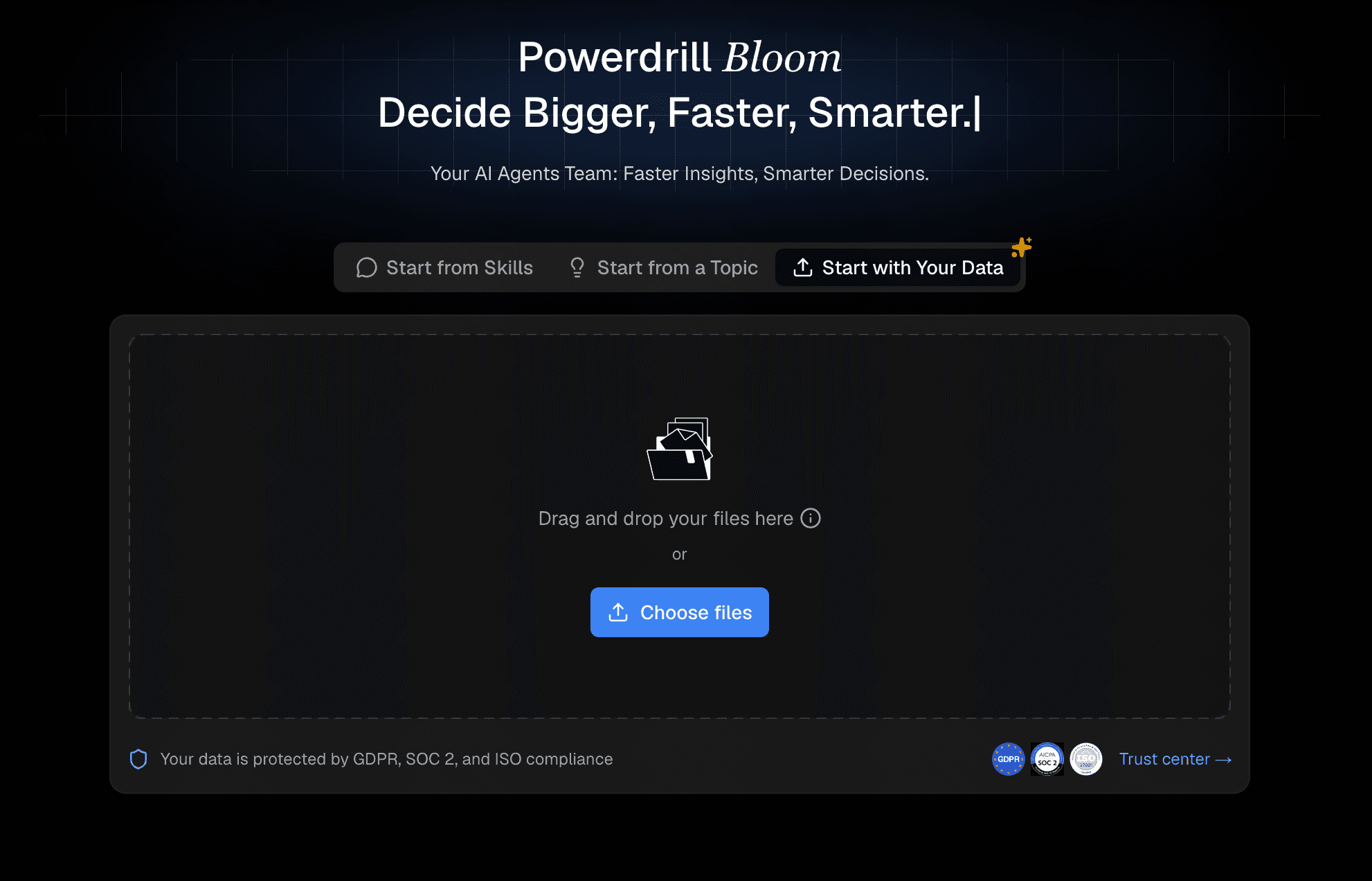
Step 1: Upload Your Excel or CVS Files
Begin by dragging and dropping your daily Excel spreadsheets directly into the Powerdrill Bloom interface. The system securely and instantly parses your rows and columns.
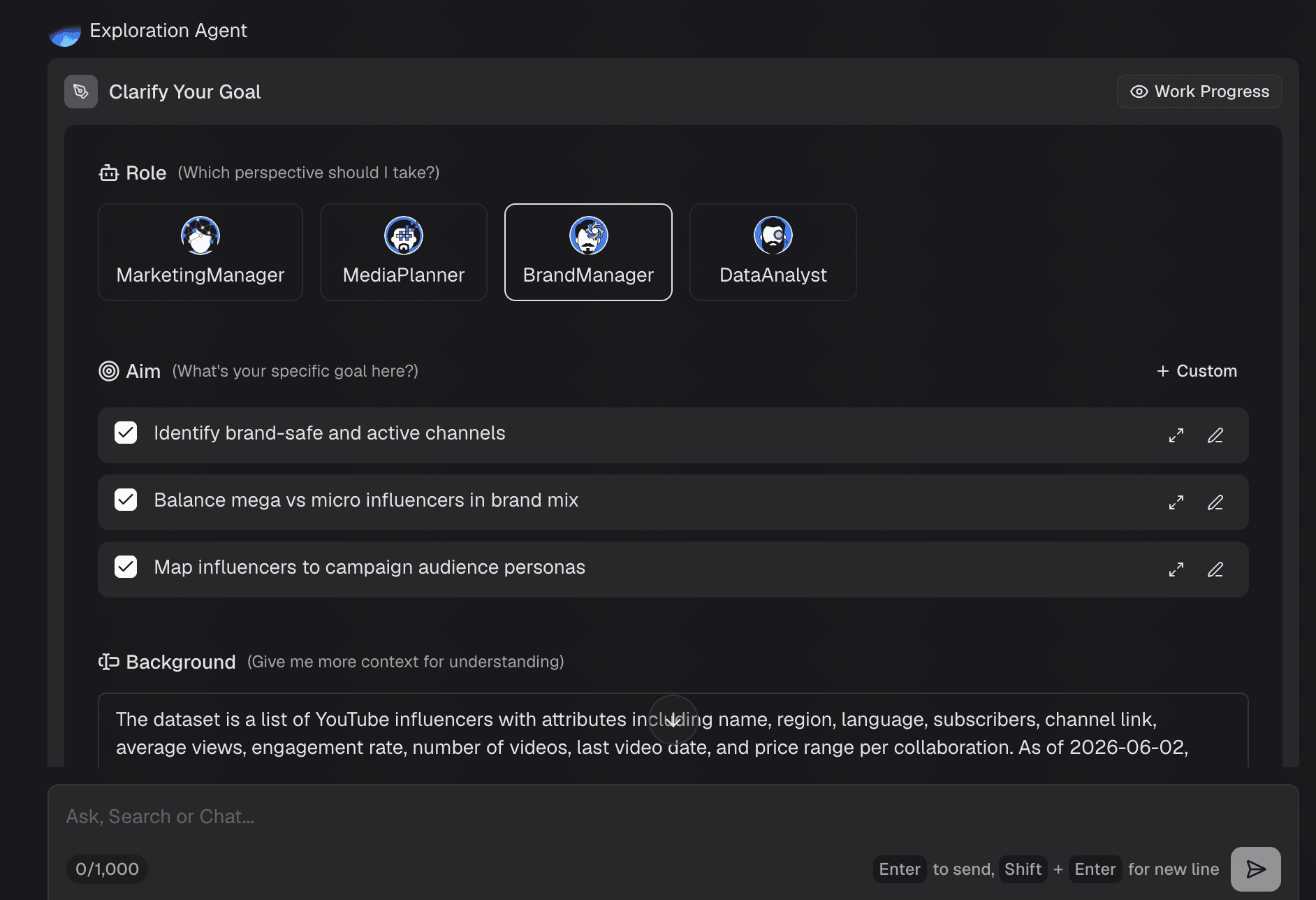
Step 2: Clarify Your Goals
Decide exactly what your daily report needs to convey. Are you highlighting sales targets, task completions, or production errors? Having a clear goal ensures the AI knows exactly what to focus on.
Step 3: Ask in Natural Language
Use the intuitive chat interface to instruct the AI. For example, simply type: Generate a daily summary report based on this Excel file. The report should include the distribution of red areas, the price range, and the average page views.
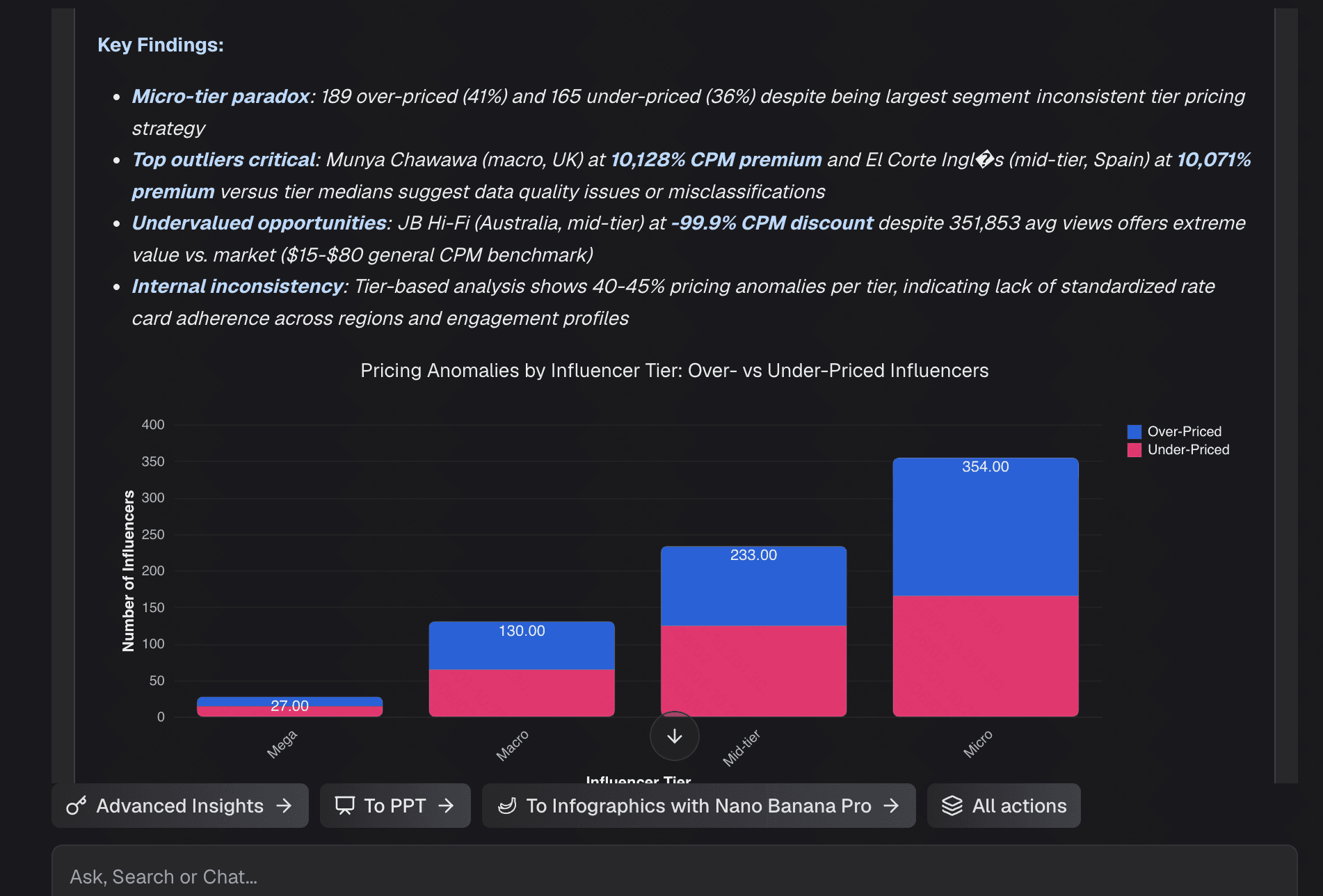
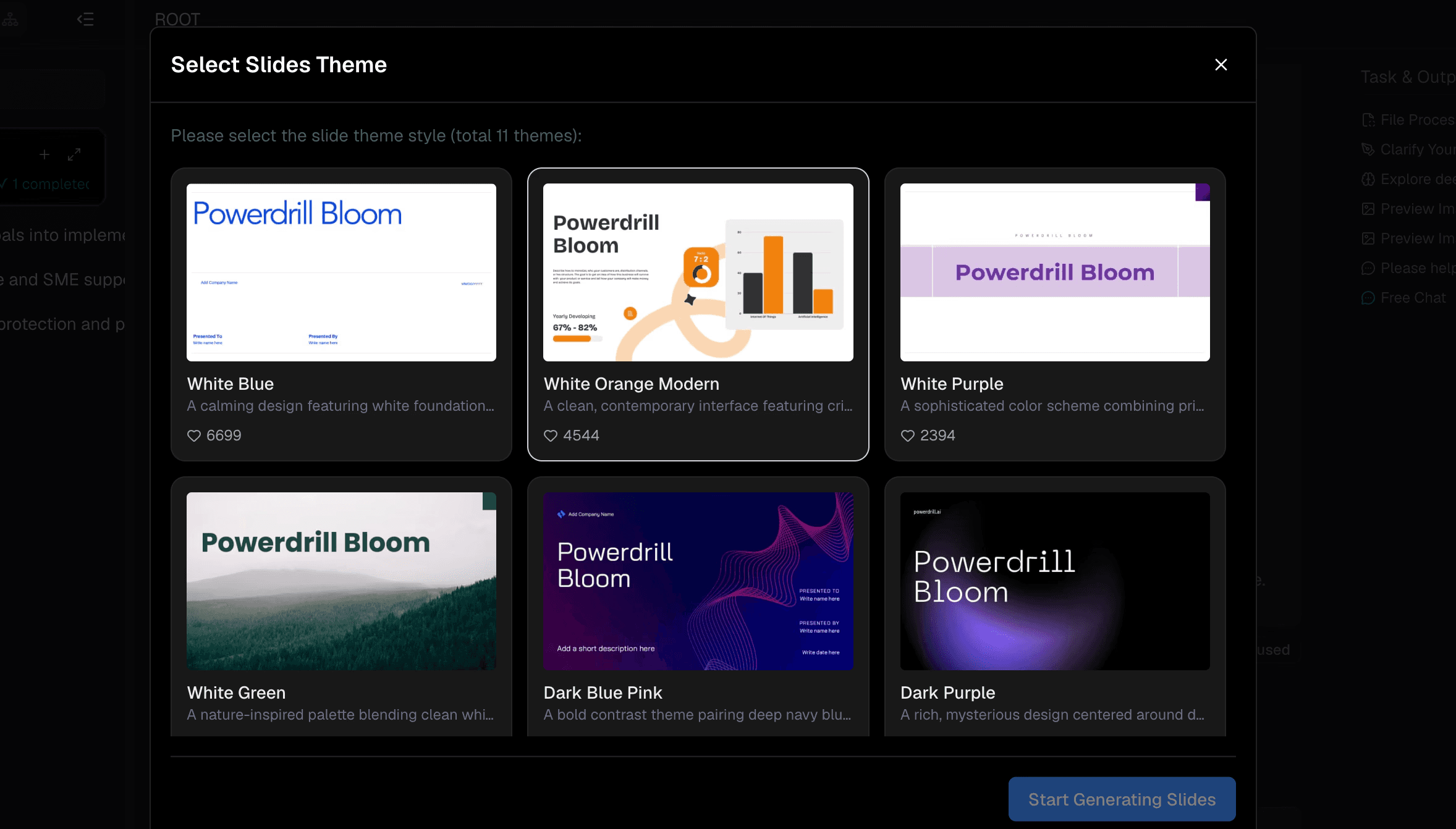
Step 4: Generate and Export
The AI instantly crafts a structured, visual report based on your prompt. Review the insights, apply any desired formatting tweaks, and export the final document as a PDF to share with your management team.
Best Practices for Daily Report Automation
Maintain Clean Data: Ensure your Excel files have clear, descriptive column headers and consistent formatting to prevent AI confusion.
Define Key KPIs: Focus your automated reports on actionable metrics rather than flooding the document with irrelevant, distracting numbers.
Set a Consistent Schedule: Make file uploading and report generation a standardized daily habit at a specific time (e.g., 5:00 PM every day).
Review Before Sending: Always do a quick visual scan of the auto-generated report to ensure the context and tone align with your business reality.
Iterate Your Prompts: Continuously refine your natural language prompts to get better, more precise outputs from the AI over time.
Benefits of Using Powerdrill Bloom in 2026
Unrivaled Processing Speed: Turns complex Excel spreadsheets into polished, finalized daily reports in a matter of seconds.
Zero Learning Curve: The conversational interface means anyone can generate professional reports without specialized data science skills.
Intelligent Storytelling: Instead of just outputting dry charts, it writes comprehensive narratives that explain the "why" behind your numbers.
Cost-Effective Solution: Provides enterprise-level data processing power at a fraction of the cost associated with legacy BI tools.
Flawless Presentation: Automatically applies beautiful layouts, making your daily updates look executive-ready with zero design effort.
Conclusion
Transitioning from manual Excel data entry to automated daily work reports is one of the smartest moves you can make for your professional productivity. With artificial intelligence doing the heavy lifting, you can focus on high-level strategy rather than struggling to format spreadsheet cells.
While there are several excellent options available on the market, Powerdrill Bloom stands head and shoulders above the rest due to its unmatched simplicity, speed, and stunningly cohesive outputs. Stop wasting valuable hours on manual daily reporting, embrace the future of work and let Powerdrill Bloom elevate your reporting workflow today!
Frequently Asked Questions
Can AI read messy Excel files?
AI handles structured data best. It processes minor errors, but clean headers ensure the most accurate daily work reports.
Is Powerdrill Bloom free to use?
Yes, Powerdrill Bloom offers a generous free tier, allowing users to test features thoroughly before upgrading to premium plans.
Are my uploaded spreadsheets completely secure?
Reputable platforms use enterprise-grade encryption to protect your data, ensuring your internal business metrics remain entirely private and safe.
Do I need coding skills for this?
Not at all! Modern tools utilize natural language processing, meaning you simply type plain text instructions to generate reports.
Can I export these AI daily reports?
Absolutely. Most platforms, including Powerdrill Bloom, allow you to seamlessly export your final daily reports as PDFs or links.