How to Create and Add AI-Generated Images, Graphs, and Infographics to Your Slides in Under 60 Seconds
Introduction
Visual storytelling is the cornerstone of effective communication, yet crafting the perfect presentation often feels like an uphill battle. Relying on overused stock photos can dilute your core message and disengage stakeholders.
Enter the era of generative AI, a paradigm shift that empowers professionals to create bespoke, high-impact visuals instantly. By integrating AI-generated images directly into your slides, you elevate your aesthetic appeal while aligning every pixel with your strategic narrative.
If you are tired of compromising on visual fidelity due to strict deadlines, read on to discover how to embed custom, breathtaking graphics into your decks in under a minute.
Why AI-Generated Visual Are Transforming Presentation Design
Eradication of Visual Clichés
Say goodbye to generic handshakes and staged office scenes. AI-generated images and infographics allow you to conjure highly specific, imaginative visuals that perfectly encapsulate your unique ideas and differentiate your brand.
Unprecedented Speed and Agility
Traditional graphic design or stock photo hunting takes hours. AI tools condense this creative process into seconds, letting you focus on perfecting your pitch rather than formatting slides.
Cost-Effective Scaling
High-quality visual assets usually require expensive licensing fees or hiring freelance illustrators. Leveraging AI eliminates these high overhead costs while maintaining premium, professional visual standards.
Hyper-Personalization
Tailor your imagery to specific client demographics, cultural contexts, or niche industry concepts. AI-generated images seamlessly adapt to whatever parameters you define, ensuring maximum relevance for your audience.
Enhanced Cognitive Retention
Audiences remember unique, striking visuals far better than text-heavy slides. Custom AI graphics create powerful mental anchors that make your presentation design truly unforgettable.
What Makes Powerdrill Bloom Different
Context-Aware Generation
Unlike standalone image generators, Powerdrill Bloom understands the deeper context of your data and documents. It creates visuals that are logically tied to your uploaded materials.
Zero Prompt-Engineering Required
You do not need to be an AI whisperer to achieve stunning results. Powerdrill Bloom operates on conversational intent, translating your simple, plain-language requests into complex, highly optimized image generation prompts.
Seamless Workflow Integration
Powerdrill Bloom eliminates the friction of constantly switching between multiple tabs and applications. It acts as an integrated data assistant, bringing research, text generation, and image creation under one unified roof.
Enterprise-Grade Precision
The platform is fine-tuned for professional and corporate use cases. Whether you need an architectural concept, a data-driven abstract background, or a corporate illustration, it delivers high-fidelity results perfectly tailored for boardroom slides.
Step-by-Step: Add AI-Generated Images to Your Slides in Under 60 Seconds
Adding AI-generated images to your slides does not have to be a complicated technical chore. Powerdrill Bloom has streamlined the entire process so that you can go from an empty canvas to a visually stunning slide deck with ease.
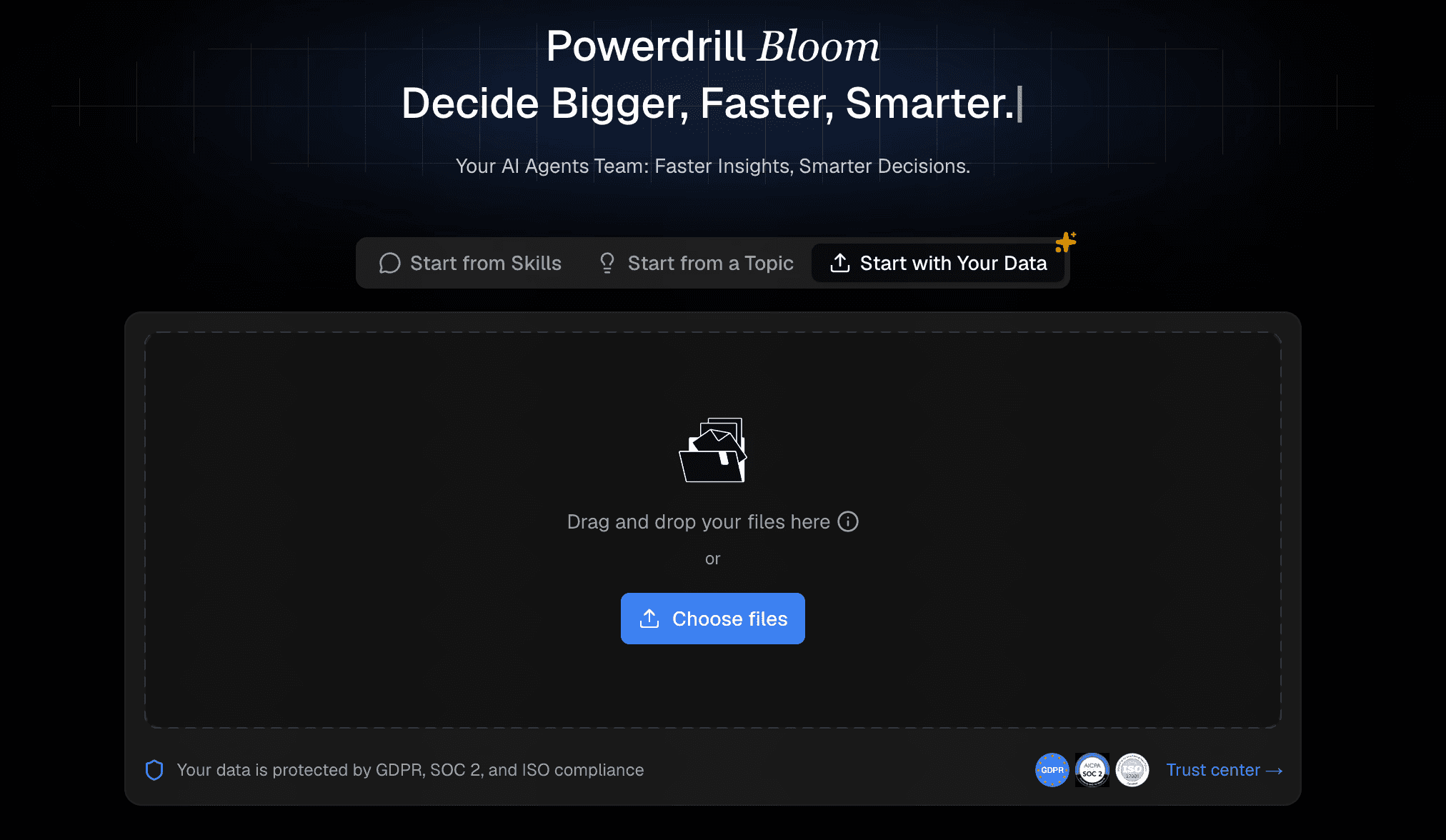
Step 1: Upload Your Files
Begin by logging into the Powerdrill Bloom interface. If your presentation relies on specific data, reports, or reference materials, seamlessly upload your documents such as PDFs, CSVs, or Word files directly into the platform. This provides the AI with the necessary context, ensuring that any content or visual it helps you generate is deeply aligned with your core source material.
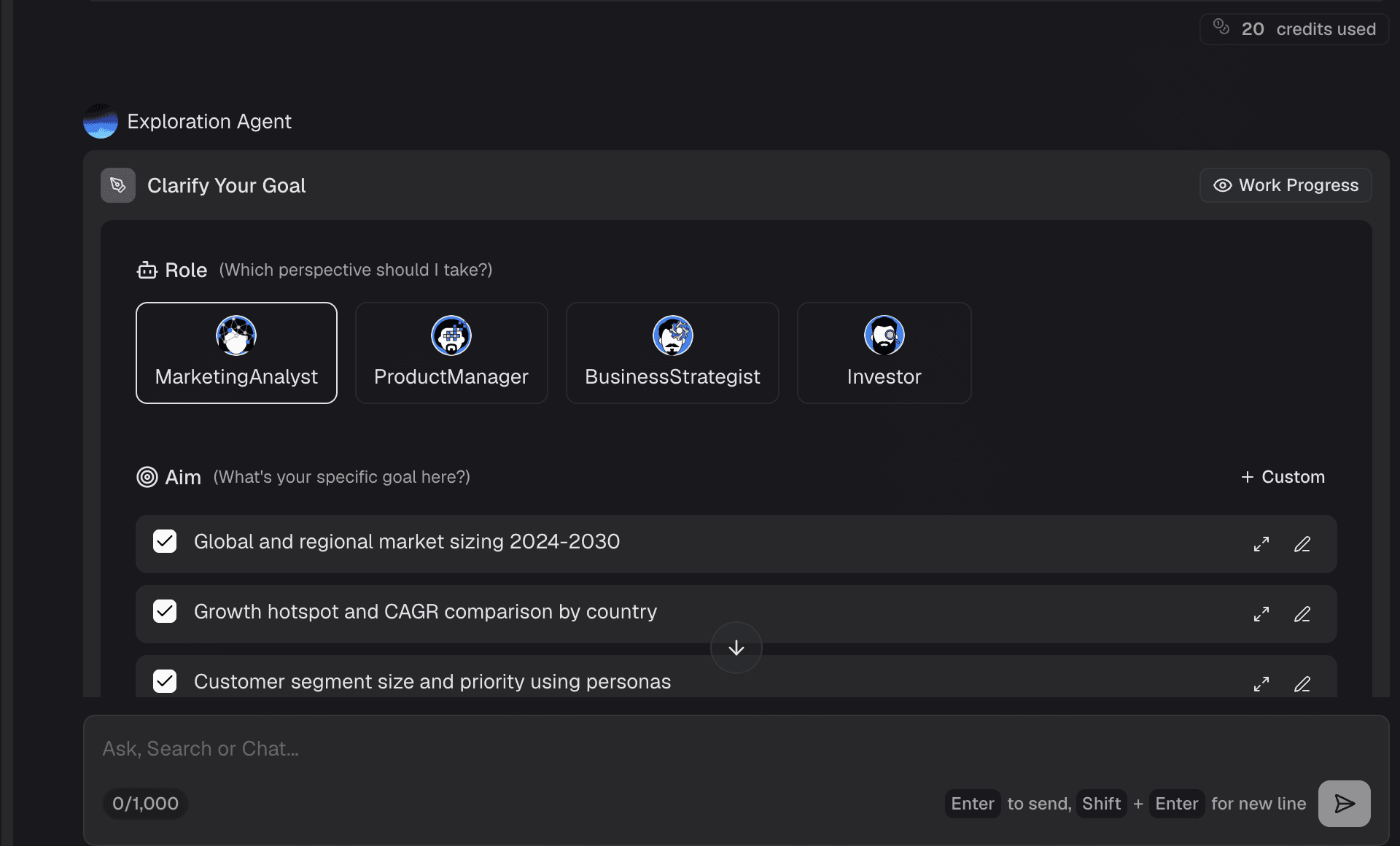
Step 2: Clarify Your Goal
Before generating an image, briefly define what visual metaphor will best support your slide's message. Are you illustrating a complex concept like "global supply chain growth," or do you simply need a sleek, abstract background to make your typography pop? Having a clear goal in mind ensures the AI-generated images will serve a functional purpose in your presentation design rather than just acting as superficial decoration.
Step 3: Ask in Plain Language
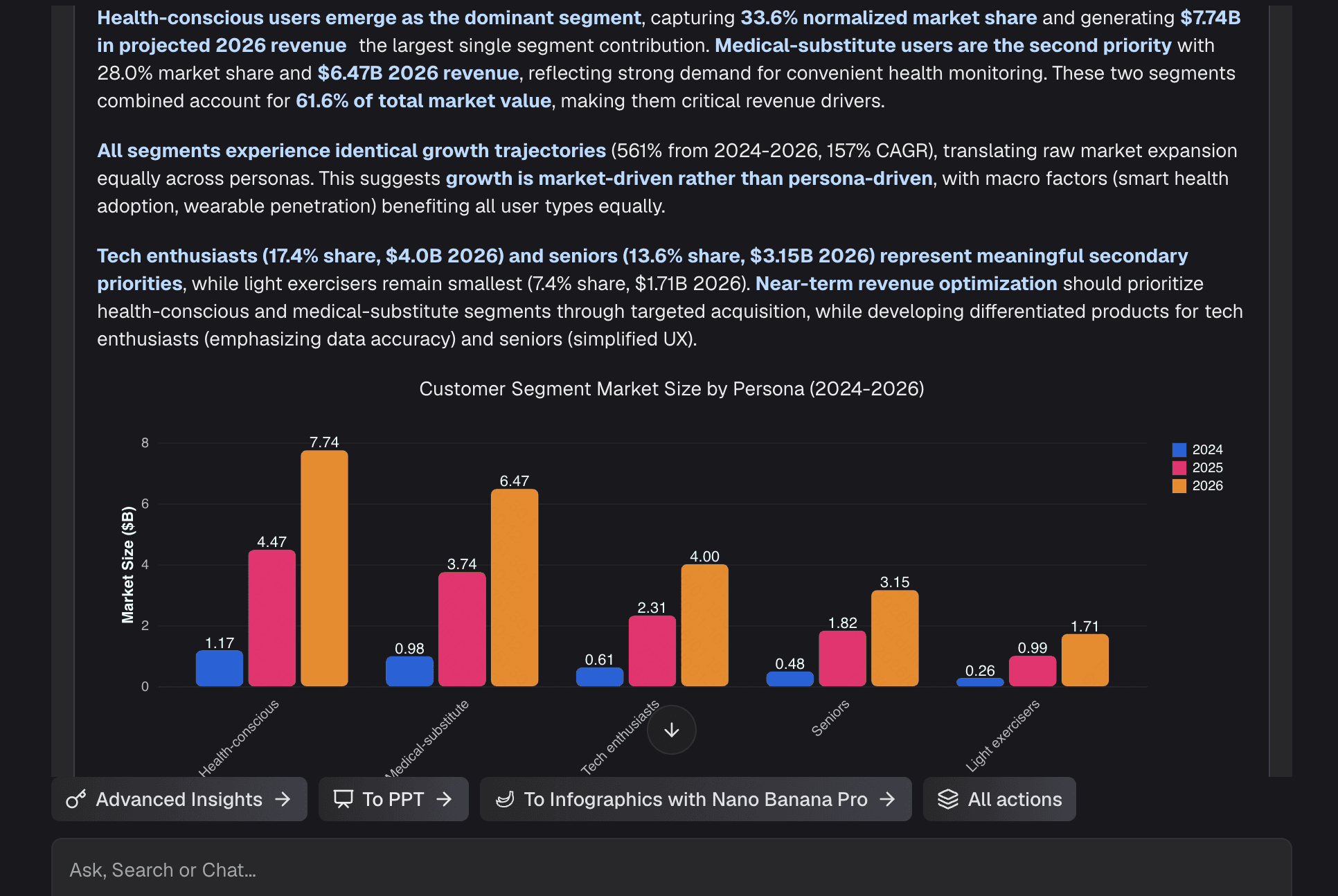
This is where the magic happens. In the chat interface, simply ask Powerdrill Bloom for the image,graphs and infographics you need using natural language. Powerdrill Bloom handles the complex prompt engineering for you behind the scenes, you never need to worry about technical jargon.
Step 4: Generate and Export
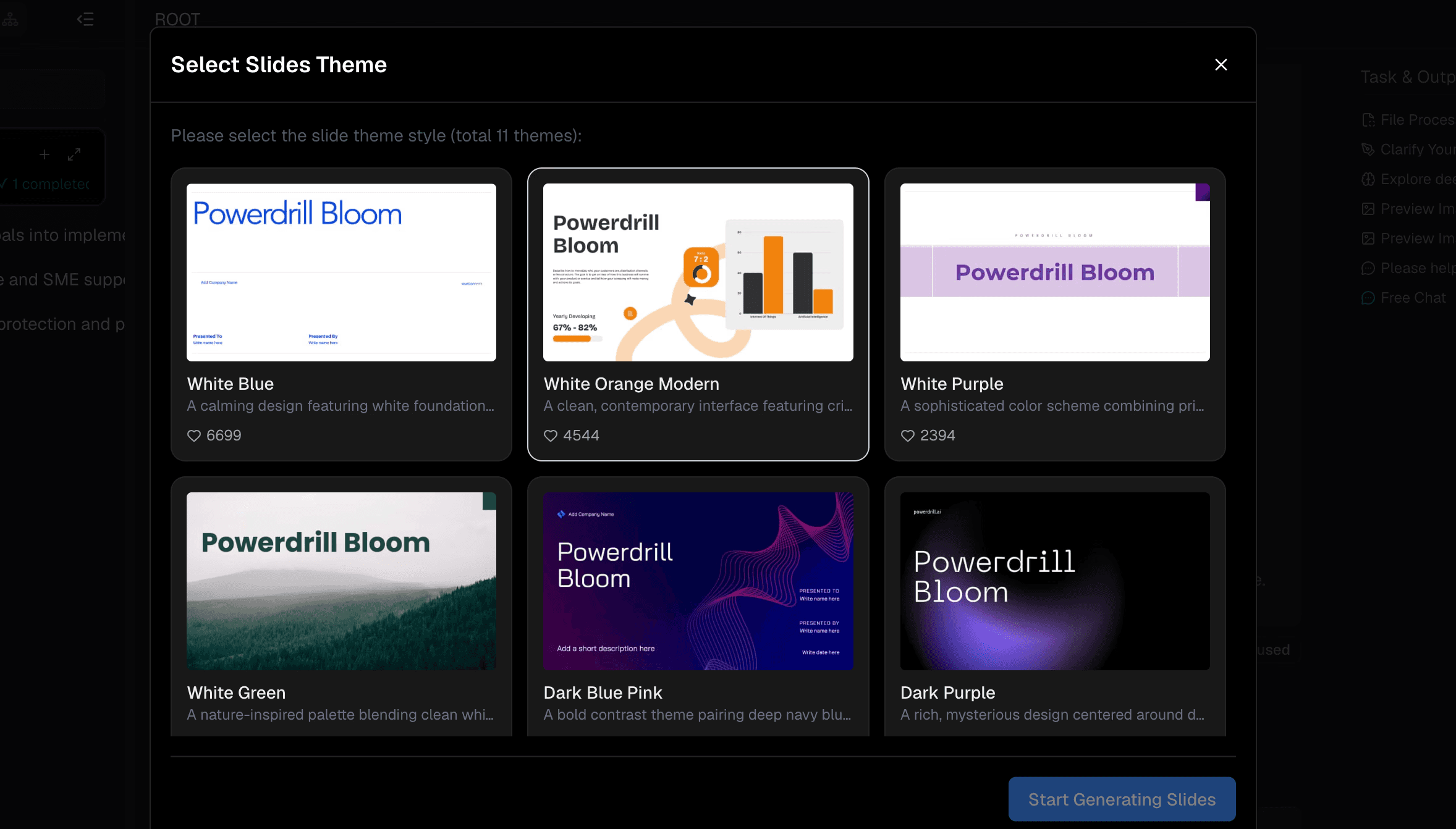
Within seconds, Powerdrill Bloom will process your request and produce a stunning, unique visual. Review the generated image, and if it perfectly captures your vision, simply download the file and drag it directly into PowerPoint, Google Slides, or Keynote. In less than 60 seconds, you have elevated your slide deck with a completely original, professional-grade visual asset.
Best Practices for Using AI Images in Presentations
Maintain Brand Consistency: When generating AI images, include keywords related to your company's brand palette (e.g., "minimalist style with navy blue and gold accents") to ensure visual harmony across your entire slide deck.
Prioritize Negative Space: If you plan to overlay text on your AI-generated images, prompt the AI to leave "ample negative space" or "clean, uncluttered areas." This ensures your typography remains highly readable against the background.
Focus on Conceptual Alignment: Do not use images just for the sake of having a picture. Ensure the generated graphic directly supports, clarifies, or simplifies the data and narrative of that specific slide.
Avoid Overcrowding: Stick to one powerful, high-impact AI-generated image per slide rather than creating a cluttered collage of multiple pictures, which can overwhelm the audience's cognitive load.
Check for Consistency: While AI has advanced tremendously, always do a quick quality check on the generated image to ensure there are no structural inconsistencies before presenting to major stakeholders.
Why Professionals Choose Powerdrill Bloom
All-in-One Efficiency: Professionals love Powerdrill Bloom because it transcends basic image generation. It is a comprehensive AI assistant that analyzes data, summarizes documents, and generates visuals all in a single workspace.
Unmatched Time-to-Value Ratio: By removing the steep learning curve associated with complex design software, it allows executives, marketers, and educators to produce agency-quality slide decks in a fraction of the time.
Intuitive User Experience: The platform's UI is meticulously designed for clarity and ease of use, ensuring that even those with zero background in AI or graphic design can navigate it effortlessly.
Data Privacy and Reliability: Powerdrill Bloom respects the confidentiality of your workflow, making it a trusted, reliable tool for generating presentation materials for sensitive internal meetings or high-stakes client pitches.
Final Thoughts
Mastering presentation design is no longer about spending hours searching through expensive stock photo libraries or battling with complicated graphic design software. The future of impactful communication lies in the intelligent application of AI. By leveraging Powerdrill Bloom, you unlock the ability to seamlessly add AI-generated images to your slides, transforming dry data and text into compelling visual narratives.
Powerdrill Bloom acts as your ultimate co-pilot, merging data analysis, text summarization, and creative image generation into one fluid workflow. Whether you are pitching to investors, delivering an industry keynote, or leading an internal training session, custom AI visuals ensure your message resonates long after the meeting ends. Embrace this technology today, and watch your slide decks evolve from ordinary to extraordinary in under 60 seconds.
FAQs
What is Powedrill Bloom?
PowerDrill Bloom is an advanced, all-in-one AI assistant designed to help users analyze data, summarize documents, and effortlessly create AI-generated images to elevate professional workflows like presentation design.
Can I use these AI-generated images for commercial presentations?
Yes. The images generated through Powerdrill Bloom are unique creations, meaning you can confidently incorporate them into your corporate slide decks, marketing materials, and client pitches.
Do I need any design experience to use this tool?
Not at all. Powerdrill Bloom operates on plain natural language. You simply type what you want to see, and the AI handles the complex design mechanics and prompt engineering for you.
Which presentation software is compatible with these images?
The AI-generated images you create can be downloaded in standard formats (such as PNG or JPG), making them universally compatible with PowerPoint, Google Slides, Keynote, Canva, and any other deck builder.
How long does it actually take to generate an image?
True to the 60-second promise, once you enter your text prompt, Powerdrill Bloom typically generates high-quality images in just a few seconds, leaving you plenty of time to place the visual perfectly onto your slide.